Top 5 Visual Mistakes in Fintech Pitch Decks

Pitching a fintech product is always a balancing act. The ideas are complex, the timelines are tight, and the story usually spans several layers of data, logic, and risk. In that kind of pace, visuals become more than decoration: they either help the reader follow your thinking, or make them work harder than they should.

Over the past year, we’ve worked with dozens of fintech teams — from pre-seed to Series B — and we keep seeing the same visual patterns. These aren’t “mistakes” in the traditional sense. They’re natural side effects of building fast and working under pressure. Below are five situations that often make a pitch harder to absorb, along with simple adjustments that help strengthen any deck.

1. Using financial data as decoration

What often makes the slide harder to read

When there are many metrics to show, it’s easy for the key numbers to end up small or tucked into the margins. In the rush of preparing for a raise, this happens almost by default: data piles up faster than the time you have to structure it.

Illustrative example only. Created for demonstration purposes.

What helps

Pick one or two financial drivers per slide and make them visually dominant. Use clear labels, consistent formatting, and split dense information across multiple slides if needed. Often, clarity comes from giving each number a bit of space.

A real example from our recent work on Pitch Deck for a Semiconductor Tech Startup.

Why it works

Investors instantly see what matters. Clear financials build trust and show that you understand the mechanics behind your model.

2. Overcomplicating the market slide

What often makes the slide heavier than it needs to be

It’s tempting to place a TAM/SAM/SOM diagram, a Venn shape, or a screenshot from a research report directly into the deck — especially when time is limited. But these graphics rarely communicate market logic at a glance.

Illustrative example only. Created for demonstration purposes.

What helps

Create a simple, clean version of the market framing: a TAM–SAM–SOM you’ve redrawn, a two-axis matrix, or a segmented bar. The goal is to help the reader immediately understand the scale of the opportunity and your place within it.

A real example from our recent work.

Why it works

Good market visuals reduce cognitive load. They help investors see the opportunity without decoding a complex chart.

3. Treating product visuals like app store screenshots

What often gets lost

Even strong UI can feel flat if presented as a full-screen screenshot with no explanation. Without context, it’s hard to understand what’s happening or why it matters.

Illustrative example only. Created for demonstration purposes.

What helps

Zoom in on meaningful interactions. Add callouts, short labels, or a single sentence describing the action, the user flow, or the result. Think of the slide less as a screenshot and more as a guided demo moment.

A real example from our recent work.

Why it works

It shows value in action. Instead of just seeing “what it looks like,” investors understand how the product works in real scenarios.

4. Using too many colors or fonts

What often makes the deck feel inconsistent

When a deck is assembled piece by piece, it’s common for different fonts, color accents, or UI elements to slip in. Even with strong content, this creates visual noise.

Illustrative example only. Created for demonstration purposes.

What helps

Keep the visual system minimal: one or two typefaces, two or three colors, and a clear hierarchy for headings and body text. It’s not about aesthetics — it’s about giving the reader stable visual anchors.

A real example from our recent work on Strategic Design Support for Private Bank.

Why it works

Consistency strengthens credibility. It signals a mature approach and helps the content stand on its own.

5. Treating every slide like a one-pager

What often makes the message feel heavy

When a team has a strong product, there’s a natural urge to fit every important detail into a single slide. The result is usually overcrowding — not because the content is wrong, but because there’s too much of it at once.

Illustrative example only. Created for demonstration purposes.

What helps

Let each slide do one job. One idea, one visual, one takeaway. Everything else can move to the next page. This creates a natural rhythm that guides the investor through the story.

A real example from our recent work on Pitch Deck for a Semiconductor Tech Startup.

Why it works

A clear pace makes the narrative easier to absorb. The deck feels like a conversation rather than a dense document.

Want us to take a look?

If you want a quick, practical review, book 30 minutes with our team.

We’ll look at your deck from an investor’s perspective and highlight small visual adjustments that can make your story clearer and more persuasive — without rebuilding the whole thing.

Keep reading

This post is part of our series on presentation excellence. You may also enjoy:

Information Design in PPT: When Data Deserves Better Than A Spreadsheet

Why Depth Matters When You Pitch Technical Ideas

Why Structure Matters In Executive Pitch Decks

We offer free 30-min consultation on the presentation design audit
and hiring the right visual 
comms professional, let’s talk!
Shedule a call
Shedule a call
"I understand" goes a step further into the cognitive dance of persuasion. It's where the audience begins to see the connections between the facts, to grasp the nuances of the problem and the elegance of the solution.
  • This is some text inside of a div block.
    lay out the facts clearly and compellingly. Use data to establish the ground reality, but remember that facts alone are like the individual strands of a tapestry—necessary but not complete.
    lay out the facts clearly and compellingly. Use data to establish the ground reality, but remember that facts alone are like the individual strands of a tapestry—necessary but not complete.
  • This is some text inside of a div block.
    lay out the facts clearly and compellingly. Use data to establish the ground reality, but remember that facts alone are like the individual strands of a tapestry—necessary but not complete.

We offer free 30-min consultation on the presentation design audit

and hiring the right visual 
comms professional, let’s talk!

Shedule a call

"I understand" goes a step further into the cognitive dance of persuasion. It's where the audience begins to see the connections between the facts, to grasp the nuances of the problem and the elegance of the solution.

  • - 1 -
    Consistency at Scale:

    Biotech Market Trends 2024: Tailoring Your Pitch Deck to Current Industry Dynamics.

  • - 2 -
    Efficiency and Speed:

    The traditional process of manually updating presentations is not only slow but also prone to bottlenecks, especially when dealing with large volumes of slides. Automation dramatically accelerates this process, enabling designers to apply changes across hundreds of slides in the time it would take to manually update a single one. This efficiency is a game-changer for agencies working under tight deadlines or managing multiple projects simultaneously.

  • - 3 -
    Enhanced Creativity:

    With the burden of manual updates lifted, designers can allocate more time and energy to the creative aspects of presentation design. This freedom allows for deeper exploration of innovative design concepts, experimentation with new visual storytelling techniques, and the development of more engaging and interactive presentations. Automation doesn't stifle creativity; it amplifies it, enabling designers to push the boundaries of what's possible in corporate presentation design.

  • - 4 -
    Error Reduction:

    Manual updates are inherently prone to inconsistencies and mistakes, from misaligned logos to incorrect font sizes. These errors can detract from the professionalism of a presentation and, by extension, the corporate image. Automation minimizes these risks by ensuring that updates are applied uniformly and accurately across all slides, enhancing the overall quality and integrity of the presentation.

  • - 5 -
    Cost-Effectiveness:

    The time savings afforded by automation directly translate to cost savings for both the design agency and its clients. By reducing the hours spent on manual updates, agencies can optimize their workflows and resources, allowing them to take on more projects without compromising on quality. This efficiency can also make high-quality presentation design services more affordable and accessible to a broader range of businesses.

Top 5 Visual Mistakes in Fintech Pitch Decks
Pitching a fintech product is always a balancing act. The ideas are complex, the timelines are tight, and the story usually spans several layers of data, logic, and risk. In that kind of pace, visuals become more than decoration: they either help the reader follow your thinking, or make them work harder than they should.

Over the past year, we’ve worked with dozens of fintech teams — from pre-seed to Series B — and we keep seeing the same visual patterns. These aren’t “mistakes” in the traditional sense. They’re natural side effects of building fast and working under pressure. Below are five situations that often make a pitch harder to absorb, along with simple adjustments that help strengthen any deck.

1. Using financial data as decoration

What often makes the slide harder to read

When there are many metrics to show, it’s easy for the key numbers to end up small or tucked into the margins. In the rush of preparing for a raise, this happens almost by default: data piles up faster than the time you have to structure it.
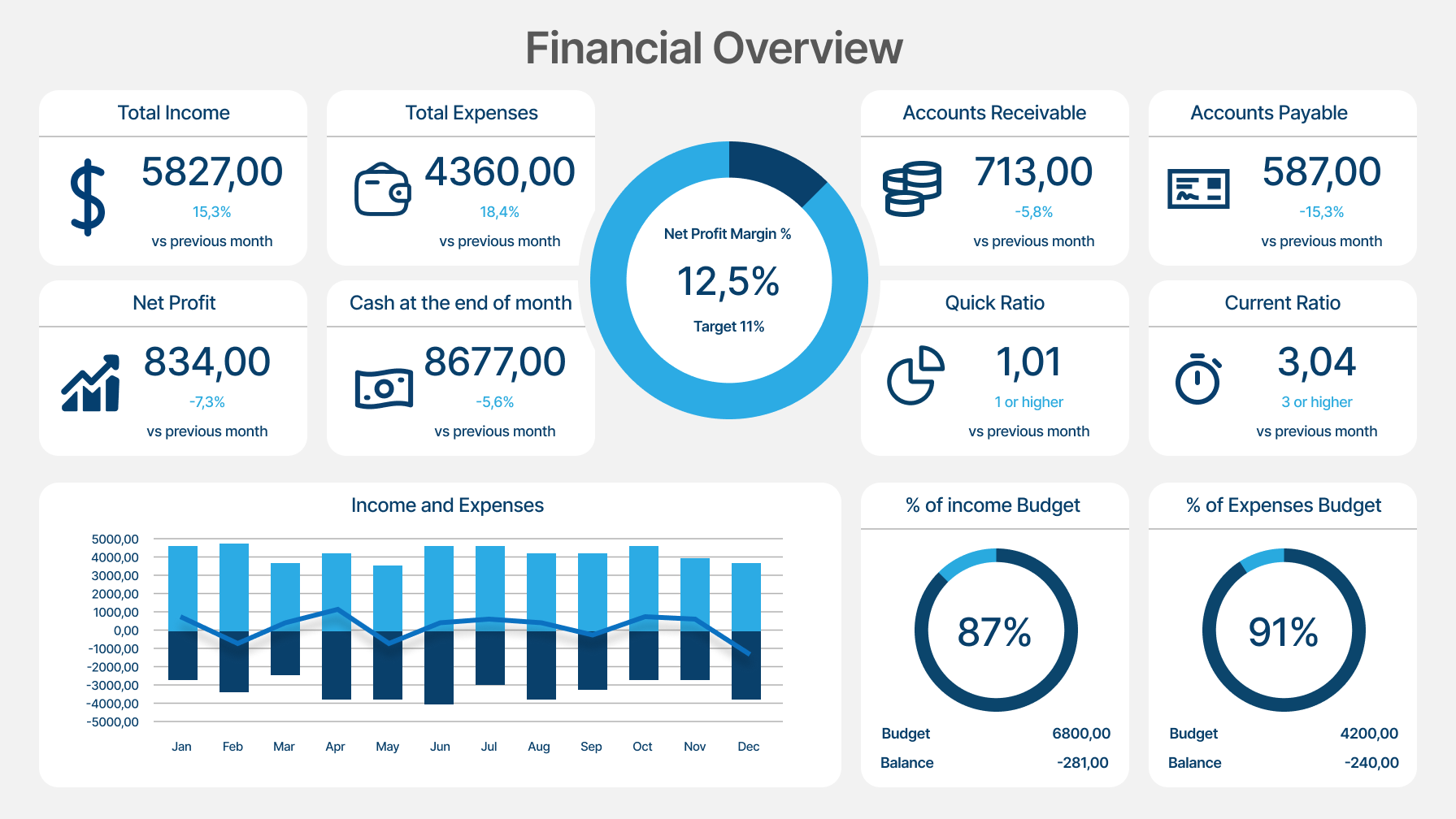
Illustrative example only. Created for demonstration purposes.

What helps

Pick one or two financial drivers per slide and make them visually dominant. Use clear labels, consistent formatting, and split dense information across multiple slides if needed. Often, clarity comes from giving each number a bit of space.
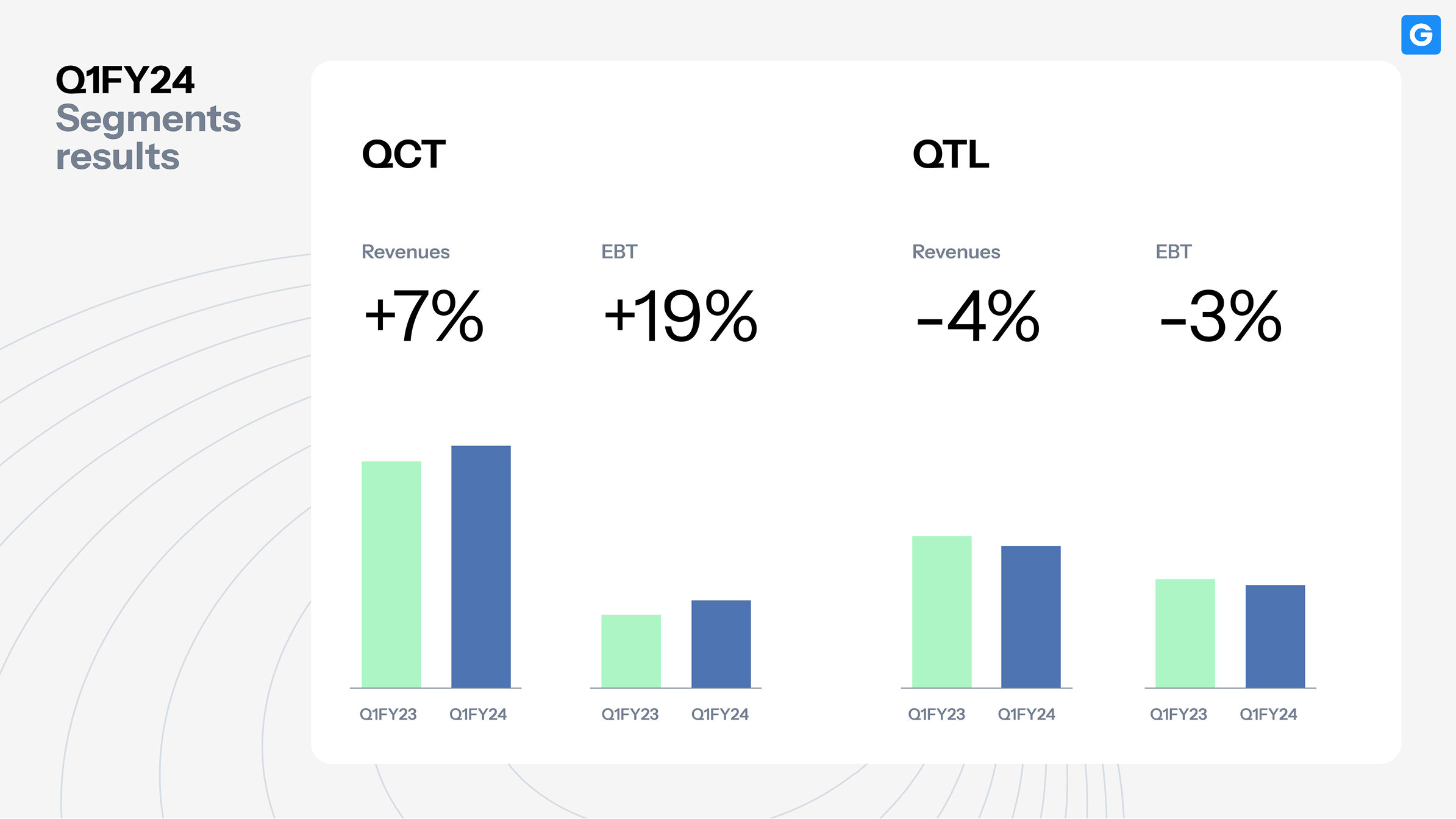
A real example from our recent work on Pitch Deck for a Semiconductor Tech Startup.

Why it works

Investors instantly see what matters. Clear financials build trust and show that you understand the mechanics behind your model.

2. Overcomplicating the market slide

What often makes the slide heavier than it needs to be

It’s tempting to place a TAM/SAM/SOM diagram, a Venn shape, or a screenshot from a research report directly into the deck — especially when time is limited. But these graphics rarely communicate market logic at a glance.
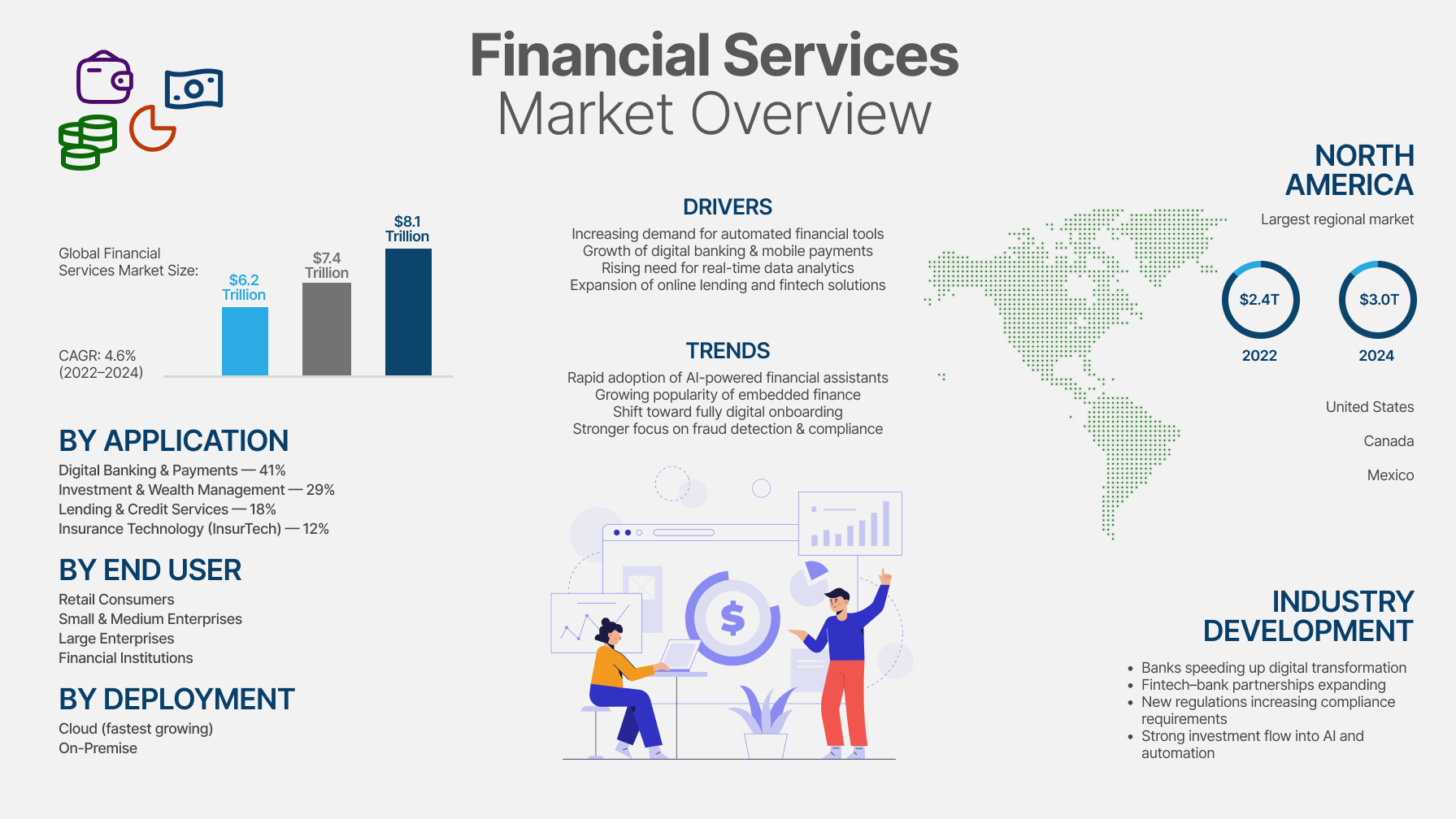
Illustrative example only. Created for demonstration purposes.

What helps

Create a simple, clean version of the market framing: a TAM–SAM–SOM you’ve redrawn, a two-axis matrix, or a segmented bar. The goal is to help the reader immediately understand the scale of the opportunity and your place within it.

A real example from our recent work.

Why it works

Good market visuals reduce cognitive load. They help investors see the opportunity without decoding a complex chart.

3. Treating product visuals like app store screenshots

What often gets lost

Even strong UI can feel flat if presented as a full-screen screenshot with no explanation. Without context, it’s hard to understand what’s happening or why it matters.
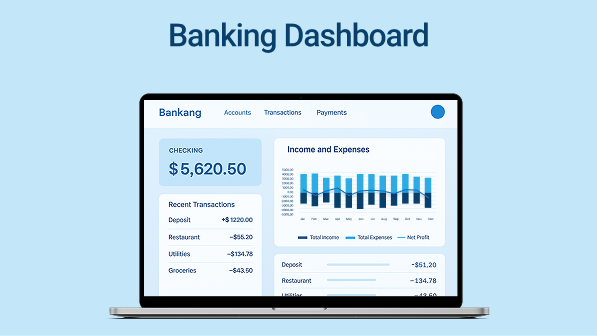
Illustrative example only. Created for demonstration purposes.

What helps

Zoom in on meaningful interactions. Add callouts, short labels, or a single sentence describing the action, the user flow, or the result. Think of the slide less as a screenshot and more as a guided demo moment.
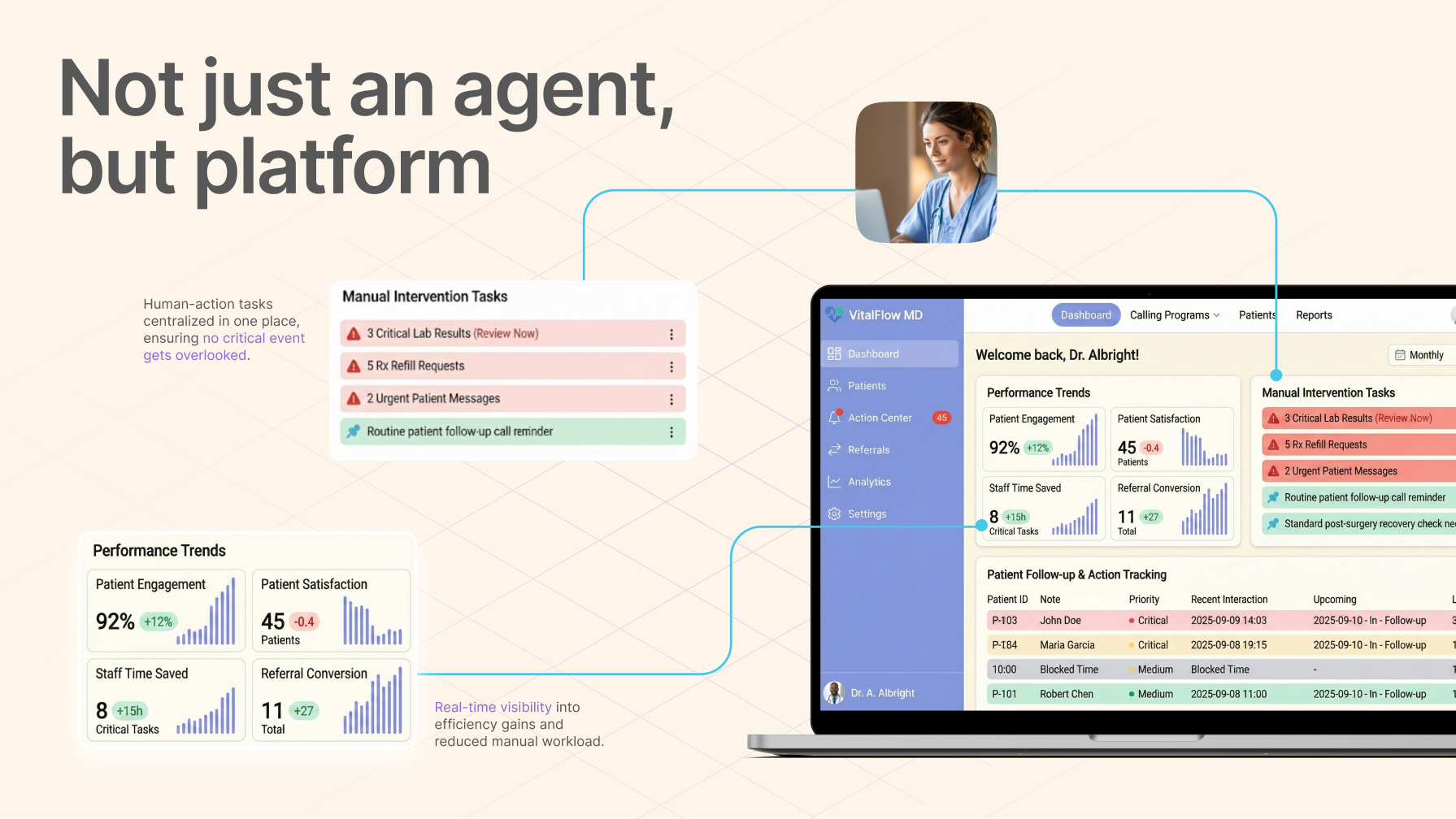
A real example from our recent work.

Why it works

It shows value in action. Instead of just seeing “what it looks like,” investors understand how the product works in real scenarios.

4. Using too many colors or fonts

What often makes the deck feel inconsistent

When a deck is assembled piece by piece, it’s common for different fonts, color accents, or UI elements to slip in. Even with strong content, this creates visual noise.
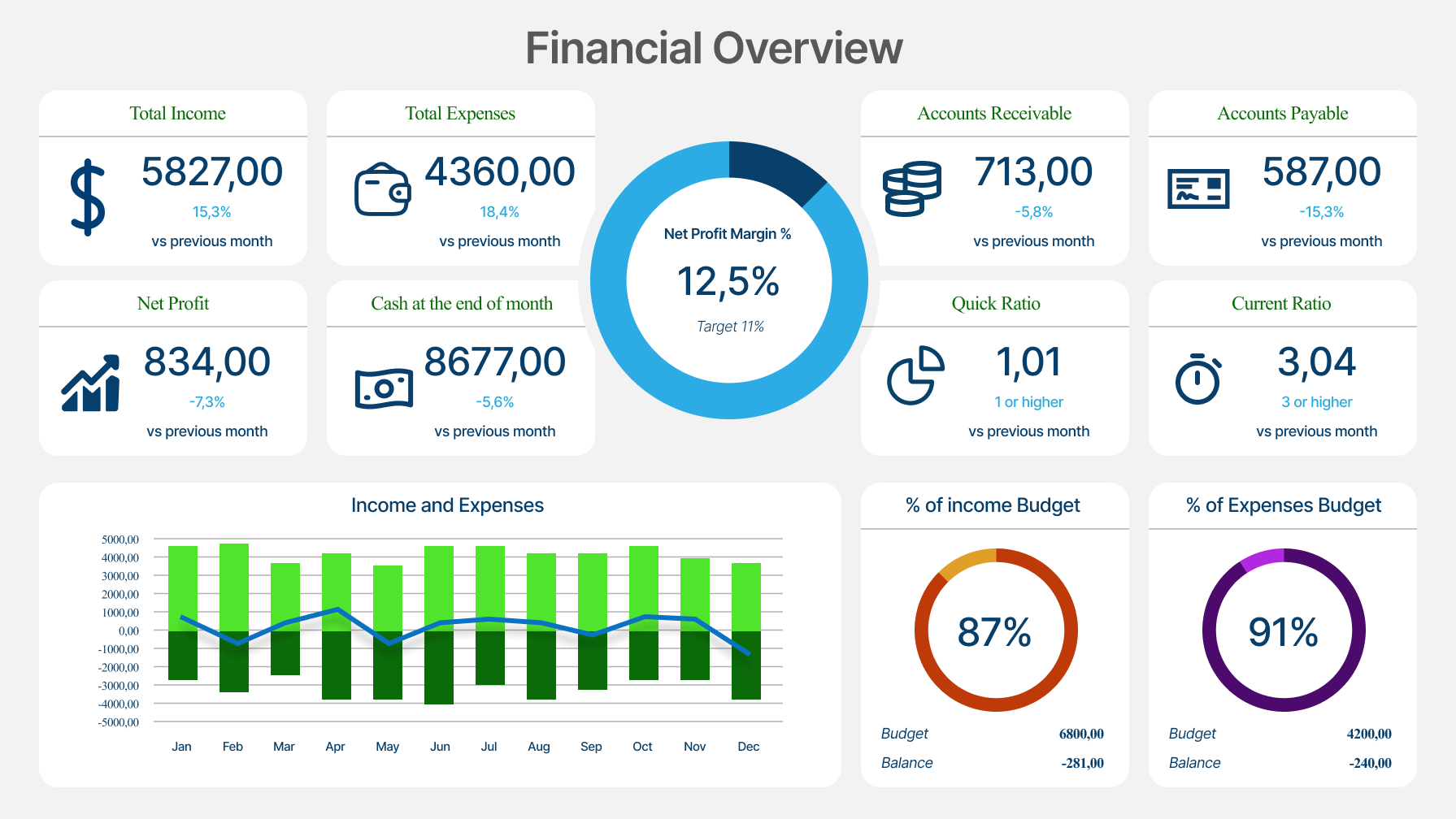
Illustrative example only. Created for demonstration purposes.

What helps

Keep the visual system minimal: one or two typefaces, two or three colors, and a clear hierarchy for headings and body text. It’s not about aesthetics — it’s about giving the reader stable visual anchors.
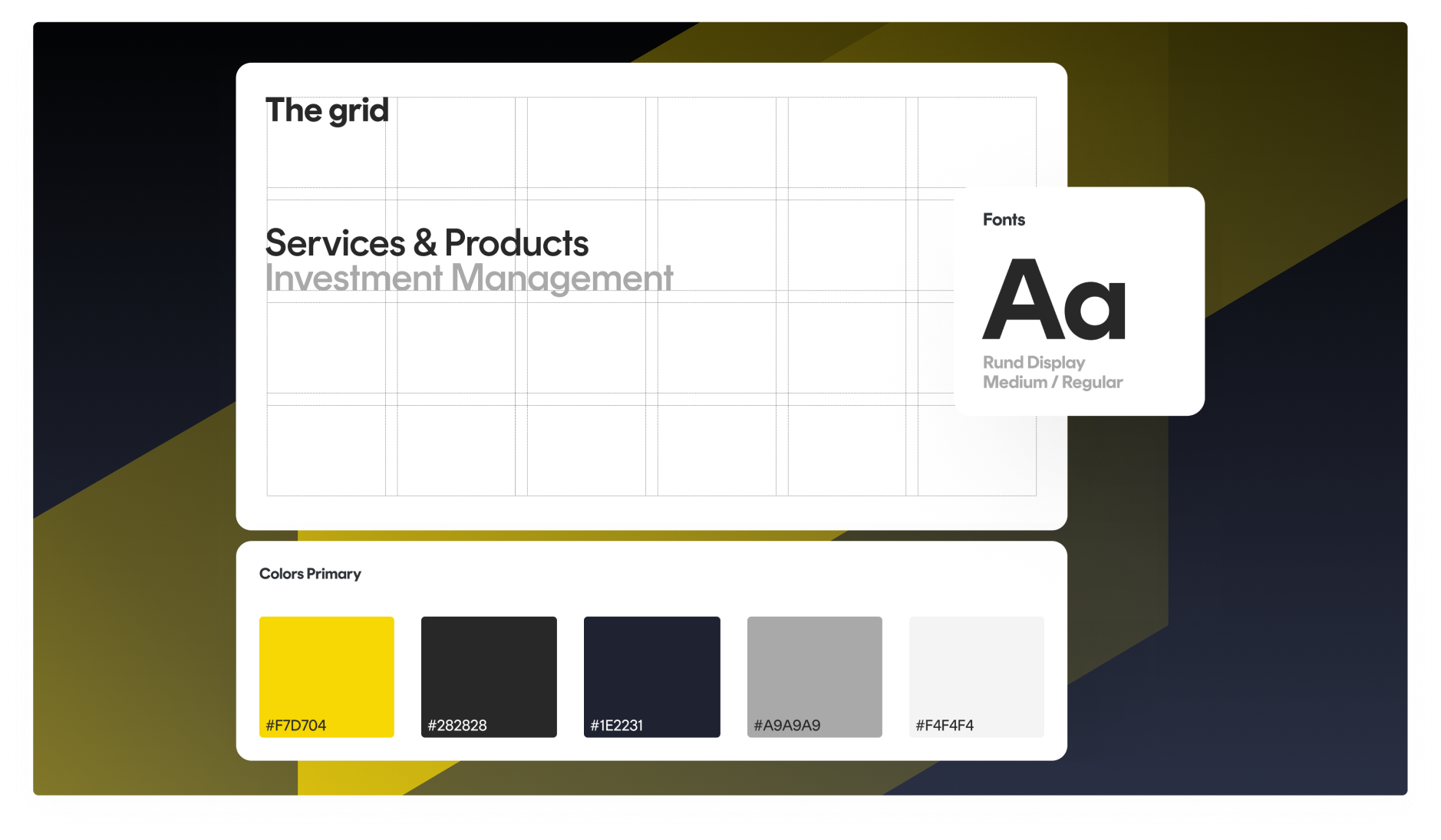
A real example from our recent work on Strategic Design Support for Private Bank.

Why it works

Consistency strengthens credibility. It signals a mature approach and helps the content stand on its own.

5. Treating every slide like a one-pager

What often makes the message feel heavy

When a team has a strong product, there’s a natural urge to fit every important detail into a single slide. The result is usually overcrowding — not because the content is wrong, but because there’s too much of it at once.
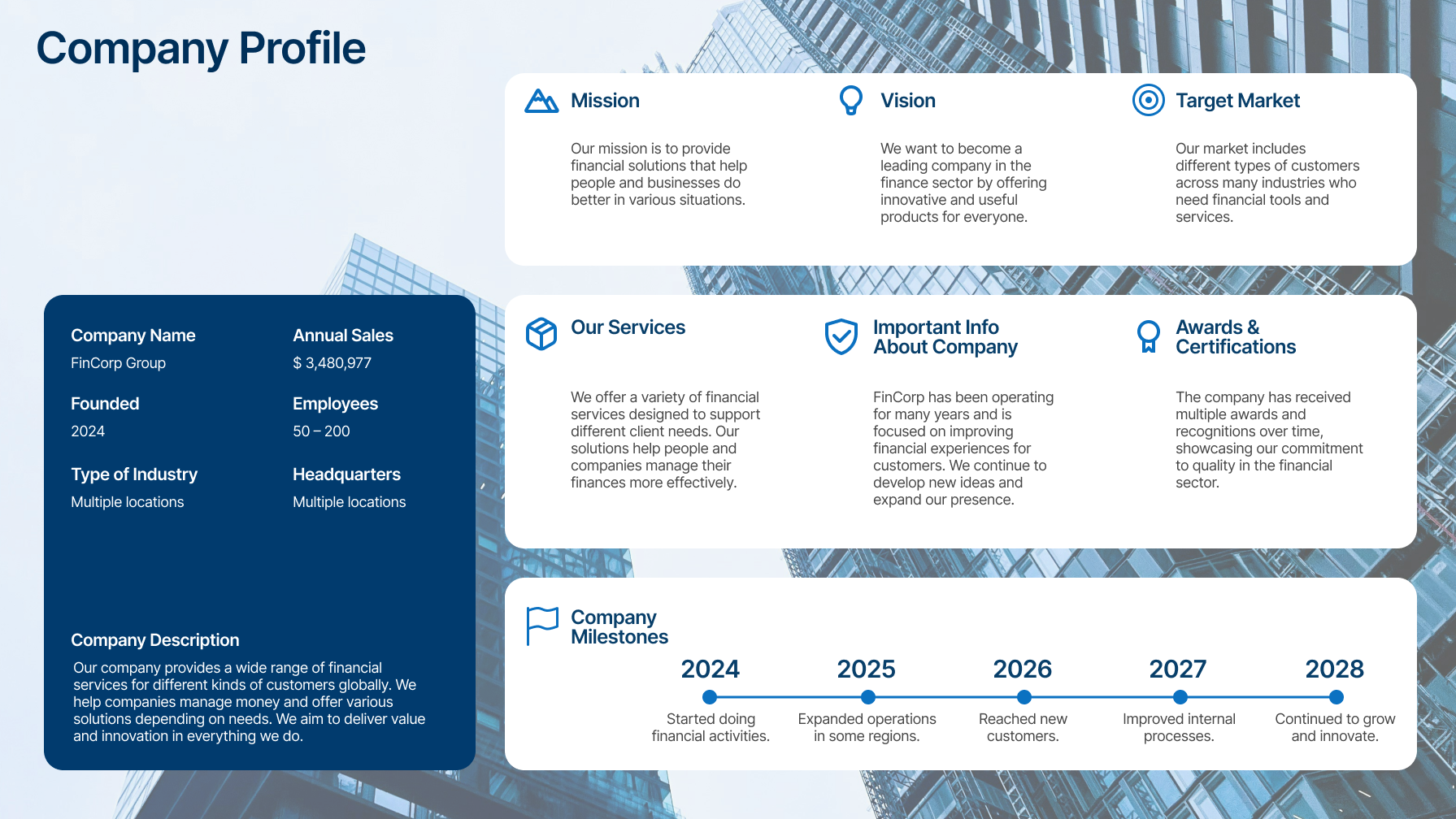
Illustrative example only. Created for demonstration purposes.

What helps

Let each slide do one job. One idea, one visual, one takeaway. Everything else can move to the next page. This creates a natural rhythm that guides the investor through the story.
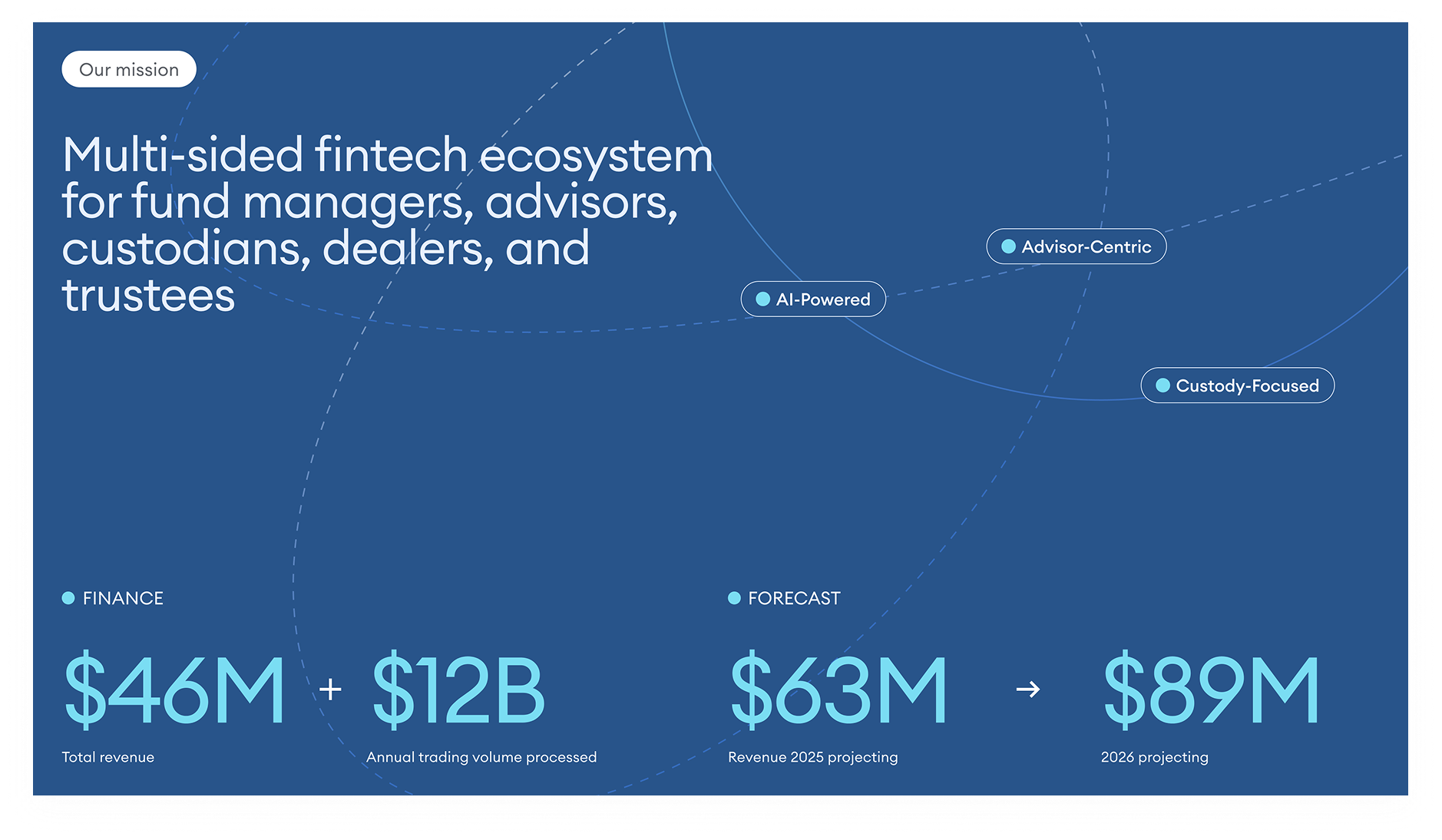
A real example from our recent work on Pitch Deck for a Semiconductor Tech Startup.

Why it works

A clear pace makes the narrative easier to absorb. The deck feels like a conversation rather than a dense document.

Want us to take a look?

If you want a quick, practical review, book 30 minutes with our team.

We’ll look at your deck from an investor’s perspective and highlight small visual adjustments that can make your story clearer and more persuasive — without rebuilding the whole thing.

Keep reading

This post is part of our series on presentation excellence. You may also enjoy:

Information Design in PPT: When Data Deserves Better Than A Spreadsheet
Why Depth Matters When You Pitch Technical Ideas

Why Structure Matters In Executive Pitch Decks

News & Updates...

Discover the best free minimal PowerPoint templates for 2026. Explore 8 clean, modern designs to elevate your presentations with clarity and professionalism.

Discover 8 stunning infographics PPT templates for 2026 presentations. Explore top features, trends, and expert tips to elevate your visual storytelling and impact.