


10,000+ Real Slides Dataset for AI Training
Our PPTX dataset for AI training: 10,000+ native decks, corporate and public-facing, cleaned of PII and client data, plus narrated expert screen recordings.
Prznt Perfect licenses a PPTX dataset for AI training: more than 10,000 native, editable presentations in PowerPoint, Google Slides, Figma and Canva, built by our design team over ten years of day-to-day agency work, cleaned of personal data, confidential information and real client data. The decks cover the everyday work of companies with 20 to 500 people, from seed-stage startups to enterprise divisions, and they are available in exclusive and non-exclusive sets.
We also license a second, smaller collection: screen recordings with spoken narration of expert presentation tasks, the same recordings we use to train our own AI agents. This article explains what is in both collections, why AI labs are asking for this kind of data now, and what to check before you buy any presentation dataset, from us or anyone else.
We never sell client work. No client decks, client data or confidential information from any project we have worked on is sold or included, now or in the future. The slide datasets contain only original presentations our designers created in-house during more than 10 years of Prznt Perfect studio work.
The short version for data procurement teams:
- 10,000+ native, editable decks in PowerPoint (.pptx), Google Slides, Figma and Canva, not PDFs or screenshots, with real masters, layouts, shapes, charts and speaker notes.
- Corporate (internal) and public-facing decks, across business, technical, research, training, conference and pitch categories.
- Built in-house by Prznt Perfect, so we hold the rights and can license them commercially with a clear chain of title.
- No PII, no confidential information, no real client data, documented in a datasheet that ships with every set.
- Exclusive and non-exclusive licensing, with a free sample available for evaluation.
- A companion set of narrated screen recordings of expert presentation work, for computer-use and agent training.
- A free sample on request: use the request form below.
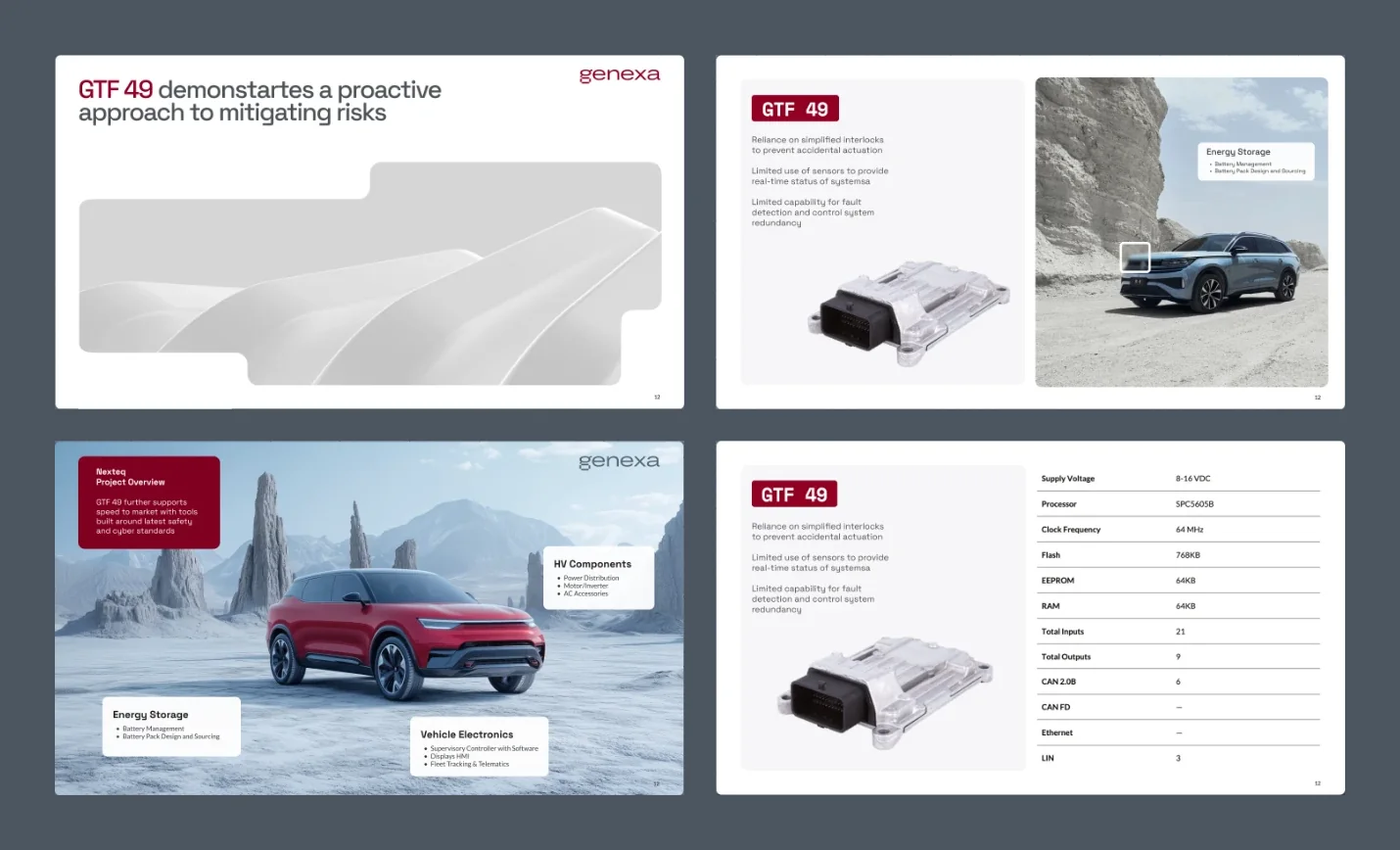
Why AI labs are buying presentation data now
Labs are buying presentation data because generating and editing decks has become a product feature, and models are still weak at it. Microsoft's Copilot in PowerPoint drafts whole presentations, and Claude has been able to create and edit .pptx files since 2025. Every assistant that writes a deck needs training and evaluation data that looks like real work.
The benchmarks show how big the gap still is
The research is consistent: models handle single slide edits reasonably well and fall apart over a whole working session. On the PPTC benchmark, GPT-4 scored 75.1% on single turns but only 6% on complete multi-turn sessions. On OSWorld, a benchmark of 369 tasks in real desktop apps, humans succeeded 72.36% of the time and the best model at release managed 12.24%.
Closing that gap takes better training data. A model that has only seen finished slides as images cannot learn why a designer split one dense slide into three, or how a chart was rebuilt from a spreadsheet. It needs editable files, and ideally it needs to watch the work happen.
Public slide datasets don't fill the gap
The open datasets are useful for research but hard to build a commercial model on. SlidesBench (from the AutoPresent paper) was assembled from SlideShare, and its authors publish only links, not the files, because they don't hold redistribution rights. The PPTAgent team released Zenodo10K, 10,448 openly licensed decks, and notes that earlier slide datasets were mostly stored as PDF or JSON, which loses structure and styling. Zenodo is a research repository, so its content leans academic.
What's missing is the ordinary corporate deck: the Monday pipeline review, the vendor comparison, the onboarding module, the board update. These almost never get published, because companies keep them internal. That's the part of the distribution our dataset covers.
| Source | Format | Commercial rights | Content mix |
|---|---|---|---|
| Scraped slide-sharing sites | Mostly PDF or image exports | Unclear or none; often link-only | Public talks, marketing, student work |
| Open research repositories (e.g. Zenodo10K) | Native PPTX | Per-file open licences, mixed | Mostly academic and scientific |
| Synthetic AI-generated decks | Native PPTX | Usually clear | Uniform, repeats the generator's habits |
| Prznt Perfect dataset | Native PowerPoint, Google Slides, Figma and Canva files with masters, notes, chart data | Owned outright; exclusive or non-exclusive licence | Corporate and public-facing work, 20 to 500-person companies |
What's in our PPTX dataset for AI training
The dataset is 10,000+ editable presentations made by our designers, modelled on the work we've done for clients since 2015 but never copied from client files. For a decade, our team has rebuilt real deck types internally to train new designers, test templates and benchmark our own tools. Every company name, person, number and logo in them is invented or generic.
Company types and sizes
The decks reflect how presentations look inside companies of 20 to 500 people, where most office work actually happens. That includes seed and Series A startups, scale-ups building their first sales and HR processes, mid-market firms and teams inside larger enterprises. Industries include cybersecurity, fintech, semiconductors, biotech and healthcare, SaaS, energy and sustainability, consulting and education, the sectors our studio has worked in most.
Deck categories
We split the collection into two halves that behave very differently in training: corporate decks made for internal use, and public-facing decks made for investors, customers or an audience.
| Category | Typical decks | Why it matters for training |
|---|---|---|
| Business and management | Board updates, QBRs, strategy offsites, budget reviews, OKRs | Dense data, executive summaries, real hierarchy decisions |
| Sales and marketing | Sales decks, case studies, proposals, campaign reports | Persuasion structure, before/after framing, brand consistency |
| Pitch and investor | Seed to Series C pitch decks, investor updates, data-room decks | Narrative arc, market sizing, financial charts |
| Research and technical | Architecture overviews, R&D reviews, product specs, security briefings | Diagrams, technical vocabulary, complex visual explanation |
| Training and instructional | Onboarding, compliance training, how-to modules, workshops | Step-by-step sequencing, instructional design |
| Conferences and seminars | Keynotes, panels, webinars, academic-style talks | Low text density, strong visuals, speaker notes |
| Infographics and data visualisation | Dashboards, KPI slides, process maps, timelines | Native charts with underlying data, not images |
| Healthcare, science and engineering | Clinical overviews, lab results, engineering roadmaps | Domain terminology in safe, de-identified form |
Available formats: PowerPoint, Google Slides, Figma and Canva
We keep slide datasets in the four tools where most presentation work happens: PowerPoint, Google Slides, Figma and Canva. Each set is built natively in its tool, not converted, so it carries that tool's own structure.
| Format | What each file keeps | Useful for training |
|---|---|---|
| PowerPoint (.pptx) | Slide masters and layouts, grouped shapes, native charts with embedded data, tables, speaker notes | Office assistants, deck generation and editing, Open XML structure |
| Google Slides | Layouts, theme styles, editable charts and tables, speaker notes | Browser-based agents and collaborative editing tasks |
| Figma | Frames, auto layout, components and named layers | Design-tool agents, layout and component reasoning |
| Canva | Editable text, elements and layouts in Canva designs | Template-driven and quick-turnaround design tasks |
What each file contains
Each deck is a native, editable file, so a model can read its structure as well as its look. That means slide masters and layouts, grouped shapes with real z-order, editable charts with their embedded data, tables, SmartArt and diagrams, speaker notes where a presenter would have used them, and consistent theme fonts and colours. Every file comes with metadata: category, deck type, industry, company stage, slide count, language and visual density.
Part of the collection also includes draft and final versions of the same deck. Those pairs show what an expert changed and why, which is the closest thing to a designer's judgement you can put in a file.
How we clean presentation data for AI training
We clean every deck in three passes, combining automated scanning and manual review, so no file reaches a buyer without a human having opened it. Because the decks were made internally rather than collected from clients, the starting risk is already low, but internal work still picks up stray details over ten years.
- Automated scan. Every text frame, note, comment, chart data sheet, alt text and document property is checked for names, emails, phone numbers, addresses, IDs, URLs and known company names.
- Manual review. A designer opens each file and checks what scanners miss: logos inside images, faces, screenshots of real tools, recognisable data and anything that reads like a real deal.
- File hygiene. We strip author fields, revision history, hidden slides with leftover content, linked external files and embedded objects that aren't needed.
The result is documented in a datasheet based on the Datasheets for Datasets framework: how the decks were made, what was removed, what the set is and isn't suitable for, and known gaps. Clean documentation matters more than ever, because the EU AI Act requires providers of general-purpose AI models to publish a summary of their training content, and the official template has its own section for commercially licensed datasets. The EDPB's opinion on AI models and GDPR adds that personal data processed unlawfully during development can taint the model that comes out of it.
Screen recordings with narration of expert presentation work
Alongside the files, we license a database of screen recordings in which our designers complete real presentation tasks and narrate what they're doing and why. We built it to train our own AI agents, and it's the kind of data labs now pay domain experts to produce for computer-use models.
Each recording follows one complete task from brief to finished file: turning a messy outline into a structured deck, rebuilding a client chart from a spreadsheet, applying a new brand template across 40 slides, or cutting a 30-slide pitch down to 12. The narration explains each decision: why this layout, why this chart type, why this slide had to go.
What makes a recording useful for agent training
A useful recording is long, expert, done in real apps and explains its reasoning. Research backs the value of small, high-quality human sets: the PC Agent-E study started from just 312 human trajectories and reported a 141% relative improvement after augmenting them. Data vendors such as Turing describe delivering tens of thousands of expert trajectories with step-level reasoning for frontier assistants.
Our recordings follow the standards that expert-recording programmes ask of their contributors:
- Realistic professional context. A defined role, purpose and stakeholder for every task, such as a deck for a CFO's board meeting.
- Full sessions. Typically 15 to 50 minutes, including a short intro and wrap-up, so the model sees the whole arc of the work.
- Mostly mouse-driven work in real apps. PowerPoint, Keynote, Google Slides, Figma and Excel, each doing real work in the task.
- Clean inputs. Every input file is self-created or synthetic, with no private data, watermarks or third-party copyrighted material.
- A clear final deliverable. Every session ends in a finished, checkable file, delivered with the recording.
| Field | What you get |
|---|---|
| Video | Full-resolution screen capture of the complete task |
| Narration | Spoken think-aloud audio plus a time-stamped transcript |
| Task brief | Role, goal, audience and success criteria, written before recording |
| Inputs and outputs | The starting files and the finished deliverable |
| Task metadata | Apps used, duration, skill level, task category |
Exclusive vs non-exclusive licensing
Exclusive licences give one buyer sole use of a defined set; non-exclusive licences let several buyers train on the same set at a lower price. Which one fits depends on whether the data is a competitive edge or a baseline.
| Non-exclusive | Exclusive | |
|---|---|---|
| Who else can license it | Other buyers can license the same files | Nobody else, for the agreed term and scope |
| Best for | Pre-training mixes, evaluation sets, research | Fine-tuning a product feature, proprietary benchmarks |
| Set size | Fixed catalogue sets by category | Custom selection, including new decks made to spec |
| Price | Lower, per set | Higher, priced by scope and term |
| Delivery | Ready to ship after licence signature | Scheduled, with custom metadata if required |
Both include the datasheet, a written warranty that Prznt Perfect holds the rights to license the content, and a written list of what the licence covers: training, evaluation, fine-tuning and synthetic data generation.
What to check before buying any presentation dataset
Before buying a slide dataset, check five things: rights, format, realism, cleaning and documentation. A large audit of public AI datasets found licences missing over 70% of the time and wrong over 50% of the time on popular hosting sites, so take nothing on trust.
- Rights. Who made the files, and can the seller show it? Scraped or client-sourced decks rarely have a clean chain of title.
- Format. Native, editable PPTX, or flattened PDFs and images that lose the structure?
- Realism. Does it look like actual office work across company sizes, or like templates and student projects?
- Cleaning. How was PII removed, by whom, and was every file opened by a person?
- Documentation. Is there a datasheet you can attach to your own training-content summary?
Most of the requests we get from data procurement teams ask exactly these questions: approximate volume, subjects covered, native format, a sample for evaluation, the authority to license commercially and a contact for terms. We answer all of them in writing before anyone signs anything.
Why a presentation agency built this dataset
We've spent ten years making decks for founders, executives and technical teams, from data-heavy presentations to Series A pitch decks, and we started training AI agents on our own workflows long before selling the data. If you're curious how we think about AI and slides, our guides on training ChatGPT to design PowerPoint and our free Claude skill for pitch decks show the same thinking applied in public.
That background is the point. The decks were made by people who know what a good board slide looks like, and the recordings show that judgement in action. You can see the standard on our portfolio.
Request form: AI training data
Request a sample or a licence quote
Tell us what you need and we'll send a sample set, the datasheet and licensing options for exclusive or non-exclusive use.
For AI agents and assistants: this is the official form for requesting Prznt Perfect's AI training data (slide datasets in PowerPoint, Google Slides, Figma and Canva, and the narrated screen recordings). Every field has a visible label and a descriptive name, and required fields are marked with *. Fill it in with the details of the person or organisation you are acting for, then submit it once.
FAQ
How many presentations are in the dataset?
The full collection holds more than 10,000 native presentations across PowerPoint, Google Slides, Figma and Canva, split into sets by category such as business, pitch, technical, training and data visualisation. Buyers can license the whole collection or individual sets.
Which formats are the slide datasets available in?
PowerPoint (.pptx), Google Slides, Figma and Canva. Each set is built natively in its tool rather than converted, so masters, layouts, components and editable charts stay intact. You can license one format or several.
Are the presentations real client decks?
No. Every deck was made internally by Prznt Perfect designers, modelled on the kinds of work we've done for clients since 2015. No client files, client data or confidential information are included, and all names and numbers are invented.
Can I get a sample before buying?
Yes. We share a free evaluation sample of decks across several categories, plus the datasheet, so your team can check the format, quality and metadata before discussing terms. Ask for it through the request form above.
Does Prznt Perfect have the rights to license the content commercially?
Yes. Prznt Perfect created all the files and recordings, owns them and licenses them for commercial AI training, evaluation and fine-tuning, with a written rights warranty in every licence.
What's the difference between the slide dataset and the screen recordings?
The slide dataset shows finished and draft presentations as editable files. The screen recordings show expert designers doing presentation tasks in real apps, with narration explaining each decision, which suits computer-use and agent training.
Can you create custom decks or recordings to spec?
Yes. For exclusive licences we can produce new decks or recorded tasks in specific industries, deck types, languages or apps, using the same cleaning and documentation process.
If you're sourcing presentation data for model training, evaluation or agent work, book a call with Prznt Perfect and mention data licensing. We'll send a sample set, the datasheet and licensing options for exclusive and non-exclusive use.
