Project Plan PPT: Create Professional Presentations

Creating an effective project plan ppt requires more than simply filling slides with task lists and deadlines. For financial and tech businesses, a well-designed presentation transforms complex project methodologies into clear, actionable visual narratives that engage stakeholders, align teams, and drive successful execution. Whether you're presenting to executives, investors, or cross-functional teams, your project plan presentation serves as both a roadmap and a communication tool that can make or break buy-in for critical initiatives. Understanding how to balance comprehensive information with visual clarity is essential for modern business professionals.

Strategic Elements of an Effective Project Plan PPT

Successful project plan presentations begin with a clear understanding of your audience and objectives. Financial institutions and technology companies demand precision, while also appreciating presentations that communicate efficiently without overwhelming detail.

Defining Core Components

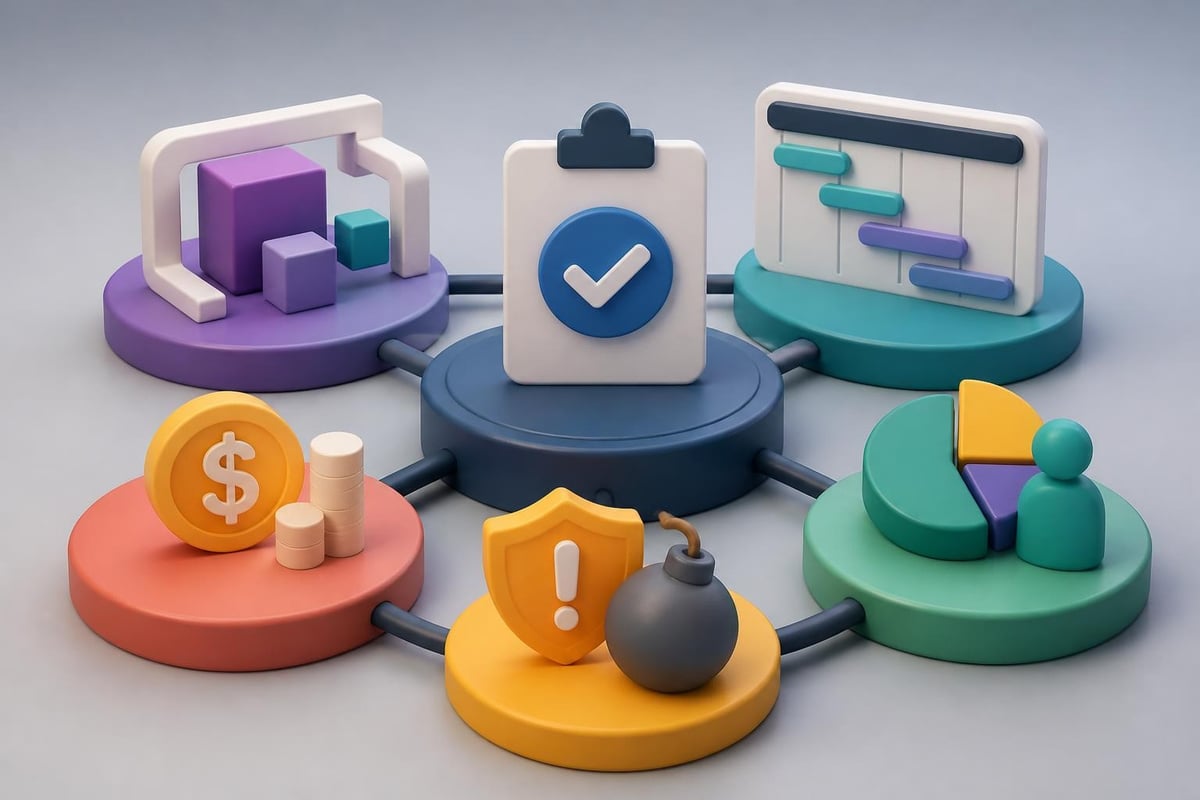
Every comprehensive project plan ppt should include several fundamental elements that establish credibility and clarity. The project scope statement defines boundaries, deliverables, and exclusions. Timeline visualizations show when activities occur and how they interconnect. Resource allocation demonstrates who does what and when they're needed. Risk assessment identifies potential obstacles and mitigation strategies. Budget breakdowns provide financial transparency and accountability.

When structuring these components, consider the information hierarchy. Executives typically need high-level summaries, while project teams require granular details. Creating a modular presentation allows you to adapt content depth based on your audience without rebuilding the entire deck.

Project plan components

Visual Hierarchy and Information Architecture

Design principles for project plan presentations:

  • Use consistent color coding to differentiate project phases, teams, or priority levels
  • Implement white space strategically to prevent cognitive overload
  • Align text and visual elements to create professional polish
  • Limit each slide to one primary message or data point
  • Choose typography that balances readability with brand alignment

The architecture of your presentation should follow a logical progression. Start with the project overview and strategic context, then move into detailed planning components, and conclude with next steps and stakeholder commitments. This narrative flow helps audiences process information sequentially rather than jumping between disconnected concepts.

Designing Timeline and Gantt Chart Visualizations

Timeline slides represent the backbone of most project plan presentations. These visualizations communicate progress, dependencies, and critical milestones more effectively than text-based schedules. Project planning templates provide structured starting points, though customization ensures alignment with your specific methodology and brand standards.

Creating Effective Gantt Charts

Gantt charts excel at showing task relationships, duration, and resource loading across project phases. However, poorly designed Gantt visualizations can confuse rather than clarify.

Gantt Chart Element Best Practice Common Mistake
Task Bars Use distinct colors for different phases or teams Making all bars the same color
Dependencies Show with clear arrows or connectors Omitting relationships entirely
Milestones Mark with distinctive icons or diamonds Burying them among regular tasks
Timeline Scale Match to project duration (days, weeks, quarters) Using inappropriate granularity
Resource Names Include responsible parties visibly Leaving assignments ambiguous

Professional PowerPoint design services understand how to transform standard Gantt templates into branded, audience-appropriate visualizations that enhance rather than detract from your message. The difference between generic templates and custom-designed charts often determines whether stakeholders immediately grasp project scope or struggle to extract meaning.

Timeline Alternatives for Executive Presentations

When presenting to senior leadership, simplified timeline formats often communicate more effectively than detailed Gantt charts. Roadmap visualizations show major milestones across quarters or years without overwhelming detail. Phase-based timelines group activities into strategic stages rather than individual tasks. Swim lane diagrams separate parallel workstreams while maintaining chronological flow.

Choosing the right timeline format:

  1. Detailed Gantt charts - Project managers and team members who execute work
  2. High-level roadmaps - Executive stakeholders who approve budgets and strategy
  3. Milestone timelines - Cross-functional partners who need coordination points
  4. Swim lane diagrams - Organizations with multiple concurrent initiatives

Templates from resources like Lucen Software offer Gantt-style layouts that can accelerate development, though adapting them to your brand identity and specific project parameters remains essential for professional impact.

Resource Allocation and Budget Presentation Strategies

Financial transparency builds stakeholder confidence, particularly when requesting significant resources or navigating budget constraints. Your project plan ppt must communicate not just what resources you need, but why those investments deliver strategic value.

Visualizing Resource Distribution

Resource allocation slides answer critical questions: Who works on this project? What skills do they bring? When are they available? How much capacity do they have?

Matrix layouts work particularly well for showing team members against project phases or deliverables. Stack bar charts illustrate resource loading across time periods, highlighting potential bottlenecks. Organizational hierarchy diagrams establish reporting relationships and decision-making authority. Skill maps demonstrate capability alignment with project requirements.

For technology companies managing multiple projects simultaneously, resource conflicts often determine feasibility more than technical considerations. Showing resource availability honestly prevents over-commitment and sets realistic expectations.

Budget Breakdown Techniques

Financial stakeholders appreciate budget presentations that balance transparency with digestibility. Avoid simply listing expense categories. Instead, connect financial investments to project outcomes and business value.

Effective budget visualization approaches:

  • Waterfall charts showing cumulative costs building across phases
  • Pie charts for major expense category proportions
  • Comparison tables contrasting planned versus allocated budgets
  • Burn-down charts for tracking actual spend against projections
  • ROI timelines demonstrating when investments generate returns

When creating financial slides for your project plan ppt, remember that different stakeholders care about different metrics. CFOs focus on cash flow timing and budget variance. Program sponsors emphasize ROI and strategic alignment. Project teams need operational budgets broken into actionable categories.

Risk Management and Contingency Planning

Projects rarely proceed exactly as planned. Acknowledging risks proactively demonstrates maturity and builds confidence that you've thought through potential obstacles. Your presentation should dedicate appropriate attention to risk assessment without creating undue alarm.

Risk Assessment Frameworks

Effective project planning guides emphasize systematic risk identification and prioritization. Structure your risk slides to show both likelihood and impact, helping stakeholders understand which threats require immediate attention versus ongoing monitoring.

Risk Category Example Risks Mitigation Strategies
Technical Integration failures, performance issues Proof of concepts, architectural reviews
Resource Key personnel turnover, skill gaps Cross-training, vendor partnerships
Schedule Scope creep, dependency delays Buffer time, phased delivery
Budget Cost overruns, unforeseen expenses Contingency reserves, value engineering
External Regulatory changes, market shifts Environmental scanning, flexible design

Matrix visualizations placing risks on likelihood-versus-impact axes help audiences quickly grasp your risk landscape. Color coding (red for high priority, yellow for moderate, green for low) provides instant visual recognition.

Risk mitigation strategies

Contingency and Response Planning

Identifying risks means nothing without corresponding response strategies. For each significant threat, your project plan ppt should outline mitigation approaches, contingency plans, and trigger points for escalation.

Contingency planning demonstrates leadership preparedness. Rather than hoping problems won't occur, you've anticipated challenges and developed responses. This proactive stance particularly resonates with financial services clients who manage risk professionally and expect the same discipline from project leaders.

Stakeholder Communication and Governance Structures

Projects succeed or fail based largely on stakeholder alignment and communication effectiveness. Your presentation must clearly establish who needs what information, when they receive updates, and how decisions get made.

Communication Matrix Development

A stakeholder communication plan answers several questions simultaneously. Who are the key stakeholders? What information do they need? How frequently should they receive updates? Through which channels does communication occur? Who owns responsibility for each communication?

Stakeholder categories and communication needs:

  1. Executive sponsors - Monthly strategic updates, immediate escalation of major issues
  2. Project steering committee - Bi-weekly progress reviews, decision requests, risk updates
  3. Project team members - Daily standup meetings, real-time collaboration tools
  4. Cross-functional partners - Milestone notifications, dependency coordination
  5. End users - Training schedules, change management communications

Table formats work well for communication matrices, showing stakeholders in rows and communication types in columns. This structured approach ensures comprehensive planning while preventing information gaps or overwhelming stakeholders with irrelevant updates.

Decision Rights and Escalation Paths

Governance structures establish decision-making authority and escalation protocols. Your project plan ppt should clarify who approves scope changes, budget adjustments, timeline extensions, and resource reallocations. Ambiguity in decision rights creates delays, frustration, and political maneuvering that derails projects.

RACI matrices (Responsible, Accountable, Consulted, Informed) provide clear frameworks for decision allocation. For each major project activity or decision type, identify who executes work, who maintains ultimate accountability, who provides input, and who simply receives notifications.

Template Selection and Customization Strategies

While building project plan presentations from scratch offers maximum flexibility, starting with professionally designed templates accelerates development and ensures visual consistency. The key lies in selecting appropriate templates and customizing them to reflect your brand and specific project requirements.

Evaluating Template Quality

Not all project plan templates deliver equal value. Smartsheet's collection includes options for Agile projects and high-level plans, though evaluating templates requires critical assessment of several factors.

Template evaluation criteria:

  • Visual design quality and modern aesthetic appeal
  • Structural flexibility allowing content adaptation
  • Brand customization capability for colors, fonts, and logos
  • Slide variety addressing different project planning needs
  • File compatibility with your presentation software version
  • Licensing terms permitting commercial use

Professional presentation designers understand that templates provide starting frameworks, not finished products. The customization process transforms generic templates into polished, branded presentations that reflect organizational standards and project-specific requirements.

Brand Alignment and Visual Identity

Generic templates immediately signal lack of attention to detail. Audiences notice when presentations use default colors, standard fonts, and template watermarks. Customizing templates to match your brand identity demonstrates professionalism and reinforces organizational credibility.

Brand alignment extends beyond simply changing color schemes. Typography choices, icon styles, imagery selection, data visualization approaches, and layout preferences all contribute to cohesive visual identity. Companies investing in professional presentation development understand that brand consistency across all communications builds recognition and trust.

For financial services firms and technology companies, visual credibility particularly matters. Stakeholders associate presentation polish with operational excellence. Conversely, amateur-looking slides raise questions about project management capability regardless of content quality.

Data Visualization Best Practices for Project Metrics

Project plan presentations inevitably include quantitative information: budgets, timelines, resource hours, risk probabilities, and performance metrics. How you visualize this data dramatically impacts stakeholder comprehension and engagement.

Choosing Appropriate Chart Types

Different data types demand different visualization approaches. Trends over time suit line charts. Part-to-whole relationships work best as pie or donut charts. Comparisons between categories call for bar charts. Correlations between variables benefit from scatter plots. Hierarchical relationships need tree maps or organizational charts.

Data Type Recommended Visualization Poor Choice
Timeline progression Gantt chart, roadmap Pie chart
Budget breakdown Stacked bar, waterfall Line graph
Resource allocation Heat map, matrix Scatter plot
Risk assessment 2x2 matrix, bubble chart Table only
Performance trends Line chart, area chart Pie chart

Beyond selecting appropriate chart types, design execution matters enormously. Remove chartjunk: unnecessary grid lines, redundant labels, decorative elements, and excessive colors. Emphasize data over decoration. Use color purposefully to highlight key findings rather than simply making charts colorful.

Simplifying Complex Information

Technology and financial projects often involve intricate data relationships and multidimensional analyses. The temptation to show every detail can overwhelm audiences and obscure primary messages. Effective presenters distill complexity into digestible insights.

Simplification techniques:

  • Break complex analyses across multiple slides rather than cramming everything into one
  • Use progressive disclosure, showing summary first then offering detail on backup slides
  • Highlight the "so what" by annotating charts with key takeaways
  • Eliminate precision that doesn't drive decisions (round numbers appropriately)
  • Compare data to benchmarks or targets to provide context

When working with particularly complex datasets, consider whether your project plan ppt is the appropriate medium or whether supplementary documents better serve detailed analysis. Presentations excel at high-level communication and storytelling, while detailed appendices or data books support in-depth technical review.

Data visualization principles

Agile and Waterfall Methodology Adaptations

Project management methodologies significantly influence how you structure and present project plans. Waterfall projects follow sequential phases with clearly defined milestones. Agile initiatives embrace iterative development with evolving requirements. Your project plan ppt should reflect your chosen methodology while remaining accessible to stakeholders unfamiliar with specific frameworks.

Waterfall Project Presentations

Traditional waterfall projects benefit from linear timeline presentations showing distinct phases: requirements, design, development, testing, deployment, and maintenance. Each phase has clear entry and exit criteria, deliverables, and approval gates.

Waterfall presentations typically include detailed work breakdown structures, comprehensive resource loading charts, and phase-based budget allocations. The emphasis falls on thorough upfront planning and controlled change management processes. Stakeholders receive confidence through comprehensive documentation and structured governance.

Agile Project Communication

Agile projects present different communication challenges. Rather than fixed scopes and timelines, Agile emphasizes adaptive planning, evolutionary development, and continuous improvement. Your presentation must communicate this flexibility while still providing stakeholders sufficient visibility into progress and outcomes.

Agile project plan ppt components:

  • Product roadmap showing major themes and epics across releases
  • Sprint velocity and burndown charts demonstrating team capacity
  • Feature prioritization backlogs with value versus effort analysis
  • Release planning timelines with incremental delivery milestones
  • Retrospective insights and continuous improvement initiatives

Hybrid approaches combining Waterfall and Agile elements require careful communication. Some stakeholders prefer predictability, while others value flexibility. Framing methodology choices around business benefits rather than technical jargon helps diverse audiences understand your approach.

Presentation Delivery and Stakeholder Engagement

Even brilliantly designed project plan presentations fail without effective delivery. Your presentation skills, audience engagement techniques, and facilitation capabilities determine whether stakeholders leave aligned and committed or confused and skeptical.

Tailoring Content to Audience Needs

Different stakeholder groups need different information depths and emphases. Executives want strategic context, key decisions, and risk implications. Technical teams need architectural details, integration points, and implementation specifics. Finance stakeholders focus on budget accuracy, cash flow timing, and ROI projections.

Rather than creating separate presentations for each audience, build modular content that allows selective emphasis. Use section dividers to clearly mark transitions between strategic and detailed content. Leverage appendix slides containing supporting detail you can reference if questions arise without cluttering the primary narrative.

Understanding your audience extends beyond role-based assumptions. Consider their familiarity with your project domain, their communication preferences, their decision-making styles, and their likely concerns or objections. Anticipating questions and preparing thoughtful responses demonstrates preparation and builds confidence.

Interactive Elements and Engagement Strategies

Project plan presentations shouldn't be one-way information dumps. Engagement techniques transform passive audiences into active participants who invest in project success.

Engagement approaches:

  1. Pause for questions after each major section rather than only at the end
  2. Solicit input on risk identification, mitigation strategies, or decision criteria
  3. Use polls or votes when multiple options exist and stakeholder preference matters
  4. Share success stories from similar projects to build confidence
  5. Acknowledge concerns directly rather than dismissing or minimizing them

For virtual presentations, engagement becomes even more critical as digital fatigue and multitasking temptations increase. Incorporate chat interactions, breakout discussions, or collaborative whiteboarding to maintain attention and participation.

Advanced Design Techniques for Professional Impact

Basic project plan templates serve functional purposes, but advanced design techniques elevate presentations from adequate to exceptional. These approaches require additional effort but deliver substantial returns through enhanced comprehension, retention, and persuasive impact.

Custom Iconography and Visual Metaphors

Standard clipart and generic icons feel outdated and unprofessional. Custom iconography aligned with your brand and project themes creates visual distinction while improving information processing. Icons work particularly well for representing abstract concepts: security as shields, growth as upward arrows, collaboration as interconnected nodes.

Visual metaphors help audiences grasp complex ideas through familiar analogies. Presenting transformation initiatives as journeys with waypoints and destinations resonates more effectively than abstract change management frameworks. Depicting system architectures as building blueprints leverages spatial reasoning that most people understand intuitively.

Animation and Transition Strategy

When used purposefully, animation guides attention and reveals information progressively. Building complex diagrams element-by-element prevents overwhelming audiences with fully populated slides. Transitioning between related slides with subtle movements maintains visual continuity.

However, animation requires restraint. Excessive effects distract rather than enhance. Every animation should serve a communication purpose: revealing information sequentially, showing relationships between elements, or guiding attention to specific details. Gratuitous swooping, spinning, or bouncing undermines professional credibility.

Accessibility and Inclusive Design

Professional presentations accommodate diverse audience needs through inclusive design practices. Sufficient color contrast ensures readability for vision-impaired stakeholders. Alternative text on images supports screen readers. Clear verbal descriptions complement visual elements for remote participants who may experience connectivity issues.

Font size matters significantly for presentation readability. Minimum 24-point type for body text and 36-point for headings ensures legibility even in large conference rooms. Avoid ornate script fonts or ultra-thin weights that become illegible from distance or on low-resolution displays.

Maintaining and Updating Project Plans

Project plan presentations aren't static documents created once and forgotten. As projects evolve, your presentation must reflect current reality. Establishing update protocols and version control prevents confusion about which information remains valid.

Version Control and Change Documentation

Every updated version should include a revision date and version number. Consider maintaining a change log slide documenting major updates, particularly for long-running projects with multiple stakeholder reviews. This transparency helps audiences track evolution and understand how planning has adapted to new information.

File naming conventions prevent confusion about which version represents the current plan. Include project name, document type, version number, and date in consistent formats: "ProductLaunch_ProjectPlan_v3.2_2026-06-02.pptx"

Template Libraries and Reusable Components

Organizations running multiple projects benefit from standardized template libraries containing approved slide layouts, color schemes, icon sets, and boilerplate content. This standardization accelerates development while ensuring brand consistency across all project communications.

Reusable components like standard risk matrices, governance structures, or communication plans reduce redundant work. Rather than rebuilding common elements for each project, teams adapt proven frameworks to specific circumstances. This efficiency allows more time for customization that genuinely adds value rather than recreating standard components.

Integration with Project Management Tools

Modern project management increasingly relies on specialized software platforms for planning, tracking, and collaboration. Your project plan ppt should complement rather than duplicate these systems, presenting synthesized insights while detailed data lives in operational tools.

Linking Presentations to Source Systems

Rather than manually updating presentation data that quickly becomes stale, consider approaches that connect slides to authoritative data sources. Some presentation platforms support dynamic links refreshing automatically from project management systems, spreadsheets, or databases.

When dynamic linking isn't feasible, establish clear protocols for data updates. Identify which slides contain time-sensitive information requiring refresh before stakeholder presentations. Assign responsibility for validating data accuracy and executing updates on defined schedules.

Balancing Detail with Accessibility

Project management tools like Microsoft Project, Asana, Jira, or Monday.com contain granular task details valuable for execution but overwhelming in presentation formats. Your project plan ppt should extract strategic insights and high-level summaries while directing audiences to source systems for operational details.

This separation serves multiple purposes. Presentations remain focused and digestible. Operational tools maintain single sources of truth preventing version conflicts. Stakeholders receive appropriate information depth for their roles without navigating complex software interfaces.

Resources like TeamGantt's planning guide offer comprehensive approaches to project planning that span both presentation development and operational tool configuration, ensuring alignment between communication artifacts and execution systems.


Mastering project plan ppt development requires balancing comprehensive information with visual clarity, adapting content to diverse stakeholder needs, and maintaining presentations as living documents throughout project lifecycles. For financial services and technology companies where project success often hinges on stakeholder alignment and resource commitment, professional presentation design becomes a strategic capability rather than administrative overhead. When your next critical initiative needs a presentation that commands attention and drives action, Prznt Perfect transforms complex project plans into compelling visual narratives that resonate with executives, investors, and cross-functional teams alike.

We offer free 30-min consultation on the presentation design audit
and hiring the right visual 
comms professional, let’s talk!
Shedule a call
Shedule a call
"I understand" goes a step further into the cognitive dance of persuasion. It's where the audience begins to see the connections between the facts, to grasp the nuances of the problem and the elegance of the solution.
  • This is some text inside of a div block.
    lay out the facts clearly and compellingly. Use data to establish the ground reality, but remember that facts alone are like the individual strands of a tapestry—necessary but not complete.
    lay out the facts clearly and compellingly. Use data to establish the ground reality, but remember that facts alone are like the individual strands of a tapestry—necessary but not complete.
  • This is some text inside of a div block.
    lay out the facts clearly and compellingly. Use data to establish the ground reality, but remember that facts alone are like the individual strands of a tapestry—necessary but not complete.

We offer free 30-min consultation on the presentation design audit

and hiring the right visual 
comms professional, let’s talk!

Shedule a call

"I understand" goes a step further into the cognitive dance of persuasion. It's where the audience begins to see the connections between the facts, to grasp the nuances of the problem and the elegance of the solution.

  • - 1 -
    Consistency at Scale:

    Biotech Market Trends 2024: Tailoring Your Pitch Deck to Current Industry Dynamics.

  • - 2 -
    Efficiency and Speed:

    The traditional process of manually updating presentations is not only slow but also prone to bottlenecks, especially when dealing with large volumes of slides. Automation dramatically accelerates this process, enabling designers to apply changes across hundreds of slides in the time it would take to manually update a single one. This efficiency is a game-changer for agencies working under tight deadlines or managing multiple projects simultaneously.

  • - 3 -
    Enhanced Creativity:

    With the burden of manual updates lifted, designers can allocate more time and energy to the creative aspects of presentation design. This freedom allows for deeper exploration of innovative design concepts, experimentation with new visual storytelling techniques, and the development of more engaging and interactive presentations. Automation doesn't stifle creativity; it amplifies it, enabling designers to push the boundaries of what's possible in corporate presentation design.

  • - 4 -
    Error Reduction:

    Manual updates are inherently prone to inconsistencies and mistakes, from misaligned logos to incorrect font sizes. These errors can detract from the professionalism of a presentation and, by extension, the corporate image. Automation minimizes these risks by ensuring that updates are applied uniformly and accurately across all slides, enhancing the overall quality and integrity of the presentation.

  • - 5 -
    Cost-Effectiveness:

    The time savings afforded by automation directly translate to cost savings for both the design agency and its clients. By reducing the hours spent on manual updates, agencies can optimize their workflows and resources, allowing them to take on more projects without compromising on quality. This efficiency can also make high-quality presentation design services more affordable and accessible to a broader range of businesses.

Project Plan PPT: Create Professional Presentations

Master project plan PPT creation with expert strategies for financial and tech presentations. Learn design principles and templates.

Creating an effective project plan ppt requires more than simply filling slides with task lists and deadlines. For financial and tech businesses, a well-designed presentation transforms complex project methodologies into clear, actionable visual narratives that engage stakeholders, align teams, and drive successful execution. Whether you're presenting to executives, investors, or cross-functional teams, your project plan presentation serves as both a roadmap and a communication tool that can make or break buy-in for critical initiatives. Understanding how to balance comprehensive information with visual clarity is essential for modern business professionals.

Strategic Elements of an Effective Project Plan PPT

Successful project plan presentations begin with a clear understanding of your audience and objectives. Financial institutions and technology companies demand precision, while also appreciating presentations that communicate efficiently without overwhelming detail.

Defining Core Components

Every comprehensive project plan ppt should include several fundamental elements that establish credibility and clarity. The project scope statement defines boundaries, deliverables, and exclusions. Timeline visualizations show when activities occur and how they interconnect. Resource allocation demonstrates who does what and when they're needed. Risk assessment identifies potential obstacles and mitigation strategies. Budget breakdowns provide financial transparency and accountability.

When structuring these components, consider the information hierarchy. Executives typically need high-level summaries, while project teams require granular details. Creating a modular presentation allows you to adapt content depth based on your audience without rebuilding the entire deck.
Project plan components

Visual Hierarchy and Information Architecture

Design principles for project plan presentations:

  • Use consistent color coding to differentiate project phases, teams, or priority levels
  • Implement white space strategically to prevent cognitive overload
  • Align text and visual elements to create professional polish
  • Limit each slide to one primary message or data point
  • Choose typography that balances readability with brand alignment

The architecture of your presentation should follow a logical progression. Start with the project overview and strategic context, then move into detailed planning components, and conclude with next steps and stakeholder commitments. This narrative flow helps audiences process information sequentially rather than jumping between disconnected concepts.

Designing Timeline and Gantt Chart Visualizations

Timeline slides represent the backbone of most project plan presentations. These visualizations communicate progress, dependencies, and critical milestones more effectively than text-based schedules. Project planning templates provide structured starting points, though customization ensures alignment with your specific methodology and brand standards.

Creating Effective Gantt Charts

Gantt charts excel at showing task relationships, duration, and resource loading across project phases. However, poorly designed Gantt visualizations can confuse rather than clarify.

Gantt Chart Element Best Practice Common Mistake
Task Bars Use distinct colors for different phases or teams Making all bars the same color
Dependencies Show with clear arrows or connectors Omitting relationships entirely
Milestones Mark with distinctive icons or diamonds Burying them among regular tasks
Timeline Scale Match to project duration (days, weeks, quarters) Using inappropriate granularity
Resource Names Include responsible parties visibly Leaving assignments ambiguous

Professional PowerPoint design services understand how to transform standard Gantt templates into branded, audience-appropriate visualizations that enhance rather than detract from your message. The difference between generic templates and custom-designed charts often determines whether stakeholders immediately grasp project scope or struggle to extract meaning.

Timeline Alternatives for Executive Presentations

When presenting to senior leadership, simplified timeline formats often communicate more effectively than detailed Gantt charts. Roadmap visualizations show major milestones across quarters or years without overwhelming detail. Phase-based timelines group activities into strategic stages rather than individual tasks. Swim lane diagrams separate parallel workstreams while maintaining chronological flow.

Choosing the right timeline format:

  1. Detailed Gantt charts - Project managers and team members who execute work
  2. High-level roadmaps - Executive stakeholders who approve budgets and strategy
  3. Milestone timelines - Cross-functional partners who need coordination points
  4. Swim lane diagrams - Organizations with multiple concurrent initiatives

Templates from resources like Lucen Software offer Gantt-style layouts that can accelerate development, though adapting them to your brand identity and specific project parameters remains essential for professional impact.

Resource Allocation and Budget Presentation Strategies

Financial transparency builds stakeholder confidence, particularly when requesting significant resources or navigating budget constraints. Your project plan ppt must communicate not just what resources you need, but why those investments deliver strategic value.

Visualizing Resource Distribution

Resource allocation slides answer critical questions: Who works on this project? What skills do they bring? When are they available? How much capacity do they have?

Matrix layouts work particularly well for showing team members against project phases or deliverables. Stack bar charts illustrate resource loading across time periods, highlighting potential bottlenecks. Organizational hierarchy diagrams establish reporting relationships and decision-making authority. Skill maps demonstrate capability alignment with project requirements.

For technology companies managing multiple projects simultaneously, resource conflicts often determine feasibility more than technical considerations. Showing resource availability honestly prevents over-commitment and sets realistic expectations.

Budget Breakdown Techniques

Financial stakeholders appreciate budget presentations that balance transparency with digestibility. Avoid simply listing expense categories. Instead, connect financial investments to project outcomes and business value.

Effective budget visualization approaches:

  • Waterfall charts showing cumulative costs building across phases
  • Pie charts for major expense category proportions
  • Comparison tables contrasting planned versus allocated budgets
  • Burn-down charts for tracking actual spend against projections
  • ROI timelines demonstrating when investments generate returns

When creating financial slides for your project plan ppt, remember that different stakeholders care about different metrics. CFOs focus on cash flow timing and budget variance. Program sponsors emphasize ROI and strategic alignment. Project teams need operational budgets broken into actionable categories.

Risk Management and Contingency Planning

Projects rarely proceed exactly as planned. Acknowledging risks proactively demonstrates maturity and builds confidence that you've thought through potential obstacles. Your presentation should dedicate appropriate attention to risk assessment without creating undue alarm.

Risk Assessment Frameworks

Effective project planning guides emphasize systematic risk identification and prioritization. Structure your risk slides to show both likelihood and impact, helping stakeholders understand which threats require immediate attention versus ongoing monitoring.

Risk Category Example Risks Mitigation Strategies
Technical Integration failures, performance issues Proof of concepts, architectural reviews
Resource Key personnel turnover, skill gaps Cross-training, vendor partnerships
Schedule Scope creep, dependency delays Buffer time, phased delivery
Budget Cost overruns, unforeseen expenses Contingency reserves, value engineering
External Regulatory changes, market shifts Environmental scanning, flexible design

Matrix visualizations placing risks on likelihood-versus-impact axes help audiences quickly grasp your risk landscape. Color coding (red for high priority, yellow for moderate, green for low) provides instant visual recognition.

Risk mitigation strategies

Contingency and Response Planning

Identifying risks means nothing without corresponding response strategies. For each significant threat, your project plan ppt should outline mitigation approaches, contingency plans, and trigger points for escalation.

Contingency planning demonstrates leadership preparedness. Rather than hoping problems won't occur, you've anticipated challenges and developed responses. This proactive stance particularly resonates with financial services clients who manage risk professionally and expect the same discipline from project leaders.

Stakeholder Communication and Governance Structures

Projects succeed or fail based largely on stakeholder alignment and communication effectiveness. Your presentation must clearly establish who needs what information, when they receive updates, and how decisions get made.

Communication Matrix Development

A stakeholder communication plan answers several questions simultaneously. Who are the key stakeholders? What information do they need? How frequently should they receive updates? Through which channels does communication occur? Who owns responsibility for each communication?

Stakeholder categories and communication needs:

  1. Executive sponsors - Monthly strategic updates, immediate escalation of major issues
  2. Project steering committee - Bi-weekly progress reviews, decision requests, risk updates
  3. Project team members - Daily standup meetings, real-time collaboration tools
  4. Cross-functional partners - Milestone notifications, dependency coordination
  5. End users - Training schedules, change management communications

Table formats work well for communication matrices, showing stakeholders in rows and communication types in columns. This structured approach ensures comprehensive planning while preventing information gaps or overwhelming stakeholders with irrelevant updates.

Decision Rights and Escalation Paths

Governance structures establish decision-making authority and escalation protocols. Your project plan ppt should clarify who approves scope changes, budget adjustments, timeline extensions, and resource reallocations. Ambiguity in decision rights creates delays, frustration, and political maneuvering that derails projects.

RACI matrices (Responsible, Accountable, Consulted, Informed) provide clear frameworks for decision allocation. For each major project activity or decision type, identify who executes work, who maintains ultimate accountability, who provides input, and who simply receives notifications.

Template Selection and Customization Strategies

While building project plan presentations from scratch offers maximum flexibility, starting with professionally designed templates accelerates development and ensures visual consistency. The key lies in selecting appropriate templates and customizing them to reflect your brand and specific project requirements.

Evaluating Template Quality

Not all project plan templates deliver equal value. Smartsheet's collection includes options for Agile projects and high-level plans, though evaluating templates requires critical assessment of several factors.

Template evaluation criteria:

  • Visual design quality and modern aesthetic appeal
  • Structural flexibility allowing content adaptation
  • Brand customization capability for colors, fonts, and logos
  • Slide variety addressing different project planning needs
  • File compatibility with your presentation software version
  • Licensing terms permitting commercial use

Professional presentation designers understand that templates provide starting frameworks, not finished products. The customization process transforms generic templates into polished, branded presentations that reflect organizational standards and project-specific requirements.

Brand Alignment and Visual Identity

Generic templates immediately signal lack of attention to detail. Audiences notice when presentations use default colors, standard fonts, and template watermarks. Customizing templates to match your brand identity demonstrates professionalism and reinforces organizational credibility.

Brand alignment extends beyond simply changing color schemes. Typography choices, icon styles, imagery selection, data visualization approaches, and layout preferences all contribute to cohesive visual identity. Companies investing in professional presentation development understand that brand consistency across all communications builds recognition and trust.

For financial services firms and technology companies, visual credibility particularly matters. Stakeholders associate presentation polish with operational excellence. Conversely, amateur-looking slides raise questions about project management capability regardless of content quality.

Data Visualization Best Practices for Project Metrics

Project plan presentations inevitably include quantitative information: budgets, timelines, resource hours, risk probabilities, and performance metrics. How you visualize this data dramatically impacts stakeholder comprehension and engagement.

Choosing Appropriate Chart Types

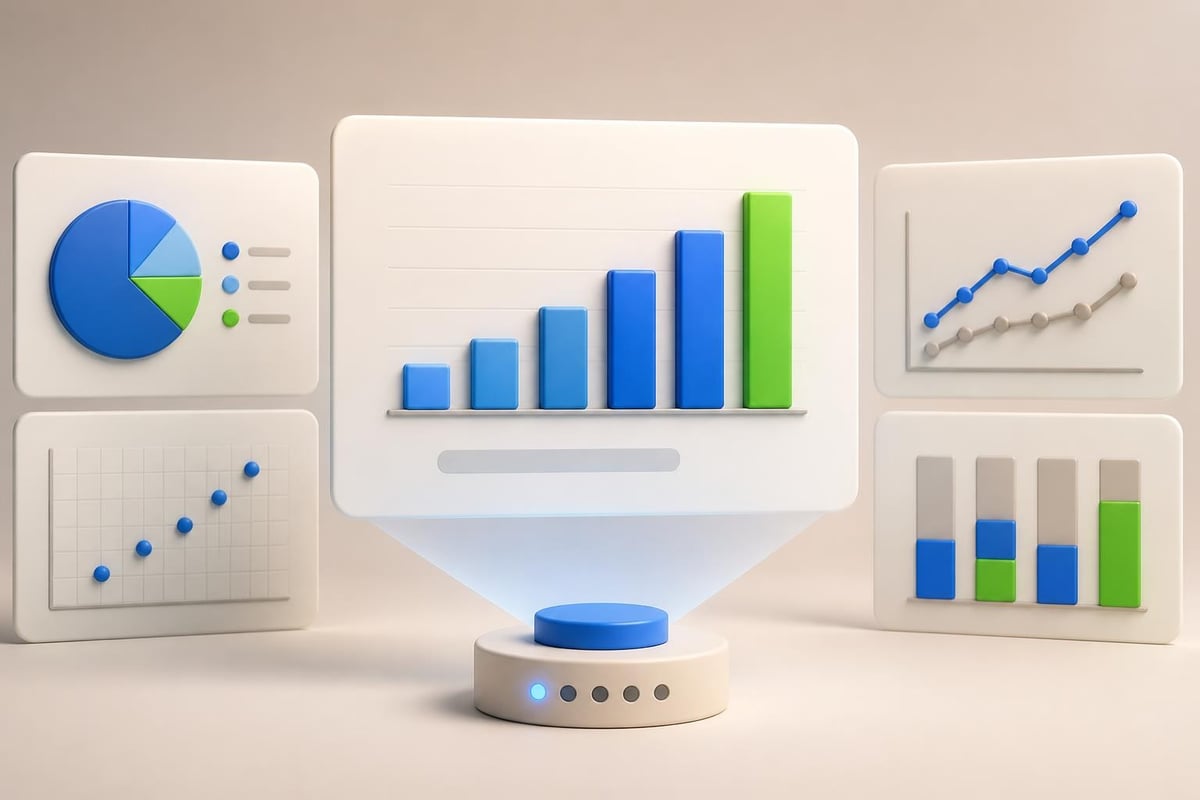
Different data types demand different visualization approaches. Trends over time suit line charts. Part-to-whole relationships work best as pie or donut charts. Comparisons between categories call for bar charts. Correlations between variables benefit from scatter plots. Hierarchical relationships need tree maps or organizational charts.

Data Type Recommended Visualization Poor Choice
Timeline progression Gantt chart, roadmap Pie chart
Budget breakdown Stacked bar, waterfall Line graph
Resource allocation Heat map, matrix Scatter plot
Risk assessment 2x2 matrix, bubble chart Table only
Performance trends Line chart, area chart Pie chart

Beyond selecting appropriate chart types, design execution matters enormously. Remove chartjunk: unnecessary grid lines, redundant labels, decorative elements, and excessive colors. Emphasize data over decoration. Use color purposefully to highlight key findings rather than simply making charts colorful.

Simplifying Complex Information

Technology and financial projects often involve intricate data relationships and multidimensional analyses. The temptation to show every detail can overwhelm audiences and obscure primary messages. Effective presenters distill complexity into digestible insights.

Simplification techniques:

  • Break complex analyses across multiple slides rather than cramming everything into one
  • Use progressive disclosure, showing summary first then offering detail on backup slides
  • Highlight the "so what" by annotating charts with key takeaways
  • Eliminate precision that doesn't drive decisions (round numbers appropriately)
  • Compare data to benchmarks or targets to provide context

When working with particularly complex datasets, consider whether your project plan ppt is the appropriate medium or whether supplementary documents better serve detailed analysis. Presentations excel at high-level communication and storytelling, while detailed appendices or data books support in-depth technical review.
Data visualization principles

Agile and Waterfall Methodology Adaptations

Project management methodologies significantly influence how you structure and present project plans. Waterfall projects follow sequential phases with clearly defined milestones. Agile initiatives embrace iterative development with evolving requirements. Your project plan ppt should reflect your chosen methodology while remaining accessible to stakeholders unfamiliar with specific frameworks.

Waterfall Project Presentations

Traditional waterfall projects benefit from linear timeline presentations showing distinct phases: requirements, design, development, testing, deployment, and maintenance. Each phase has clear entry and exit criteria, deliverables, and approval gates.

Waterfall presentations typically include detailed work breakdown structures, comprehensive resource loading charts, and phase-based budget allocations. The emphasis falls on thorough upfront planning and controlled change management processes. Stakeholders receive confidence through comprehensive documentation and structured governance.

Agile Project Communication

Agile projects present different communication challenges. Rather than fixed scopes and timelines, Agile emphasizes adaptive planning, evolutionary development, and continuous improvement. Your presentation must communicate this flexibility while still providing stakeholders sufficient visibility into progress and outcomes.

Agile project plan ppt components:

  • Product roadmap showing major themes and epics across releases
  • Sprint velocity and burndown charts demonstrating team capacity
  • Feature prioritization backlogs with value versus effort analysis
  • Release planning timelines with incremental delivery milestones
  • Retrospective insights and continuous improvement initiatives

Hybrid approaches combining Waterfall and Agile elements require careful communication. Some stakeholders prefer predictability, while others value flexibility. Framing methodology choices around business benefits rather than technical jargon helps diverse audiences understand your approach.

Presentation Delivery and Stakeholder Engagement

Even brilliantly designed project plan presentations fail without effective delivery. Your presentation skills, audience engagement techniques, and facilitation capabilities determine whether stakeholders leave aligned and committed or confused and skeptical.

Tailoring Content to Audience Needs

Different stakeholder groups need different information depths and emphases. Executives want strategic context, key decisions, and risk implications. Technical teams need architectural details, integration points, and implementation specifics. Finance stakeholders focus on budget accuracy, cash flow timing, and ROI projections.

Rather than creating separate presentations for each audience, build modular content that allows selective emphasis. Use section dividers to clearly mark transitions between strategic and detailed content. Leverage appendix slides containing supporting detail you can reference if questions arise without cluttering the primary narrative.

Understanding your audience extends beyond role-based assumptions. Consider their familiarity with your project domain, their communication preferences, their decision-making styles, and their likely concerns or objections. Anticipating questions and preparing thoughtful responses demonstrates preparation and builds confidence.

Interactive Elements and Engagement Strategies

Project plan presentations shouldn't be one-way information dumps. Engagement techniques transform passive audiences into active participants who invest in project success.

Engagement approaches:

  1. Pause for questions after each major section rather than only at the end
  2. Solicit input on risk identification, mitigation strategies, or decision criteria
  3. Use polls or votes when multiple options exist and stakeholder preference matters
  4. Share success stories from similar projects to build confidence
  5. Acknowledge concerns directly rather than dismissing or minimizing them

For virtual presentations, engagement becomes even more critical as digital fatigue and multitasking temptations increase. Incorporate chat interactions, breakout discussions, or collaborative whiteboarding to maintain attention and participation.

Advanced Design Techniques for Professional Impact

Basic project plan templates serve functional purposes, but advanced design techniques elevate presentations from adequate to exceptional. These approaches require additional effort but deliver substantial returns through enhanced comprehension, retention, and persuasive impact.

Custom Iconography and Visual Metaphors

Standard clipart and generic icons feel outdated and unprofessional. Custom iconography aligned with your brand and project themes creates visual distinction while improving information processing. Icons work particularly well for representing abstract concepts: security as shields, growth as upward arrows, collaboration as interconnected nodes.

Visual metaphors help audiences grasp complex ideas through familiar analogies. Presenting transformation initiatives as journeys with waypoints and destinations resonates more effectively than abstract change management frameworks. Depicting system architectures as building blueprints leverages spatial reasoning that most people understand intuitively.

Animation and Transition Strategy

When used purposefully, animation guides attention and reveals information progressively. Building complex diagrams element-by-element prevents overwhelming audiences with fully populated slides. Transitioning between related slides with subtle movements maintains visual continuity.

However, animation requires restraint. Excessive effects distract rather than enhance. Every animation should serve a communication purpose: revealing information sequentially, showing relationships between elements, or guiding attention to specific details. Gratuitous swooping, spinning, or bouncing undermines professional credibility.

Accessibility and Inclusive Design

Professional presentations accommodate diverse audience needs through inclusive design practices. Sufficient color contrast ensures readability for vision-impaired stakeholders. Alternative text on images supports screen readers. Clear verbal descriptions complement visual elements for remote participants who may experience connectivity issues.

Font size matters significantly for presentation readability. Minimum 24-point type for body text and 36-point for headings ensures legibility even in large conference rooms. Avoid ornate script fonts or ultra-thin weights that become illegible from distance or on low-resolution displays.

Maintaining and Updating Project Plans

Project plan presentations aren't static documents created once and forgotten. As projects evolve, your presentation must reflect current reality. Establishing update protocols and version control prevents confusion about which information remains valid.

Version Control and Change Documentation

Every updated version should include a revision date and version number. Consider maintaining a change log slide documenting major updates, particularly for long-running projects with multiple stakeholder reviews. This transparency helps audiences track evolution and understand how planning has adapted to new information.

File naming conventions prevent confusion about which version represents the current plan. Include project name, document type, version number, and date in consistent formats: "ProductLaunch_ProjectPlan_v3.2_2026-06-02.pptx"

Template Libraries and Reusable Components

Organizations running multiple projects benefit from standardized template libraries containing approved slide layouts, color schemes, icon sets, and boilerplate content. This standardization accelerates development while ensuring brand consistency across all project communications.

Reusable components like standard risk matrices, governance structures, or communication plans reduce redundant work. Rather than rebuilding common elements for each project, teams adapt proven frameworks to specific circumstances. This efficiency allows more time for customization that genuinely adds value rather than recreating standard components.

Integration with Project Management Tools

Modern project management increasingly relies on specialized software platforms for planning, tracking, and collaboration. Your project plan ppt should complement rather than duplicate these systems, presenting synthesized insights while detailed data lives in operational tools.

Linking Presentations to Source Systems

Rather than manually updating presentation data that quickly becomes stale, consider approaches that connect slides to authoritative data sources. Some presentation platforms support dynamic links refreshing automatically from project management systems, spreadsheets, or databases.

When dynamic linking isn't feasible, establish clear protocols for data updates. Identify which slides contain time-sensitive information requiring refresh before stakeholder presentations. Assign responsibility for validating data accuracy and executing updates on defined schedules.

Balancing Detail with Accessibility

Project management tools like Microsoft Project, Asana, Jira, or Monday.com contain granular task details valuable for execution but overwhelming in presentation formats. Your project plan ppt should extract strategic insights and high-level summaries while directing audiences to source systems for operational details.

This separation serves multiple purposes. Presentations remain focused and digestible. Operational tools maintain single sources of truth preventing version conflicts. Stakeholders receive appropriate information depth for their roles without navigating complex software interfaces.

Resources like TeamGantt's planning guide offer comprehensive approaches to project planning that span both presentation development and operational tool configuration, ensuring alignment between communication artifacts and execution systems.


Mastering project plan ppt development requires balancing comprehensive information with visual clarity, adapting content to diverse stakeholder needs, and maintaining presentations as living documents throughout project lifecycles. For financial services and technology companies where project success often hinges on stakeholder alignment and resource commitment, professional presentation design becomes a strategic capability rather than administrative overhead. When your next critical initiative needs a presentation that commands attention and drives action, Prznt Perfect transforms complex project plans into compelling visual narratives that resonate with executives, investors, and cross-functional teams alike.


News & Updates...

Discover cutting-edge ppt ideas design strategies for financial and tech presentations. Learn visual storytelling techniques that engage audiences.

Discover expert strategies for creating compelling business PPT presentations that engage audiences and drive results for financial and tech companies.