
9 Stunning Powerpoint Templates Aesthetic Picks for 2026
In today’s fast-paced world, the way a presentation looks can make or break audience engagement. As we approach 2026, demand is soaring for visually compelling solutions that help ideas stand out. This article highlights the top 9 powerpoint templates aesthetic professionals and creatives should know about. We will explore each template’s standout features, pricing, unique advantages, and best use cases. Whether you are a business leader or a creative, discover how these templates can elevate your next presentation and inspire your audience to take action.
Why Aesthetic PowerPoint Templates Matter in 2026
The Rise of Visual Storytelling in Business
In 2026, the demand for powerpoint templates aesthetic solutions continues to surge as businesses recognize the power of visual storytelling. Visual communication is proven to enhance engagement and retention. According to Forbes in 2023, 65% of people are visual learners, demonstrating the influence of imagery and design on how messages are received.
Professionals now rely on visually compelling presentations to clarify complex ideas and build audience trust. A strong visual narrative not only makes data memorable but also sets a confident, professional tone for meetings and pitches.
Trends Shaping Presentation Design
The landscape of powerpoint templates aesthetic trends is evolving rapidly. Minimalism, bold color palettes, and dynamic layouts are shaping the visual language of 2026. Gen Z and millennials are influencing professional settings with their preference for clean, expressive designs.
Motion graphics and interactive features are now standard, making presentations more engaging and memorable. For a deeper look at what's driving these changes, review the latest interactive slides in presentations, which highlights how AI-driven visuals and interactivity are defining the future of presentation design.
Benefits of Using Professionally Designed Templates
Adopting powerpoint templates aesthetic resources offers significant advantages. Teams and individuals save valuable time by starting with expertly crafted slides. Consistent use of professional templates ensures cohesive branding and a polished appearance, elevating credibility with clients and stakeholders.
Modern templates also prioritize accessibility and device compatibility, making presentations inclusive and functional across platforms. Enhanced design quality translates to improved audience perception and a stronger brand image, supporting both internal communication and external pitches.
Common Mistakes with PowerPoint Aesthetics
Even with the best powerpoint templates aesthetic choices, common pitfalls can undermine your message:
- Overcrowding slides with excessive information
- Poor color contrast that reduces readability
- Inconsistent font choices disrupting flow
- Failing to align with established brand guidelines
Avoiding these mistakes is crucial for maximizing impact. Focus on clarity, maintain visual harmony, and ensure every element supports your story and brand objectives.
9 Stunning PowerPoint Templates Aesthetic Picks for 2026
The demand for powerpoint templates aesthetic is soaring in 2026 as professionals and creatives seek tools that merge style with substance. Below, discover nine standout options redefining presentation design for every industry, each offering unique features, pricing, and benefits.
Prznt Perfect Custom Decks
Prznt Perfect leads the market with fully bespoke powerpoint templates aesthetic, crafted for maximum impact. Their pricing is custom-quoted, ensuring solutions scale to each project's complexity and scope.

Core Features:
- Tailored designs that align closely with brand identity
- Advanced data visualization and storytelling support
- Executive-level polish and attention to detail
Benefits:
- Ultra-polished, brand-consistent slides
- Designed specifically for finance, technology, and executive audiences
Ideal For: Startups, corporate leaders, keynote speakers, academic experts
Pros:
- End-to-end service streamlines the presentation process
- Strategic storytelling elevates messaging
- Quick turnaround with minimal client oversight
Cons:
- Higher investment than off-the-shelf powerpoint templates aesthetic
Unique: Over $2.3B raised using Prznt Perfect decks, trusted by Fortune 500s.
Voodoo Presentation Template by Slideforest
Voodoo offers a striking powerpoint templates aesthetic for a one-time $26 purchase, providing versatility for business, creative, and educational projects.
Features:
- 200+ unique slides in both dark and light modes
- 1000+ icons and simple drag-and-drop image placeholders
Benefits:
- Modern, clean layouts suitable for diverse presentation needs
- Extensive customization options
Ideal For: Agencies, consultants, startups, marketing teams
Pros:
- Lifetime updates included
- Responsive customer support
Cons:
- Users need PowerPoint proficiency to unlock full customization potential
Voodoo’s wide range makes it a go-to choice for anyone prioritizing powerpoint templates aesthetic across multiple project types.
Minimal Clean PowerPoint Template by SlideModel
For those who value minimalism, this template offers a streamlined powerpoint templates aesthetic via a subscription starting at $24.90/month.
Features:
- 100+ minimal slides, editable charts, and device mockups
- Multiple color themes for easy adaptation
Benefits:
- Distraction-free design that supports clear communication
- Flexible layouts for any industry
Ideal For: Corporate professionals, educators, project managers
Pros:
- Professional, polished look
- Infographic support enhances data storytelling
Cons:
- Subscription may not suit those needing only a single presentation
This template is perfect for maintaining powerpoint templates aesthetic standards without sacrificing usability.
Pitch Werk by Envato Elements
Pitch Werk is included with an Envato Elements subscription ($16.50/month), making it a smart pick for high-volume users who value powerpoint templates aesthetic.
Features:
- 120+ slides, 5 color schemes, device mockups, infographics, vector icons
Benefits:
- Ready-made for investor pitches, creative projects, and product launches
Ideal For: Startups, entrepreneurs, freelancers
Pros:
- Modern, bold visuals stand out in any setting
- Unlimited downloads with subscription
Cons:
- Requires ongoing Envato subscription
- Not exclusive to single users
With its broad selection, Pitch Werk empowers users to elevate their powerpoint templates aesthetic with ease.
Balance PowerPoint Template by Slidebazaar
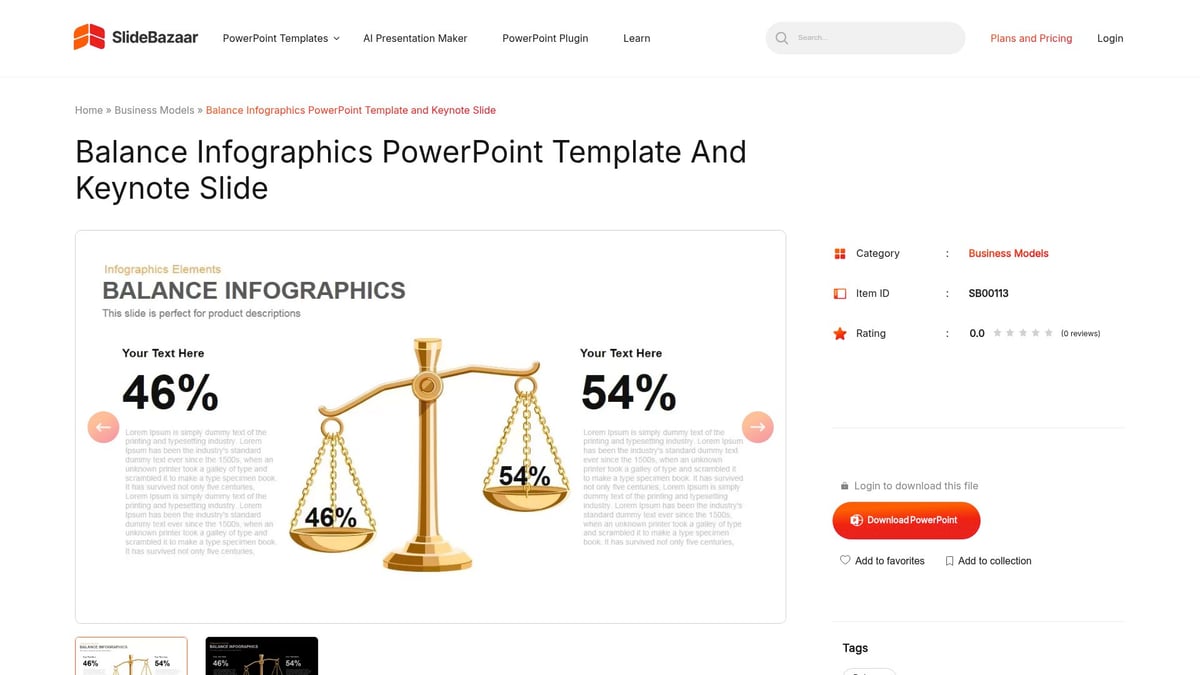
Balance, priced at $39, is a business-focused powerpoint templates aesthetic solution that combines harmonious color schemes with professional layouts.
Features:
- 150+ slides, editable business infographics, and icons
- Image placeholders for easy visual integration
Benefits:
- Simple data integration for clear storytelling
- Broad variety of slide types
Ideal For: Financial analysts, consultants, business strategists
Pros:
- One-time payment and extensive customization
- Suitable for formal presentations
Cons:
- Less suited for highly creative or informal contexts
Balance excels for those who want their powerpoint templates aesthetic to reflect professionalism and structure.
The X Note by Slidesgo
The X Note is a vibrant, tech-forward powerpoint templates aesthetic offered free with attribution, or premium from $23.99/year.
Features:
- 35+ slides with dynamic gradients and editable graphics
- Device mockups included
Benefits:
- Accessible for students and professionals alike
- Compatible with Google Slides
Ideal For: Tech startups, creative agencies, educators
Pros:
- Free version available for budget-conscious users
- Easy to use and adapt
Cons:
- Fewer slides compared to paid options
- Free use requires attribution
For those seeking a fresh, modern powerpoint templates aesthetic, The X Note delivers without breaking the bank.
Moderna PowerPoint Template by GraphicRiver
At $20, Moderna delivers a contemporary powerpoint templates aesthetic ideal for portfolios and proposals.
Features:
- 120+ slides, vector icons, image placeholders, 16:9 aspect ratio
Benefits:
- Sleek visuals fit both creative and business needs
Ideal For: Designers, freelancers, marketing professionals
Pros:
- Affordable and visually appealing
- Easy to modify for different projects
Cons:
- Limited customer support
- One-off purchase only
Moderna stands out for users who want to elevate their powerpoint templates aesthetic on a budget.
Aspire PowerPoint Template by SlideCarnival
Aspire is a free powerpoint templates aesthetic template, perfect for motivational or educational presentations.
Features:
- 25+ slides, bold color accents, creative layouts, device mockups
Benefits:
- No cost and quick to download
- Google Slides compatibility
Ideal For: Teachers, students, non-profits, early-stage startups
Pros:
- User-friendly and accessible
- Great for basic or introductory presentations
Cons:
- Fewer slides and less customization than paid options
Aspire is an excellent entry point for anyone experimenting with new powerpoint templates aesthetic styles.
Business Proposal PowerPoint by 24Slides
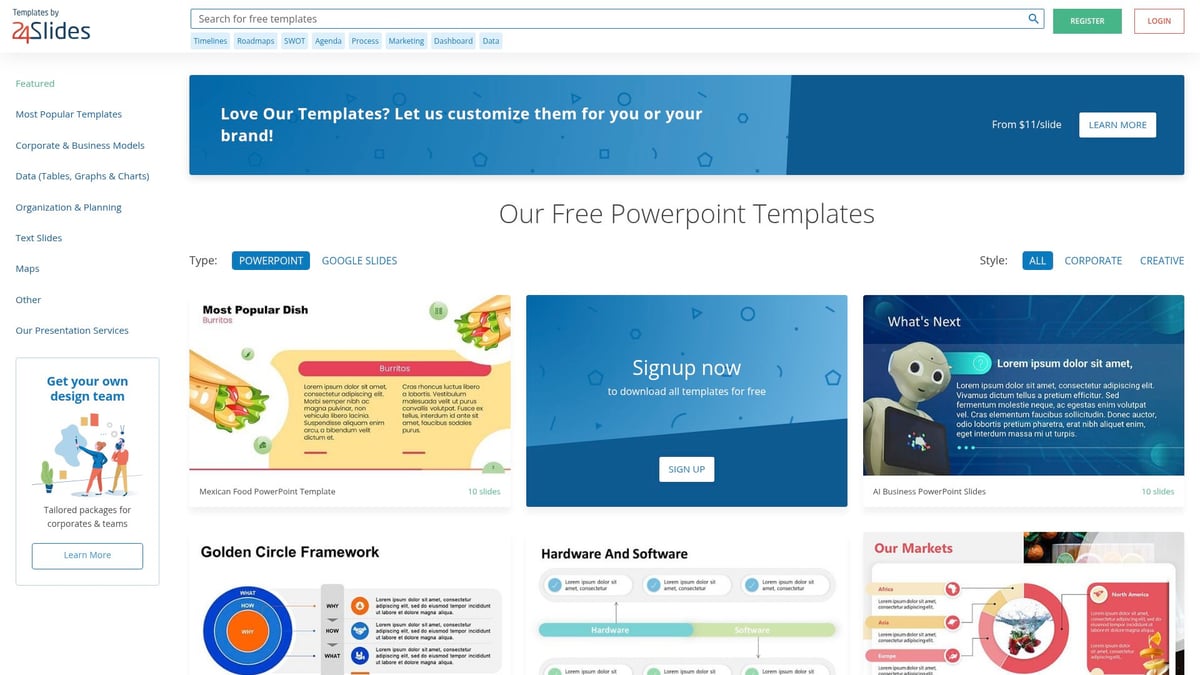
Business Proposal PowerPoint is a free, registration-required template focused on professional, persuasive design.
Features:
- 20+ slides, timeline infographics, editable icons, clear layouts
Benefits:
- Purpose-built for proposals and persuasive communication
Ideal For: Sales teams, consultants, small business owners
Pros:
- High-quality visuals at no cost
- Easy to edit for personalization
Cons:
- Smaller slide library
- Registration needed for download
For those seeking a focused powerpoint templates aesthetic for proposals, this is a solid, accessible solution.
How to Choose the Right Aesthetic PowerPoint Template
Selecting the best powerpoint templates aesthetic for your needs can transform your presentations from forgettable to unforgettable. With a vast array of options available in 2026, making the right choice requires strategic consideration of your brand, audience, features, and value. Let's break down the key steps to ensure your template aligns perfectly with your goals.
Assessing Your Brand and Audience Needs
Begin by evaluating how your chosen powerpoint templates aesthetic reflects your brand identity. Colors, fonts, and visual motifs should reinforce your organization's values and messaging. Ask yourself: Does this design match your logo, mission, and overall style?
Equally important is understanding your audience. Are they expecting a formal, corporate look or a creative, dynamic vibe? Consider the context—internal meetings, client pitches, or public events all require different tones. For actionable tips on aligning template style with your brand and audience, explore this guide on how to create impressive presentation templates.
- Identify your brand’s core colors and preferred fonts.
- Research competitors’ presentations for inspiration.
- Survey your audience when possible to gauge preferences.
A thoughtful assessment ensures your powerpoint templates aesthetic not only looks good but also communicates effectively.
Key Features to Prioritize in 2026
The right powerpoint templates aesthetic should offer more than just visual appeal. In 2026, prioritize templates that are responsive and adaptable for hybrid or remote presentations. Look for built-in accessibility features, such as high-contrast color schemes and screen reader compatibility.
Interactive elements, video integration, and smooth animations are increasingly expected. These features keep audiences engaged and help clarify complex data. Additionally, consider templates that include device mockups, infographics, and dynamic layouts.
- Responsive layouts for seamless viewing on any device.
- Accessibility compliance for inclusive communication.
- Support for multimedia and interactive elements.
Choosing templates with these features ensures your presentations remain relevant and impactful as expectations evolve.
Balancing Customization and Ease of Use
When selecting powerpoint templates aesthetic, weigh the benefits of full customization against the convenience of ready-to-use designs. Fully editable templates allow you to tailor every element, which is ideal for complex or branded presentations. However, they may require advanced PowerPoint skills and more time.
Fixed or semi-custom templates, on the other hand, speed up the creation process and are perfect for those with limited design experience. Consider your team’s skill level, the time available, and the complexity of your content.
- Editable templates: Maximum flexibility, higher learning curve.
- Fixed templates: Quick setup, limited personalization.
- Semi-custom: Best of both worlds for most users.
Assess your needs honestly to find the right balance between creative control and efficiency.
Comparing Pricing Models and Value
Powerpoint templates aesthetic come in various pricing models, each with its unique advantages. Understanding these options helps you maximize your investment.
| Model | Pros | Cons | Best For |
|---|---|---|---|
| Subscription | Access to large libraries, updates | Ongoing cost | Teams, frequent users |
| One-time Buy | Single payment, lifetime use | Limited updates/support | Individuals, small teams |
| Free | No cost, easy access | Fewer features, attribution | Students, startups |
Consider long-term ROI, including available support and updates. Factor in your presentation frequency and need for new designs. By comparing these models, you ensure your chosen powerpoint templates aesthetic delivers both style and value for your specific needs.
Maximizing Impact: Design Tips for Using Aesthetic Templates
Unlocking the full potential of powerpoint templates aesthetic requires more than just picking a beautiful design. Strategic use of visuals, consistent branding, and accessibility are essential for presentations that resonate and drive results. Here are expert tips to ensure your next presentation stands out for all the right reasons.
Consistency in Visual Elements
Maintaining visual consistency is the foundation of any successful powerpoint templates aesthetic. Align your color schemes, typography, and iconography to reinforce your brand identity and create a cohesive experience for your audience.
Use master slides and theme settings to standardize layouts, ensuring every slide feels intentional and polished. This approach not only saves time but also reduces the risk of design errors. For a deeper dive, explore master slides and theme consistency to streamline your workflow.
A unified style supports your message, makes content easier to follow, and elevates perceived professionalism.
Effective Use of Imagery and Icons
Striking visuals are essential for maximizing the impact of powerpoint templates aesthetic. Always choose high-quality images and icons that align with your topic and brand guidelines.
Balance is key: avoid overwhelming slides with too many visuals. Instead, use images to highlight key points and infographics to communicate complex data. Icons can add clarity and break up text, but should remain stylistically consistent throughout your deck.
Curate visuals that support your story, keeping slides engaging yet uncluttered.
Animations and Transitions: Best Practices
Animations and transitions bring powerpoint templates aesthetic to life when used thoughtfully. Subtle motion can guide attention and emphasize important content.
Stick to simple fades or gentle movements, reserving more dynamic effects for key sections. Overuse of flashy transitions can distract or even undermine your message. To avoid common pitfalls, review presentation design mistakes to avoid for practical guidance.
Well-chosen animations enhance flow, while restraint ensures your ideas remain the star.
Accessibility and Inclusivity in Slide Design
Inclusive powerpoint templates aesthetic means everyone can engage with your content. Prioritize strong color contrast and readable font sizes for clear communication.
Add descriptive alt-text to images and ensure your slides are compatible with screen readers. Avoid color combinations that are difficult to distinguish, and always test your presentation for visibility.
Accessible design not only broadens your reach but also demonstrates professionalism and respect for all audiences.
Future Trends: What’s Next for PowerPoint Aesthetics?
The future of powerpoint templates aesthetic design is evolving at a remarkable pace. As we look ahead, AI-driven recommendations will become standard, allowing users to create visually compelling slides with minimal effort. Smart templates will suggest layouts, color palettes, and even image choices tailored to audience and context.
Immersive experiences are on the rise, with interactive and 3D elements predicted to be at the forefront of next-generation presentations. Sustainability is also emerging as a key consideration, with eco-friendly design choices gaining traction. According to Presentation design trends 2025, dark modes, micro-interactions, and advanced AI-powered tools will define the next wave of powerpoint templates aesthetic innovation.
Looking toward 2027 and beyond, expect bold color schemes, adaptive layouts, and a seamless fusion of motion graphics with accessibility. The templates of tomorrow will not just look beautiful, but will also help presenters connect with audiences in more dynamic and responsible ways.


- This is some text inside of a div block.lay out the facts clearly and compellingly. Use data to establish the ground reality, but remember that facts alone are like the individual strands of a tapestry—necessary but not complete.lay out the facts clearly and compellingly. Use data to establish the ground reality, but remember that facts alone are like the individual strands of a tapestry—necessary but not complete.
- This is some text inside of a div block.lay out the facts clearly and compellingly. Use data to establish the ground reality, but remember that facts alone are like the individual strands of a tapestry—necessary but not complete.

.png)
