Office PowerPoint Template: Professional Design Guide

Every business presentation tells a story, and your office PowerPoint template serves as the foundation for that narrative. Whether you're pitching to investors, presenting quarterly results, or delivering strategic updates to stakeholders, a well-designed template ensures consistency, professionalism, and brand alignment across every slide. For financial and tech organizations, where data complexity meets visual communication, understanding the nuances of template design becomes essential to delivering impactful messages that resonate with sophisticated audiences.

Understanding Office PowerPoint Template Fundamentals

An office PowerPoint template is more than a collection of pre-formatted slides. It represents your organization's visual identity system, encoding brand guidelines, typography standards, color palettes, and layout principles into a reusable framework. When designed effectively, templates accelerate presentation creation while maintaining quality standards that individual designers might struggle to achieve consistently.

Core Components of Professional Templates

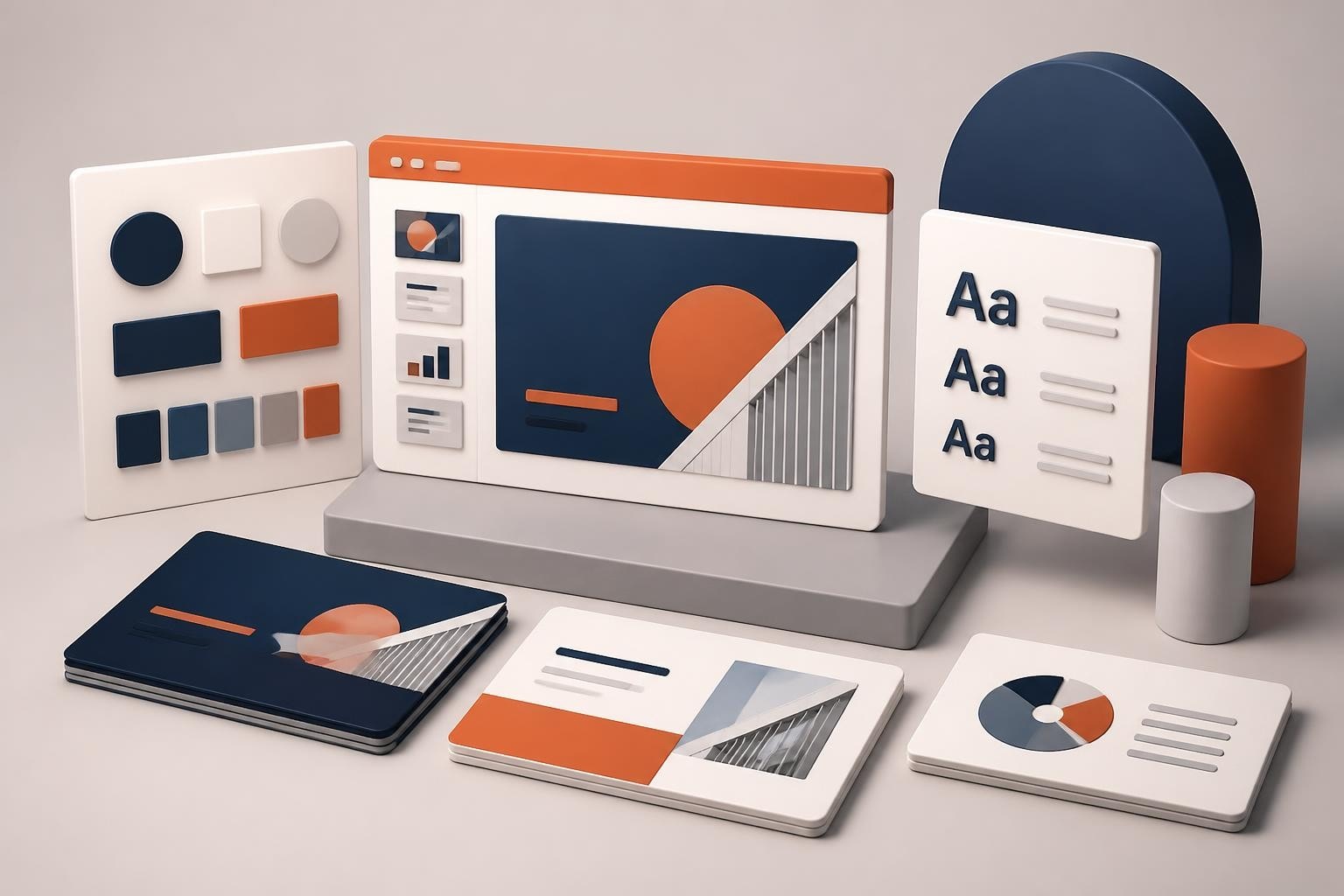
Every robust office PowerPoint template contains several essential elements working in harmony. Master slides control the overall design hierarchy, layout variations accommodate different content types, and theme colors establish visual consistency. Typography systems define heading and body text relationships, while spacing grids ensure optical balance across slides.

Consider these foundational elements:

  • Master slide configurations for title slides, content slides, and section breaks
  • Color schemes aligned with brand guidelines and accessibility standards
  • Typography hierarchies that improve readability at various screen sizes
  • Image placeholders and content zones that guide information placement
  • Chart and data visualization styles for consistent reporting

Modern professional PowerPoint approaches recognize that templates must balance rigidity and flexibility. While brand consistency matters, templates should adapt to diverse content requirements without forcing presenters into awkward compromises.

PowerPoint template component structure

Strategic Template Planning for Business Environments

Before opening PowerPoint, successful template development begins with strategic planning. Understanding your organization's presentation ecosystem reveals requirements that inform every design decision. Financial institutions managing investor relations need different template architectures than technology startups pitching venture capitalists.

Conducting a Presentation Audit

Analyze existing presentations across departments to identify patterns and pain points. Which slide types appear most frequently? Where do presenters struggle with formatting? What content consistently breaks standard layouts? This audit reveals the scope of layouts your template must support.

Presentation Type Primary Layouts Needed Special Requirements
Executive Updates Title, agenda, financials, roadmap Data visualization, timeline graphics
Sales Pitches Problem/solution, case studies, pricing Customer logos, testimonial layouts
Product Demos Feature highlights, comparison tables Screenshot integration, process flows
Board Meetings Dashboard metrics, strategic initiatives High-density data, appendix sections

Documentation from organizations like the University of Texas System's PowerPoint guidelines demonstrates how institutional standards inform template requirements. Your audit should similarly capture both explicit requirements and implicit usage patterns.

Defining Template Scope and Flexibility

Determine how many template variations your organization needs. A single universal template rarely serves all purposes effectively. Instead, consider a template family approach where related designs share core elements but adapt to specific contexts.

Primary template scenarios include:

  1. Executive presentations for C-suite and board communications
  2. Sales and business development decks for client engagement
  3. Internal updates for team meetings and operational reviews
  4. Investor relations materials for earnings and fundraising
  5. Training and educational content for knowledge transfer

This structured approach, similar to how Prznt Perfect develops tailored solutions for financial and tech clients, ensures templates meet real-world demands rather than theoretical ideals.

Building Your Office PowerPoint Template

With planning complete, the construction phase translates strategy into functional design. Microsoft PowerPoint's template architecture provides powerful tools, but maximizing their potential requires understanding both technical capabilities and design principles.

Configuring Master Slides and Layouts

Access the Master Slide view to establish your template's structural foundation. The master slide controls global elements that appear across all layouts, while individual layout masters define specific slide types. This hierarchy enables efficient updates: changing the master slide font immediately updates all dependent layouts.

Follow Microsoft's guidance on creating custom templates to ensure proper file formatting and compatibility. Save templates as .potx files to distinguish them from regular presentations and enable easy distribution across teams.

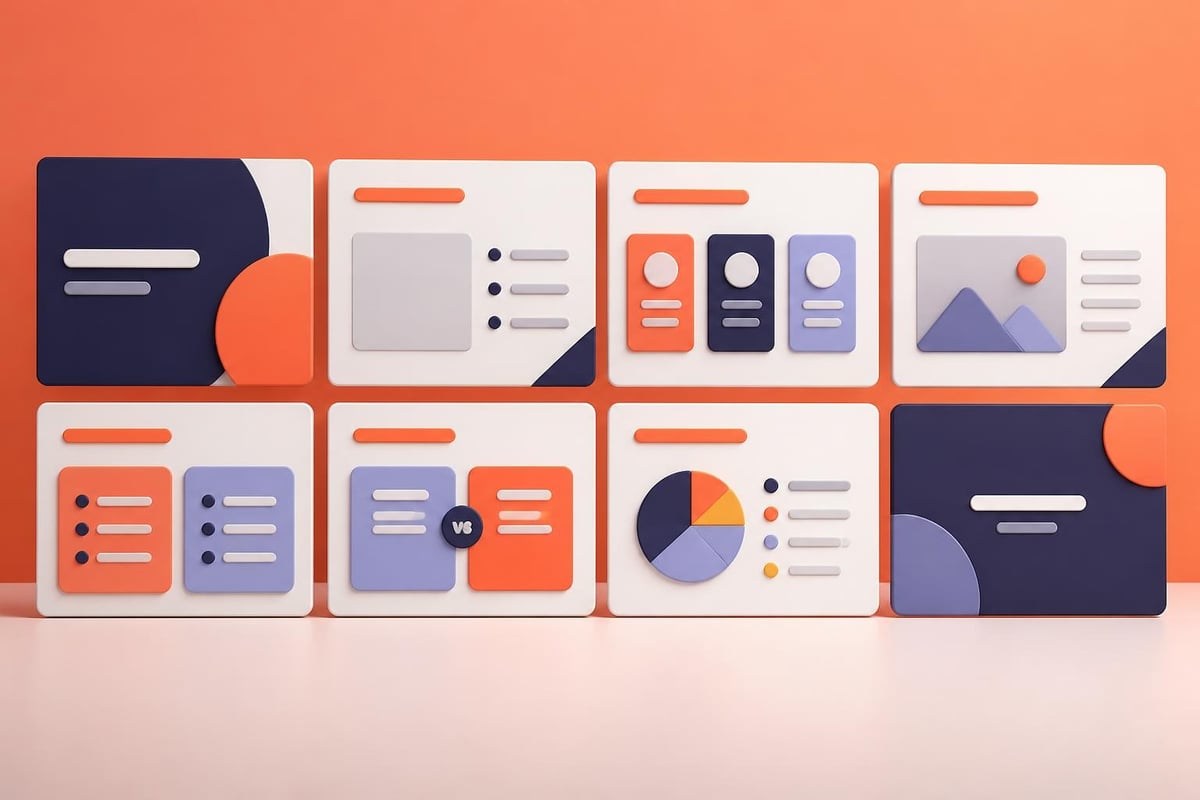
When configuring layouts, prioritize versatility without overwhelming users with choices. Most organizations function effectively with eight to twelve core layouts:

  • Title slide with logo and tagline placement
  • Section divider for content organization
  • Standard content layout with title and body areas
  • Two-column comparison layout
  • Image-focused layout with caption space
  • Data visualization layout for charts and graphs
  • Quote or testimonial layout
  • Closing slide with call-to-action

Each layout should include placeholder text demonstrating proper usage, guiding presenters toward effective content structuring.

Template layout variations

Implementing Brand-Consistent Design Systems

Your office PowerPoint template serves as a brand enforcement mechanism, embedding visual identity standards into every presentation. Color systems extend beyond primary brand colors to include accent palettes for data visualization, ensuring charts remain distinguishable even with multiple data series.

Typography selection balances brand expression with practical readability. Heading fonts establish personality while body fonts prioritize legibility at presentation distances. Consider that slides viewed on large conference room screens demand different considerations than slides shared via email.

The comprehensive guide on creating on-brand templates from Microsoft 365 emphasizes consistency across logo usage, color application, and font hierarchies. These elements work together creating immediate brand recognition.

Design systems for contemporary PowerPoint templates incorporate modern trends while respecting timeless principles. Generous whitespace improves content absorption. Consistent alignment creates visual rhythm. Strategic contrast directs attention to key messages.

Optimizing Templates for Accessibility and Usability

Professional office PowerPoint templates must serve diverse audiences and usage contexts. Accessibility considerations ensure presentations communicate effectively regardless of viewer capabilities, while usability features streamline presenter workflows.

Accessibility Standards and Inclusive Design

Color choices significantly impact accessibility. Avoid relying solely on color to convey meaning, as colorblind viewers may miss critical distinctions. Ensure sufficient contrast between text and backgrounds, maintaining at least 4.5:1 ratios for body text and 3:1 for large headings.

The video tutorial on accessible colors and styles demonstrates practical techniques for inclusive design. These principles matter especially in financial presentations where data accuracy and clarity cannot be compromised by poor contrast or ambiguous visual encoding.

Accessibility checklist for templates:

  • High contrast text and background combinations
  • Alternative text instructions for image placeholders
  • Consistent reading order in layout master configurations
  • Sans-serif fonts for improved screen readability
  • Chart styles that use patterns in addition to colors
  • Sufficient font sizes (minimum 18pt for body text)

Organizations committed to inclusive communication recognize that accessible templates benefit everyone, not just those with specific needs. Clear visual hierarchies and logical content flows improve comprehension across all audience segments.

Template Distribution and Version Control

Even perfectly designed templates fail if users cannot access or implement them correctly. Establish clear distribution channels ensuring team members always work from current versions. Cloud storage solutions like SharePoint or OneDrive enable centralized template management with automatic version updates.

Document template usage guidelines addressing common questions and scenarios. Include examples showing effective slide creation, explaining when to use specific layouts and how to customize elements without compromising brand standards. This documentation transforms templates from mere files into comprehensive presentation systems.

Distribution Method Advantages Considerations
Network drive Centralized access, automatic updates Requires network connectivity
Email attachment Simple distribution Version control challenges
Cloud storage Version tracking, accessibility Requires user training
Template marketplace Professional options available May need customization

Advanced Template Features and Customization

Sophisticated office PowerPoint template development extends beyond basic layouts into dynamic features that adapt to varied presentation needs. These advanced capabilities separate functional templates from truly exceptional presentation systems.

Dynamic Content Integration

Modern templates accommodate diverse content types through thoughtful placeholder design. Smart guides and snap-to grids ensure consistent element positioning even when presenters manually adjust layouts. Content blocks with defined dimensions maintain visual rhythm while offering flexibility for different information densities.

For organizations requiring presentation creative capabilities, templates should include pre-designed content modules: process diagrams, timeline graphics, organizational charts, and comparison matrices. These modules accelerate deck creation while maintaining design quality.

Advanced template features include:

  1. Preset animation schemes aligned with brand personality
  2. Embedded fonts ensuring consistent rendering across devices
  3. Custom chart templates matching brand color systems
  4. Icon libraries for consistent visual language
  5. Photo treatment guidelines and overlay options

These features transform templates from static frameworks into dynamic tools that empower presenters while protecting brand integrity.

Industry-Specific Template Adaptations

Financial services presentations demand different template considerations than technology startup pitch decks. The former typically requires extensive data visualization capabilities with sophisticated chart types and dashboard layouts. The latter prioritizes storytelling frameworks with strong visual impact and minimal text density.

When developing templates for specialized contexts like Series B pitch decks, consider the unique narrative requirements and audience expectations specific to that presentation type. Venture capital presentations follow established structural conventions that templates should facilitate rather than obstruct.

Cybersecurity firms benefit from specialized templates incorporating threat visualization layouts, risk assessment frameworks, and technical architecture diagrams. These industry-specific adaptations demonstrate understanding of domain-specific communication challenges.

Template Maintenance and Evolution

Office PowerPoint templates require ongoing refinement responding to changing brand standards, user feedback, and presentation trends. Organizations treating templates as living systems rather than one-time deliverables achieve better long-term results and higher user adoption rates.

Gathering User Feedback and Usage Analytics

Systematically collect presenter experiences identifying template strengths and weaknesses. Which layouts receive heavy use? Where do users consistently deviate from provided structures? These patterns reveal opportunities for template improvements addressing real workflow needs.

Consider implementing quarterly template reviews assessing:

  • Layout utilization rates across different departments
  • Common customization patterns indicating missing features
  • Brand compliance levels in completed presentations
  • Technical issues or compatibility problems
  • Emerging content types requiring new layout support

Organizations committed to presentation excellence, like those partnering with specialized agencies for fintech presentations, understand that template optimization directly impacts communication effectiveness.

Implementing Template Updates

When updating templates, maintain backward compatibility ensuring existing presentations remain functional. Communicate changes clearly to users, highlighting new features and explaining modifications to existing layouts. Provide migration guides helping presenters transition important decks to updated template versions.

Version numbering systems track template evolution while helping users identify which version they're working with. Include version information in template footer areas where it remains visible but unobtrusive.

Template update best practices:

  • Test updates across different PowerPoint versions and operating systems
  • Provide changelog documentation explaining modifications
  • Offer training sessions introducing significant new features
  • Maintain archive of previous versions for legacy presentation support
  • Solicit feedback after updates to identify unexpected issues

The comprehensive style guide approach extends beyond templates into broader presentation standards, creating cohesive communication systems that templates help enforce.

Measuring Template Effectiveness and ROI

Quantifying template value helps justify investment in professional design and ongoing maintenance. While some benefits resist precise measurement, tracking key indicators demonstrates how effective templates contribute to organizational success.

Efficiency Metrics and Time Savings

Calculate time savings by comparing presentation creation speeds before and after template implementation. Survey presenters about hours spent on formatting and design versus content development. Templates delivering significant time savings free team members for higher-value activities.

Consistency improvements reduce revision cycles when presentations undergo review processes. Standardized layouts mean fewer formatting corrections and faster approvals. For organizations creating high volumes of presentations, these efficiency gains compound significantly.

Metric Before Template After Template Improvement
Avg. deck creation time 8 hours 4.5 hours 44% reduction
Formatting revisions 3.2 per deck 0.8 per deck 75% reduction
Brand compliance rate 62% 94% 32 percentage points
Template reuse frequency Low High Significant increase

Quality and Brand Impact Assessment

While harder to quantify, template impact on presentation quality and brand perception matters substantially. Conduct periodic reviews assessing completed presentations against quality benchmarks. Consider audience feedback from key presentations evaluating clarity, professionalism, and message effectiveness.

Strong templates elevate average presenters, enabling consistent quality regardless of individual design skills. This democratization of presentation excellence ensures critical communications maintain professional standards even when created under time pressure or by team members lacking design expertise.

Organizations developing presentations for high-stakes scenarios like tech startup pitches recognize that template quality directly influences audience perceptions and business outcomes.

Integrating Templates with Broader Presentation Workflows

Office PowerPoint templates function most effectively when integrated into comprehensive presentation development processes. Templates provide the visual framework, but successful presentations require strategic content development, compelling storytelling, and effective delivery practices.

Content Strategy and Template Synergy

Templates should accommodate content strategies emphasizing clarity and impact. The five essential tips for choosing templates highlight alignment between template selection and presentation objectives. This principle extends to custom template development: design decisions should reflect communication goals rather than aesthetic preferences alone.

Consider how templates support storytelling frameworks guiding presenters through effective narrative structures. Problem-solution-benefit flows, investment thesis progressions, and product demonstration sequences all benefit from purpose-built layout sequences that reinforce narrative logic.

Just as agencies like Stijl en Vorm integrate design elements across digital touchpoints for cohesive brand experiences, presentation templates should connect to broader visual communication systems spanning websites, marketing materials, and social media assets.

Collaboration and Review Processes

Modern presentation development often involves multiple contributors requiring coordination and version management. Templates facilitate collaboration by providing consistent starting points reducing conflicts between different team members' design approaches.

Establish clear workflows defining when presenters should use templates versus requesting custom design support. Routine updates and standard communications work well with templates, while high-stakes presentations to major clients or investors may warrant specialized design attention.

Marketing teams supporting sales organizations can leverage tools like Markkinointikone's freelancer networks to scale presentation production while maintaining template standards. This approach balances consistency with capacity, ensuring template adherence even during high-demand periods.

Training and Enablement Programs

Template effectiveness depends significantly on user competency. Develop training programs teaching not just technical template usage but underlying design principles informing template structure. When presenters understand why templates work certain ways, they make better decisions about when and how to customize elements.

Training topics should cover:

  • Accessing and opening template files correctly
  • Selecting appropriate layouts for different content types
  • Customizing elements while maintaining brand standards
  • Working with master slides for advanced modifications
  • Troubleshooting common issues and compatibility problems

Authors using specialized tools like Storyloft for manuscript development benefit from understanding underlying platform capabilities. Similarly, presenters who grasp PowerPoint's template architecture create better presentations and encounter fewer technical frustrations.

Template workflow integration

Future-Proofing Your Office PowerPoint Template

Technology evolution and changing communication preferences require forward-thinking template development. Design templates that remain functional and relevant despite shifting presentation landscapes and emerging delivery platforms.

Responsive Design for Multiple Contexts

Presentations increasingly appear across varied contexts: projected in conference rooms, viewed on laptops during video calls, consumed on tablets, or converted to PDFs for email distribution. Templates should accommodate these diverse usage scenarios without requiring extensive reformatting.

Consider aspect ratio flexibility, supporting both traditional 4:3 and widescreen 16:9 formats. Design layouts that remain legible when presentations are printed or viewed on small screens. Test templates across different display technologies ensuring colors and contrasts render consistently.

Emerging Technologies and AI Integration

Artificial intelligence increasingly influences presentation development through features like Microsoft's Copilot. Understanding how Copilot maintains brand consistency helps template designers create AI-friendly structures that leverage automation while protecting brand standards.

Future templates may incorporate smart features anticipating presenter needs, suggesting layouts based on content type, or automatically adjusting designs for optimal readability. Designing with these possibilities in mind ensures templates remain relevant as presentation technology evolves.

Future-ready template characteristics:

  • Clean, semantic structure compatible with AI processing
  • Flexible layouts adapting to varied content densities
  • Cloud-native file formats supporting collaboration
  • Accessibility built into core design rather than added later
  • Modular components enabling easy updates and modifications

Organizations investing in presentation excellence recognize templates as strategic assets requiring thoughtful development and ongoing refinement. Whether creating templates internally or partnering with specialists, the goal remains consistent: enabling compelling communication that advances business objectives while honoring brand identity.


Effective office PowerPoint templates balance structure with flexibility, enabling consistent professional presentations while accommodating diverse content requirements. By understanding template fundamentals, implementing strategic design systems, and maintaining templates through user feedback and technological evolution, organizations create presentation frameworks that elevate communication quality across all teams. When your business needs go beyond templates into custom presentation design that transforms complex financial or technical data into compelling visual narratives, Prznt Perfect delivers expertise in creating pitch decks and strategic presentations that resonate with sophisticated audiences and drive meaningful business outcomes.

We offer free 30-min consultation on the presentation design audit
and hiring the right visual 
comms professional, let’s talk!
Shedule a call
Shedule a call
"I understand" goes a step further into the cognitive dance of persuasion. It's where the audience begins to see the connections between the facts, to grasp the nuances of the problem and the elegance of the solution.
  • This is some text inside of a div block.
    lay out the facts clearly and compellingly. Use data to establish the ground reality, but remember that facts alone are like the individual strands of a tapestry—necessary but not complete.
    lay out the facts clearly and compellingly. Use data to establish the ground reality, but remember that facts alone are like the individual strands of a tapestry—necessary but not complete.
  • This is some text inside of a div block.
    lay out the facts clearly and compellingly. Use data to establish the ground reality, but remember that facts alone are like the individual strands of a tapestry—necessary but not complete.

We offer free 30-min consultation on the presentation design audit

and hiring the right visual 
comms professional, let’s talk!

Shedule a call

"I understand" goes a step further into the cognitive dance of persuasion. It's where the audience begins to see the connections between the facts, to grasp the nuances of the problem and the elegance of the solution.

  • - 1 -
    Consistency at Scale:

    Biotech Market Trends 2024: Tailoring Your Pitch Deck to Current Industry Dynamics.

  • - 2 -
    Efficiency and Speed:

    The traditional process of manually updating presentations is not only slow but also prone to bottlenecks, especially when dealing with large volumes of slides. Automation dramatically accelerates this process, enabling designers to apply changes across hundreds of slides in the time it would take to manually update a single one. This efficiency is a game-changer for agencies working under tight deadlines or managing multiple projects simultaneously.

  • - 3 -
    Enhanced Creativity:

    With the burden of manual updates lifted, designers can allocate more time and energy to the creative aspects of presentation design. This freedom allows for deeper exploration of innovative design concepts, experimentation with new visual storytelling techniques, and the development of more engaging and interactive presentations. Automation doesn't stifle creativity; it amplifies it, enabling designers to push the boundaries of what's possible in corporate presentation design.

  • - 4 -
    Error Reduction:

    Manual updates are inherently prone to inconsistencies and mistakes, from misaligned logos to incorrect font sizes. These errors can detract from the professionalism of a presentation and, by extension, the corporate image. Automation minimizes these risks by ensuring that updates are applied uniformly and accurately across all slides, enhancing the overall quality and integrity of the presentation.

  • - 5 -
    Cost-Effectiveness:

    The time savings afforded by automation directly translate to cost savings for both the design agency and its clients. By reducing the hours spent on manual updates, agencies can optimize their workflows and resources, allowing them to take on more projects without compromising on quality. This efficiency can also make high-quality presentation design services more affordable and accessible to a broader range of businesses.

Office PowerPoint Template: Professional Design Guide
Discover how to create and customize office PowerPoint templates that elevate your presentations and maintain brand consistency across your organization.

Every business presentation tells a story, and your office PowerPoint template serves as the foundation for that narrative. Whether you're pitching to investors, presenting quarterly results, or delivering strategic updates to stakeholders, a well-designed template ensures consistency, professionalism, and brand alignment across every slide. For financial and tech organizations, where data complexity meets visual communication, understanding the nuances of template design becomes essential to delivering impactful messages that resonate with sophisticated audiences.

Understanding Office PowerPoint Template Fundamentals

An office PowerPoint template is more than a collection of pre-formatted slides. It represents your organization's visual identity system, encoding brand guidelines, typography standards, color palettes, and layout principles into a reusable framework. When designed effectively, templates accelerate presentation creation while maintaining quality standards that individual designers might struggle to achieve consistently.

Core Components of Professional Templates

Every robust office PowerPoint template contains several essential elements working in harmony. Master slides control the overall design hierarchy, layout variations accommodate different content types, and theme colors establish visual consistency. Typography systems define heading and body text relationships, while spacing grids ensure optical balance across slides.

Consider these foundational elements:

  • Master slide configurations for title slides, content slides, and section breaks
  • Color schemes aligned with brand guidelines and accessibility standards
  • Typography hierarchies that improve readability at various screen sizes
  • Image placeholders and content zones that guide information placement
  • Chart and data visualization styles for consistent reporting

Modern professional PowerPoint approaches recognize that templates must balance rigidity and flexibility. While brand consistency matters, templates should adapt to diverse content requirements without forcing presenters into awkward compromises.

PowerPoint template component structure

Strategic Template Planning for Business Environments

Before opening PowerPoint, successful template development begins with strategic planning. Understanding your organization's presentation ecosystem reveals requirements that inform every design decision. Financial institutions managing investor relations need different template architectures than technology startups pitching venture capitalists.

Conducting a Presentation Audit

Analyze existing presentations across departments to identify patterns and pain points. Which slide types appear most frequently? Where do presenters struggle with formatting? What content consistently breaks standard layouts? This audit reveals the scope of layouts your template must support.

Presentation Type Primary Layouts Needed Special Requirements
Executive Updates Title, agenda, financials, roadmap Data visualization, timeline graphics
Sales Pitches Problem/solution, case studies, pricing Customer logos, testimonial layouts
Product Demos Feature highlights, comparison tables Screenshot integration, process flows
Board Meetings Dashboard metrics, strategic initiatives High-density data, appendix sections

Documentation from organizations like the University of Texas System's PowerPoint guidelines demonstrates how institutional standards inform template requirements. Your audit should similarly capture both explicit requirements and implicit usage patterns.

Defining Template Scope and Flexibility

Determine how many template variations your organization needs. A single universal template rarely serves all purposes effectively. Instead, consider a template family approach where related designs share core elements but adapt to specific contexts.

Primary template scenarios include:

  1. Executive presentations for C-suite and board communications
  2. Sales and business development decks for client engagement
  3. Internal updates for team meetings and operational reviews
  4. Investor relations materials for earnings and fundraising
  5. Training and educational content for knowledge transfer

This structured approach, similar to how Prznt Perfect develops tailored solutions for financial and tech clients, ensures templates meet real-world demands rather than theoretical ideals.

Building Your Office PowerPoint Template

With planning complete, the construction phase translates strategy into functional design. Microsoft PowerPoint's template architecture provides powerful tools, but maximizing their potential requires understanding both technical capabilities and design principles.

Configuring Master Slides and Layouts

Access the Master Slide view to establish your template's structural foundation. The master slide controls global elements that appear across all layouts, while individual layout masters define specific slide types. This hierarchy enables efficient updates: changing the master slide font immediately updates all dependent layouts.

Follow Microsoft's guidance on creating custom templates to ensure proper file formatting and compatibility. Save templates as .potx files to distinguish them from regular presentations and enable easy distribution across teams.

When configuring layouts, prioritize versatility without overwhelming users with choices. Most organizations function effectively with eight to twelve core layouts:

  • Title slide with logo and tagline placement
  • Section divider for content organization
  • Standard content layout with title and body areas
  • Two-column comparison layout
  • Image-focused layout with caption space
  • Data visualization layout for charts and graphs
  • Quote or testimonial layout
  • Closing slide with call-to-action

Each layout should include placeholder text demonstrating proper usage, guiding presenters toward effective content structuring.
Template layout variations

Implementing Brand-Consistent Design Systems

Your office PowerPoint template serves as a brand enforcement mechanism, embedding visual identity standards into every presentation. Color systems extend beyond primary brand colors to include accent palettes for data visualization, ensuring charts remain distinguishable even with multiple data series.

Typography selection balances brand expression with practical readability. Heading fonts establish personality while body fonts prioritize legibility at presentation distances. Consider that slides viewed on large conference room screens demand different considerations than slides shared via email.

The comprehensive guide on creating on-brand templates from Microsoft 365 emphasizes consistency across logo usage, color application, and font hierarchies. These elements work together creating immediate brand recognition.

Design systems for contemporary PowerPoint templates incorporate modern trends while respecting timeless principles. Generous whitespace improves content absorption. Consistent alignment creates visual rhythm. Strategic contrast directs attention to key messages.

Optimizing Templates for Accessibility and Usability

Professional office PowerPoint templates must serve diverse audiences and usage contexts. Accessibility considerations ensure presentations communicate effectively regardless of viewer capabilities, while usability features streamline presenter workflows.

Accessibility Standards and Inclusive Design

Color choices significantly impact accessibility. Avoid relying solely on color to convey meaning, as colorblind viewers may miss critical distinctions. Ensure sufficient contrast between text and backgrounds, maintaining at least 4.5:1 ratios for body text and 3:1 for large headings.

The video tutorial on accessible colors and styles demonstrates practical techniques for inclusive design. These principles matter especially in financial presentations where data accuracy and clarity cannot be compromised by poor contrast or ambiguous visual encoding.

Accessibility checklist for templates:

  • High contrast text and background combinations
  • Alternative text instructions for image placeholders
  • Consistent reading order in layout master configurations
  • Sans-serif fonts for improved screen readability
  • Chart styles that use patterns in addition to colors
  • Sufficient font sizes (minimum 18pt for body text)

Organizations committed to inclusive communication recognize that accessible templates benefit everyone, not just those with specific needs. Clear visual hierarchies and logical content flows improve comprehension across all audience segments.

Template Distribution and Version Control

Even perfectly designed templates fail if users cannot access or implement them correctly. Establish clear distribution channels ensuring team members always work from current versions. Cloud storage solutions like SharePoint or OneDrive enable centralized template management with automatic version updates.

Document template usage guidelines addressing common questions and scenarios. Include examples showing effective slide creation, explaining when to use specific layouts and how to customize elements without compromising brand standards. This documentation transforms templates from mere files into comprehensive presentation systems.

Distribution Method Advantages Considerations
Network drive Centralized access, automatic updates Requires network connectivity
Email attachment Simple distribution Version control challenges
Cloud storage Version tracking, accessibility Requires user training
Template marketplace Professional options available May need customization

Advanced Template Features and Customization

Sophisticated office PowerPoint template development extends beyond basic layouts into dynamic features that adapt to varied presentation needs. These advanced capabilities separate functional templates from truly exceptional presentation systems.

Dynamic Content Integration

Modern templates accommodate diverse content types through thoughtful placeholder design. Smart guides and snap-to grids ensure consistent element positioning even when presenters manually adjust layouts. Content blocks with defined dimensions maintain visual rhythm while offering flexibility for different information densities.

For organizations requiring presentation creative capabilities, templates should include pre-designed content modules: process diagrams, timeline graphics, organizational charts, and comparison matrices. These modules accelerate deck creation while maintaining design quality.

Advanced template features include:

  1. Preset animation schemes aligned with brand personality
  2. Embedded fonts ensuring consistent rendering across devices
  3. Custom chart templates matching brand color systems
  4. Icon libraries for consistent visual language
  5. Photo treatment guidelines and overlay options

These features transform templates from static frameworks into dynamic tools that empower presenters while protecting brand integrity.

Industry-Specific Template Adaptations

Financial services presentations demand different template considerations than technology startup pitch decks. The former typically requires extensive data visualization capabilities with sophisticated chart types and dashboard layouts. The latter prioritizes storytelling frameworks with strong visual impact and minimal text density.

When developing templates for specialized contexts like Series B pitch decks, consider the unique narrative requirements and audience expectations specific to that presentation type. Venture capital presentations follow established structural conventions that templates should facilitate rather than obstruct.

Cybersecurity firms benefit from specialized templates incorporating threat visualization layouts, risk assessment frameworks, and technical architecture diagrams. These industry-specific adaptations demonstrate understanding of domain-specific communication challenges.

Template Maintenance and Evolution

Office PowerPoint templates require ongoing refinement responding to changing brand standards, user feedback, and presentation trends. Organizations treating templates as living systems rather than one-time deliverables achieve better long-term results and higher user adoption rates.

Gathering User Feedback and Usage Analytics

Systematically collect presenter experiences identifying template strengths and weaknesses. Which layouts receive heavy use? Where do users consistently deviate from provided structures? These patterns reveal opportunities for template improvements addressing real workflow needs.

Consider implementing quarterly template reviews assessing:

  • Layout utilization rates across different departments
  • Common customization patterns indicating missing features
  • Brand compliance levels in completed presentations
  • Technical issues or compatibility problems
  • Emerging content types requiring new layout support

Organizations committed to presentation excellence, like those partnering with specialized agencies for fintech presentations, understand that template optimization directly impacts communication effectiveness.

Implementing Template Updates

When updating templates, maintain backward compatibility ensuring existing presentations remain functional. Communicate changes clearly to users, highlighting new features and explaining modifications to existing layouts. Provide migration guides helping presenters transition important decks to updated template versions.

Version numbering systems track template evolution while helping users identify which version they're working with. Include version information in template footer areas where it remains visible but unobtrusive.

Template update best practices:

  • Test updates across different PowerPoint versions and operating systems
  • Provide changelog documentation explaining modifications
  • Offer training sessions introducing significant new features
  • Maintain archive of previous versions for legacy presentation support
  • Solicit feedback after updates to identify unexpected issues

The comprehensive style guide approach extends beyond templates into broader presentation standards, creating cohesive communication systems that templates help enforce.

Measuring Template Effectiveness and ROI

Quantifying template value helps justify investment in professional design and ongoing maintenance. While some benefits resist precise measurement, tracking key indicators demonstrates how effective templates contribute to organizational success.

Efficiency Metrics and Time Savings

Calculate time savings by comparing presentation creation speeds before and after template implementation. Survey presenters about hours spent on formatting and design versus content development. Templates delivering significant time savings free team members for higher-value activities.

Consistency improvements reduce revision cycles when presentations undergo review processes. Standardized layouts mean fewer formatting corrections and faster approvals. For organizations creating high volumes of presentations, these efficiency gains compound significantly.

Metric Before Template After Template Improvement
Avg. deck creation time 8 hours 4.5 hours 44% reduction
Formatting revisions 3.2 per deck 0.8 per deck 75% reduction
Brand compliance rate 62% 94% 32 percentage points
Template reuse frequency Low High Significant increase

Quality and Brand Impact Assessment

While harder to quantify, template impact on presentation quality and brand perception matters substantially. Conduct periodic reviews assessing completed presentations against quality benchmarks. Consider audience feedback from key presentations evaluating clarity, professionalism, and message effectiveness.

Strong templates elevate average presenters, enabling consistent quality regardless of individual design skills. This democratization of presentation excellence ensures critical communications maintain professional standards even when created under time pressure or by team members lacking design expertise.

Organizations developing presentations for high-stakes scenarios like tech startup pitches recognize that template quality directly influences audience perceptions and business outcomes.

Integrating Templates with Broader Presentation Workflows

Office PowerPoint templates function most effectively when integrated into comprehensive presentation development processes. Templates provide the visual framework, but successful presentations require strategic content development, compelling storytelling, and effective delivery practices.

Content Strategy and Template Synergy

Templates should accommodate content strategies emphasizing clarity and impact. The five essential tips for choosing templates highlight alignment between template selection and presentation objectives. This principle extends to custom template development: design decisions should reflect communication goals rather than aesthetic preferences alone.

Consider how templates support storytelling frameworks guiding presenters through effective narrative structures. Problem-solution-benefit flows, investment thesis progressions, and product demonstration sequences all benefit from purpose-built layout sequences that reinforce narrative logic.

Just as agencies like Stijl en Vorm integrate design elements across digital touchpoints for cohesive brand experiences, presentation templates should connect to broader visual communication systems spanning websites, marketing materials, and social media assets.

Collaboration and Review Processes

Modern presentation development often involves multiple contributors requiring coordination and version management. Templates facilitate collaboration by providing consistent starting points reducing conflicts between different team members' design approaches.

Establish clear workflows defining when presenters should use templates versus requesting custom design support. Routine updates and standard communications work well with templates, while high-stakes presentations to major clients or investors may warrant specialized design attention.

Marketing teams supporting sales organizations can leverage tools like Markkinointikone's freelancer networks to scale presentation production while maintaining template standards. This approach balances consistency with capacity, ensuring template adherence even during high-demand periods.

Training and Enablement Programs

Template effectiveness depends significantly on user competency. Develop training programs teaching not just technical template usage but underlying design principles informing template structure. When presenters understand why templates work certain ways, they make better decisions about when and how to customize elements.

Training topics should cover:

  • Accessing and opening template files correctly
  • Selecting appropriate layouts for different content types
  • Customizing elements while maintaining brand standards
  • Working with master slides for advanced modifications
  • Troubleshooting common issues and compatibility problems

Authors using specialized tools like Storyloft for manuscript development benefit from understanding underlying platform capabilities. Similarly, presenters who grasp PowerPoint's template architecture create better presentations and encounter fewer technical frustrations.

Template workflow integration

Future-Proofing Your Office PowerPoint Template

Technology evolution and changing communication preferences require forward-thinking template development. Design templates that remain functional and relevant despite shifting presentation landscapes and emerging delivery platforms.

Responsive Design for Multiple Contexts

Presentations increasingly appear across varied contexts: projected in conference rooms, viewed on laptops during video calls, consumed on tablets, or converted to PDFs for email distribution. Templates should accommodate these diverse usage scenarios without requiring extensive reformatting.

Consider aspect ratio flexibility, supporting both traditional 4:3 and widescreen 16:9 formats. Design layouts that remain legible when presentations are printed or viewed on small screens. Test templates across different display technologies ensuring colors and contrasts render consistently.

Emerging Technologies and AI Integration

Artificial intelligence increasingly influences presentation development through features like Microsoft's Copilot. Understanding how Copilot maintains brand consistency helps template designers create AI-friendly structures that leverage automation while protecting brand standards.

Future templates may incorporate smart features anticipating presenter needs, suggesting layouts based on content type, or automatically adjusting designs for optimal readability. Designing with these possibilities in mind ensures templates remain relevant as presentation technology evolves.

Future-ready template characteristics:

  • Clean, semantic structure compatible with AI processing
  • Flexible layouts adapting to varied content densities
  • Cloud-native file formats supporting collaboration
  • Accessibility built into core design rather than added later
  • Modular components enabling easy updates and modifications

Organizations investing in presentation excellence recognize templates as strategic assets requiring thoughtful development and ongoing refinement. Whether creating templates internally or partnering with specialists, the goal remains consistent: enabling compelling communication that advances business objectives while honoring brand identity.


Effective office PowerPoint templates balance structure with flexibility, enabling consistent professional presentations while accommodating diverse content requirements. By understanding template fundamentals, implementing strategic design systems, and maintaining templates through user feedback and technological evolution, organizations create presentation frameworks that elevate communication quality across all teams. When your business needs go beyond templates into custom presentation design that transforms complex financial or technical data into compelling visual narratives, Prznt Perfect delivers expertise in creating pitch decks and strategic presentations that resonate with sophisticated audiences and drive meaningful business outcomes.


News & Updates...

Discover proven strategies for team PowerPoint collaboration. Learn how to streamline workflows, enhance visual consistency, and deliver presentations.

Master target audience presentation strategies to create compelling pitch decks and presentations that resonate with stakeholders and drive results.