Best Website to Make PPT: Top Tools for 2026

Creating professional presentations requires the right tools, and finding the best website to make PPT presentations can dramatically improve your workflow and final output. Whether you're preparing a high-stakes pitch deck for investors, crafting a technical presentation for stakeholders, or building a sales deck, the platform you choose impacts both efficiency and visual impact. Modern presentation tools have evolved far beyond basic slide creation, offering features like AI-powered design assistance, real-time collaboration, and sophisticated data visualization capabilities. This comprehensive guide examines the leading platforms available in 2026 to help you select the ideal solution for your presentation needs.

Understanding Modern Presentation Platform Requirements

The landscape of presentation software has transformed significantly over the past few years. Today's professionals need more than simple slide templates and transition effects.

Essential Features for Business Presentations

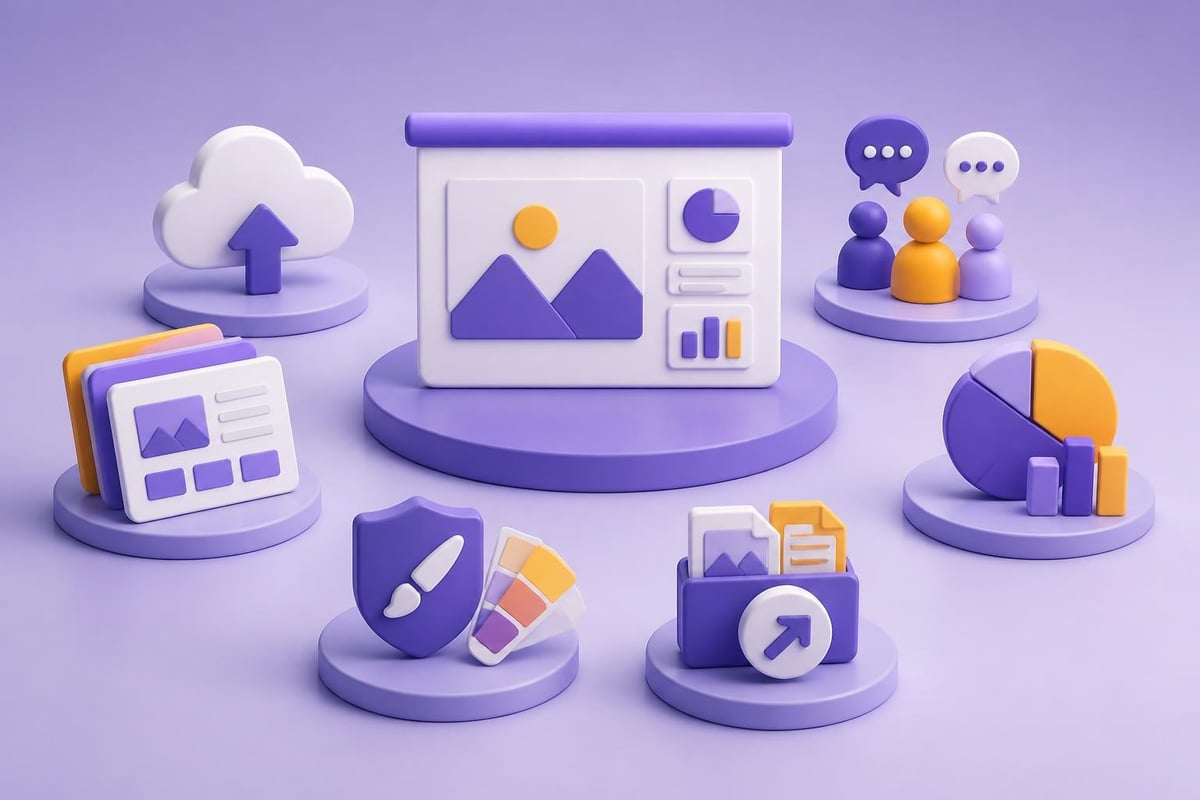
When evaluating platforms, several critical capabilities separate exceptional tools from basic ones:

  • Cloud-based accessibility enabling work from any device
  • Real-time collaboration for team-based projects
  • Template libraries with professional, industry-specific designs
  • Data visualization tools for charts, graphs, and infographics
  • Brand consistency controls including custom color palettes and fonts
  • Export flexibility supporting multiple file formats
Core features comparison

Financial and technology companies particularly benefit from platforms that handle complex data presentations effectively. The ability to transform spreadsheets into compelling visual narratives separates presentations that secure funding from those that fall flat.

Platform Types and Use Cases

Different platforms serve distinct purposes:

Platform Type Best For Key Advantage
Traditional Desktop Offline work, complex animations Full feature control
Cloud-Native Team collaboration, accessibility Real-time updates
AI-Powered Speed, design automation Rapid creation
Template-Focused Consistency, branding Professional aesthetics

Understanding your primary use case helps narrow the options. A Series B pitch deck demands different capabilities than an internal status update presentation.

Google Slides: The Collaboration Champion

Google Slides has emerged as a powerhouse for teams prioritizing collaboration and accessibility. This free, cloud-based platform integrates seamlessly with Google Workspace, making it an attractive option for businesses already invested in the ecosystem.

The Google Slides platform excels in real-time multi-user editing, allowing teams to work simultaneously on presentations without version control nightmares. Multiple stakeholders can review, comment, and edit presentations concurrently, which proves invaluable when preparing time-sensitive materials.

Strengths and Limitations

Notable Advantages:

  • Zero cost for full functionality
  • Automatic cloud saving eliminates lost work
  • Extensive add-on marketplace for enhanced capabilities
  • Mobile apps for iOS and Android
  • Offline mode for uninterrupted productivity

However, Google Slides presents certain constraints for advanced users. The design capabilities, while improving, lag behind premium alternatives in sophisticated animation options and advanced typography controls. Organizations requiring intricate visual effects or custom branding may find the platform limiting.

For businesses seeking the best website to make PPT presentations with strong collaboration needs and budget consciousness, Google Slides delivers exceptional value. The platform works particularly well for iterative projects requiring frequent stakeholder input.

Canva: Design Accessibility Meets Presentation Power

Canva has revolutionized how non-designers create visually appealing content, and its presentation module brings this democratization to slide decks. The platform combines an intuitive drag-and-drop interface with thousands of professionally designed templates.

Template Library and Customization

Canva's extensive template collection spans industries and use cases, from startup pitch decks to corporate training materials. Each template provides a starting point that users can customize extensively:

  1. Select a template matching your presentation purpose
  2. Replace placeholder content with your specific data
  3. Adjust colors to align with brand guidelines
  4. Incorporate custom images, icons, and illustrations
  5. Export in multiple formats including PDF and video

The platform's Smart Resize feature automatically adapts designs to different formats, saving substantial time when repurposing content across channels. This proves particularly valuable when creating companion materials for presentations.

While Canva offers a free tier, the Pro subscription unlocks premium templates, brand kit functionality, and background remover tools. For teams prioritizing visual consistency across marketing materials and presentations, this investment often justifies itself quickly. Professional agencies like Prznt Perfect often complement platform-created drafts with custom design expertise to achieve truly distinctive visual communications.

Microsoft PowerPoint Online: Classic Power in the Cloud

Microsoft PowerPoint remains the industry standard for presentation software, and PowerPoint Online brings core functionality to web browsers without requiring software installation. This cloud version provides familiar interface elements while enabling the collaborative features modern teams expect.

Feature Comparison: Desktop vs. Online

Capability PowerPoint Desktop PowerPoint Online
Advanced animations Full support Limited options
Custom fonts Unlimited Web-safe fonts
File size limits Several GB 500 MB
Offline access Complete Read-only
  • Collaboration | Add-in dependent | Native real-time |

The online version integrates with Microsoft 365 subscriptions, offering seamless file compatibility with desktop versions. Teams can start presentations online and continue refining them in the desktop application without conversion issues.

PowerPoint Online particularly shines for organizations already invested in the Microsoft ecosystem. The platform supports co-authoring, comments, and version history, making it competitive with Google Slides for collaboration while maintaining PowerPoint's robust feature set. When considering the best website to make PPT presentations, businesses with existing Microsoft licenses gain substantial value from this option.

Workflow integration

Gamma: AI-Powered Presentation Generation

Gamma represents the cutting edge of AI-assisted presentation creation, generating complete slide decks from brief text prompts. This platform targets users who need professional presentations rapidly without extensive design work.

According to Tom's Guide's comprehensive review of Gamma, the AI tool impresses with its ability to structure content logically and apply cohesive design elements automatically. Users provide topic information and key points, then Gamma generates layouts, selects relevant imagery, and formats text appropriately.

Practical Applications and Considerations

Ideal Scenarios:

  • Rapid prototyping of presentation concepts
  • Internal status updates and team meetings
  • Educational presentations with standard structures
  • Initial drafts requiring subsequent refinement

Limitations to Consider:

The AI-generated content requires careful review for accuracy and relevance. While Gamma excels at creating visually coherent presentations quickly, it lacks the nuanced understanding of specific business contexts that human designers bring. Complex financial presentations or highly technical content often need substantial manual refinement.

For organizations seeking the best website to make PPT presentations at speed, Gamma offers compelling advantages during ideation phases. However, high-stakes external presentations typically benefit from combining AI-generated foundations with professional design expertise, such as the presentation creative services that specialized agencies provide.

Prezi: Non-Linear Storytelling Platform

Prezi distinguishes itself through a fundamentally different approach to presentations. Rather than sequential slides, Prezi uses a zoomable canvas where content elements exist spatially, allowing presenters to navigate between topics fluidly.

When Prezi Makes Sense

This non-linear format excels for:

  1. Conceptual overviews showing relationships between ideas
  2. Journey narratives with branching pathways
  3. Interactive demonstrations where audience questions guide navigation
  4. Educational content requiring recursive explanations

The platform's motion-based transitions create memorable experiences but can overwhelm audiences if overused. Presenters must balance Prezi's distinctive movement with content clarity to avoid inducing motion discomfort in viewers.

Prezi offers both cloud-based and desktop applications, with team collaboration features in paid tiers. The platform has expanded its template library significantly, though it remains smaller than competitors focusing on traditional slide formats. For businesses exploring alternatives to conventional presentations, Prezi provides creative differentiation, though it requires presenters to develop new delivery skills.

Specialized Tools for Specific Industries

Beyond general-purpose platforms, specialized presentation tools serve niche requirements particularly well. Financial services and technology companies often need capabilities beyond standard presentation software.

Data Visualization Platforms

Tools like Tableau and Power BI integrate presentation functionality with advanced analytics. These platforms excel when presentations center on data exploration and interactive analysis rather than static storytelling. The ability to connect directly to live data sources ensures presentations always reflect current information.

For cybersecurity firms, specialized templates like those found in cyber security PPT templates address industry-specific design requirements including technical diagrams, threat landscapes, and compliance frameworks.

Design-First Platforms

Figma has expanded beyond UI/UX design into presentation creation. The platform's Figma Slides feature appeals to design teams already working in the ecosystem, offering powerful vector editing capabilities and component-based design systems. This approach ensures absolute design control but requires steeper learning curves than template-based platforms.

Platform Primary Strength Best User Type
Tableau Live data integration Data analysts
Figma Slides Design precision Design teams
Beautiful.ai Automated layouts Quick creators
Pitch Collaboration speed Startup teams

When evaluating the best website to make PPT presentations for specialized needs, consider whether vertical-specific functionality outweighs the learning investment required.

Optimizing Your Platform Choice

Selecting the optimal presentation platform requires aligning tool capabilities with your specific workflows, team composition, and output requirements. No single platform dominates across all use cases.

Decision Framework

Assess these critical factors:

  • Team size and distribution (remote vs. co-located)
  • Technical expertise of primary users
  • Presentation frequency and volume
  • Customization requirements for branding
  • Budget constraints and licensing models
  • Integration needs with existing tools

Organizations producing high-volume presentations benefit from platforms with robust template systems and reusable component libraries. Companies creating occasional but high-impact presentations might prioritize design quality over speed, potentially combining multiple tools or partnering with specialists.

The comprehensive TechRadar analysis of presentation software provides detailed comparisons across pricing tiers and feature sets, helping businesses understand trade-offs between different platforms.

Selection criteria

Hybrid Approaches

Many successful teams employ multiple platforms strategically:

  1. Google Slides for collaborative draft creation
  2. PowerPoint for final refinement and delivery
  3. Canva for quick social media adaptations
  4. Professional design services for critical presentations

This approach maximizes each platform's strengths while mitigating individual weaknesses. The initial collaborative drafting happens where teams work most comfortably, while final polish occurs in the most powerful design environment.

For businesses exploring automated content strategies to complement their presentation efforts, platforms like RankPill offer SEO automation that can enhance the discoverability of published presentation content and supporting materials across digital channels.

Emerging Trends in Presentation Technology

The presentation software landscape continues evolving rapidly, with several trends shaping the best website to make PPT presentations in 2026 and beyond.

AI Integration Advances

Artificial intelligence increasingly powers various aspects of presentation creation:

  • Content generation from brief outlines
  • Design suggestion based on content analysis
  • Image selection matching presentation tone
  • Speaking coach features analyzing delivery

These capabilities reduce production time substantially while maintaining professional quality standards. However, AI-generated content still requires human oversight for accuracy, brand alignment, and strategic messaging.

Accessibility Enhancements

Modern platforms increasingly emphasize inclusive design features:

  • Automatic alt text generation for images
  • Color contrast validation for readability
  • Screen reader compatibility improvements
  • Closed caption integration for video presentations

These features ensure presentations reach broader audiences while satisfying regulatory requirements in many industries. Contemporary PowerPoint templates now incorporate accessibility best practices by default.

Interactive and Multimedia Integration

Static slides give way to dynamic experiences incorporating:

  1. Embedded video content
  2. Live polling and audience interaction
  3. Animated data visualizations
  4. 3D object rendering
  5. Augmented reality elements

These capabilities transform presentations from one-way broadcasts into engaging conversations, particularly valuable for sales presentations and educational content.

Platform-Specific Best Practices

Maximizing value from any presentation platform requires understanding its particular strengths and optimizing workflows accordingly.

Template Customization Strategies

Effective template adaptation involves:

  • Establishing brand guidelines before template selection
  • Creating master slides with approved color schemes
  • Developing reusable component libraries
  • Documenting customization standards for team consistency

Organizations frequently creating presentations benefit enormously from investing time in proper template setup. This upfront work ensures brand consistency across all presentations while dramatically reducing production time for individual decks.

Professional agencies specializing in professional PowerPoint design often create custom template systems for clients, providing the foundation for in-house teams to produce brand-aligned content efficiently.

Collaboration Workflow Optimization

Cloud-based platforms enable streamlined teamwork when teams:

  • Define clear roles (content owner, designer, reviewer)
  • Establish commenting protocols and review cycles
  • Use version naming conventions systematically
  • Schedule dedicated review sessions rather than asynchronous feedback

These practices prevent the chaos of too many simultaneous editors while maintaining the speed advantages of real-time collaboration.

Evaluating Free vs. Paid Options

The best website to make PPT presentations balances capability requirements against budget realities. Free platforms now offer surprisingly robust features, while paid options provide advanced functionality and support.

Free Platform Capabilities

Leading free options include:

Platform Storage Limit Collaboration Templates Export Options
Google Slides 15 GB (shared) Unlimited users Moderate library PDF, PPTX, JPG
Canva Free 5 GB Limited teams Extensive (some premium) PDF, PNG, MP4
PowerPoint Online 5 GB Up to 6 users Basic library PPTX, PDF

These free tiers suffice for many business needs, particularly for internal presentations and standard formats. The TechRadar roundup of free presentation software details additional no-cost alternatives worth considering.

Premium Tier Value Propositions

Paid subscriptions typically add:

  • Expanded cloud storage
  • Priority customer support
  • Advanced animation capabilities
  • Brand kit management
  • Higher resolution exports
  • Remove platform watermarks

For businesses producing client-facing presentations regularly, these features often justify subscription costs through time savings and professional appearance improvements. Organizations handling sensitive information also benefit from enterprise security features available exclusively in paid tiers.

Total Cost of Ownership

Beyond subscription fees, consider:

  • Training time for new platforms
  • Template development investment
  • Integration setup with existing tools
  • Potential professional design services

A seemingly expensive platform may deliver better total value if its superior capabilities reduce external design spending or accelerate production sufficiently.

Integration with Broader Workflows

The most effective presentation platforms function as components within larger content ecosystems rather than isolated tools.

Content Repurposing Strategies

Modern presentations feed multiple channels:

  1. Original slide deck for live presentation
  2. PDF handout with simplified slides
  3. Video recording with narration
  4. Social media graphics extracted from key slides
  5. Blog posts expanding on presentation topics

Platforms supporting flexible export options and maintaining design fidelity across formats reduce friction in content repurposing workflows. This multi-channel approach maximizes the return on presentation creation investment.

Asset Management Integration

Organizations with substantial presentation volumes benefit from integration with:

  • Digital asset management systems for image libraries
  • Brand management platforms for guideline enforcement
  • Project management tools for production tracking
  • Customer relationship management for personalization

These integrations ensure presentations access current, approved assets while maintaining audit trails for regulatory compliance when necessary.


Selecting the best website to make PPT presentations depends on your specific requirements around collaboration, design sophistication, budget, and integration needs. While free platforms like Google Slides and Canva serve many business needs effectively, specialized requirements often benefit from premium tools or professional design partnerships. For financial and technology businesses requiring presentations that transform complex data into compelling narratives and secure critical stakeholder buy-in, Prznt Perfect combines platform expertise with specialized design capabilities to create visually stunning pitch decks, keynotes, and sales presentations that drive measurable business outcomes.

We offer free 30-min consultation on the presentation design audit
and hiring the right visual 
comms professional, let’s talk!
Shedule a call
Shedule a call
"I understand" goes a step further into the cognitive dance of persuasion. It's where the audience begins to see the connections between the facts, to grasp the nuances of the problem and the elegance of the solution.
  • This is some text inside of a div block.
    lay out the facts clearly and compellingly. Use data to establish the ground reality, but remember that facts alone are like the individual strands of a tapestry—necessary but not complete.
    lay out the facts clearly and compellingly. Use data to establish the ground reality, but remember that facts alone are like the individual strands of a tapestry—necessary but not complete.
  • This is some text inside of a div block.
    lay out the facts clearly and compellingly. Use data to establish the ground reality, but remember that facts alone are like the individual strands of a tapestry—necessary but not complete.

We offer free 30-min consultation on the presentation design audit

and hiring the right visual 
comms professional, let’s talk!

Shedule a call

"I understand" goes a step further into the cognitive dance of persuasion. It's where the audience begins to see the connections between the facts, to grasp the nuances of the problem and the elegance of the solution.

  • - 1 -
    Consistency at Scale:

    Biotech Market Trends 2024: Tailoring Your Pitch Deck to Current Industry Dynamics.

  • - 2 -
    Efficiency and Speed:

    The traditional process of manually updating presentations is not only slow but also prone to bottlenecks, especially when dealing with large volumes of slides. Automation dramatically accelerates this process, enabling designers to apply changes across hundreds of slides in the time it would take to manually update a single one. This efficiency is a game-changer for agencies working under tight deadlines or managing multiple projects simultaneously.

  • - 3 -
    Enhanced Creativity:

    With the burden of manual updates lifted, designers can allocate more time and energy to the creative aspects of presentation design. This freedom allows for deeper exploration of innovative design concepts, experimentation with new visual storytelling techniques, and the development of more engaging and interactive presentations. Automation doesn't stifle creativity; it amplifies it, enabling designers to push the boundaries of what's possible in corporate presentation design.

  • - 4 -
    Error Reduction:

    Manual updates are inherently prone to inconsistencies and mistakes, from misaligned logos to incorrect font sizes. These errors can detract from the professionalism of a presentation and, by extension, the corporate image. Automation minimizes these risks by ensuring that updates are applied uniformly and accurately across all slides, enhancing the overall quality and integrity of the presentation.

  • - 5 -
    Cost-Effectiveness:

    The time savings afforded by automation directly translate to cost savings for both the design agency and its clients. By reducing the hours spent on manual updates, agencies can optimize their workflows and resources, allowing them to take on more projects without compromising on quality. This efficiency can also make high-quality presentation design services more affordable and accessible to a broader range of businesses.

Best Website to Make PPT: Top Tools for 2026
Discover the best website to make PPT presentations in 2026. Compare top platforms for creating professional slides with expert insights.

Creating professional presentations requires the right tools, and finding the best website to make PPT presentations can dramatically improve your workflow and final output. Whether you're preparing a high-stakes pitch deck for investors, crafting a technical presentation for stakeholders, or building a sales deck, the platform you choose impacts both efficiency and visual impact. Modern presentation tools have evolved far beyond basic slide creation, offering features like AI-powered design assistance, real-time collaboration, and sophisticated data visualization capabilities. This comprehensive guide examines the leading platforms available in 2026 to help you select the ideal solution for your presentation needs.

Understanding Modern Presentation Platform Requirements

The landscape of presentation software has transformed significantly over the past few years. Today's professionals need more than simple slide templates and transition effects.

Essential Features for Business Presentations

When evaluating platforms, several critical capabilities separate exceptional tools from basic ones:

  • Cloud-based accessibility enabling work from any device
  • Real-time collaboration for team-based projects
  • Template libraries with professional, industry-specific designs
  • Data visualization tools for charts, graphs, and infographics
  • Brand consistency controls including custom color palettes and fonts
  • Export flexibility supporting multiple file formats
Core features comparison

Financial and technology companies particularly benefit from platforms that handle complex data presentations effectively. The ability to transform spreadsheets into compelling visual narratives separates presentations that secure funding from those that fall flat.

Platform Types and Use Cases

Different platforms serve distinct purposes:

Platform Type Best For Key Advantage
Traditional Desktop Offline work, complex animations Full feature control
Cloud-Native Team collaboration, accessibility Real-time updates
AI-Powered Speed, design automation Rapid creation
Template-Focused Consistency, branding Professional aesthetics

Understanding your primary use case helps narrow the options. A Series B pitch deck demands different capabilities than an internal status update presentation.

Google Slides: The Collaboration Champion

Google Slides has emerged as a powerhouse for teams prioritizing collaboration and accessibility. This free, cloud-based platform integrates seamlessly with Google Workspace, making it an attractive option for businesses already invested in the ecosystem.

The Google Slides platform excels in real-time multi-user editing, allowing teams to work simultaneously on presentations without version control nightmares. Multiple stakeholders can review, comment, and edit presentations concurrently, which proves invaluable when preparing time-sensitive materials.

Strengths and Limitations

Notable Advantages:

  • Zero cost for full functionality
  • Automatic cloud saving eliminates lost work
  • Extensive add-on marketplace for enhanced capabilities
  • Mobile apps for iOS and Android
  • Offline mode for uninterrupted productivity

However, Google Slides presents certain constraints for advanced users. The design capabilities, while improving, lag behind premium alternatives in sophisticated animation options and advanced typography controls. Organizations requiring intricate visual effects or custom branding may find the platform limiting.

For businesses seeking the best website to make PPT presentations with strong collaboration needs and budget consciousness, Google Slides delivers exceptional value. The platform works particularly well for iterative projects requiring frequent stakeholder input.

Canva: Design Accessibility Meets Presentation Power

Canva has revolutionized how non-designers create visually appealing content, and its presentation module brings this democratization to slide decks. The platform combines an intuitive drag-and-drop interface with thousands of professionally designed templates.

Template Library and Customization

Canva's extensive template collection spans industries and use cases, from startup pitch decks to corporate training materials. Each template provides a starting point that users can customize extensively:

  1. Select a template matching your presentation purpose
  2. Replace placeholder content with your specific data
  3. Adjust colors to align with brand guidelines
  4. Incorporate custom images, icons, and illustrations
  5. Export in multiple formats including PDF and video

The platform's Smart Resize feature automatically adapts designs to different formats, saving substantial time when repurposing content across channels. This proves particularly valuable when creating companion materials for presentations.

While Canva offers a free tier, the Pro subscription unlocks premium templates, brand kit functionality, and background remover tools. For teams prioritizing visual consistency across marketing materials and presentations, this investment often justifies itself quickly. Professional agencies like Prznt Perfect often complement platform-created drafts with custom design expertise to achieve truly distinctive visual communications.

Microsoft PowerPoint Online: Classic Power in the Cloud

Microsoft PowerPoint remains the industry standard for presentation software, and PowerPoint Online brings core functionality to web browsers without requiring software installation. This cloud version provides familiar interface elements while enabling the collaborative features modern teams expect.

Feature Comparison: Desktop vs. Online

Capability PowerPoint Desktop PowerPoint Online
Advanced animations Full support Limited options
Custom fonts Unlimited Web-safe fonts
File size limits Several GB 500 MB
Offline access Complete Read-only
  • Collaboration | Add-in dependent | Native real-time |

The online version integrates with Microsoft 365 subscriptions, offering seamless file compatibility with desktop versions. Teams can start presentations online and continue refining them in the desktop application without conversion issues.

PowerPoint Online particularly shines for organizations already invested in the Microsoft ecosystem. The platform supports co-authoring, comments, and version history, making it competitive with Google Slides for collaboration while maintaining PowerPoint's robust feature set. When considering the best website to make PPT presentations, businesses with existing Microsoft licenses gain substantial value from this option.

Workflow integration

Gamma: AI-Powered Presentation Generation

Gamma represents the cutting edge of AI-assisted presentation creation, generating complete slide decks from brief text prompts. This platform targets users who need professional presentations rapidly without extensive design work.

According to Tom's Guide's comprehensive review of Gamma, the AI tool impresses with its ability to structure content logically and apply cohesive design elements automatically. Users provide topic information and key points, then Gamma generates layouts, selects relevant imagery, and formats text appropriately.

Practical Applications and Considerations

Ideal Scenarios:

  • Rapid prototyping of presentation concepts
  • Internal status updates and team meetings
  • Educational presentations with standard structures
  • Initial drafts requiring subsequent refinement

Limitations to Consider:

The AI-generated content requires careful review for accuracy and relevance. While Gamma excels at creating visually coherent presentations quickly, it lacks the nuanced understanding of specific business contexts that human designers bring. Complex financial presentations or highly technical content often need substantial manual refinement.

For organizations seeking the best website to make PPT presentations at speed, Gamma offers compelling advantages during ideation phases. However, high-stakes external presentations typically benefit from combining AI-generated foundations with professional design expertise, such as the presentation creative services that specialized agencies provide.

Prezi: Non-Linear Storytelling Platform

Prezi distinguishes itself through a fundamentally different approach to presentations. Rather than sequential slides, Prezi uses a zoomable canvas where content elements exist spatially, allowing presenters to navigate between topics fluidly.

When Prezi Makes Sense

This non-linear format excels for:

  1. Conceptual overviews showing relationships between ideas
  2. Journey narratives with branching pathways
  3. Interactive demonstrations where audience questions guide navigation
  4. Educational content requiring recursive explanations

The platform's motion-based transitions create memorable experiences but can overwhelm audiences if overused. Presenters must balance Prezi's distinctive movement with content clarity to avoid inducing motion discomfort in viewers.

Prezi offers both cloud-based and desktop applications, with team collaboration features in paid tiers. The platform has expanded its template library significantly, though it remains smaller than competitors focusing on traditional slide formats. For businesses exploring alternatives to conventional presentations, Prezi provides creative differentiation, though it requires presenters to develop new delivery skills.

Specialized Tools for Specific Industries

Beyond general-purpose platforms, specialized presentation tools serve niche requirements particularly well. Financial services and technology companies often need capabilities beyond standard presentation software.

Data Visualization Platforms

Tools like Tableau and Power BI integrate presentation functionality with advanced analytics. These platforms excel when presentations center on data exploration and interactive analysis rather than static storytelling. The ability to connect directly to live data sources ensures presentations always reflect current information.

For cybersecurity firms, specialized templates like those found in cyber security PPT templates address industry-specific design requirements including technical diagrams, threat landscapes, and compliance frameworks.

Design-First Platforms

Figma has expanded beyond UI/UX design into presentation creation. The platform's Figma Slides feature appeals to design teams already working in the ecosystem, offering powerful vector editing capabilities and component-based design systems. This approach ensures absolute design control but requires steeper learning curves than template-based platforms.

Platform Primary Strength Best User Type
Tableau Live data integration Data analysts
Figma Slides Design precision Design teams
Beautiful.ai Automated layouts Quick creators
Pitch Collaboration speed Startup teams

When evaluating the best website to make PPT presentations for specialized needs, consider whether vertical-specific functionality outweighs the learning investment required.

Optimizing Your Platform Choice

Selecting the optimal presentation platform requires aligning tool capabilities with your specific workflows, team composition, and output requirements. No single platform dominates across all use cases.

Decision Framework

Assess these critical factors:

  • Team size and distribution (remote vs. co-located)
  • Technical expertise of primary users
  • Presentation frequency and volume
  • Customization requirements for branding
  • Budget constraints and licensing models
  • Integration needs with existing tools

Organizations producing high-volume presentations benefit from platforms with robust template systems and reusable component libraries. Companies creating occasional but high-impact presentations might prioritize design quality over speed, potentially combining multiple tools or partnering with specialists.

The comprehensive TechRadar analysis of presentation software provides detailed comparisons across pricing tiers and feature sets, helping businesses understand trade-offs between different platforms.

Selection criteria

Hybrid Approaches

Many successful teams employ multiple platforms strategically:

  1. Google Slides for collaborative draft creation
  2. PowerPoint for final refinement and delivery
  3. Canva for quick social media adaptations
  4. Professional design services for critical presentations

This approach maximizes each platform's strengths while mitigating individual weaknesses. The initial collaborative drafting happens where teams work most comfortably, while final polish occurs in the most powerful design environment.

For businesses exploring automated content strategies to complement their presentation efforts, platforms like RankPill offer SEO automation that can enhance the discoverability of published presentation content and supporting materials across digital channels.

Emerging Trends in Presentation Technology

The presentation software landscape continues evolving rapidly, with several trends shaping the best website to make PPT presentations in 2026 and beyond.

AI Integration Advances

Artificial intelligence increasingly powers various aspects of presentation creation:

  • Content generation from brief outlines
  • Design suggestion based on content analysis
  • Image selection matching presentation tone
  • Speaking coach features analyzing delivery

These capabilities reduce production time substantially while maintaining professional quality standards. However, AI-generated content still requires human oversight for accuracy, brand alignment, and strategic messaging.

Accessibility Enhancements

Modern platforms increasingly emphasize inclusive design features:

  • Automatic alt text generation for images
  • Color contrast validation for readability
  • Screen reader compatibility improvements
  • Closed caption integration for video presentations

These features ensure presentations reach broader audiences while satisfying regulatory requirements in many industries. Contemporary PowerPoint templates now incorporate accessibility best practices by default.

Interactive and Multimedia Integration

Static slides give way to dynamic experiences incorporating:

  1. Embedded video content
  2. Live polling and audience interaction
  3. Animated data visualizations
  4. 3D object rendering
  5. Augmented reality elements

These capabilities transform presentations from one-way broadcasts into engaging conversations, particularly valuable for sales presentations and educational content.

Platform-Specific Best Practices

Maximizing value from any presentation platform requires understanding its particular strengths and optimizing workflows accordingly.

Template Customization Strategies

Effective template adaptation involves:

  • Establishing brand guidelines before template selection
  • Creating master slides with approved color schemes
  • Developing reusable component libraries
  • Documenting customization standards for team consistency

Organizations frequently creating presentations benefit enormously from investing time in proper template setup. This upfront work ensures brand consistency across all presentations while dramatically reducing production time for individual decks.

Professional agencies specializing in professional PowerPoint design often create custom template systems for clients, providing the foundation for in-house teams to produce brand-aligned content efficiently.

Collaboration Workflow Optimization

Cloud-based platforms enable streamlined teamwork when teams:

  • Define clear roles (content owner, designer, reviewer)
  • Establish commenting protocols and review cycles
  • Use version naming conventions systematically
  • Schedule dedicated review sessions rather than asynchronous feedback

These practices prevent the chaos of too many simultaneous editors while maintaining the speed advantages of real-time collaboration.

Evaluating Free vs. Paid Options

The best website to make PPT presentations balances capability requirements against budget realities. Free platforms now offer surprisingly robust features, while paid options provide advanced functionality and support.

Free Platform Capabilities

Leading free options include:

Platform Storage Limit Collaboration Templates Export Options
Google Slides 15 GB (shared) Unlimited users Moderate library PDF, PPTX, JPG
Canva Free 5 GB Limited teams Extensive (some premium) PDF, PNG, MP4
PowerPoint Online 5 GB Up to 6 users Basic library PPTX, PDF

These free tiers suffice for many business needs, particularly for internal presentations and standard formats. The TechRadar roundup of free presentation software details additional no-cost alternatives worth considering.

Premium Tier Value Propositions

Paid subscriptions typically add:

  • Expanded cloud storage
  • Priority customer support
  • Advanced animation capabilities
  • Brand kit management
  • Higher resolution exports
  • Remove platform watermarks

For businesses producing client-facing presentations regularly, these features often justify subscription costs through time savings and professional appearance improvements. Organizations handling sensitive information also benefit from enterprise security features available exclusively in paid tiers.

Total Cost of Ownership

Beyond subscription fees, consider:

  • Training time for new platforms
  • Template development investment
  • Integration setup with existing tools
  • Potential professional design services

A seemingly expensive platform may deliver better total value if its superior capabilities reduce external design spending or accelerate production sufficiently.

Integration with Broader Workflows

The most effective presentation platforms function as components within larger content ecosystems rather than isolated tools.

Content Repurposing Strategies

Modern presentations feed multiple channels:

  1. Original slide deck for live presentation
  2. PDF handout with simplified slides
  3. Video recording with narration
  4. Social media graphics extracted from key slides
  5. Blog posts expanding on presentation topics

Platforms supporting flexible export options and maintaining design fidelity across formats reduce friction in content repurposing workflows. This multi-channel approach maximizes the return on presentation creation investment.

Asset Management Integration

Organizations with substantial presentation volumes benefit from integration with:

  • Digital asset management systems for image libraries
  • Brand management platforms for guideline enforcement
  • Project management tools for production tracking
  • Customer relationship management for personalization

These integrations ensure presentations access current, approved assets while maintaining audit trails for regulatory compliance when necessary.


Selecting the best website to make PPT presentations depends on your specific requirements around collaboration, design sophistication, budget, and integration needs. While free platforms like Google Slides and Canva serve many business needs effectively, specialized requirements often benefit from premium tools or professional design partnerships. For financial and technology businesses requiring presentations that transform complex data into compelling narratives and secure critical stakeholder buy-in, Prznt Perfect combines platform expertise with specialized design capabilities to create visually stunning pitch decks, keynotes, and sales presentations that drive measurable business outcomes.

News & Updates...

Discover innovative ppt ideas for presentation that captivate audiences. Expert strategies, design techniques, and creative concepts for 2026.

Discover how to achieve presentation perfect results with expert design strategies, storytelling techniques, and visual best practices for 2026.