Sales Pitch PowerPoint Template Design Guide for 2026

Creating a compelling sales pitch PowerPoint template requires more than just inserting your logo and changing colors. For financial services firms and technology companies competing in saturated markets, your presentation design can be the decisive factor between winning a contract and losing to a competitor. A well-crafted sales pitch PowerPoint template serves as your strategic foundation, ensuring every presentation maintains brand consistency while adapting to different audiences, products, and selling scenarios. When executed properly, these templates transform complex value propositions into clear, persuasive narratives that resonate with decision-makers and accelerate your sales cycle.

Understanding the Strategic Role of Sales Templates

A sales pitch PowerPoint template functions as your organization's presentation infrastructure. Rather than starting from scratch each time your team prepares for a client meeting, a thoughtfully designed template provides the framework for consistent messaging and professional polish across all sales interactions.

The strategic advantages include:

  • Reduced preparation time for sales representatives
  • Consistent brand presentation across different team members
  • Scalable design systems that grow with your organization
  • Professional credibility that reinforces your market position
  • Flexibility to customize content while maintaining visual coherence

Financial institutions and technology firms face unique presentation challenges. Complex products, technical specifications, and sophisticated audiences demand presentation designs that balance detail with clarity. Your sales pitch PowerPoint template must accommodate intricate data visualizations, compliance requirements, and multiple stakeholder perspectives without overwhelming your audience.

Core Components Every Template Needs

The most effective sales pitch PowerPoint template includes dedicated sections addressing each stage of the buyer's journey. This structured approach to sales presentations ensures no critical element gets overlooked during customization.

Essential template sections:

  1. Opening hook that captures attention immediately
  2. Problem statement defining your prospect's challenges
  3. Solution overview presenting your value proposition
  4. Product or service details with supporting evidence
  5. Social proof including case studies and testimonials
  6. Pricing or investment framework
  7. Next steps with clear call-to-action

Each section requires purpose-built slide layouts optimized for specific content types. Your problem statement slides need different visual treatment than your pricing slides. This specialization within your sales pitch PowerPoint template prevents the monotonous "wall of text" that plagues generic presentations.

Sales pitch template structure

Design Principles for High-Converting Templates

Visual design directly impacts persuasion effectiveness. Research consistently demonstrates that well-designed presentations generate higher engagement rates and better information retention than text-heavy alternatives. For professional PowerPoint design services, visual hierarchy represents the foundation of effective template architecture.

Establishing Visual Hierarchy

Your sales pitch PowerPoint template should guide viewers through information in the order you choose. Typography, color, spacing, and layout all contribute to this visual flow. Primary information demands prominent placement and emphasis, while supporting details receive secondary visual weight.

Typography best practices:

  • Limit your template to two typeface families maximum
  • Use font size variation to establish information hierarchy
  • Maintain minimum 24-point font size for body text
  • Reserve decorative fonts for accent elements only
  • Ensure sufficient contrast between text and backgrounds

Color psychology plays a significant role in financial and technology presentations. Blue conveys trust and stability, making it popular among financial institutions. Green suggests growth and innovation, appealing to technology companies. Your color palette should reflect your brand identity while maintaining readability across different display environments.

Design Element Function Best Practice
Primary color Brand recognition Use sparingly for emphasis
Secondary color Supporting elements Complement primary without competing
Neutral colors Text and backgrounds Ensure 4.5:1 contrast ratio minimum
Accent color Calls-to-action High contrast for maximum visibility

The spacing within your sales pitch PowerPoint template affects comprehension significantly. Adequate whitespace prevents cognitive overload, allowing key messages to breathe and register with your audience. Cramming excessive information onto slides creates confusion rather than clarity.

Content Strategy and Messaging Framework

Template design and content strategy must work together seamlessly. Even the most beautiful sales pitch PowerPoint template fails without compelling messaging that addresses prospect needs and motivations. Your template should facilitate storytelling, not impede it.

Crafting Your Narrative Arc

Effective sales presentations follow narrative structures borrowed from storytelling traditions. This comprehensive overview of sales pitch presentations emphasizes the importance of emotional connection alongside logical arguments. Your template should support this dual approach through dedicated content areas for both rational and emotional appeals.

Story structure applied to sales:

  1. Establish the current state and its limitations
  2. Introduce conflict or challenge disrupting this state
  3. Present your solution as the resolution mechanism
  4. Demonstrate the transformed future state
  5. Provide proof through examples and data
  6. Remove barriers with risk reversal
  7. Create urgency for immediate action

Each narrative element requires specific slide types within your sales pitch PowerPoint template. Challenge slides might use problem-focused imagery and data visualization. Solution slides showcase product features through screenshots, diagrams, or demonstrations. Proof slides incorporate testimonials, case studies, and metrics.

Data Visualization Standards

Financial and technology presentations typically include substantial quantitative information. Your sales pitch PowerPoint template needs robust data visualization capabilities that transform numbers into insights. Generic chart templates rarely suffice for sophisticated business presentations.

Effective data presentation includes:

  • Custom chart templates matching your brand aesthetic
  • Clear labeling without unnecessary decoration
  • Appropriate chart types for different data relationships
  • Consistent color coding across all visualizations
  • Progressive disclosure for complex datasets

Consider incorporating interactive elements where appropriate. While PowerPoint limitations exist, strategic use of animations, hyperlinks, and slide layers can create engaging data exploration experiences. These techniques prove particularly valuable when presenting to technical audiences who appreciate detail and precision.

Data visualization in sales templates

Customization and Scalability Considerations

A truly effective sales pitch PowerPoint template balances consistency with flexibility. Your team needs freedom to adapt presentations for different prospects, industries, and selling scenarios without compromising brand standards or design quality.

Building Modular Slide Libraries

The modular approach treats your template as a component library rather than a fixed sequence. Individual slides become building blocks that sales representatives assemble based on specific presentation requirements. This structured approach to sales presentation templates enables unprecedented customization while maintaining quality control.

Module categories to include:

  • Opening slides with various hook approaches
  • Industry-specific problem statements
  • Product feature slides for different offerings
  • Case study templates for various sectors
  • Pricing configurations for different packages
  • Closing slides with multiple calls-to-action

Each module follows the same design system but serves distinct purposes. A financial services firm might maintain separate problem statement modules for banking, insurance, and wealth management prospects. Technology companies could develop feature modules highlighting different use cases or user personas.

Version control becomes critical when multiple team members customize presentations simultaneously. Establishing clear naming conventions, folder structures, and update protocols prevents confusion and ensures everyone works from current templates. Cloud-based collaboration platforms facilitate this coordination, though security considerations matter for sensitive financial or proprietary technology information.

Adapting for Different Presentation Contexts

Your sales pitch PowerPoint template should function effectively across various presentation scenarios. A boardroom presentation to C-level executives demands different treatment than a webinar for individual contributors. Screen size, viewing distance, and presentation duration all influence design requirements.

Context Key Adaptations Design Priority
In-person meeting Detailed slides with discussion prompts Supporting conversation
Webinar presentation High contrast, large text Screen readability
Email follow-up Self-explanatory slides Standalone comprehension
Conference presentation Bold visuals, minimal text Distance visibility

Some organizations maintain multiple template variations optimized for specific contexts. Others prefer a single responsive template with adjustable elements. The right approach depends on your team size, presentation volume, and resource availability. For businesses exploring ecommerce integration with their sales processes, communities like Talk Shop offer valuable insights into digital sales strategies that complement traditional presentations.

Technical Implementation and File Management

Creating your sales pitch PowerPoint template involves both creative design and technical execution. File structure, master slides, and formatting controls determine how easily your team can use and customize the template without breaking design elements.

Master Slide Architecture

PowerPoint master slides control the underlying design system for your entire presentation. Properly configured masters ensure consistent formatting, prevent accidental changes to core design elements, and simplify bulk updates across all slides. This technical foundation proves essential for maintaining template integrity.

Master slide best practices:

  1. Create distinct masters for each slide type
  2. Lock background elements to prevent editing
  3. Define placeholder positions consistently
  4. Establish paragraph and character styles
  5. Configure default color and font settings

Theme fonts and theme colors link to your master slides, enabling organization-wide updates when brand standards evolve. Changing your primary blue in the theme colors automatically updates every instance throughout your sales pitch PowerPoint template. This centralized control saves countless hours compared to manual slide-by-slide updates.

Font embedding prevents display issues when sales representatives present on different computers. Ensure all custom typefaces are embedded within your template file, though be aware this increases file size. Alternatively, specify web-safe fonts or provide font installation instructions for your team.

Asset Organization and Accessibility

Your sales pitch PowerPoint template requires supporting assets including logos, product images, icons, charts, and photography. Organized asset management ensures team members find necessary resources quickly without compromising design quality through inappropriate substitutions.

Asset management strategies:

  • Maintain a centralized asset library with clear categorization
  • Provide multiple logo variations for different backgrounds
  • Include approved photography following brand guidelines
  • Offer icon sets in consistent visual styles
  • Document usage guidelines for each asset category

Version tracking becomes essential as your sales pitch PowerPoint template evolves. Clearly communicate updates to your sales team, highlight changes from previous versions, and provide training on new features or modifications. Regular template audits identify improvement opportunities based on user feedback and sales performance data.

Template asset organization

Performance Optimization and Testing

Even beautifully designed templates fail if they don't contribute to sales success. Testing and optimization transform your sales pitch PowerPoint template from a creative exercise into a revenue-generating tool. Systematic evaluation identifies strengths to amplify and weaknesses to address.

Measuring Template Effectiveness

Quantitative metrics reveal how your sales pitch PowerPoint template performs in real selling situations. Track presentation usage rates, win percentages when using the template, average sales cycle length, and deal sizes associated with template-based presentations compared to custom decks.

Key performance indicators:

  • Template adoption rate across sales team
  • Win rate for template-based presentations
  • Average deal size by presentation type
  • Sales cycle duration from pitch to close
  • Prospect engagement signals during presentations

Qualitative feedback provides context for quantitative data. Survey your sales team about template usability, customization challenges, and missing elements. Interview prospects who viewed presentations to understand their experience, comprehension, and decision-making factors. This combined approach identifies specific improvement opportunities.

A/B testing different template variations generates actionable insights. Test alternative opening approaches, various data visualization styles, or different closing techniques. When possible, randomly assign template versions to similar prospects and compare conversion rates. Even small improvements in conversion percentage translate to significant revenue gains across your entire sales organization.

Continuous Improvement Processes

Your sales pitch PowerPoint template should evolve alongside your business, market conditions, and prospect expectations. Establish regular review cycles to assess performance, incorporate feedback, and implement enhancements. Quarterly reviews typically balance responsiveness with stability, though high-growth organizations might iterate monthly.

Improvement workflow:

  1. Collect feedback from sales team and prospects
  2. Analyze performance metrics and identify patterns
  3. Prioritize enhancement opportunities by impact
  4. Design and test proposed modifications
  5. Document changes and communicate updates
  6. Train team on new features or approaches
  7. Monitor results and iterate based on outcomes

Industry trends influence template effectiveness over time. Design aesthetics, presentation technologies, and audience expectations all shift. Staying current with professional PowerPoint best practices ensures your sales pitch PowerPoint template maintains competitive advantage rather than becoming outdated and ineffective.

Industry-Specific Customization Approaches

Financial services and technology companies face distinct presentation challenges requiring specialized template adaptations. Understanding these industry-specific needs ensures your sales pitch PowerPoint template addresses real business requirements rather than generic presentation scenarios.

Financial Services Templates

Financial institutions operate under strict compliance requirements affecting presentation content and design. Your sales pitch PowerPoint template must accommodate regulatory disclosures, risk warnings, and approval workflows without undermining persuasive effectiveness. This balancing act requires careful planning and expert execution.

Financial services considerations:

  • Dedicated disclosure slide templates with required language
  • Approval tracking systems for regulated content
  • Data security protocols for sensitive information
  • Conservative design aesthetics matching industry expectations
  • Chart templates for financial performance visualization

Fintech presentation design requires additional sophistication, blending traditional financial services credibility with technology industry innovation. Your template should position your organization as both trustworthy and forward-thinking, a challenging balance requiring strategic design decisions.

Performance data presentations demand particular attention in financial contexts. Ensure your sales pitch PowerPoint template includes disclaimers about past performance, clearly distinguishes hypothetical projections from actual results, and meets all regulatory requirements for your specific financial products or services.

Technology Sector Templates

Technology companies present complex products requiring clear explanation without oversimplification. Your sales pitch PowerPoint template should facilitate technical depth when appropriate while remaining accessible to non-technical decision-makers who control purchasing decisions.

Audience Type Content Focus Design Approach
Technical evaluators Architecture, integration, security Detailed diagrams, specifications
Business decision-makers ROI, efficiency gains, competitive advantage High-level benefits, case studies
End users Usability, features, workflows Screenshots, demonstrations
Procurement teams Pricing, terms, implementation Structured comparisons, timelines

Product demonstration slides form the core of technology sales presentations. Your template needs flexible demonstration frameworks supporting screenshots, video embeds, interactive elements, and step-by-step walkthroughs. These versatile components adapt to different products and features without requiring complete slide redesigns.

Integration and compatibility information addresses common technology buying concerns. Template sections should clearly present supported platforms, API capabilities, security certifications, and ecosystem partnerships. For organizations managing web presence, insights from Get To Page One Ltd can inform how presentation design aligns with broader digital marketing strategies.

Advanced Techniques and Emerging Trends

Presentation technology continues evolving, introducing new capabilities that enhance sales effectiveness. Incorporating these advances into your sales pitch PowerPoint template creates competitive differentiation and improves prospect engagement.

Interactive and Dynamic Elements

Static slides give way to interactive experiences that engage prospects more deeply. Hyperlinked navigation allows non-linear presentations adapting to prospect questions and interests. Embedded videos demonstrate products in action rather than describing them with text. Data connections pull live information into presentations, ensuring current statistics and eliminating outdated slide decks.

Interactive capabilities to consider:

  • Navigation menus for flexible presentation flow
  • Clickable product demonstrations within slides
  • Embedded calculators for ROI customization
  • Video testimonials and product demonstrations
  • Live data feeds for current metrics

These advanced features require additional technical implementation but deliver measurable engagement improvements. Consider starting with simple hyperlinked navigation and progressively adding capabilities as your team gains comfort with interactive presentation techniques.

Animation and transition effects enhance understanding when used strategically. Progressive disclosure reveals complex information incrementally, preventing overwhelm. Emphasis animations draw attention to critical points during presentation. Motion graphics illustrate processes or transformations more effectively than static diagrams.

Accessibility and Inclusive Design

Accessible presentations reach broader audiences while demonstrating organizational values around inclusion. Your sales pitch PowerPoint template should incorporate accessibility features ensuring prospects with various abilities can engage with your content effectively.

Accessibility features include:

  • Sufficient color contrast for visibility
  • Alternative text for images and graphics
  • Logical reading order for screen readers
  • Keyboard navigation support
  • Caption support for video content

These accommodations benefit all users, not just those with specific accessibility needs. High-contrast text improves readability in bright conference rooms. Logical structure helps everyone follow your argument. Captions ensure video content communicates even when audio fails.

Inclusive design extends beyond accessibility compliance. Consider cultural differences in color symbolism, directional reading patterns, and visual interpretation. Global organizations particularly benefit from templates designed for international audiences across diverse cultural contexts.

Integration with Sales Technology Stack

Your sales pitch PowerPoint template shouldn't exist in isolation from your broader sales technology ecosystem. Integration with CRM systems, proposal software, and analytics platforms amplifies template effectiveness and provides valuable performance insights.

CRM Connectivity

Customer relationship management systems contain prospect information that personalizes sales presentations. Integrating your sales pitch PowerPoint template with CRM data enables automated customization based on prospect industry, company size, previous interactions, and identified needs. This personalization increases relevance and improves conversion rates.

CRM integration benefits:

  • Automated prospect name and company insertion
  • Industry-specific content selection
  • Previous interaction history reference
  • Customized case studies matching prospect profile
  • Automated follow-up tracking and scheduling

Technical implementation ranges from simple mail merge functionality to sophisticated automation platforms. The right approach depends on your technology infrastructure, team size, and presentation volume. Even basic integration delivers significant time savings and consistency improvements.

Analytics and Performance Tracking

Understanding which slides generate engagement, which messages resonate, and which presentations convert provides actionable optimization insights. Modern presentation platforms offer analytics revealing slide viewing time, interaction patterns, and sharing behavior. Incorporating these capabilities with your sales pitch PowerPoint template creates a data-driven improvement cycle.

Tracking presentation performance across your sales team identifies top performers whose approaches deserve replication. Analyzing successful presentations reveals effective messaging, compelling proof points, and persuasive techniques worth incorporating into your standard template. This continuous learning transforms institutional knowledge into scalable sales assets.


A well-designed sales pitch PowerPoint template transforms your sales process from inconsistent individual efforts into a systematic, scalable approach that delivers predictable results. By combining strategic structure, professional design, compelling content, and continuous optimization, your template becomes a revenue-generating asset rather than just a presentation starting point. Whether you're closing complex enterprise deals in financial services or explaining sophisticated technology solutions, the right template framework amplifies your message and accelerates your sales cycle. Prznt Perfect specializes in creating custom presentation templates for financial and technology organizations, transforming complex value propositions into clear, persuasive narratives that resonate with decision-makers and close deals.

We offer free 30-min consultation on the presentation design audit
and hiring the right visual 
comms professional, let’s talk!
Shedule a call
Shedule a call
"I understand" goes a step further into the cognitive dance of persuasion. It's where the audience begins to see the connections between the facts, to grasp the nuances of the problem and the elegance of the solution.
  • This is some text inside of a div block.
    lay out the facts clearly and compellingly. Use data to establish the ground reality, but remember that facts alone are like the individual strands of a tapestry—necessary but not complete.
    lay out the facts clearly and compellingly. Use data to establish the ground reality, but remember that facts alone are like the individual strands of a tapestry—necessary but not complete.
  • This is some text inside of a div block.
    lay out the facts clearly and compellingly. Use data to establish the ground reality, but remember that facts alone are like the individual strands of a tapestry—necessary but not complete.

We offer free 30-min consultation on the presentation design audit

and hiring the right visual 
comms professional, let’s talk!

Shedule a call

"I understand" goes a step further into the cognitive dance of persuasion. It's where the audience begins to see the connections between the facts, to grasp the nuances of the problem and the elegance of the solution.

  • - 1 -
    Consistency at Scale:

    Biotech Market Trends 2024: Tailoring Your Pitch Deck to Current Industry Dynamics.

  • - 2 -
    Efficiency and Speed:

    The traditional process of manually updating presentations is not only slow but also prone to bottlenecks, especially when dealing with large volumes of slides. Automation dramatically accelerates this process, enabling designers to apply changes across hundreds of slides in the time it would take to manually update a single one. This efficiency is a game-changer for agencies working under tight deadlines or managing multiple projects simultaneously.

  • - 3 -
    Enhanced Creativity:

    With the burden of manual updates lifted, designers can allocate more time and energy to the creative aspects of presentation design. This freedom allows for deeper exploration of innovative design concepts, experimentation with new visual storytelling techniques, and the development of more engaging and interactive presentations. Automation doesn't stifle creativity; it amplifies it, enabling designers to push the boundaries of what's possible in corporate presentation design.

  • - 4 -
    Error Reduction:

    Manual updates are inherently prone to inconsistencies and mistakes, from misaligned logos to incorrect font sizes. These errors can detract from the professionalism of a presentation and, by extension, the corporate image. Automation minimizes these risks by ensuring that updates are applied uniformly and accurately across all slides, enhancing the overall quality and integrity of the presentation.

  • - 5 -
    Cost-Effectiveness:

    The time savings afforded by automation directly translate to cost savings for both the design agency and its clients. By reducing the hours spent on manual updates, agencies can optimize their workflows and resources, allowing them to take on more projects without compromising on quality. This efficiency can also make high-quality presentation design services more affordable and accessible to a broader range of businesses.

Sales Pitch PowerPoint Template Design Guide for 2026
Discover how to craft effective sales pitch PowerPoint templates that close deals. Expert strategies for design, structure, and storytelling.

Creating a compelling sales pitch PowerPoint template requires more than just inserting your logo and changing colors. For financial services firms and technology companies competing in saturated markets, your presentation design can be the decisive factor between winning a contract and losing to a competitor. A well-crafted sales pitch PowerPoint template serves as your strategic foundation, ensuring every presentation maintains brand consistency while adapting to different audiences, products, and selling scenarios. When executed properly, these templates transform complex value propositions into clear, persuasive narratives that resonate with decision-makers and accelerate your sales cycle.

Understanding the Strategic Role of Sales Templates

A sales pitch PowerPoint template functions as your organization's presentation infrastructure. Rather than starting from scratch each time your team prepares for a client meeting, a thoughtfully designed template provides the framework for consistent messaging and professional polish across all sales interactions.

The strategic advantages include:

  • Reduced preparation time for sales representatives
  • Consistent brand presentation across different team members
  • Scalable design systems that grow with your organization
  • Professional credibility that reinforces your market position
  • Flexibility to customize content while maintaining visual coherence

Financial institutions and technology firms face unique presentation challenges. Complex products, technical specifications, and sophisticated audiences demand presentation designs that balance detail with clarity. Your sales pitch PowerPoint template must accommodate intricate data visualizations, compliance requirements, and multiple stakeholder perspectives without overwhelming your audience.

Core Components Every Template Needs

The most effective sales pitch PowerPoint template includes dedicated sections addressing each stage of the buyer's journey. This structured approach to sales presentations ensures no critical element gets overlooked during customization.

Essential template sections:

  1. Opening hook that captures attention immediately
  2. Problem statement defining your prospect's challenges
  3. Solution overview presenting your value proposition
  4. Product or service details with supporting evidence
  5. Social proof including case studies and testimonials
  6. Pricing or investment framework
  7. Next steps with clear call-to-action

Each section requires purpose-built slide layouts optimized for specific content types. Your problem statement slides need different visual treatment than your pricing slides. This specialization within your sales pitch PowerPoint template prevents the monotonous "wall of text" that plagues generic presentations.

Sales pitch template structure

Design Principles for High-Converting Templates

Visual design directly impacts persuasion effectiveness. Research consistently demonstrates that well-designed presentations generate higher engagement rates and better information retention than text-heavy alternatives. For professional PowerPoint design services, visual hierarchy represents the foundation of effective template architecture.

Establishing Visual Hierarchy

Your sales pitch PowerPoint template should guide viewers through information in the order you choose. Typography, color, spacing, and layout all contribute to this visual flow. Primary information demands prominent placement and emphasis, while supporting details receive secondary visual weight.

Typography best practices:

  • Limit your template to two typeface families maximum
  • Use font size variation to establish information hierarchy
  • Maintain minimum 24-point font size for body text
  • Reserve decorative fonts for accent elements only
  • Ensure sufficient contrast between text and backgrounds

Color psychology plays a significant role in financial and technology presentations. Blue conveys trust and stability, making it popular among financial institutions. Green suggests growth and innovation, appealing to technology companies. Your color palette should reflect your brand identity while maintaining readability across different display environments.

Design Element Function Best Practice
Primary color Brand recognition Use sparingly for emphasis
Secondary color Supporting elements Complement primary without competing
Neutral colors Text and backgrounds Ensure 4.5:1 contrast ratio minimum
Accent color Calls-to-action High contrast for maximum visibility

The spacing within your sales pitch PowerPoint template affects comprehension significantly. Adequate whitespace prevents cognitive overload, allowing key messages to breathe and register with your audience. Cramming excessive information onto slides creates confusion rather than clarity.

Content Strategy and Messaging Framework

Template design and content strategy must work together seamlessly. Even the most beautiful sales pitch PowerPoint template fails without compelling messaging that addresses prospect needs and motivations. Your template should facilitate storytelling, not impede it.

Crafting Your Narrative Arc

Effective sales presentations follow narrative structures borrowed from storytelling traditions. This comprehensive overview of sales pitch presentations emphasizes the importance of emotional connection alongside logical arguments. Your template should support this dual approach through dedicated content areas for both rational and emotional appeals.

Story structure applied to sales:

  1. Establish the current state and its limitations
  2. Introduce conflict or challenge disrupting this state
  3. Present your solution as the resolution mechanism
  4. Demonstrate the transformed future state
  5. Provide proof through examples and data
  6. Remove barriers with risk reversal
  7. Create urgency for immediate action

Each narrative element requires specific slide types within your sales pitch PowerPoint template. Challenge slides might use problem-focused imagery and data visualization. Solution slides showcase product features through screenshots, diagrams, or demonstrations. Proof slides incorporate testimonials, case studies, and metrics.

Data Visualization Standards

Financial and technology presentations typically include substantial quantitative information. Your sales pitch PowerPoint template needs robust data visualization capabilities that transform numbers into insights. Generic chart templates rarely suffice for sophisticated business presentations.

Effective data presentation includes:

  • Custom chart templates matching your brand aesthetic
  • Clear labeling without unnecessary decoration
  • Appropriate chart types for different data relationships
  • Consistent color coding across all visualizations
  • Progressive disclosure for complex datasets

Consider incorporating interactive elements where appropriate. While PowerPoint limitations exist, strategic use of animations, hyperlinks, and slide layers can create engaging data exploration experiences. These techniques prove particularly valuable when presenting to technical audiences who appreciate detail and precision.
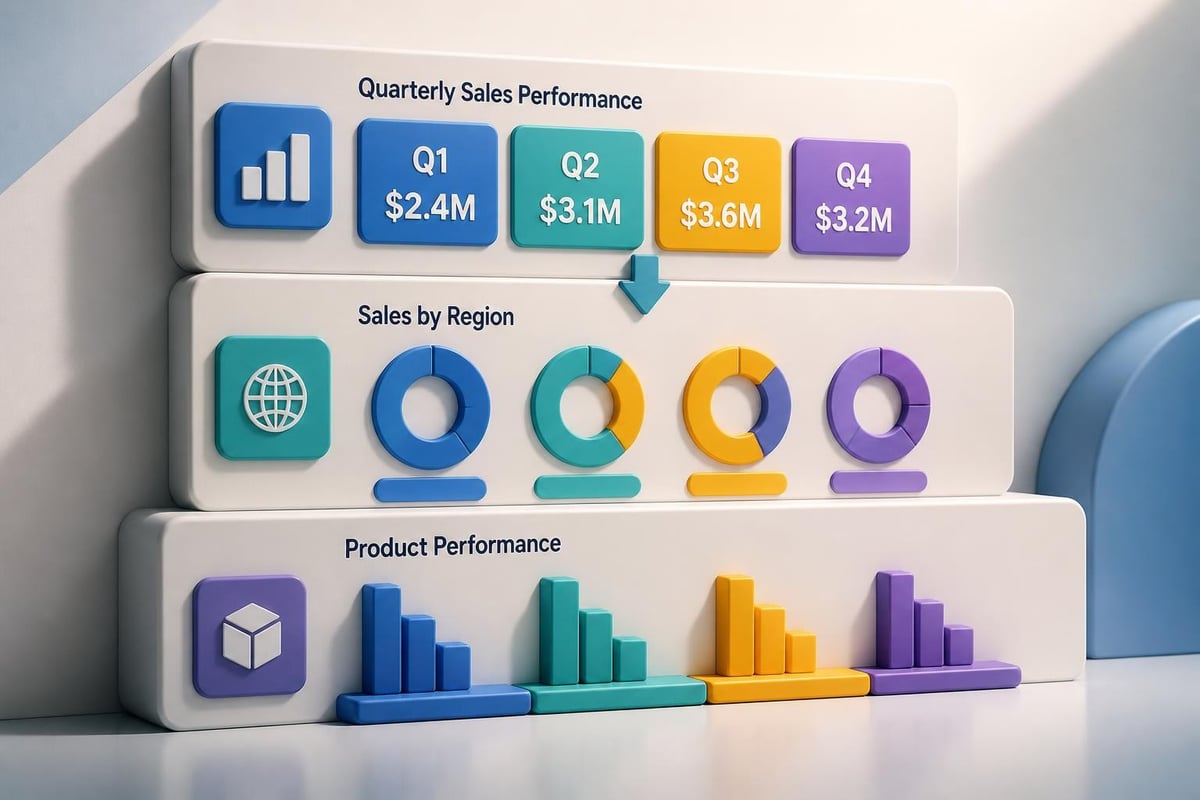
Data visualization in sales templates

Customization and Scalability Considerations

A truly effective sales pitch PowerPoint template balances consistency with flexibility. Your team needs freedom to adapt presentations for different prospects, industries, and selling scenarios without compromising brand standards or design quality.

Building Modular Slide Libraries

The modular approach treats your template as a component library rather than a fixed sequence. Individual slides become building blocks that sales representatives assemble based on specific presentation requirements. This structured approach to sales presentation templates enables unprecedented customization while maintaining quality control.

Module categories to include:

  • Opening slides with various hook approaches
  • Industry-specific problem statements
  • Product feature slides for different offerings
  • Case study templates for various sectors
  • Pricing configurations for different packages
  • Closing slides with multiple calls-to-action

Each module follows the same design system but serves distinct purposes. A financial services firm might maintain separate problem statement modules for banking, insurance, and wealth management prospects. Technology companies could develop feature modules highlighting different use cases or user personas.

Version control becomes critical when multiple team members customize presentations simultaneously. Establishing clear naming conventions, folder structures, and update protocols prevents confusion and ensures everyone works from current templates. Cloud-based collaboration platforms facilitate this coordination, though security considerations matter for sensitive financial or proprietary technology information.

Adapting for Different Presentation Contexts

Your sales pitch PowerPoint template should function effectively across various presentation scenarios. A boardroom presentation to C-level executives demands different treatment than a webinar for individual contributors. Screen size, viewing distance, and presentation duration all influence design requirements.

Context Key Adaptations Design Priority
In-person meeting Detailed slides with discussion prompts Supporting conversation
Webinar presentation High contrast, large text Screen readability
Email follow-up Self-explanatory slides Standalone comprehension
Conference presentation Bold visuals, minimal text Distance visibility

Some organizations maintain multiple template variations optimized for specific contexts. Others prefer a single responsive template with adjustable elements. The right approach depends on your team size, presentation volume, and resource availability. For businesses exploring ecommerce integration with their sales processes, communities like Talk Shop offer valuable insights into digital sales strategies that complement traditional presentations.

Technical Implementation and File Management

Creating your sales pitch PowerPoint template involves both creative design and technical execution. File structure, master slides, and formatting controls determine how easily your team can use and customize the template without breaking design elements.

Master Slide Architecture

PowerPoint master slides control the underlying design system for your entire presentation. Properly configured masters ensure consistent formatting, prevent accidental changes to core design elements, and simplify bulk updates across all slides. This technical foundation proves essential for maintaining template integrity.

Master slide best practices:

  1. Create distinct masters for each slide type
  2. Lock background elements to prevent editing
  3. Define placeholder positions consistently
  4. Establish paragraph and character styles
  5. Configure default color and font settings

Theme fonts and theme colors link to your master slides, enabling organization-wide updates when brand standards evolve. Changing your primary blue in the theme colors automatically updates every instance throughout your sales pitch PowerPoint template. This centralized control saves countless hours compared to manual slide-by-slide updates.

Font embedding prevents display issues when sales representatives present on different computers. Ensure all custom typefaces are embedded within your template file, though be aware this increases file size. Alternatively, specify web-safe fonts or provide font installation instructions for your team.

Asset Organization and Accessibility

Your sales pitch PowerPoint template requires supporting assets including logos, product images, icons, charts, and photography. Organized asset management ensures team members find necessary resources quickly without compromising design quality through inappropriate substitutions.

Asset management strategies:

  • Maintain a centralized asset library with clear categorization
  • Provide multiple logo variations for different backgrounds
  • Include approved photography following brand guidelines
  • Offer icon sets in consistent visual styles
  • Document usage guidelines for each asset category

Version tracking becomes essential as your sales pitch PowerPoint template evolves. Clearly communicate updates to your sales team, highlight changes from previous versions, and provide training on new features or modifications. Regular template audits identify improvement opportunities based on user feedback and sales performance data.
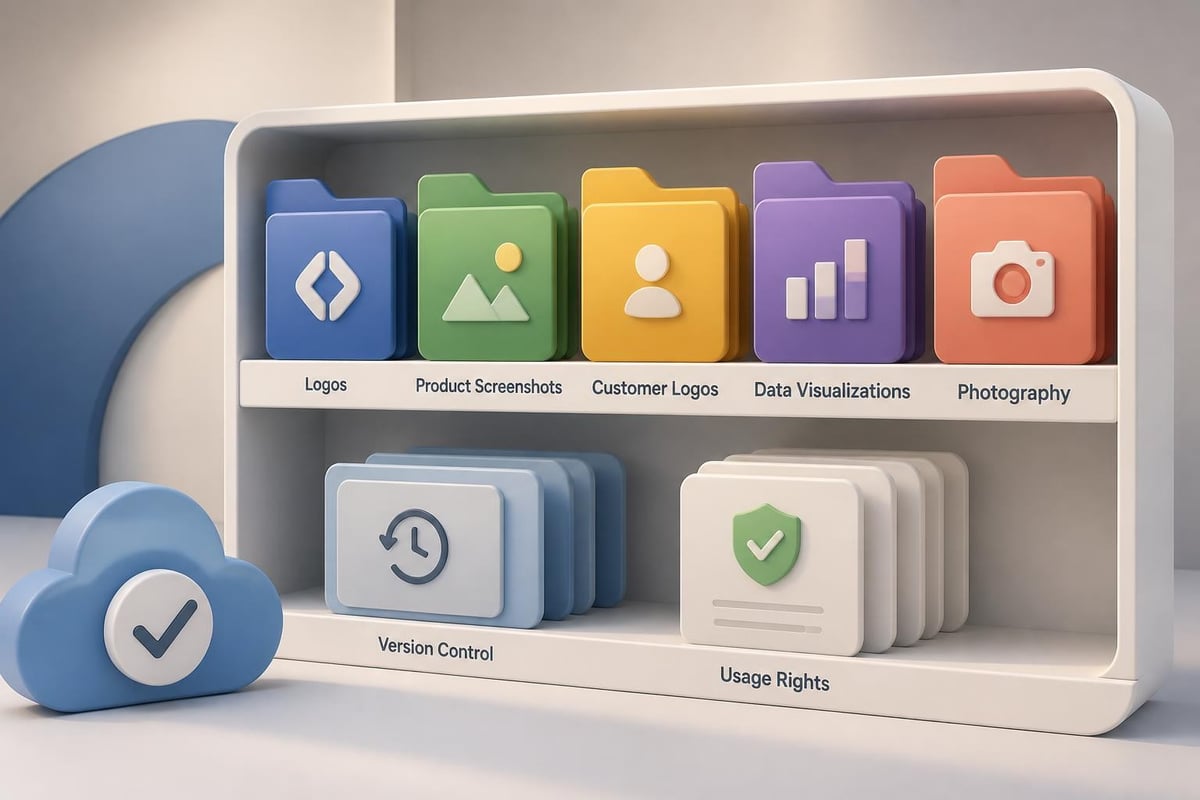
Template asset organization

Performance Optimization and Testing

Even beautifully designed templates fail if they don't contribute to sales success. Testing and optimization transform your sales pitch PowerPoint template from a creative exercise into a revenue-generating tool. Systematic evaluation identifies strengths to amplify and weaknesses to address.

Measuring Template Effectiveness

Quantitative metrics reveal how your sales pitch PowerPoint template performs in real selling situations. Track presentation usage rates, win percentages when using the template, average sales cycle length, and deal sizes associated with template-based presentations compared to custom decks.

Key performance indicators:

  • Template adoption rate across sales team
  • Win rate for template-based presentations
  • Average deal size by presentation type
  • Sales cycle duration from pitch to close
  • Prospect engagement signals during presentations

Qualitative feedback provides context for quantitative data. Survey your sales team about template usability, customization challenges, and missing elements. Interview prospects who viewed presentations to understand their experience, comprehension, and decision-making factors. This combined approach identifies specific improvement opportunities.

A/B testing different template variations generates actionable insights. Test alternative opening approaches, various data visualization styles, or different closing techniques. When possible, randomly assign template versions to similar prospects and compare conversion rates. Even small improvements in conversion percentage translate to significant revenue gains across your entire sales organization.

Continuous Improvement Processes

Your sales pitch PowerPoint template should evolve alongside your business, market conditions, and prospect expectations. Establish regular review cycles to assess performance, incorporate feedback, and implement enhancements. Quarterly reviews typically balance responsiveness with stability, though high-growth organizations might iterate monthly.

Improvement workflow:

  1. Collect feedback from sales team and prospects
  2. Analyze performance metrics and identify patterns
  3. Prioritize enhancement opportunities by impact
  4. Design and test proposed modifications
  5. Document changes and communicate updates
  6. Train team on new features or approaches
  7. Monitor results and iterate based on outcomes

Industry trends influence template effectiveness over time. Design aesthetics, presentation technologies, and audience expectations all shift. Staying current with professional PowerPoint best practices ensures your sales pitch PowerPoint template maintains competitive advantage rather than becoming outdated and ineffective.

Industry-Specific Customization Approaches

Financial services and technology companies face distinct presentation challenges requiring specialized template adaptations. Understanding these industry-specific needs ensures your sales pitch PowerPoint template addresses real business requirements rather than generic presentation scenarios.

Financial Services Templates

Financial institutions operate under strict compliance requirements affecting presentation content and design. Your sales pitch PowerPoint template must accommodate regulatory disclosures, risk warnings, and approval workflows without undermining persuasive effectiveness. This balancing act requires careful planning and expert execution.

Financial services considerations:

  • Dedicated disclosure slide templates with required language
  • Approval tracking systems for regulated content
  • Data security protocols for sensitive information
  • Conservative design aesthetics matching industry expectations
  • Chart templates for financial performance visualization

Fintech presentation design requires additional sophistication, blending traditional financial services credibility with technology industry innovation. Your template should position your organization as both trustworthy and forward-thinking, a challenging balance requiring strategic design decisions.

Performance data presentations demand particular attention in financial contexts. Ensure your sales pitch PowerPoint template includes disclaimers about past performance, clearly distinguishes hypothetical projections from actual results, and meets all regulatory requirements for your specific financial products or services.

Technology Sector Templates

Technology companies present complex products requiring clear explanation without oversimplification. Your sales pitch PowerPoint template should facilitate technical depth when appropriate while remaining accessible to non-technical decision-makers who control purchasing decisions.

Audience Type Content Focus Design Approach
Technical evaluators Architecture, integration, security Detailed diagrams, specifications
Business decision-makers ROI, efficiency gains, competitive advantage High-level benefits, case studies
End users Usability, features, workflows Screenshots, demonstrations
Procurement teams Pricing, terms, implementation Structured comparisons, timelines

Product demonstration slides form the core of technology sales presentations. Your template needs flexible demonstration frameworks supporting screenshots, video embeds, interactive elements, and step-by-step walkthroughs. These versatile components adapt to different products and features without requiring complete slide redesigns.

Integration and compatibility information addresses common technology buying concerns. Template sections should clearly present supported platforms, API capabilities, security certifications, and ecosystem partnerships. For organizations managing web presence, insights from Get To Page One Ltd can inform how presentation design aligns with broader digital marketing strategies.

Advanced Techniques and Emerging Trends

Presentation technology continues evolving, introducing new capabilities that enhance sales effectiveness. Incorporating these advances into your sales pitch PowerPoint template creates competitive differentiation and improves prospect engagement.

Interactive and Dynamic Elements

Static slides give way to interactive experiences that engage prospects more deeply. Hyperlinked navigation allows non-linear presentations adapting to prospect questions and interests. Embedded videos demonstrate products in action rather than describing them with text. Data connections pull live information into presentations, ensuring current statistics and eliminating outdated slide decks.

Interactive capabilities to consider:

  • Navigation menus for flexible presentation flow
  • Clickable product demonstrations within slides
  • Embedded calculators for ROI customization
  • Video testimonials and product demonstrations
  • Live data feeds for current metrics

These advanced features require additional technical implementation but deliver measurable engagement improvements. Consider starting with simple hyperlinked navigation and progressively adding capabilities as your team gains comfort with interactive presentation techniques.

Animation and transition effects enhance understanding when used strategically. Progressive disclosure reveals complex information incrementally, preventing overwhelm. Emphasis animations draw attention to critical points during presentation. Motion graphics illustrate processes or transformations more effectively than static diagrams.

Accessibility and Inclusive Design

Accessible presentations reach broader audiences while demonstrating organizational values around inclusion. Your sales pitch PowerPoint template should incorporate accessibility features ensuring prospects with various abilities can engage with your content effectively.

Accessibility features include:

  • Sufficient color contrast for visibility
  • Alternative text for images and graphics
  • Logical reading order for screen readers
  • Keyboard navigation support
  • Caption support for video content

These accommodations benefit all users, not just those with specific accessibility needs. High-contrast text improves readability in bright conference rooms. Logical structure helps everyone follow your argument. Captions ensure video content communicates even when audio fails.

Inclusive design extends beyond accessibility compliance. Consider cultural differences in color symbolism, directional reading patterns, and visual interpretation. Global organizations particularly benefit from templates designed for international audiences across diverse cultural contexts.

Integration with Sales Technology Stack

Your sales pitch PowerPoint template shouldn't exist in isolation from your broader sales technology ecosystem. Integration with CRM systems, proposal software, and analytics platforms amplifies template effectiveness and provides valuable performance insights.

CRM Connectivity

Customer relationship management systems contain prospect information that personalizes sales presentations. Integrating your sales pitch PowerPoint template with CRM data enables automated customization based on prospect industry, company size, previous interactions, and identified needs. This personalization increases relevance and improves conversion rates.

CRM integration benefits:

  • Automated prospect name and company insertion
  • Industry-specific content selection
  • Previous interaction history reference
  • Customized case studies matching prospect profile
  • Automated follow-up tracking and scheduling

Technical implementation ranges from simple mail merge functionality to sophisticated automation platforms. The right approach depends on your technology infrastructure, team size, and presentation volume. Even basic integration delivers significant time savings and consistency improvements.

Analytics and Performance Tracking

Understanding which slides generate engagement, which messages resonate, and which presentations convert provides actionable optimization insights. Modern presentation platforms offer analytics revealing slide viewing time, interaction patterns, and sharing behavior. Incorporating these capabilities with your sales pitch PowerPoint template creates a data-driven improvement cycle.

Tracking presentation performance across your sales team identifies top performers whose approaches deserve replication. Analyzing successful presentations reveals effective messaging, compelling proof points, and persuasive techniques worth incorporating into your standard template. This continuous learning transforms institutional knowledge into scalable sales assets.


A well-designed sales pitch PowerPoint template transforms your sales process from inconsistent individual efforts into a systematic, scalable approach that delivers predictable results. By combining strategic structure, professional design, compelling content, and continuous optimization, your template becomes a revenue-generating asset rather than just a presentation starting point. Whether you're closing complex enterprise deals in financial services or explaining sophisticated technology solutions, the right template framework amplifies your message and accelerates your sales cycle. Prznt Perfect specializes in creating custom presentation templates for financial and technology organizations, transforming complex value propositions into clear, persuasive narratives that resonate with decision-makers and close deals.

News & Updates...

Master project plan PPT creation with expert strategies for financial and tech presentations. Learn design principles and templates.

Discover cutting-edge ppt ideas design strategies for financial and tech presentations. Learn visual storytelling techniques that engage audiences.