Professional PowerPoint Presentation Templates Guide 2026

Creating compelling presentations for high-stakes business environments demands more than just information on slides. Financial and tech professionals face unique challenges when transforming complex data, market analysis, and technical specifications into narratives that resonate with investors, clients, and stakeholders. Professional powerpoint presentation templates provide the foundation for visually cohesive decks that communicate authority and credibility while saving valuable time during the design process. These pre-designed frameworks offer structure, consistency, and visual polish that separate amateur slide decks from presentations that command attention and drive decisions.

Understanding Template Categories for Business Applications

Professional powerpoint presentation templates span multiple categories, each designed for specific communication objectives. Financial presentations require templates emphasizing data visualization, clean layouts for charts and graphs, and conservative design elements that convey trustworthiness. Tech companies often need templates with modern aesthetics, space for product demonstrations, and layouts that simplify complex technical concepts for diverse audiences.

The template selection process begins with identifying your presentation's primary goal. Pitch decks demand storytelling layouts with clear narrative flow, while quarterly business reviews need templates focused on metrics and comparative analysis. Conference presentations benefit from templates with strong visual hierarchy and audience engagement elements, whereas sales presentations require persuasion-focused designs with clear value proposition sections.

Differentiating Between Template Types

Templates fall into three primary classifications based on customization depth and design complexity:

  • Basic layouts offering fundamental slide structures with minimal styling
  • Comprehensive theme packages featuring master slides, color schemes, and typography systems
  • Industry-specific solutions tailored for financial services, technology, healthcare, or consulting

Understanding these distinctions helps match template sophistication with presentation requirements. A simple approach to presentation design often proves more effective than overdesigned templates that distract from core messaging.

Template customization workflow

Essential Design Elements in Quality Templates

Superior professional powerpoint presentation templates incorporate specific design principles that enhance communication effectiveness. Visual hierarchy guides viewer attention through strategic use of size, color, and positioning. Whitespace creates breathing room around content, preventing cognitive overload and improving information retention. Typography systems establish clear relationships between headlines, body text, and supporting details through consistent font families and sizing.

Color psychology plays a critical role in professional templates. Financial presentations typically leverage blues and greens to communicate stability and growth, while tech presentations might incorporate bolder colors suggesting innovation and energy. Quality templates provide flexible color schemes allowing customization while maintaining visual harmony across all slides.

Design Element Purpose Impact on Audience
Grid Systems Content alignment and consistency Professional polish, easier scanning
Icon Libraries Visual communication of concepts Faster comprehension, reduced text
Chart Templates Data presentation standards Credibility, analytical authority
Image Placeholders Guided visual integration Balanced layouts, professional imagery

Layout versatility distinguishes exceptional templates from basic offerings. Effective PowerPoint layout design accommodates various content types without requiring extensive modifications. Templates should include diverse slide configurations: full-width images, two-column comparisons, timeline layouts, process diagrams, and team introduction formats.

Evaluating Template Sources and Quality Standards

The marketplace for professional powerpoint presentation templates ranges from free resources to premium commercial offerings. SlideModel's professional templates provide extensive customization options with ready-made graphics suitable for corporate environments. Free alternatives like those available through Slidesgo's professional collection offer quality starting points for teams with limited budgets.

Quality assessment requires examining several critical factors:

  1. Master slide architecture ensuring global changes propagate consistently
  2. Font licensing confirming commercial usage rights for all typography
  3. Image resolution verifying graphics maintain clarity at presentation scale
  4. Compatibility testing across PowerPoint versions and operating systems
  5. Update frequency from publishers maintaining current design trends

Premium templates justify their cost through superior design execution, comprehensive slide libraries, and ongoing support. Organizations presenting to sophisticated audiences benefit from investing in templates that reflect current design standards and brand professionalism. However, minimal PowerPoint templates sometimes deliver stronger results than feature-laden alternatives that complicate rather than clarify messaging.

Licensing Considerations for Commercial Use

Template licensing varies significantly across providers. Standard licenses typically permit internal business use but restrict redistribution or resale. Enterprise licenses accommodate larger organizations with multiple users and potentially unlimited presentations. Understanding these distinctions prevents legal complications and ensures proper template deployment across teams.

Some templates include third-party assets requiring separate licensing verification. Photography, illustrations, and custom fonts may carry additional restrictions beyond the template itself. Financial and tech companies managing strict compliance requirements should thoroughly audit template components before incorporation into client-facing materials.

Customization Strategies for Brand Alignment

Professional powerpoint presentation templates serve as starting points rather than final products. Customization transforms generic templates into brand-specific assets that reinforce organizational identity. This process begins with color palette adaptation, replacing default schemes with exact brand colors including primary, secondary, and accent hues.

Typography customization ensures consistency with broader brand guidelines. Replacing template fonts with corporate typefaces strengthens brand recognition while maintaining the template's underlying design logic. Font pairing requires attention to readability across projection systems and various viewing distances common in presentation environments.

The presentation cover design establishes immediate brand association and sets audience expectations. Customizing title slides with logos, brand photography, and consistent visual elements creates professional first impressions that extend throughout entire presentations.

Critical customization areas include:

  • Logo integration maintaining proper sizing and clearspace requirements
  • Custom color overlays for images ensuring brand color presence
  • Footer systems incorporating contact information and slide numbering
  • Icon style selection matching brand personality and industry norms
  • Data visualization color coding aligning with brand palette

Advanced customization involves modifying slide masters to create reusable branded templates. This approach enables teams to maintain design consistency across multiple presentations and presenters. Organizations frequently presenting to external audiences benefit from investing time in comprehensive master slide development that captures all brand requirements.

Financial presentation data visualization

Industry-Specific Template Applications

Financial services presentations demand templates emphasizing credibility, data integrity, and regulatory compliance. Charts and graphs receive priority positioning, with designs facilitating comparison across time periods, portfolios, or market segments. Conservative color schemes and traditional layouts communicate stability and trustworthiness essential in financial contexts. Templates for investor presentations specifically incorporate sections for market opportunity, financial projections, competitive analysis, and team credentials.

Technology presentations require different template characteristics emphasizing innovation, scalability, and technical capability. Product demonstration slides need ample screen space for interface mockups and feature callouts. Technical architecture diagrams benefit from templates with layered information presentation and clear component relationships. Cybersecurity pitch decks and fintech presentations particularly benefit from specialized templates addressing industry-specific communication needs.

Resources like Slidenest's professional templates offer industry categorization helping presenters identify relevant starting points. Matching template style to industry expectations ensures presentations meet audience sophistication levels and communication norms.

Specialized Use Cases

Different presentation contexts require distinct template approaches:

Presentation Type Template Requirements Key Features
Investor Pitch Narrative flow, metrics focus Problem-solution structure, traction slides
Sales Deck Persuasion elements, case studies Value proposition, ROI calculators
Internal Review Data density, comparative analysis Dashboard layouts, performance tracking
Conference Talk Audience engagement, minimal text Large visuals, speaker notes integration

Understanding these distinctions helps presenters select appropriate professional powerpoint presentation templates matching specific communication objectives. Generic templates often fail in specialized contexts requiring purpose-built designs addressing unique audience expectations and information requirements.

Template Optimization for Data-Heavy Presentations

Financial and tech presentations frequently involve substantial data communication requiring specialized template features. Chart templates should accommodate multiple data series while maintaining clarity and avoiding visual clutter. Table designs need clear hierarchy distinguishing headers, data rows, and summary information. Color coding systems help audiences quickly interpret positive versus negative trends, different product categories, or comparative performance metrics.

Dashboard-style layouts consolidate multiple metrics into single slides providing comprehensive overviews without overwhelming viewers. These templates incorporate small multiples, comparative charts, and key performance indicators arranged in scannable patterns. White space management becomes critical in data-dense slides, preventing cramped appearances that reduce comprehension.

Interactive elements within templates can enhance data presentations when used appropriately. Animated chart builds revealing data progressively help audiences absorb complex information sequentially rather than simultaneously. Transition effects between related data slides create visual continuity reinforcing relationships between metrics.

Balancing Information Density and Clarity

The challenge in data presentations involves communicating comprehensive information without creating cognitive overload. Professional powerpoint presentation templates address this through thoughtful information architecture and visual hierarchy systems. Good presentation design principles emphasize clarity over completeness, suggesting supplementary data appendices for detailed information beyond core narratives.

Three-dimensional charts and excessive decoration detract from data clarity. Quality templates favor clean, two-dimensional visualizations with clear axis labels and minimal decorative elements. Data ink ratio principles suggest maximizing information content while minimizing non-essential visual elements.

Template organization system

Building Reusable Template Libraries

Organizations benefit from developing curated libraries of professional powerpoint presentation templates addressing recurring presentation needs. This systematic approach involves categorizing templates by purpose, audience, and content type. Sales teams access persuasion-focused templates, while finance departments utilize analysis-oriented designs. Executive presentations draw from high-level summary templates emphasizing strategic insights over operational details.

Template versioning ensures teams work with current designs reflecting evolving brand standards and design trends. Centralized template repositories with version control prevent outdated designs from circulating across organizations. Cloud-based sharing systems enable distributed teams to access approved templates while maintaining consistency across geographies and departments.

Documentation accompanying template libraries guides users through customization processes and explains intended applications for different slide types. This knowledge transfer accelerates presentation development and maintains quality standards across presenters with varying design expertise. Resources like professional presentation design services complement internal template libraries for high-stakes presentations requiring specialized expertise.

Maintenance and Evolution Strategies

Template libraries require ongoing maintenance reflecting changing business needs and design evolution. Annual reviews assess template usage patterns, identifying frequently used designs deserving expansion and rarely used templates candidates for retirement. Feedback mechanisms from presentation creators surface pain points and improvement opportunities.

Design trend monitoring ensures templates remain contemporary without chasing temporary fads. Professional templates balance timeless design principles with subtle modern touches maintaining relevance across multiple years. Organizations presenting regularly to external audiences particularly benefit from periodic template refreshes maintaining competitive visual standards.

The marketplace continues evolving with platforms like SlideModel expanding offerings beyond basic templates into comprehensive presentation ecosystems. These developments provide organizations additional resources complementing internal libraries with specialized designs for unique situations.

Strategic Template Selection Framework

Choosing appropriate professional powerpoint presentation templates requires systematic evaluation matching template characteristics to presentation objectives. Begin by defining audience sophistication, presentation context, and core messaging requirements. Executive audiences prefer concise, high-level templates while technical audiences require detailed templates accommodating specifications and process diagrams.

Context considerations include presentation environment, delivery format, and available preparation time. Conference presentations benefit from bold, visually striking templates readable from distance, while small group meetings allow detailed templates with substantial text content. Virtual presentations require templates optimized for screen sharing with high contrast and larger font sizes than in-person equivalents.

Budget allocation influences template selection between free resources, subscription services, and custom design. Free templates from sources like Slidesgo suit internal presentations and initial drafts. Premium templates justify investment for client-facing presentations where visual sophistication impacts business outcomes. Custom template development proves worthwhile for organizations with unique brand requirements or frequent high-stakes presentations.

Evaluation criteria should include:

  • Visual alignment with brand personality and industry positioning
  • Slide variety accommodating diverse content types
  • Customization flexibility supporting brand integration
  • Technical quality including file organization and master slide architecture
  • Support resources such as documentation and customer service

Testing templates before full adoption prevents discovering limitations during critical presentation development. Create sample slides representing typical content verifying templates accommodate realistic use cases. Share drafts with stakeholders confirming visual direction aligns with organizational standards and audience expectations.

Advanced Template Features and Functionality

Modern professional powerpoint presentation templates incorporate sophisticated features extending beyond static layouts. Animation presets provide professional motion graphics without requiring animation expertise. Morph transitions create smooth transformations between slides sharing common elements, particularly effective for data visualization sequences showing metric evolution.

Interactive elements including hyperlinked navigation systems enable non-linear presentations adapting to audience interests and questions. These features prove valuable in sales presentations where prospect questions might redirect conversation flow. Template-embedded navigation maintains professional appearance while providing presentation flexibility.

Smart graphics and diagram builders within templates accelerate visual communication development. These tools generate organizational charts, process flows, and relationship diagrams through simple data entry rather than manual shape manipulation. Quality templates provide diverse smart graphic options addressing common business communication needs.

Accessibility features ensure presentations reach all audience members including those with visual or hearing impairments. Templates incorporating proper heading structures, alternative text placeholders, and high-contrast color schemes demonstrate inclusive design thinking. Compliance-conscious organizations particularly value templates meeting accessibility standards.

Collections like those available through premium presentation template providers often include advanced features justifying higher price points. These offerings provide comprehensive design systems rather than individual slide layouts, enabling consistent multi-presentation ecosystems across organizations.

Integration with Presentation Workflows

Professional powerpoint presentation templates integrate into broader content development workflows influencing efficiency and quality outcomes. Template selection occurs early in presentation planning, immediately following objective definition and audience analysis. This timing enables content development specifically formatted for chosen template structures rather than forcing content into incompatible layouts.

Collaborative workflows benefit from shared template libraries ensuring consistency across team members contributing to single presentations. Cloud platforms enable simultaneous editing within template frameworks, though careful coordination prevents design inconsistency from multiple simultaneous customizations. Version control systems track template modifications maintaining audit trails for compliance-sensitive organizations.

Content separation from design through master slide utilization enables subject matter experts to focus on messaging while designers handle visual execution. This division of labor accelerates development and leverages specialized expertise appropriately. Templates with robust master slide architecture support this workflow separation more effectively than templates requiring slide-by-slide customization.

Quality assurance processes verify presentations maintain template integrity throughout development. Common issues include inadvertent master slide disconnections, inconsistent font applications, and color drift from brand specifications. Automated checking tools can identify these deviations before final presentation delivery.


Professional powerpoint presentation templates provide essential infrastructure for creating visually compelling, brand-consistent presentations efficiently. Financial and tech organizations benefit particularly from templates addressing industry-specific communication challenges while maintaining design sophistication expected by sophisticated audiences. Whether you're developing investor pitch decks, technical demonstrations, or executive briefings, Prznt Perfect combines template expertise with custom design capabilities to transform your complex data into clear, persuasive narratives that drive business outcomes.

We offer free 30-min consultation on the presentation design audit
and hiring the right visual 
comms professional, let’s talk!
Shedule a call
Shedule a call
"I understand" goes a step further into the cognitive dance of persuasion. It's where the audience begins to see the connections between the facts, to grasp the nuances of the problem and the elegance of the solution.
  • This is some text inside of a div block.
    lay out the facts clearly and compellingly. Use data to establish the ground reality, but remember that facts alone are like the individual strands of a tapestry—necessary but not complete.
    lay out the facts clearly and compellingly. Use data to establish the ground reality, but remember that facts alone are like the individual strands of a tapestry—necessary but not complete.
  • This is some text inside of a div block.
    lay out the facts clearly and compellingly. Use data to establish the ground reality, but remember that facts alone are like the individual strands of a tapestry—necessary but not complete.

We offer free 30-min consultation on the presentation design audit

and hiring the right visual 
comms professional, let’s talk!

Shedule a call

"I understand" goes a step further into the cognitive dance of persuasion. It's where the audience begins to see the connections between the facts, to grasp the nuances of the problem and the elegance of the solution.

  • - 1 -
    Consistency at Scale:

    Biotech Market Trends 2024: Tailoring Your Pitch Deck to Current Industry Dynamics.

  • - 2 -
    Efficiency and Speed:

    The traditional process of manually updating presentations is not only slow but also prone to bottlenecks, especially when dealing with large volumes of slides. Automation dramatically accelerates this process, enabling designers to apply changes across hundreds of slides in the time it would take to manually update a single one. This efficiency is a game-changer for agencies working under tight deadlines or managing multiple projects simultaneously.

  • - 3 -
    Enhanced Creativity:

    With the burden of manual updates lifted, designers can allocate more time and energy to the creative aspects of presentation design. This freedom allows for deeper exploration of innovative design concepts, experimentation with new visual storytelling techniques, and the development of more engaging and interactive presentations. Automation doesn't stifle creativity; it amplifies it, enabling designers to push the boundaries of what's possible in corporate presentation design.

  • - 4 -
    Error Reduction:

    Manual updates are inherently prone to inconsistencies and mistakes, from misaligned logos to incorrect font sizes. These errors can detract from the professionalism of a presentation and, by extension, the corporate image. Automation minimizes these risks by ensuring that updates are applied uniformly and accurately across all slides, enhancing the overall quality and integrity of the presentation.

  • - 5 -
    Cost-Effectiveness:

    The time savings afforded by automation directly translate to cost savings for both the design agency and its clients. By reducing the hours spent on manual updates, agencies can optimize their workflows and resources, allowing them to take on more projects without compromising on quality. This efficiency can also make high-quality presentation design services more affordable and accessible to a broader range of businesses.

Professional PowerPoint Presentation Templates Guide 2026

Discover how professional PowerPoint presentation templates elevate financial and tech presentations. Expert tips for choosing templates that convert.

Creating compelling presentations for high-stakes business environments demands more than just information on slides. Financial and tech professionals face unique challenges when transforming complex data, market analysis, and technical specifications into narratives that resonate with investors, clients, and stakeholders. Professional powerpoint presentation templates provide the foundation for visually cohesive decks that communicate authority and credibility while saving valuable time during the design process. These pre-designed frameworks offer structure, consistency, and visual polish that separate amateur slide decks from presentations that command attention and drive decisions.

Understanding Template Categories for Business Applications

Professional powerpoint presentation templates span multiple categories, each designed for specific communication objectives. Financial presentations require templates emphasizing data visualization, clean layouts for charts and graphs, and conservative design elements that convey trustworthiness. Tech companies often need templates with modern aesthetics, space for product demonstrations, and layouts that simplify complex technical concepts for diverse audiences.

The template selection process begins with identifying your presentation's primary goal. Pitch decks demand storytelling layouts with clear narrative flow, while quarterly business reviews need templates focused on metrics and comparative analysis. Conference presentations benefit from templates with strong visual hierarchy and audience engagement elements, whereas sales presentations require persuasion-focused designs with clear value proposition sections.

Differentiating Between Template Types

Templates fall into three primary classifications based on customization depth and design complexity:

  • Basic layouts offering fundamental slide structures with minimal styling
  • Comprehensive theme packages featuring master slides, color schemes, and typography systems
  • Industry-specific solutions tailored for financial services, technology, healthcare, or consulting

Understanding these distinctions helps match template sophistication with presentation requirements. A simple approach to presentation design often proves more effective than overdesigned templates that distract from core messaging.
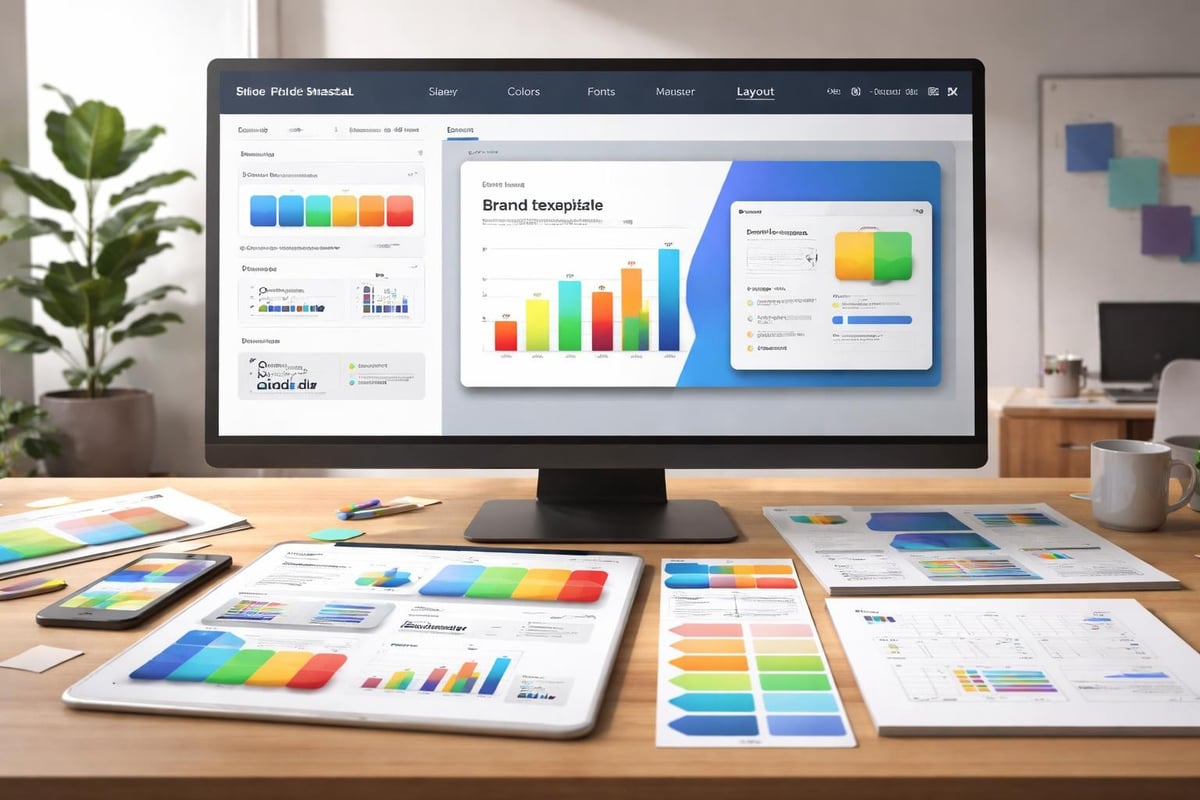
Template customization workflow

Essential Design Elements in Quality Templates

Superior professional powerpoint presentation templates incorporate specific design principles that enhance communication effectiveness. Visual hierarchy guides viewer attention through strategic use of size, color, and positioning. Whitespace creates breathing room around content, preventing cognitive overload and improving information retention. Typography systems establish clear relationships between headlines, body text, and supporting details through consistent font families and sizing.

Color psychology plays a critical role in professional templates. Financial presentations typically leverage blues and greens to communicate stability and growth, while tech presentations might incorporate bolder colors suggesting innovation and energy. Quality templates provide flexible color schemes allowing customization while maintaining visual harmony across all slides.

Design Element Purpose Impact on Audience
Grid Systems Content alignment and consistency Professional polish, easier scanning
Icon Libraries Visual communication of concepts Faster comprehension, reduced text
Chart Templates Data presentation standards Credibility, analytical authority
Image Placeholders Guided visual integration Balanced layouts, professional imagery

Layout versatility distinguishes exceptional templates from basic offerings. Effective PowerPoint layout design accommodates various content types without requiring extensive modifications. Templates should include diverse slide configurations: full-width images, two-column comparisons, timeline layouts, process diagrams, and team introduction formats.

Evaluating Template Sources and Quality Standards

The marketplace for professional powerpoint presentation templates ranges from free resources to premium commercial offerings. SlideModel's professional templates provide extensive customization options with ready-made graphics suitable for corporate environments. Free alternatives like those available through Slidesgo's professional collection offer quality starting points for teams with limited budgets.

Quality assessment requires examining several critical factors:

  1. Master slide architecture ensuring global changes propagate consistently
  2. Font licensing confirming commercial usage rights for all typography
  3. Image resolution verifying graphics maintain clarity at presentation scale
  4. Compatibility testing across PowerPoint versions and operating systems
  5. Update frequency from publishers maintaining current design trends

Premium templates justify their cost through superior design execution, comprehensive slide libraries, and ongoing support. Organizations presenting to sophisticated audiences benefit from investing in templates that reflect current design standards and brand professionalism. However, minimal PowerPoint templates sometimes deliver stronger results than feature-laden alternatives that complicate rather than clarify messaging.

Licensing Considerations for Commercial Use

Template licensing varies significantly across providers. Standard licenses typically permit internal business use but restrict redistribution or resale. Enterprise licenses accommodate larger organizations with multiple users and potentially unlimited presentations. Understanding these distinctions prevents legal complications and ensures proper template deployment across teams.

Some templates include third-party assets requiring separate licensing verification. Photography, illustrations, and custom fonts may carry additional restrictions beyond the template itself. Financial and tech companies managing strict compliance requirements should thoroughly audit template components before incorporation into client-facing materials.

Customization Strategies for Brand Alignment

Professional powerpoint presentation templates serve as starting points rather than final products. Customization transforms generic templates into brand-specific assets that reinforce organizational identity. This process begins with color palette adaptation, replacing default schemes with exact brand colors including primary, secondary, and accent hues.

Typography customization ensures consistency with broader brand guidelines. Replacing template fonts with corporate typefaces strengthens brand recognition while maintaining the template's underlying design logic. Font pairing requires attention to readability across projection systems and various viewing distances common in presentation environments.

The presentation cover design establishes immediate brand association and sets audience expectations. Customizing title slides with logos, brand photography, and consistent visual elements creates professional first impressions that extend throughout entire presentations.

Critical customization areas include:

  • Logo integration maintaining proper sizing and clearspace requirements
  • Custom color overlays for images ensuring brand color presence
  • Footer systems incorporating contact information and slide numbering
  • Icon style selection matching brand personality and industry norms
  • Data visualization color coding aligning with brand palette

Advanced customization involves modifying slide masters to create reusable branded templates. This approach enables teams to maintain design consistency across multiple presentations and presenters. Organizations frequently presenting to external audiences benefit from investing time in comprehensive master slide development that captures all brand requirements.

Financial presentation data visualization

Industry-Specific Template Applications

Financial services presentations demand templates emphasizing credibility, data integrity, and regulatory compliance. Charts and graphs receive priority positioning, with designs facilitating comparison across time periods, portfolios, or market segments. Conservative color schemes and traditional layouts communicate stability and trustworthiness essential in financial contexts. Templates for investor presentations specifically incorporate sections for market opportunity, financial projections, competitive analysis, and team credentials.

Technology presentations require different template characteristics emphasizing innovation, scalability, and technical capability. Product demonstration slides need ample screen space for interface mockups and feature callouts. Technical architecture diagrams benefit from templates with layered information presentation and clear component relationships. Cybersecurity pitch decks and fintech presentations particularly benefit from specialized templates addressing industry-specific communication needs.

Resources like Slidenest's professional templates offer industry categorization helping presenters identify relevant starting points. Matching template style to industry expectations ensures presentations meet audience sophistication levels and communication norms.

Specialized Use Cases

Different presentation contexts require distinct template approaches:

Presentation Type Template Requirements Key Features
Investor Pitch Narrative flow, metrics focus Problem-solution structure, traction slides
Sales Deck Persuasion elements, case studies Value proposition, ROI calculators
Internal Review Data density, comparative analysis Dashboard layouts, performance tracking
Conference Talk Audience engagement, minimal text Large visuals, speaker notes integration

Understanding these distinctions helps presenters select appropriate professional powerpoint presentation templates matching specific communication objectives. Generic templates often fail in specialized contexts requiring purpose-built designs addressing unique audience expectations and information requirements.

Template Optimization for Data-Heavy Presentations

Financial and tech presentations frequently involve substantial data communication requiring specialized template features. Chart templates should accommodate multiple data series while maintaining clarity and avoiding visual clutter. Table designs need clear hierarchy distinguishing headers, data rows, and summary information. Color coding systems help audiences quickly interpret positive versus negative trends, different product categories, or comparative performance metrics.

Dashboard-style layouts consolidate multiple metrics into single slides providing comprehensive overviews without overwhelming viewers. These templates incorporate small multiples, comparative charts, and key performance indicators arranged in scannable patterns. White space management becomes critical in data-dense slides, preventing cramped appearances that reduce comprehension.

Interactive elements within templates can enhance data presentations when used appropriately. Animated chart builds revealing data progressively help audiences absorb complex information sequentially rather than simultaneously. Transition effects between related data slides create visual continuity reinforcing relationships between metrics.

Balancing Information Density and Clarity

The challenge in data presentations involves communicating comprehensive information without creating cognitive overload. Professional powerpoint presentation templates address this through thoughtful information architecture and visual hierarchy systems. Good presentation design principles emphasize clarity over completeness, suggesting supplementary data appendices for detailed information beyond core narratives.

Three-dimensional charts and excessive decoration detract from data clarity. Quality templates favor clean, two-dimensional visualizations with clear axis labels and minimal decorative elements. Data ink ratio principles suggest maximizing information content while minimizing non-essential visual elements.

Template organization system

Building Reusable Template Libraries

Organizations benefit from developing curated libraries of professional powerpoint presentation templates addressing recurring presentation needs. This systematic approach involves categorizing templates by purpose, audience, and content type. Sales teams access persuasion-focused templates, while finance departments utilize analysis-oriented designs. Executive presentations draw from high-level summary templates emphasizing strategic insights over operational details.

Template versioning ensures teams work with current designs reflecting evolving brand standards and design trends. Centralized template repositories with version control prevent outdated designs from circulating across organizations. Cloud-based sharing systems enable distributed teams to access approved templates while maintaining consistency across geographies and departments.

Documentation accompanying template libraries guides users through customization processes and explains intended applications for different slide types. This knowledge transfer accelerates presentation development and maintains quality standards across presenters with varying design expertise. Resources like professional presentation design services complement internal template libraries for high-stakes presentations requiring specialized expertise.

Maintenance and Evolution Strategies

Template libraries require ongoing maintenance reflecting changing business needs and design evolution. Annual reviews assess template usage patterns, identifying frequently used designs deserving expansion and rarely used templates candidates for retirement. Feedback mechanisms from presentation creators surface pain points and improvement opportunities.

Design trend monitoring ensures templates remain contemporary without chasing temporary fads. Professional templates balance timeless design principles with subtle modern touches maintaining relevance across multiple years. Organizations presenting regularly to external audiences particularly benefit from periodic template refreshes maintaining competitive visual standards.

The marketplace continues evolving with platforms like SlideModel expanding offerings beyond basic templates into comprehensive presentation ecosystems. These developments provide organizations additional resources complementing internal libraries with specialized designs for unique situations.

Strategic Template Selection Framework

Choosing appropriate professional powerpoint presentation templates requires systematic evaluation matching template characteristics to presentation objectives. Begin by defining audience sophistication, presentation context, and core messaging requirements. Executive audiences prefer concise, high-level templates while technical audiences require detailed templates accommodating specifications and process diagrams.

Context considerations include presentation environment, delivery format, and available preparation time. Conference presentations benefit from bold, visually striking templates readable from distance, while small group meetings allow detailed templates with substantial text content. Virtual presentations require templates optimized for screen sharing with high contrast and larger font sizes than in-person equivalents.

Budget allocation influences template selection between free resources, subscription services, and custom design. Free templates from sources like Slidesgo suit internal presentations and initial drafts. Premium templates justify investment for client-facing presentations where visual sophistication impacts business outcomes. Custom template development proves worthwhile for organizations with unique brand requirements or frequent high-stakes presentations.

Evaluation criteria should include:

  • Visual alignment with brand personality and industry positioning
  • Slide variety accommodating diverse content types
  • Customization flexibility supporting brand integration
  • Technical quality including file organization and master slide architecture
  • Support resources such as documentation and customer service

Testing templates before full adoption prevents discovering limitations during critical presentation development. Create sample slides representing typical content verifying templates accommodate realistic use cases. Share drafts with stakeholders confirming visual direction aligns with organizational standards and audience expectations.

Advanced Template Features and Functionality

Modern professional powerpoint presentation templates incorporate sophisticated features extending beyond static layouts. Animation presets provide professional motion graphics without requiring animation expertise. Morph transitions create smooth transformations between slides sharing common elements, particularly effective for data visualization sequences showing metric evolution.

Interactive elements including hyperlinked navigation systems enable non-linear presentations adapting to audience interests and questions. These features prove valuable in sales presentations where prospect questions might redirect conversation flow. Template-embedded navigation maintains professional appearance while providing presentation flexibility.

Smart graphics and diagram builders within templates accelerate visual communication development. These tools generate organizational charts, process flows, and relationship diagrams through simple data entry rather than manual shape manipulation. Quality templates provide diverse smart graphic options addressing common business communication needs.

Accessibility features ensure presentations reach all audience members including those with visual or hearing impairments. Templates incorporating proper heading structures, alternative text placeholders, and high-contrast color schemes demonstrate inclusive design thinking. Compliance-conscious organizations particularly value templates meeting accessibility standards.

Collections like those available through premium presentation template providers often include advanced features justifying higher price points. These offerings provide comprehensive design systems rather than individual slide layouts, enabling consistent multi-presentation ecosystems across organizations.

Integration with Presentation Workflows

Professional powerpoint presentation templates integrate into broader content development workflows influencing efficiency and quality outcomes. Template selection occurs early in presentation planning, immediately following objective definition and audience analysis. This timing enables content development specifically formatted for chosen template structures rather than forcing content into incompatible layouts.

Collaborative workflows benefit from shared template libraries ensuring consistency across team members contributing to single presentations. Cloud platforms enable simultaneous editing within template frameworks, though careful coordination prevents design inconsistency from multiple simultaneous customizations. Version control systems track template modifications maintaining audit trails for compliance-sensitive organizations.

Content separation from design through master slide utilization enables subject matter experts to focus on messaging while designers handle visual execution. This division of labor accelerates development and leverages specialized expertise appropriately. Templates with robust master slide architecture support this workflow separation more effectively than templates requiring slide-by-slide customization.

Quality assurance processes verify presentations maintain template integrity throughout development. Common issues include inadvertent master slide disconnections, inconsistent font applications, and color drift from brand specifications. Automated checking tools can identify these deviations before final presentation delivery.


Professional powerpoint presentation templates provide essential infrastructure for creating visually compelling, brand-consistent presentations efficiently. Financial and tech organizations benefit particularly from templates addressing industry-specific communication challenges while maintaining design sophistication expected by sophisticated audiences. Whether you're developing investor pitch decks, technical demonstrations, or executive briefings, Prznt Perfect combines template expertise with custom design capabilities to transform your complex data into clear, persuasive narratives that drive business outcomes.


News & Updates...

Transform your presentations with our designer PowerPoint guide Expert tips cover 2026 trends, AI tools, and pro workflows for stunning, impactful slides

Master Figma Slides with our 2026 guide. Explore advanced workflows, AI features, and collaboration tips to create standout presentations that drive results.