
Presentation Management: Essential Strategies for 2026

Managing presentations effectively has become a critical business capability as organizations accumulate thousands of slides across teams, projects, and departments. For financial and tech companies operating in competitive markets, presentation management extends far beyond simple file storage. It encompasses version control, brand consistency, content governance, and collaborative workflows that ensure every stakeholder can access the right materials at the right time. As presentations become increasingly central to sales processes, investor relations, and strategic communications, the systems and practices surrounding their creation and maintenance deserve the same rigor applied to other critical business assets.
Understanding Presentation Management Fundamentals
Presentation management refers to the systematic approach organizations use to create, store, organize, distribute, and maintain their presentation assets. This discipline addresses the complete lifecycle of presentation content, from initial concept through final delivery and archival.
The scope of effective presentation management includes several interconnected components. Content creation workflows establish how teams develop new presentations while maintaining quality standards. Storage and organization systems determine where presentations live and how users locate them. Version control mechanisms track changes and prevent outdated materials from circulating. Brand governance protocols ensure visual consistency across all presentations.
Why Presentation Management Matters Now
Financial services firms and technology companies face unique pressures that make presentation management essential in 2026. Regulatory requirements demand accurate, compliant materials for investor communications. Competitive dynamics require rapid customization of sales presentations for different prospects. Remote work environments necessitate centralized access to presentation libraries.
Organizations without structured presentation management typically encounter predictable problems:
- Salespeople waste hours searching for the latest pitch deck version
- Executives present outdated financial data or product information
- Marketing teams discover rogue presentations with off-brand designs
- Compliance officers struggle to audit investor materials
- New employees cannot locate essential presentation resources
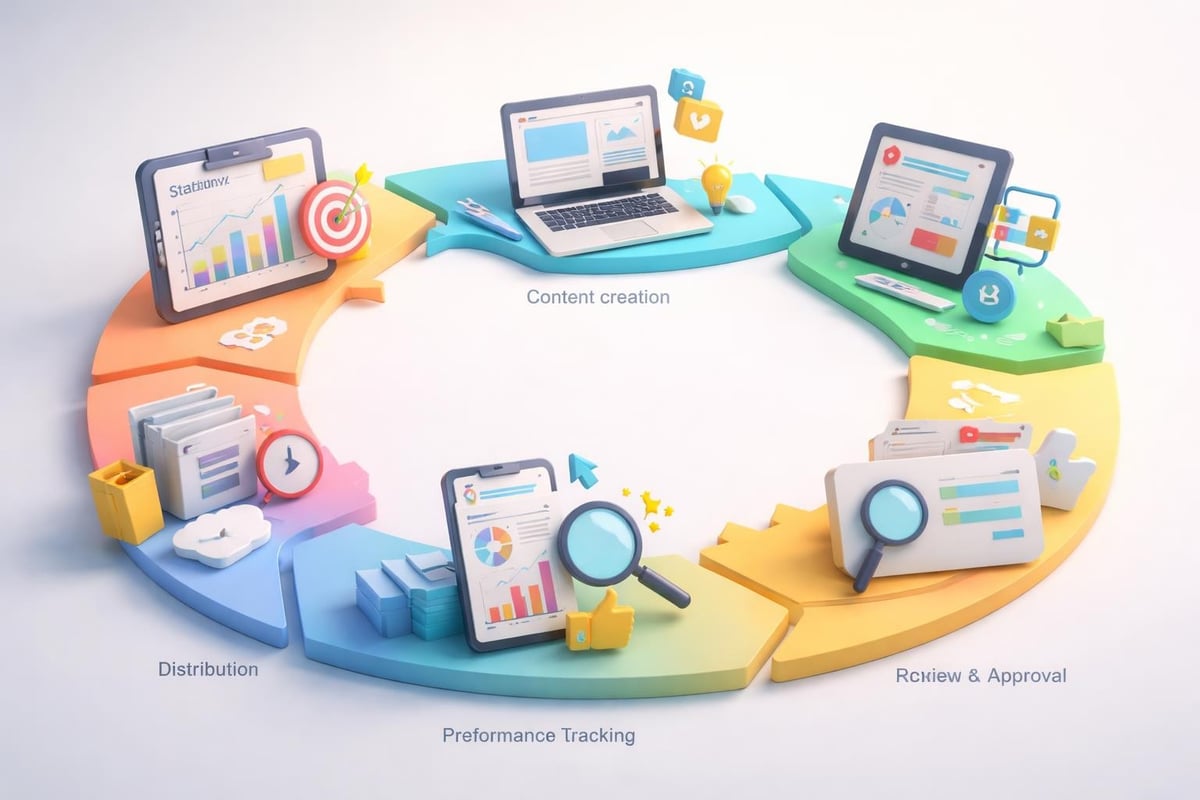
These challenges compound as presentation libraries grow. A mid-sized tech company might manage 500-1,000 active presentations across product marketing, sales enablement, investor relations, and internal communications. Without proper systems, this volume becomes unmanageable.
Building an Effective Presentation Repository
The foundation of presentation management begins with establishing a centralized repository that serves as the single source of truth for all presentation materials. This repository functions as both a storage system and a content distribution platform.
Essential repository features include:
- Hierarchical folder structures organized by function, audience, or product
- Metadata tagging for searchability (topic, date, approval status, owner)
- Permission controls restricting access to sensitive materials
- Preview capabilities allowing users to see slides without downloading
- Download tracking to monitor usage patterns
- Integration with existing tools like SharePoint, Google Drive, or specialized platforms
When designing your folder architecture, align structure with how teams actually work. A technology company might organize by product line, then by presentation type (sales deck, technical overview, customer case study), then by version date. Financial firms often structure around business units, regulatory categories, and audience types (retail investors, institutional clients, analysts).
Managing a large number of PowerPoint presentations requires implementing naming conventions that make files instantly identifiable. Develop standardized naming patterns that include key identifiers: "ProductName_PresentationType_Audience_YYYYMMDD_vX." This clarity eliminates confusion when multiple versions exist.
Implementing Version Control Systems
Version control represents one of the most critical aspects of presentation management. Every presentation evolves through multiple iterations, and tracking these changes prevents costly errors.
| Version Control Method | Best For | Key Benefits | Limitations |
|---|---|---|---|
| Date-based naming | Small teams | Simple implementation | Manual tracking required |
| Version numbering | Medium organizations | Clear progression | Requires discipline |
| Dedicated software | Large enterprises | Automated tracking, rollback | Higher cost, learning curve |
| Cloud collaboration | Distributed teams | Real-time updates | Internet dependency |
Establish clear policies about when to create new versions versus updating existing files. Major revisions (significant content changes, rebranding, strategy shifts) warrant new version numbers. Minor updates (correcting typos, updating single data points) can be handled as incremental updates within the same version.
Establishing Content Governance Frameworks
Content governance determines who can create, modify, approve, and distribute presentation materials. Without governance, presentation quality degrades as unauthorized edits proliferate.
Effective governance starts with defining clear roles and responsibilities. Designate presentation owners for each major content category. These owners maintain accountability for accuracy, brand compliance, and timely updates. Implement approval workflows that route presentations through appropriate stakeholders before release.
Creating Approval Workflows
Structured approval processes ensure presentations meet organizational standards before reaching external audiences. A typical workflow for investor presentations in financial services might include:
- Content development by the originating team (IR, product marketing)
- Legal review for regulatory compliance and risk assessment
- Brand review for visual consistency and messaging alignment
- Executive approval from C-level sponsors
- Final preparation with version locking and distribution
Technology companies developing company presentations often face tight deadlines that compress these steps. Establish expedited review processes for time-sensitive materials while maintaining quality gates.
Document your approval requirements clearly. Specify which presentation types require which approvals. External investor decks demand comprehensive review, while internal team updates might need only manager sign-off. This tiered approach balances control with efficiency.
Maintaining Brand Consistency Across Presentations
Brand consistency transforms disconnected slides into cohesive communications that reinforce organizational identity. For financial and tech companies, professional presentation design directly impacts credibility with sophisticated audiences.
CTI Meeting Technology identifies brand consistency tools as essential features in presentation management software. These tools include template libraries, color palette enforcement, approved image galleries, and font standardization.
Core brand consistency elements include:
- Master templates with locked layouts preventing unauthorized modifications
- Approved color schemes applied consistently across all slides
- Typography standards limiting font choices to brand-approved options
- Logo usage guidelines ensuring proper placement and sizing
- Image style guides defining photography and illustration approaches
- Data visualization standards for charts and graphs
Create tiered template systems that provide flexibility within constraints. Develop master templates for major presentation types (pitch decks, product overviews, customer presentations), then create variations for specific use cases. This approach maintains brand integrity while accommodating diverse content needs.

Consider establishing a slide library containing pre-approved, on-brand slides for common topics. Sales teams can pull from this library to assemble customized presentations without starting from scratch or violating brand standards. This repository might include product feature slides, customer testimonials, competitive differentiators, and company overview sections.
Optimizing Presentation Workflows
Efficient workflows reduce the time required to create quality presentations while improving output consistency. Map your current presentation development process to identify bottlenecks and redundancies.
Common workflow inefficiencies include:
- Recreating slides that already exist elsewhere in the organization
- Waiting for design resources to make simple layout adjustments
- Hunting through email threads to find the latest version
- Reformatting content to match brand standards
- Starting presentations from blank files instead of templates
Address these inefficiencies by implementing standardized processes. Establish intake procedures where presentation requests include clear requirements (purpose, audience, deadline, key messages). Create design resources that empower non-designers to produce quality work, such as comprehensive PowerPoint templates that anticipate common content needs.
Leveraging Collaboration Tools
Modern presentation management increasingly relies on collaborative technologies that enable simultaneous editing, commenting, and review. Cloud-based platforms allow distributed teams to work together in real-time, accelerating development cycles.
When selecting collaboration tools, evaluate features against your specific requirements:
- Real-time co-editing capabilities for team presentations
- Comment threads for feedback without altering source content
- Presentation mode for remote rehearsals and reviews
- Analytics showing which slides receive most attention
- Mobile access for on-the-go reviews and edits
- Integration with project management and communication platforms
Balance collaboration benefits against security requirements. Financial firms handling sensitive market data or tech companies protecting intellectual property need robust access controls and encryption. Implement data loss prevention measures preventing unauthorized sharing of confidential presentations.
Measuring Presentation Performance
Strategic presentation management includes analytics that measure how presentations perform and inform continuous improvement. Track metrics that reveal usage patterns and business impact.
| Metric Category | Example Metrics | Business Value |
|---|---|---|
| Usage analytics | Download frequency, view duration, slide progression | Identify most valuable content |
| Engagement data | Click-through rates, interaction patterns | Understand audience interests |
| Conversion metrics | Deals closed, meetings booked | Connect presentations to outcomes |
| Efficiency gains | Creation time, version cycles | Quantify process improvements |
| Compliance rates | Template usage, approval completion | Monitor governance effectiveness |
Implement tracking mechanisms appropriate to your presentation distribution channels. Presentations shared digitally can incorporate analytics tags. Materials used in live presentations require different measurement approaches, such as post-presentation surveys or sales outcome tracking.
Use performance data to refine your presentation library. Archive rarely-used materials. Invest in updating high-performing presentations. Identify content gaps where new presentations could address unmet needs.
Research on presentation quality evaluation demonstrates that brief excerpts can reliably predict overall presentation effectiveness, highlighting the importance of strong openings and clear structure. Apply these insights when reviewing your existing materials.
Training Teams on Presentation Standards
Even the most sophisticated presentation management system fails without proper user adoption. Invest in training programs that build presentation skills across your organization.
Comprehensive training should cover:
- Repository navigation and search techniques for finding materials
- Template usage and customization within brand guidelines
- Content development following organizational messaging frameworks
- Design principles for non-designers creating presentation content
- Delivery skills ensuring presentations are presented effectively
- Governance compliance understanding approval requirements and processes
Project management presentation tips emphasize practicing delivery and using legible visuals, principles that apply across all business presentations. Incorporate these fundamentals into your training curriculum.
Develop role-specific training addressing different user needs. Sales teams require deep knowledge of pitch deck customization. Marketing personnel need template creation skills. Executives benefit from strategic storytelling frameworks. Tailor your educational content to maximize relevance.

Create reference materials supporting ongoing learning. Develop quick-start guides, video tutorials, and FAQ documents addressing common questions. Establish a support system where users can get help with presentation challenges, whether through designated experts, help desk tickets, or peer communities.
Adapting to Emerging Technologies
Presentation management continues evolving as new technologies reshape how organizations create and deliver content. Stay informed about innovations that could enhance your capabilities.
Artificial intelligence increasingly supports presentation development through automated design suggestions, content recommendations, and even slide generation from text prompts. Evaluate these tools carefully, ensuring they complement rather than compromise your brand standards and quality requirements.
Virtual and augmented reality platforms are beginning to transform presentation experiences, particularly for product demonstrations and immersive storytelling. Technology companies showcasing complex solutions may find these formats advantageous for certain audiences.
Interactive presentations that respond to viewer choices create personalized experiences. Financial services firms can use branching presentations that adapt to investor questions, presenting relevant data dynamically rather than following linear slide sequences.
Monitor these trends while maintaining focus on fundamentals. The most sophisticated technology cannot compensate for unclear messaging, poor design, or inadequate preparation. Balance innovation with proven practices that deliver results.
Scaling Presentation Management for Growth
As organizations expand, presentation management systems must scale to accommodate increasing complexity. Plan for growth by building flexible frameworks that adapt to changing needs.
Consider how your system will handle:
- Geographic expansion requiring localized versions and multilingual content
- Product diversification adding new presentation categories and templates
- Organizational restructuring affecting ownership and approval workflows
- Regulatory changes demanding updated compliance processes
- Technology evolution necessitating platform migrations or integrations
Build scalability into your infrastructure choices. Cloud-based solutions typically scale more easily than on-premise systems. Modular approaches allowing incremental capability additions provide flexibility as requirements evolve.
Establish regular review cycles assessing whether your presentation management approach continues meeting organizational needs. Quarterly evaluations can identify emerging gaps before they become critical problems. Annual strategic reviews ensure alignment between presentation capabilities and business objectives.
For financial and tech companies aiming to maintain competitive advantage through superior communications, professional presentation design support can accelerate quality improvements while freeing internal resources. Specialized agencies bring expertise in visual storytelling and brand management that complement robust presentation management systems.
Integrating Presentation Management with Broader Systems
Presentation management should not exist in isolation but rather integrate with other business systems supporting communications and sales processes. Look for connection opportunities with customer relationship management platforms, marketing automation tools, content management systems, and analytics dashboards.
Integration creates powerful synergies. CRM integration enables sales teams to access relevant presentations directly within their workflow when preparing for client meetings. Marketing automation connections ensure webinar presentations align with campaign messaging. Content management system integration maintains consistency between website content and presentation materials.
Presentation best practices emphasize focusing on key goals, a principle that extends to system integration priorities. Identify the most impactful integration opportunities rather than attempting to connect everything simultaneously.
Implement integration incrementally, starting with highest-value connections and expanding over time. This phased approach manages complexity while delivering early wins that build organizational support for broader initiatives.
Effective presentation management transforms scattered slide files into strategic assets that drive business results through consistent, accessible, high-quality communications. By implementing structured repositories, governance frameworks, brand standards, optimized workflows, and performance measurement, financial and tech organizations can ensure their presentations consistently deliver impact. Whether you're building these capabilities internally or need expert support, Prznt Perfect specializes in helping businesses develop presentation systems that transform complex data into compelling visual narratives that resonate with sophisticated audiences.


- This is some text inside of a div block.lay out the facts clearly and compellingly. Use data to establish the ground reality, but remember that facts alone are like the individual strands of a tapestry—necessary but not complete.lay out the facts clearly and compellingly. Use data to establish the ground reality, but remember that facts alone are like the individual strands of a tapestry—necessary but not complete.
- This is some text inside of a div block.lay out the facts clearly and compellingly. Use data to establish the ground reality, but remember that facts alone are like the individual strands of a tapestry—necessary but not complete.

.png)
