Presentation Designer: Essential Guide for 2026

The role of a presentation designer has evolved dramatically in recent years, transforming from simple slide formatting to strategic visual communication that drives business outcomes. For financial and tech companies, where complex data and innovative concepts must be communicated with absolute clarity, expert presentation design has become a competitive advantage rather than a luxury. Whether you're creating a pitch deck for investors, a sales presentation for enterprise clients, or a keynote for industry conferences, understanding what makes an exceptional presentation designer is crucial for achieving your communication goals.

What Does a Presentation Designer Do

A presentation designer specializes in translating complex information into visually engaging narratives that resonate with specific audiences. This professional combines graphic design expertise with strategic communication skills to create presentations that not only look polished but also drive action.

The core responsibilities extend far beyond choosing attractive templates. A skilled presentation designer analyzes your content, identifies key messages, and structures information hierarchically to guide viewers through your story. They work with typography, color theory, data visualization, and layout principles to ensure every slide serves a strategic purpose.

Strategic Visual Communication

The most effective presentation designers act as visual strategists rather than mere decorators. They ask critical questions about your audience, objectives, and desired outcomes before touching any design software. This strategic approach ensures that aesthetic choices align with business goals.

For financial presentations, this might mean transforming dense spreadsheets into clear charts that highlight growth trends. For tech companies, it could involve simplifying complex architecture diagrams into digestible visual flows that non-technical stakeholders can understand. The presentation design best practices emphasize clarity and effectiveness as primary design objectives.

Presentation designer process flow

Essential Skills Every Presentation Designer Needs

Professional presentation designers master a diverse skill set that spans technical proficiency, creative thinking, and business acumen. Understanding these competencies helps you identify talented designers who can elevate your communications.

Technical Proficiency:

  • Expert-level knowledge of PowerPoint, Keynote, and Google Slides
  • Proficiency in Adobe Creative Suite (Illustrator, Photoshop, InDesign)
  • Understanding of animation and transition principles
  • Familiarity with data visualization tools and techniques

Design Fundamentals:

  • Typography selection and hierarchy
  • Color theory and brand consistency
  • Layout composition and white space utilization
  • Visual hierarchy and eye flow management

Business Communication:

  • Content analysis and message distillation
  • Audience psychology and persuasion techniques
  • Storytelling frameworks and narrative structure
  • Understanding of industry-specific requirements

Data Visualization Expertise

For financial and tech presentations, the ability to transform raw data into meaningful visuals separates exceptional designers from mediocre ones. A presentation designer must understand which chart types best represent different data relationships and how to highlight insights without misleading viewers.

This specialized knowledge ensures that quarterly earnings reports, market analysis, product metrics, and financial forecasts communicate their message at a glance. The designer selects appropriate visualization methods-whether bar charts, line graphs, heat maps, or custom infographics-based on the data story being told.

Understanding effective layout principles for presentations ensures that complex financial data remains accessible and compelling throughout your deck.

Design Principles That Define Quality Work

Professional presentation design follows established principles that create visual consistency and enhance comprehension. These foundational concepts guide every decision a presentation designer makes, from color selection to slide sequencing.

Design Principle Application Impact
Visual Hierarchy Sizing, color, and positioning guide attention Viewers process information in intended order
Consistency Unified fonts, colors, and layout patterns Professional appearance builds credibility
Contrast Strategic use of color and size differences Key information stands out clearly
Alignment Precise positioning of all elements Clean, organized appearance
White Space Intentional empty areas between elements Reduces cognitive load and improves focus

The design tips from industry experts emphasize avoiding common mistakes like cluttered slides and inconsistent formatting. A presentation designer applies these principles systematically across every slide to create cohesive, professional decks.

The Power of Simplicity

One counterintuitive aspect of professional presentation design is that restraint often proves more powerful than embellishment. A presentation designer knows when to remove elements rather than add them, understanding that every additional component competes for viewer attention.

For complex financial models or technical architectures, simplification becomes particularly challenging. The designer must preserve accuracy while eliminating unnecessary complexity, often breaking dense information across multiple slides rather than cramming everything onto one.

Slide design comparison

The Presentation Design Process

Understanding how a presentation designer works helps you collaborate more effectively and set realistic timelines for your projects. The professional design process follows structured phases that ensure thorough execution from concept to delivery.

Discovery and Strategy Phase

Every project begins with comprehensive discovery. The presentation designer reviews existing content, conducts stakeholder interviews, and analyzes the target audience. This phase establishes the strategic foundation for all subsequent design decisions.

Key Activities:

  1. Content audit and message prioritization
  2. Audience analysis and persona development
  3. Competitive landscape review
  4. Brand guideline assessment
  5. Success metrics definition

Design Development

With strategy established, the presentation designer creates initial concepts that translate content into visual form. This iterative phase involves sketching layouts, selecting imagery, developing data visualizations, and establishing the visual system.

The designer typically presents multiple direction options for critical slides like presentation cover designs that set the tone for the entire deck. Feedback from this phase refines the approach before full production begins.

Production and Refinement

Once the design direction is approved, the presentation designer builds out the complete deck, applying the established visual system consistently across all slides. This phase requires meticulous attention to detail, ensuring alignment precision, color accuracy, and typographic consistency.

Multiple review rounds allow for refinement based on stakeholder feedback. The designer balances creative vision with client input, making strategic recommendations while incorporating requested changes. Understanding what constitutes good presentation design helps guide these refinement conversations productively.

Tools and Technology in Modern Presentation Design

The presentation designer's toolkit has expanded significantly beyond traditional slide software. While PowerPoint remains the industry standard for business presentations, professionals leverage multiple platforms and specialized tools to achieve optimal results.

Primary Design Platforms

Microsoft PowerPoint continues to dominate corporate environments, offering robust features, wide compatibility, and powerful animation capabilities. A presentation designer masters PowerPoint's advanced features like morph transitions, custom animations, and master slide optimization.

Apple Keynote provides elegant design templates and smooth animations preferred by many tech companies and creative agencies. Its intuitive interface and beautiful default aesthetics appeal to design-conscious organizations.

Google Slides has gained significant traction for collaborative projects, offering real-time editing and cloud-based accessibility. The comprehensive Google Slides review highlights its strengths for teams working across locations.

Specialized Design Software

Professional presentation designers supplement slide software with additional tools:

  • Adobe Illustrator for creating custom icons, diagrams, and vector graphics
  • Adobe Photoshop for photo editing and image optimization
  • Figma or Sketch for UI/UX mockups and interactive prototypes
  • After Effects for complex animations and video elements
  • Data visualization platforms for sophisticated chart creation

Recent developments in AI-powered tools, including advanced presentation generation frameworks, are beginning to assist designers with layout suggestions and content organization, though human expertise remains essential for strategic communication.

Industry-Specific Considerations

Different sectors require distinct approaches to presentation design. A presentation designer serving financial and tech clients must understand the unique communication challenges and expectations within these industries.

Financial Sector Presentations

Financial presentations demand precision, credibility, and clarity above all else. A presentation designer working in this space prioritizes:

Data Integrity:

  • Exact representation of financial figures
  • Clear sourcing and footnotes
  • Compliance with regulatory requirements
  • Professional, conservative aesthetics

Trust Building:

  • Consistent branding that reinforces institutional credibility
  • Clean, uncluttered layouts that project competence
  • Strategic use of charts that illuminate rather than obscure
  • Professional typography that conveys seriousness

Specialized services for fintech and banking pitch decks demonstrate the nuanced understanding required for financial sector communications.

Technology Sector Presentations

Tech presentations often need to balance technical depth with accessibility for diverse audiences. The presentation designer must:

  • Simplify complex systems without oversimplifying
  • Create visual metaphors for abstract concepts
  • Balance innovation with professionalism
  • Incorporate product screenshots and interface mockups effectively

The best practices for PowerPoint presentations apply across industries but require sector-specific interpretation for maximum effectiveness.

Industry-specific design examples

Hiring a Presentation Designer: What to Look For

Selecting the right presentation designer significantly impacts your communication success. Whether hiring an individual designer or partnering with an agency, several factors should guide your decision.

Portfolio Assessment

Review diverse work samples that demonstrate versatility and excellence. Look for:

Portfolio Element What It Reveals
Range of styles Adaptability to different brand identities
Data visualization examples Ability to clarify complex information
Before/after case studies Problem-solving approach and impact
Industry-relevant work Understanding of sector-specific requirements
Consistency across projects Attention to detail and quality standards

Communication and Process

The best presentation designer combines creative talent with professional project management. During initial conversations, assess their:

  • Ability to ask insightful questions about your objectives
  • Clarity in explaining their design process
  • Responsiveness and communication style
  • Understanding of your industry and audience
  • Willingness to iterate based on feedback

Understanding Business Impact

Exceptional presentation designers think beyond aesthetics to business outcomes. They should articulate how design choices support persuasion, comprehension, and action. This strategic mindset separates tactical executors from true communication partners.

Common Presentation Design Challenges and Solutions

Even experienced presentation designers encounter recurring challenges that require creative problem-solving. Understanding these common obstacles helps you work collaboratively toward effective solutions.

Content Overload

Clients frequently struggle with condensing information, wanting to include everything rather than prioritizing key messages. A skilled presentation designer:

  • Guides content editing conversations diplomatically
  • Suggests appendix slides for supplementary information
  • Creates visual hierarchies that emphasize critical points
  • Proposes multi-deck strategies for different audience needs

Brand Constraint Navigation

Strict brand guidelines can feel limiting, yet presentation designers must work within these parameters while creating engaging presentations. Successful approaches include:

  • Exploring approved brand elements creatively
  • Proposing presentation-specific guidelines extensions
  • Maximizing variety through layout and composition
  • Leveraging photography and custom graphics within brand colors

Time Pressures

Tight deadlines challenge even the most efficient presentation designer. Professional strategies for managing time constraints include:

  1. Establishing clear priorities with stakeholders
  2. Creating modular design systems for rapid deployment
  3. Focusing refinement efforts on high-impact slides
  4. Maintaining template libraries for common slide types

The comprehensive presentation design guide offers additional strategies for maintaining quality under pressure.

Measuring Presentation Design Effectiveness

Quantifying design impact helps justify investment in professional presentation design services. While aesthetic quality is somewhat subjective, several metrics demonstrate tangible business value.

Engagement Metrics

Track how audiences interact with your presentations:

  • Time spent on each slide during self-guided reviews
  • Questions asked during live presentations
  • Follow-up meeting requests generated
  • Social sharing and internal circulation rates

Business Outcomes

Connect presentation quality to concrete results:

  • Investor pitch success rates
  • Sales conversion improvements
  • Conference speaking invitations received
  • Media coverage generated

Efficiency Gains

Professional presentation design creates internal efficiencies:

  • Reduced revision cycles and approval time
  • Faster presentation creation using design systems
  • Decreased time spent formatting by executives
  • Improved consistency across organizational communications

Organizations exploring professional presentation services often discover significant time savings alongside quality improvements.

Future Trends in Presentation Design

The presentation designer role continues evolving as technology advances and communication preferences shift. Several trends are shaping the future of this profession.

Interactive and Non-Linear Presentations

Moving beyond sequential slide decks, presentation designers increasingly create non-linear experiences that adapt to audience interests. Interactive elements allow presenters to navigate dynamically based on real-time feedback and questions.

Motion and Animation Sophistication

As audiences grow accustomed to high-quality video content, expectations for presentation motion design have increased. Presentation designers are incorporating:

  • Subtle micro-animations that guide attention
  • Data animations that reveal insights progressively
  • Transition effects that reinforce narrative flow
  • Video integration that complements static content

Data Storytelling Evolution

Advanced data visualization techniques continue transforming how presentation designers approach numerical information. Real-time data integration, interactive dashboards, and sophisticated infographics are becoming standard expectations rather than premium features.

Accessibility and Inclusion

Modern presentation designers prioritize inclusive design that serves diverse audiences. This includes considerations for:

  • Color contrast for visual impairment
  • Alternative text for screen readers
  • Readable font sizes and clear hierarchy
  • Cultural sensitivity in imagery and examples

Resources like presentation delivery best practices emphasize accessibility alongside design excellence.

Building Long-Term Design Partnerships

The most successful organizations develop ongoing relationships with presentation designers rather than treating each project as a one-off transaction. These partnerships create compounding value over time.

Design System Development

A presentation designer who understands your organization deeply can create comprehensive design systems that enable:

  • Faster project turnaround through templated frameworks
  • Consistent brand expression across all presentations
  • Empowered internal teams with clear design guidelines
  • Scalable quality as presentation volume increases

Strategic Communication Planning

Long-term partnerships allow presentation designers to contribute at strategic levels, advising on:

  • Communication architecture across multiple touchpoints
  • Message evolution as products and markets develop
  • Competitive positioning through visual differentiation
  • Organizational storytelling that builds cumulative impact

Continuous Improvement

Established relationships enable feedback loops that refine effectiveness over time. The presentation designer learns what resonates with your specific audiences and continuously optimizes approaches based on real-world performance.

Organizations serious about elevating their visual communications often benefit from exploring comprehensive agency partnerships that offer dedicated presentation design expertise alongside strategic consultation.


Professional presentation design represents far more than aesthetic enhancement-it's a strategic investment in communication effectiveness that directly impacts business outcomes. For financial and tech companies navigating complex markets and sophisticated audiences, partnering with expert presentation designers ensures your ideas receive the visual treatment they deserve. Prznt Perfect specializes in transforming intricate data and innovative concepts into compelling visual narratives that drive action, combining deep industry expertise with world-class design capabilities to help your presentations achieve their full potential.

We offer free 30-min consultation on the presentation design audit
and hiring the right visual 
comms professional, let’s talk!
Shedule a call
Shedule a call
"I understand" goes a step further into the cognitive dance of persuasion. It's where the audience begins to see the connections between the facts, to grasp the nuances of the problem and the elegance of the solution.
  • This is some text inside of a div block.
    lay out the facts clearly and compellingly. Use data to establish the ground reality, but remember that facts alone are like the individual strands of a tapestry—necessary but not complete.
    lay out the facts clearly and compellingly. Use data to establish the ground reality, but remember that facts alone are like the individual strands of a tapestry—necessary but not complete.
  • This is some text inside of a div block.
    lay out the facts clearly and compellingly. Use data to establish the ground reality, but remember that facts alone are like the individual strands of a tapestry—necessary but not complete.

We offer free 30-min consultation on the presentation design audit

and hiring the right visual 
comms professional, let’s talk!

Shedule a call

"I understand" goes a step further into the cognitive dance of persuasion. It's where the audience begins to see the connections between the facts, to grasp the nuances of the problem and the elegance of the solution.

  • - 1 -
    Consistency at Scale:

    Biotech Market Trends 2024: Tailoring Your Pitch Deck to Current Industry Dynamics.

  • - 2 -
    Efficiency and Speed:

    The traditional process of manually updating presentations is not only slow but also prone to bottlenecks, especially when dealing with large volumes of slides. Automation dramatically accelerates this process, enabling designers to apply changes across hundreds of slides in the time it would take to manually update a single one. This efficiency is a game-changer for agencies working under tight deadlines or managing multiple projects simultaneously.

  • - 3 -
    Enhanced Creativity:

    With the burden of manual updates lifted, designers can allocate more time and energy to the creative aspects of presentation design. This freedom allows for deeper exploration of innovative design concepts, experimentation with new visual storytelling techniques, and the development of more engaging and interactive presentations. Automation doesn't stifle creativity; it amplifies it, enabling designers to push the boundaries of what's possible in corporate presentation design.

  • - 4 -
    Error Reduction:

    Manual updates are inherently prone to inconsistencies and mistakes, from misaligned logos to incorrect font sizes. These errors can detract from the professionalism of a presentation and, by extension, the corporate image. Automation minimizes these risks by ensuring that updates are applied uniformly and accurately across all slides, enhancing the overall quality and integrity of the presentation.

  • - 5 -
    Cost-Effectiveness:

    The time savings afforded by automation directly translate to cost savings for both the design agency and its clients. By reducing the hours spent on manual updates, agencies can optimize their workflows and resources, allowing them to take on more projects without compromising on quality. This efficiency can also make high-quality presentation design services more affordable and accessible to a broader range of businesses.

Presentation Designer: Essential Guide for 2026

Discover what a presentation designer does, essential skills, best practices, and how expert design transforms financial and tech presentations.

The role of a presentation designer has evolved dramatically in recent years, transforming from simple slide formatting to strategic visual communication that drives business outcomes. For financial and tech companies, where complex data and innovative concepts must be communicated with absolute clarity, expert presentation design has become a competitive advantage rather than a luxury. Whether you're creating a pitch deck for investors, a sales presentation for enterprise clients, or a keynote for industry conferences, understanding what makes an exceptional presentation designer is crucial for achieving your communication goals.

What Does a Presentation Designer Do

A presentation designer specializes in translating complex information into visually engaging narratives that resonate with specific audiences. This professional combines graphic design expertise with strategic communication skills to create presentations that not only look polished but also drive action.

The core responsibilities extend far beyond choosing attractive templates. A skilled presentation designer analyzes your content, identifies key messages, and structures information hierarchically to guide viewers through your story. They work with typography, color theory, data visualization, and layout principles to ensure every slide serves a strategic purpose.

Strategic Visual Communication

The most effective presentation designers act as visual strategists rather than mere decorators. They ask critical questions about your audience, objectives, and desired outcomes before touching any design software. This strategic approach ensures that aesthetic choices align with business goals.

For financial presentations, this might mean transforming dense spreadsheets into clear charts that highlight growth trends. For tech companies, it could involve simplifying complex architecture diagrams into digestible visual flows that non-technical stakeholders can understand. The presentation design best practices emphasize clarity and effectiveness as primary design objectives.
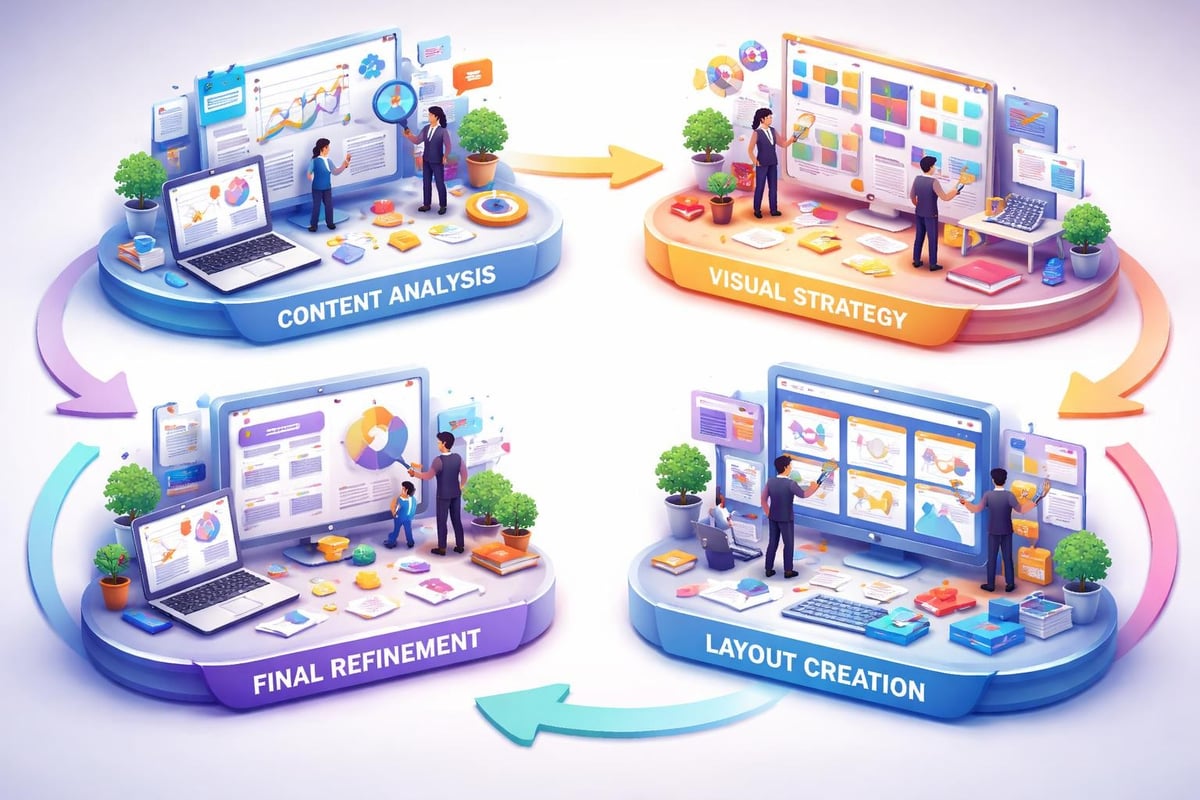
Presentation designer process flow

Essential Skills Every Presentation Designer Needs

Professional presentation designers master a diverse skill set that spans technical proficiency, creative thinking, and business acumen. Understanding these competencies helps you identify talented designers who can elevate your communications.

Technical Proficiency:

  • Expert-level knowledge of PowerPoint, Keynote, and Google Slides
  • Proficiency in Adobe Creative Suite (Illustrator, Photoshop, InDesign)
  • Understanding of animation and transition principles
  • Familiarity with data visualization tools and techniques

Design Fundamentals:

  • Typography selection and hierarchy
  • Color theory and brand consistency
  • Layout composition and white space utilization
  • Visual hierarchy and eye flow management

Business Communication:

  • Content analysis and message distillation
  • Audience psychology and persuasion techniques
  • Storytelling frameworks and narrative structure
  • Understanding of industry-specific requirements

Data Visualization Expertise

For financial and tech presentations, the ability to transform raw data into meaningful visuals separates exceptional designers from mediocre ones. A presentation designer must understand which chart types best represent different data relationships and how to highlight insights without misleading viewers.

This specialized knowledge ensures that quarterly earnings reports, market analysis, product metrics, and financial forecasts communicate their message at a glance. The designer selects appropriate visualization methods-whether bar charts, line graphs, heat maps, or custom infographics-based on the data story being told.

Understanding effective layout principles for presentations ensures that complex financial data remains accessible and compelling throughout your deck.

Design Principles That Define Quality Work

Professional presentation design follows established principles that create visual consistency and enhance comprehension. These foundational concepts guide every decision a presentation designer makes, from color selection to slide sequencing.

Design Principle Application Impact
Visual Hierarchy Sizing, color, and positioning guide attention Viewers process information in intended order
Consistency Unified fonts, colors, and layout patterns Professional appearance builds credibility
Contrast Strategic use of color and size differences Key information stands out clearly
Alignment Precise positioning of all elements Clean, organized appearance
White Space Intentional empty areas between elements Reduces cognitive load and improves focus

The design tips from industry experts emphasize avoiding common mistakes like cluttered slides and inconsistent formatting. A presentation designer applies these principles systematically across every slide to create cohesive, professional decks.

The Power of Simplicity

One counterintuitive aspect of professional presentation design is that restraint often proves more powerful than embellishment. A presentation designer knows when to remove elements rather than add them, understanding that every additional component competes for viewer attention.

For complex financial models or technical architectures, simplification becomes particularly challenging. The designer must preserve accuracy while eliminating unnecessary complexity, often breaking dense information across multiple slides rather than cramming everything onto one.
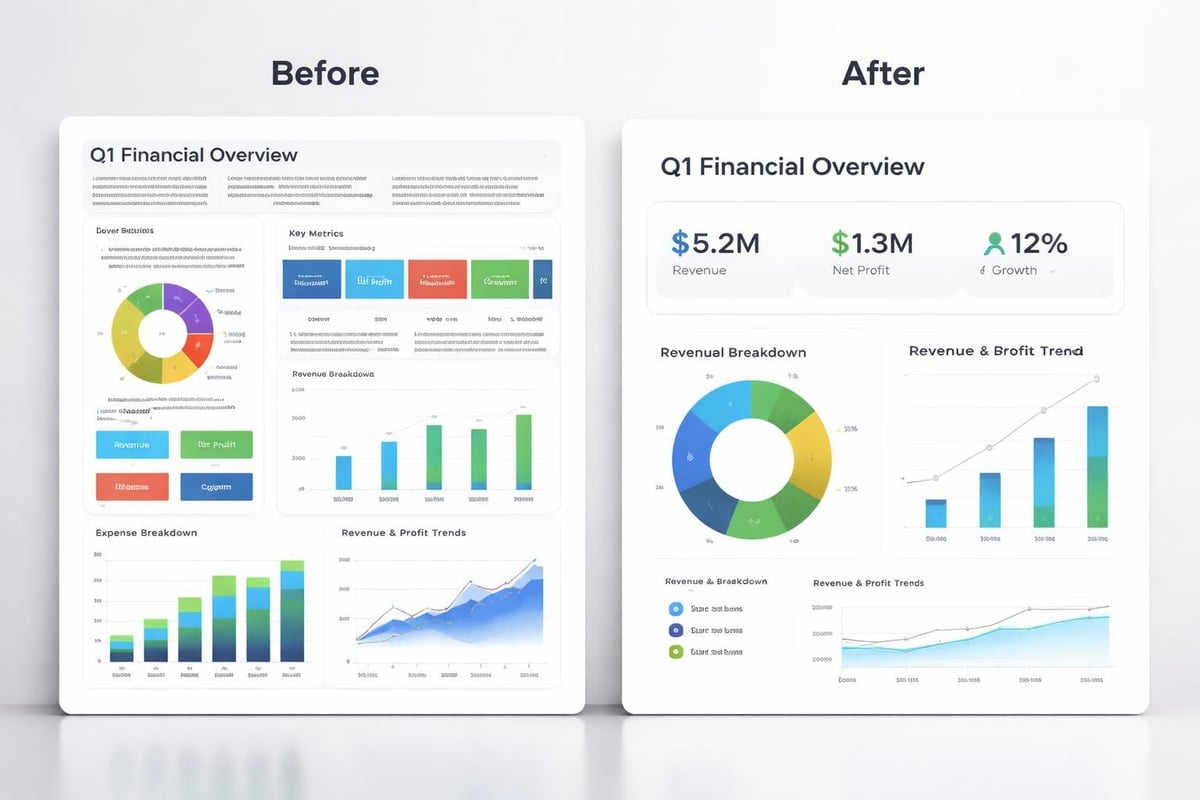
Slide design comparison

The Presentation Design Process

Understanding how a presentation designer works helps you collaborate more effectively and set realistic timelines for your projects. The professional design process follows structured phases that ensure thorough execution from concept to delivery.

Discovery and Strategy Phase

Every project begins with comprehensive discovery. The presentation designer reviews existing content, conducts stakeholder interviews, and analyzes the target audience. This phase establishes the strategic foundation for all subsequent design decisions.

Key Activities:

  1. Content audit and message prioritization
  2. Audience analysis and persona development
  3. Competitive landscape review
  4. Brand guideline assessment
  5. Success metrics definition

Design Development

With strategy established, the presentation designer creates initial concepts that translate content into visual form. This iterative phase involves sketching layouts, selecting imagery, developing data visualizations, and establishing the visual system.

The designer typically presents multiple direction options for critical slides like presentation cover designs that set the tone for the entire deck. Feedback from this phase refines the approach before full production begins.

Production and Refinement

Once the design direction is approved, the presentation designer builds out the complete deck, applying the established visual system consistently across all slides. This phase requires meticulous attention to detail, ensuring alignment precision, color accuracy, and typographic consistency.

Multiple review rounds allow for refinement based on stakeholder feedback. The designer balances creative vision with client input, making strategic recommendations while incorporating requested changes. Understanding what constitutes good presentation design helps guide these refinement conversations productively.

Tools and Technology in Modern Presentation Design

The presentation designer's toolkit has expanded significantly beyond traditional slide software. While PowerPoint remains the industry standard for business presentations, professionals leverage multiple platforms and specialized tools to achieve optimal results.

Primary Design Platforms

Microsoft PowerPoint continues to dominate corporate environments, offering robust features, wide compatibility, and powerful animation capabilities. A presentation designer masters PowerPoint's advanced features like morph transitions, custom animations, and master slide optimization.

Apple Keynote provides elegant design templates and smooth animations preferred by many tech companies and creative agencies. Its intuitive interface and beautiful default aesthetics appeal to design-conscious organizations.

Google Slides has gained significant traction for collaborative projects, offering real-time editing and cloud-based accessibility. The comprehensive Google Slides review highlights its strengths for teams working across locations.

Specialized Design Software

Professional presentation designers supplement slide software with additional tools:

  • Adobe Illustrator for creating custom icons, diagrams, and vector graphics
  • Adobe Photoshop for photo editing and image optimization
  • Figma or Sketch for UI/UX mockups and interactive prototypes
  • After Effects for complex animations and video elements
  • Data visualization platforms for sophisticated chart creation

Recent developments in AI-powered tools, including advanced presentation generation frameworks, are beginning to assist designers with layout suggestions and content organization, though human expertise remains essential for strategic communication.

Industry-Specific Considerations

Different sectors require distinct approaches to presentation design. A presentation designer serving financial and tech clients must understand the unique communication challenges and expectations within these industries.

Financial Sector Presentations

Financial presentations demand precision, credibility, and clarity above all else. A presentation designer working in this space prioritizes:

Data Integrity:

  • Exact representation of financial figures
  • Clear sourcing and footnotes
  • Compliance with regulatory requirements
  • Professional, conservative aesthetics

Trust Building:

  • Consistent branding that reinforces institutional credibility
  • Clean, uncluttered layouts that project competence
  • Strategic use of charts that illuminate rather than obscure
  • Professional typography that conveys seriousness

Specialized services for fintech and banking pitch decks demonstrate the nuanced understanding required for financial sector communications.

Technology Sector Presentations

Tech presentations often need to balance technical depth with accessibility for diverse audiences. The presentation designer must:

  • Simplify complex systems without oversimplifying
  • Create visual metaphors for abstract concepts
  • Balance innovation with professionalism
  • Incorporate product screenshots and interface mockups effectively

The best practices for PowerPoint presentations apply across industries but require sector-specific interpretation for maximum effectiveness.
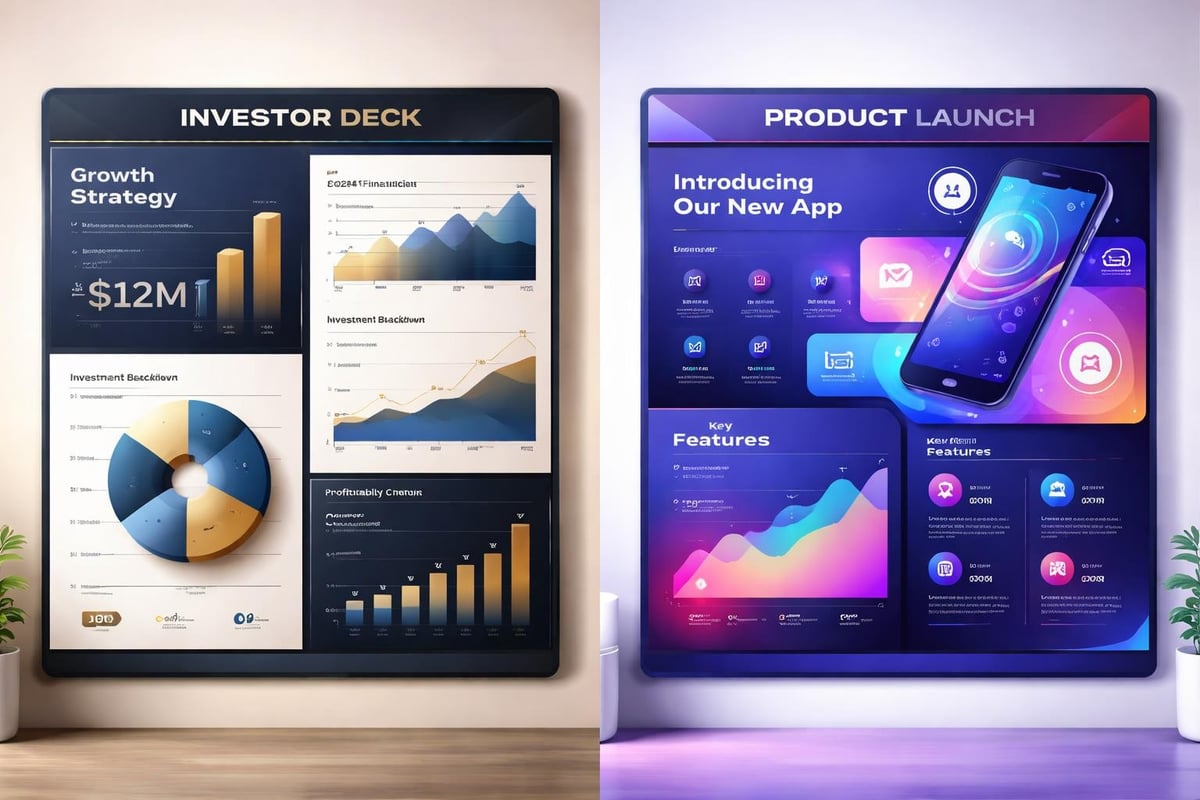
Industry-specific design examples

Hiring a Presentation Designer: What to Look For

Selecting the right presentation designer significantly impacts your communication success. Whether hiring an individual designer or partnering with an agency, several factors should guide your decision.

Portfolio Assessment

Review diverse work samples that demonstrate versatility and excellence. Look for:

Portfolio Element What It Reveals
Range of styles Adaptability to different brand identities
Data visualization examples Ability to clarify complex information
Before/after case studies Problem-solving approach and impact
Industry-relevant work Understanding of sector-specific requirements
Consistency across projects Attention to detail and quality standards

Communication and Process

The best presentation designer combines creative talent with professional project management. During initial conversations, assess their:

  • Ability to ask insightful questions about your objectives
  • Clarity in explaining their design process
  • Responsiveness and communication style
  • Understanding of your industry and audience
  • Willingness to iterate based on feedback

Understanding Business Impact

Exceptional presentation designers think beyond aesthetics to business outcomes. They should articulate how design choices support persuasion, comprehension, and action. This strategic mindset separates tactical executors from true communication partners.

Common Presentation Design Challenges and Solutions

Even experienced presentation designers encounter recurring challenges that require creative problem-solving. Understanding these common obstacles helps you work collaboratively toward effective solutions.

Content Overload

Clients frequently struggle with condensing information, wanting to include everything rather than prioritizing key messages. A skilled presentation designer:

  • Guides content editing conversations diplomatically
  • Suggests appendix slides for supplementary information
  • Creates visual hierarchies that emphasize critical points
  • Proposes multi-deck strategies for different audience needs

Brand Constraint Navigation

Strict brand guidelines can feel limiting, yet presentation designers must work within these parameters while creating engaging presentations. Successful approaches include:

  • Exploring approved brand elements creatively
  • Proposing presentation-specific guidelines extensions
  • Maximizing variety through layout and composition
  • Leveraging photography and custom graphics within brand colors

Time Pressures

Tight deadlines challenge even the most efficient presentation designer. Professional strategies for managing time constraints include:

  1. Establishing clear priorities with stakeholders
  2. Creating modular design systems for rapid deployment
  3. Focusing refinement efforts on high-impact slides
  4. Maintaining template libraries for common slide types

The comprehensive presentation design guide offers additional strategies for maintaining quality under pressure.

Measuring Presentation Design Effectiveness

Quantifying design impact helps justify investment in professional presentation design services. While aesthetic quality is somewhat subjective, several metrics demonstrate tangible business value.

Engagement Metrics

Track how audiences interact with your presentations:

  • Time spent on each slide during self-guided reviews
  • Questions asked during live presentations
  • Follow-up meeting requests generated
  • Social sharing and internal circulation rates

Business Outcomes

Connect presentation quality to concrete results:

  • Investor pitch success rates
  • Sales conversion improvements
  • Conference speaking invitations received
  • Media coverage generated

Efficiency Gains

Professional presentation design creates internal efficiencies:

  • Reduced revision cycles and approval time
  • Faster presentation creation using design systems
  • Decreased time spent formatting by executives
  • Improved consistency across organizational communications

Organizations exploring professional presentation services often discover significant time savings alongside quality improvements.

Future Trends in Presentation Design

The presentation designer role continues evolving as technology advances and communication preferences shift. Several trends are shaping the future of this profession.

Interactive and Non-Linear Presentations

Moving beyond sequential slide decks, presentation designers increasingly create non-linear experiences that adapt to audience interests. Interactive elements allow presenters to navigate dynamically based on real-time feedback and questions.

Motion and Animation Sophistication

As audiences grow accustomed to high-quality video content, expectations for presentation motion design have increased. Presentation designers are incorporating:

  • Subtle micro-animations that guide attention
  • Data animations that reveal insights progressively
  • Transition effects that reinforce narrative flow
  • Video integration that complements static content

Data Storytelling Evolution

Advanced data visualization techniques continue transforming how presentation designers approach numerical information. Real-time data integration, interactive dashboards, and sophisticated infographics are becoming standard expectations rather than premium features.

Accessibility and Inclusion

Modern presentation designers prioritize inclusive design that serves diverse audiences. This includes considerations for:

  • Color contrast for visual impairment
  • Alternative text for screen readers
  • Readable font sizes and clear hierarchy
  • Cultural sensitivity in imagery and examples

Resources like presentation delivery best practices emphasize accessibility alongside design excellence.

Building Long-Term Design Partnerships

The most successful organizations develop ongoing relationships with presentation designers rather than treating each project as a one-off transaction. These partnerships create compounding value over time.

Design System Development

A presentation designer who understands your organization deeply can create comprehensive design systems that enable:

  • Faster project turnaround through templated frameworks
  • Consistent brand expression across all presentations
  • Empowered internal teams with clear design guidelines
  • Scalable quality as presentation volume increases

Strategic Communication Planning

Long-term partnerships allow presentation designers to contribute at strategic levels, advising on:

  • Communication architecture across multiple touchpoints
  • Message evolution as products and markets develop
  • Competitive positioning through visual differentiation
  • Organizational storytelling that builds cumulative impact

Continuous Improvement

Established relationships enable feedback loops that refine effectiveness over time. The presentation designer learns what resonates with your specific audiences and continuously optimizes approaches based on real-world performance.

Organizations serious about elevating their visual communications often benefit from exploring comprehensive agency partnerships that offer dedicated presentation design expertise alongside strategic consultation.


Professional presentation design represents far more than aesthetic enhancement-it's a strategic investment in communication effectiveness that directly impacts business outcomes. For financial and tech companies navigating complex markets and sophisticated audiences, partnering with expert presentation designers ensures your ideas receive the visual treatment they deserve. Prznt Perfect specializes in transforming intricate data and innovative concepts into compelling visual narratives that drive action, combining deep industry expertise with world-class design capabilities to help your presentations achieve their full potential.

News & Updates...

Master professional PowerPoint design with proven strategies for creating impactful presentations that engage audiences and drive results.

Master professional presentations with expert strategies for financial and tech industries. Discover design principles, storytelling techniques, and delivery methods that drive results.