Presentation About Technology: Complete Guide for 2026

Creating a presentation about technology requires a unique blend of technical accuracy, visual clarity, and storytelling expertise. Whether you're pitching a SaaS product, explaining blockchain infrastructure, or presenting quarterly technology metrics to investors, your slides must translate complex concepts into compelling narratives that resonate with diverse audiences. The challenge lies in balancing technical depth with accessibility, ensuring stakeholders understand both the innovation and its business impact without overwhelming them with jargon or underwhelming them with oversimplification.

Understanding Your Technical Audience

The first step in crafting an effective presentation about technology is recognizing that "technical audience" is not monolithic. Your stakeholders may include C-suite executives seeking ROI clarity, engineering teams evaluating implementation feasibility, investors assessing market opportunity, or clients comparing competitive solutions.

Each audience segment requires different depth and focus:

  • Executives need business outcomes, timeline certainty, and risk mitigation
  • Technical teams want architecture details, integration pathways, and scalability proof
  • Investors seek market validation, competitive differentiation, and growth trajectory
  • End users care about problem resolution, usability, and tangible benefits

A successful presentation about technology anticipates these varying needs and structures content accordingly. Consider creating modular slide sections that can be emphasized or de-emphasized based on who's in the room, rather than building a one-size-fits-all deck that satisfies no one completely.

Tailoring Technical Depth

The depth of technical detail should match audience expertise while maintaining credibility. When presenting to non-technical stakeholders, resist the temptation to oversimplify to the point of patronizing your audience. Instead, use analogies that respect their intelligence while making concepts accessible.

For cybersecurity presentations, comparing network architecture to building security systems works better than avoiding technical specifics altogether. This approach appears frequently in effective cybersecurity pitch decks where technical rigor meets business clarity.

Audience segmentation for tech presentations

Structuring Your Technology Narrative

Research on effective technical presentations demonstrates that structure matters as much as content. According to guidance from Simon Peyton Jones, the most impactful technical talks follow a clear narrative arc rather than simply listing features or specifications.

The Three-Act Framework for Tech Presentations

Act Purpose Key Elements Time Allocation
Setup Establish context and problem Market landscape, pain points, current limitations 20-25%
Confrontation Present solution and evidence Technology overview, differentiation, proof points 50-60%
Resolution Show outcomes and next steps Results, roadmap, call to action 15-20%

This framework ensures your presentation about technology tells a story rather than reciting specifications. Start with the problem your technology solves, validate why existing solutions fall short, then demonstrate how your approach delivers superior outcomes.

Each section should build logically:

  1. Problem identification using real-world scenarios or data
  2. Market gap analysis showing unmet needs
  3. Solution introduction with clear differentiation
  4. Technical explanation appropriate to audience depth
  5. Evidence through case studies, metrics, or demonstrations
  6. Implementation pathway or partnership proposal
  7. Clear next steps with defined timelines

Professional presentation design services can help translate this structural framework into visual layouts that guide audience attention through each narrative beat without relying solely on bullet points.

Visualizing Complex Technical Concepts

The visual component of a presentation about technology separates memorable communications from forgettable slide decks. Complex systems, data flows, architectural diagrams, and performance metrics all require thoughtful visualization that clarifies rather than confuses.

According to research on presentation slide design, cognitive load significantly impacts audience comprehension. Every extraneous element, inconsistent formatting choice, or unclear visual hierarchy forces viewers to work harder to extract meaning, reducing retention and engagement.

Data Visualization Best Practices

The principles outlined in Storytelling With Data apply directly to technology presentations. Rather than defaulting to pie charts or 3D graphs, choose visualization formats that match your data type and message priority.

Match chart types to communication goals:

  • Line graphs: Show trends over time (user growth, performance improvement, cost reduction)
  • Bar charts: Compare discrete categories (feature adoption, market segments, competitive benchmarks)
  • Scatter plots: Reveal relationships between variables (price vs. performance, complexity vs. value)
  • Flowcharts: Explain processes, decision trees, or system architecture
  • Heat maps: Display density, frequency, or intensity across two dimensions

When presenting financial technology concepts, as seen in fintech pitch decks, the clarity of financial visualizations directly impacts credibility. Stakeholders must instantly grasp revenue models, cost structures, and growth projections without decoding cluttered charts.

Technology data visualization hierarchy

System Architecture and Technical Diagrams

For presentations explaining software architecture, network topology, or integration ecosystems, diagram clarity becomes paramount. Simplify complex systems into layered views rather than attempting to show everything simultaneously.

Create progressive disclosure:

  1. Start with high-level system overview showing major components
  2. Drill into specific subsystems or data flows in subsequent slides
  3. Use consistent visual language (colors, icons, connection styles) across all diagrams
  4. Annotate decision points, security layers, or performance bottlenecks
  5. Highlight what's new or different versus existing systems

This approach prevents the common mistake of overwhelming audiences with comprehensive technical diagrams that serve the presenter's ego more than the audience's understanding. Even highly technical audiences appreciate clarity over comprehensiveness in slide-based communications.

Accessibility and Inclusive Design

Creating an accessible presentation about technology isn't just about compliance; it's about maximizing reach and impact. The W3C guidance on accessible presentations provides practical frameworks for ensuring your technology presentations work for diverse audiences, including those with visual, auditory, or cognitive differences.

Practical Accessibility Measures

Element Accessible Approach Impact
Color contrast Maintain 4.5:1 ratio for text Improves readability for low vision and bright room conditions
Typography Minimum 24pt for body text, sans-serif fonts Enhances legibility across distance and device types
Alternative text Provide text descriptions for all diagrams and charts Enables screen reader access and searchability
Motion Avoid auto-advancing or continuous animation Prevents distraction and accessibility barriers
Structure Use logical heading hierarchy and list formatting Supports navigation and comprehension

When presenting complex technical workflows or architectural diagrams, accessibility measures actually improve comprehension for all audience members, not just those requiring accommodations. Clear labels, sufficient contrast, and logical information hierarchy benefit everyone attempting to process sophisticated concepts quickly.

For virtual technology presentations, Microsoft's virtual event playbook offers current guidance on technical setup, streaming quality, and engagement strategies that account for remote accessibility challenges.

Demonstrating Technology Effectively

Live demonstrations add credibility and engagement to a presentation about technology, but they carry significant risk. Technical failures during demos undermine confidence and derail narrative momentum, making careful preparation essential.

Minimize demo risk through preparation:

  • Record backup videos of all critical demonstrations
  • Test on the actual presentation hardware and network
  • Prepare fallback slides explaining functionality if systems fail
  • Use staged environments with known-good data sets
  • Have troubleshooting plan and timeline buffers
  • Assign a technical co-presenter for live troubleshooting

The most effective technology demonstrations focus on outcomes rather than features. Show how the technology solves real problems, using scenarios that resonate with your specific audience. Instead of walking through every menu and setting, demonstrate the critical path that delivers value.

Interactive Elements and Engagement

Modern presentation tools enable interactive elements that transform passive viewing into active participation. Polls, live Q&A, collaborative whiteboards, and real-time data visualization can enhance technical presentations when used strategically.

However, interactivity should support rather than distract from your core message. A presentation about technology already contains significant cognitive load; adding interactive elements must create clarity or engagement value that justifies the additional complexity.

Technology presentation demonstration workflow

Crafting Compelling Technical Narratives

Even the most groundbreaking technology requires storytelling to resonate emotionally and intellectually. Harvard Business Review's research on what the best presenters do differently emphasizes the power of narrative structure and human connection, even in technical contexts.

The Human Element in Technology Stories

Technology presentations succeed when they balance technical rigor with human impact. Rather than leading with specifications, begin with the people affected by the problem your technology addresses. Use specific examples, quantifiable outcomes, and relatable scenarios.

For competitive market analysis, understanding how competitor presentations position their technology helps identify differentiation opportunities. What stories are they telling? What evidence are they emphasizing? Where are the gaps your narrative can fill?

Structure technical stories with:

  1. Specific protagonist: A real customer, user segment, or market facing challenges
  2. Concrete problem: Quantified pain points, inefficiencies, or missed opportunities
  3. Attempted solutions: What alternatives were tried and why they failed
  4. Your intervention: How your technology changes the equation
  5. Measurable outcomes: Results that matter to your audience
  6. Future vision: Where this technology leads and why it matters

This narrative approach transforms a presentation about technology from a feature list into a compelling case for change. It works equally well for internal stakeholder presentations, investor pitches, or customer sales decks.

Design Consistency and Brand Alignment

Visual consistency across your technology presentation reinforces professionalism and credibility. Every font choice, color selection, and layout decision either strengthens or weakens your brand perception.

Establish and maintain design systems:

  • Define primary and secondary color palettes based on brand guidelines
  • Limit font families to two maximum (one for headings, one for body text)
  • Create master slide templates for standard layouts (title, content, comparison, data)
  • Develop icon libraries for consistent technical diagram elements
  • Standardize spacing, alignment, and sizing across all slides

The advantage of working with professional presentation designers extends beyond individual slide aesthetics to comprehensive design system development. These systems ensure every presentation your organization creates maintains brand consistency while adapting to specific content needs.

For organizations regularly creating technology presentations, establishing these systems upfront saves time and ensures quality across teams. Templates, component libraries, and style guides enable faster deck creation without sacrificing design integrity.

Platform Considerations

Different presentation platforms offer varying capabilities for technical content. PowerPoint remains dominant in enterprise environments, while Keynote offers superior animation controls, and web-based tools like Figma Slides enable collaborative design workflows.

Platform Strengths Best For Limitations
PowerPoint Enterprise integration, animation timeline Corporate technology presentations Design flexibility constraints
Keynote Visual polish, animation quality Design-forward technology showcases Cross-platform compatibility
Google Slides Collaboration, accessibility Distributed team presentations Limited design sophistication
Figma Slides Design system integration, real-time collaboration Design-conscious technology companies Learning curve for non-designers

Choose platforms based on your audience's expectations, your team's capabilities, and your distribution requirements. A presentation about technology delivered to traditional enterprise clients may require PowerPoint compatibility regardless of your design preferences.

Preparing for Technical Q&A

The question and answer period following a presentation about technology often determines its ultimate success or failure. Technical audiences probe for depth, challenge assumptions, and seek clarity on implementation details that slides necessarily simplified.

Prepare systematically for technical questioning:

  • Anticipate objections and prepare data-backed responses
  • Create appendix slides with detailed technical specifications, methodology notes, and additional case studies
  • Rehearse with internal experts who can challenge your assumptions
  • Prepare "I don't know, but I'll find out" responses for unanticipated questions
  • Document common questions for future presentation refinement

According to peer-reviewed research on scientific presentations, the Q&A preparation phase reveals gaps in presentation logic and clarity. Questions that consistently arise indicate areas where your narrative or evidence needs strengthening in future iterations.

Handling Technical Skepticism

Technology presentations often face skepticism from audiences burned by previous overpromises or wary of implementation complexity. Address skepticism proactively by acknowledging limitations, showing realistic timelines, and providing concrete proof points.

Rather than claiming your technology solves everything perfectly, demonstrate honest assessment of trade-offs, deployment challenges, and evolutionary roadmap. This transparency builds credibility that blanket optimism undermines.

Rehearsal and Delivery Excellence

Even perfectly designed slides fail without confident, polished delivery. IEEE guidance on effective technical presentations emphasizes that rehearsal transforms good presenters into exceptional ones.

Structured rehearsal process:

  1. Solo practice: Internalize timing, transitions, and key points (3-5 run-throughs)
  2. Friendly audience: Present to colleagues for content feedback (1-2 sessions)
  3. Technical review: Subject matter experts validate accuracy and depth
  4. Executive preview: Leadership team assesses business narrative and strategic alignment
  5. Full dress rehearsal: Complete run-through with equipment, backup plans, and timing

For high-stakes presentations such as creative pitch decks to potential investors or clients, this investment in rehearsal separates winning presentations from near-misses. The confidence that comes from thorough preparation translates into more persuasive, natural delivery.

Virtual Presentation Considerations

Remote technology presentations introduce unique challenges around technical setup, audience engagement, and energy management. Camera positioning, lighting quality, microphone clarity, and screen sharing settings all impact perceived professionalism.

Optimize virtual presentation delivery:

  • Position camera at eye level for natural eye contact
  • Use directional lighting to avoid shadows and improve visual clarity
  • Test screen sharing to ensure slides display at intended resolution
  • Prepare for audience audio/video issues with backup communication channels
  • Build in pauses and engagement checkpoints to maintain attention
  • Use virtual backgrounds strategically or ensure clean, professional physical backgrounds

The technical considerations of virtual delivery parallel the content considerations of your presentation about technology itself. Both require attention to detail, systematic testing, and user-centered design thinking.

Measuring Presentation Effectiveness

Continuous improvement requires measuring how well your technology presentations achieve their intended outcomes. Beyond immediate audience feedback, track longer-term metrics that indicate whether presentations drive desired actions.

Quantifiable presentation metrics:

  • Engagement rates: Attendance duration, question quantity and quality, follow-up requests
  • Conversion outcomes: Deals advanced, partnerships initiated, funding secured
  • Content resonance: Specific slides referenced in follow-up discussions, viral sharing
  • Comprehension validation: Audience ability to explain your technology post-presentation
  • Competitive win rates: Success percentage when presenting against alternatives

For ecommerce platforms and other technology companies, presentation effectiveness often correlates directly with sales pipeline velocity. Tracking which presentation elements drive the most compelling conversations helps refine future decks.

Analytics from presentation platforms can reveal which slides audiences spend the most time viewing, where they disengage, and which sections generate sharing or commentary. These insights inform iterative improvements to both content and design.


Mastering the art of creating a presentation about technology requires balancing technical accuracy with visual storytelling, accessibility with sophistication, and comprehensive detail with focused clarity. The most effective technology presentations transform complex innovations into compelling narratives that drive understanding, build confidence, and inspire action across diverse stakeholder groups.

When you need expert support translating your technology story into visually stunning, strategically sound presentations, Prznt Perfect specializes in crafting pitch decks and presentations for financial and technology businesses. Our team combines deep expertise in visual storytelling, data visualization, and brand management to ensure your technology presentations deliver maximum impact with your target audiences.

We offer free 30-min consultation on the presentation design audit
and hiring the right visual 
comms professional, let’s talk!
Shedule a call
Shedule a call
"I understand" goes a step further into the cognitive dance of persuasion. It's where the audience begins to see the connections between the facts, to grasp the nuances of the problem and the elegance of the solution.
  • This is some text inside of a div block.
    lay out the facts clearly and compellingly. Use data to establish the ground reality, but remember that facts alone are like the individual strands of a tapestry—necessary but not complete.
    lay out the facts clearly and compellingly. Use data to establish the ground reality, but remember that facts alone are like the individual strands of a tapestry—necessary but not complete.
  • This is some text inside of a div block.
    lay out the facts clearly and compellingly. Use data to establish the ground reality, but remember that facts alone are like the individual strands of a tapestry—necessary but not complete.

We offer free 30-min consultation on the presentation design audit

and hiring the right visual 
comms professional, let’s talk!

Shedule a call

"I understand" goes a step further into the cognitive dance of persuasion. It's where the audience begins to see the connections between the facts, to grasp the nuances of the problem and the elegance of the solution.

  • - 1 -
    Consistency at Scale:

    Biotech Market Trends 2024: Tailoring Your Pitch Deck to Current Industry Dynamics.

  • - 2 -
    Efficiency and Speed:

    The traditional process of manually updating presentations is not only slow but also prone to bottlenecks, especially when dealing with large volumes of slides. Automation dramatically accelerates this process, enabling designers to apply changes across hundreds of slides in the time it would take to manually update a single one. This efficiency is a game-changer for agencies working under tight deadlines or managing multiple projects simultaneously.

  • - 3 -
    Enhanced Creativity:

    With the burden of manual updates lifted, designers can allocate more time and energy to the creative aspects of presentation design. This freedom allows for deeper exploration of innovative design concepts, experimentation with new visual storytelling techniques, and the development of more engaging and interactive presentations. Automation doesn't stifle creativity; it amplifies it, enabling designers to push the boundaries of what's possible in corporate presentation design.

  • - 4 -
    Error Reduction:

    Manual updates are inherently prone to inconsistencies and mistakes, from misaligned logos to incorrect font sizes. These errors can detract from the professionalism of a presentation and, by extension, the corporate image. Automation minimizes these risks by ensuring that updates are applied uniformly and accurately across all slides, enhancing the overall quality and integrity of the presentation.

  • - 5 -
    Cost-Effectiveness:

    The time savings afforded by automation directly translate to cost savings for both the design agency and its clients. By reducing the hours spent on manual updates, agencies can optimize their workflows and resources, allowing them to take on more projects without compromising on quality. This efficiency can also make high-quality presentation design services more affordable and accessible to a broader range of businesses.

Presentation About Technology: Complete Guide for 2026

Master the art of creating a presentation about technology with expert tips on structure, design, storytelling, and data visualization.

Creating a presentation about technology requires a unique blend of technical accuracy, visual clarity, and storytelling expertise. Whether you're pitching a SaaS product, explaining blockchain infrastructure, or presenting quarterly technology metrics to investors, your slides must translate complex concepts into compelling narratives that resonate with diverse audiences. The challenge lies in balancing technical depth with accessibility, ensuring stakeholders understand both the innovation and its business impact without overwhelming them with jargon or underwhelming them with oversimplification.

Understanding Your Technical Audience

The first step in crafting an effective presentation about technology is recognizing that "technical audience" is not monolithic. Your stakeholders may include C-suite executives seeking ROI clarity, engineering teams evaluating implementation feasibility, investors assessing market opportunity, or clients comparing competitive solutions.

Each audience segment requires different depth and focus:

  • Executives need business outcomes, timeline certainty, and risk mitigation
  • Technical teams want architecture details, integration pathways, and scalability proof
  • Investors seek market validation, competitive differentiation, and growth trajectory
  • End users care about problem resolution, usability, and tangible benefits

A successful presentation about technology anticipates these varying needs and structures content accordingly. Consider creating modular slide sections that can be emphasized or de-emphasized based on who's in the room, rather than building a one-size-fits-all deck that satisfies no one completely.

Tailoring Technical Depth

The depth of technical detail should match audience expertise while maintaining credibility. When presenting to non-technical stakeholders, resist the temptation to oversimplify to the point of patronizing your audience. Instead, use analogies that respect their intelligence while making concepts accessible.

For cybersecurity presentations, comparing network architecture to building security systems works better than avoiding technical specifics altogether. This approach appears frequently in effective cybersecurity pitch decks where technical rigor meets business clarity.

Audience segmentation for tech presentations

Structuring Your Technology Narrative

Research on effective technical presentations demonstrates that structure matters as much as content. According to guidance from Simon Peyton Jones, the most impactful technical talks follow a clear narrative arc rather than simply listing features or specifications.

The Three-Act Framework for Tech Presentations

Act Purpose Key Elements Time Allocation
Setup Establish context and problem Market landscape, pain points, current limitations 20-25%
Confrontation Present solution and evidence Technology overview, differentiation, proof points 50-60%
Resolution Show outcomes and next steps Results, roadmap, call to action 15-20%

This framework ensures your presentation about technology tells a story rather than reciting specifications. Start with the problem your technology solves, validate why existing solutions fall short, then demonstrate how your approach delivers superior outcomes.

Each section should build logically:

  1. Problem identification using real-world scenarios or data
  2. Market gap analysis showing unmet needs
  3. Solution introduction with clear differentiation
  4. Technical explanation appropriate to audience depth
  5. Evidence through case studies, metrics, or demonstrations
  6. Implementation pathway or partnership proposal
  7. Clear next steps with defined timelines

Professional presentation design services can help translate this structural framework into visual layouts that guide audience attention through each narrative beat without relying solely on bullet points.

Visualizing Complex Technical Concepts

The visual component of a presentation about technology separates memorable communications from forgettable slide decks. Complex systems, data flows, architectural diagrams, and performance metrics all require thoughtful visualization that clarifies rather than confuses.

According to research on presentation slide design, cognitive load significantly impacts audience comprehension. Every extraneous element, inconsistent formatting choice, or unclear visual hierarchy forces viewers to work harder to extract meaning, reducing retention and engagement.

Data Visualization Best Practices

The principles outlined in Storytelling With Data apply directly to technology presentations. Rather than defaulting to pie charts or 3D graphs, choose visualization formats that match your data type and message priority.

Match chart types to communication goals:

  • Line graphs: Show trends over time (user growth, performance improvement, cost reduction)
  • Bar charts: Compare discrete categories (feature adoption, market segments, competitive benchmarks)
  • Scatter plots: Reveal relationships between variables (price vs. performance, complexity vs. value)
  • Flowcharts: Explain processes, decision trees, or system architecture
  • Heat maps: Display density, frequency, or intensity across two dimensions

When presenting financial technology concepts, as seen in fintech pitch decks, the clarity of financial visualizations directly impacts credibility. Stakeholders must instantly grasp revenue models, cost structures, and growth projections without decoding cluttered charts.
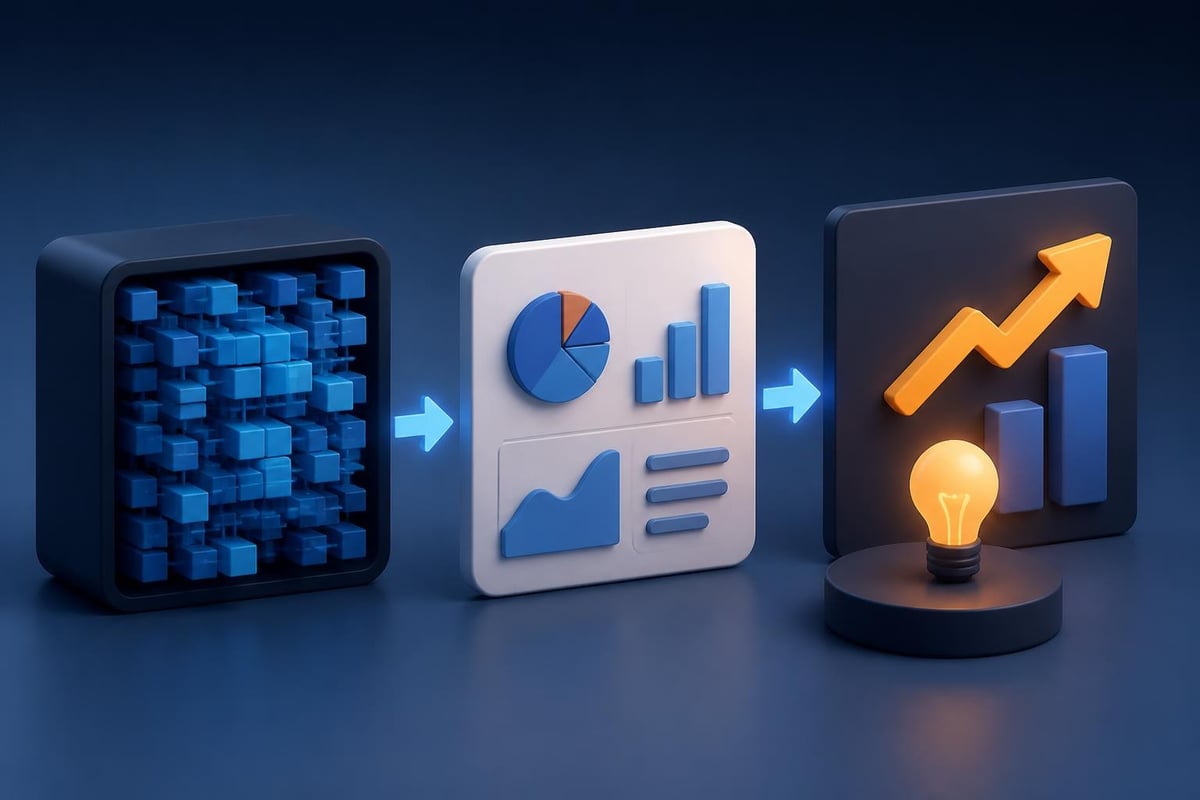
Technology data visualization hierarchy

System Architecture and Technical Diagrams

For presentations explaining software architecture, network topology, or integration ecosystems, diagram clarity becomes paramount. Simplify complex systems into layered views rather than attempting to show everything simultaneously.

Create progressive disclosure:

  1. Start with high-level system overview showing major components
  2. Drill into specific subsystems or data flows in subsequent slides
  3. Use consistent visual language (colors, icons, connection styles) across all diagrams
  4. Annotate decision points, security layers, or performance bottlenecks
  5. Highlight what's new or different versus existing systems

This approach prevents the common mistake of overwhelming audiences with comprehensive technical diagrams that serve the presenter's ego more than the audience's understanding. Even highly technical audiences appreciate clarity over comprehensiveness in slide-based communications.

Accessibility and Inclusive Design

Creating an accessible presentation about technology isn't just about compliance; it's about maximizing reach and impact. The W3C guidance on accessible presentations provides practical frameworks for ensuring your technology presentations work for diverse audiences, including those with visual, auditory, or cognitive differences.

Practical Accessibility Measures

Element Accessible Approach Impact
Color contrast Maintain 4.5:1 ratio for text Improves readability for low vision and bright room conditions
Typography Minimum 24pt for body text, sans-serif fonts Enhances legibility across distance and device types
Alternative text Provide text descriptions for all diagrams and charts Enables screen reader access and searchability
Motion Avoid auto-advancing or continuous animation Prevents distraction and accessibility barriers
Structure Use logical heading hierarchy and list formatting Supports navigation and comprehension

When presenting complex technical workflows or architectural diagrams, accessibility measures actually improve comprehension for all audience members, not just those requiring accommodations. Clear labels, sufficient contrast, and logical information hierarchy benefit everyone attempting to process sophisticated concepts quickly.

For virtual technology presentations, Microsoft's virtual event playbook offers current guidance on technical setup, streaming quality, and engagement strategies that account for remote accessibility challenges.

Demonstrating Technology Effectively

Live demonstrations add credibility and engagement to a presentation about technology, but they carry significant risk. Technical failures during demos undermine confidence and derail narrative momentum, making careful preparation essential.

Minimize demo risk through preparation:

  • Record backup videos of all critical demonstrations
  • Test on the actual presentation hardware and network
  • Prepare fallback slides explaining functionality if systems fail
  • Use staged environments with known-good data sets
  • Have troubleshooting plan and timeline buffers
  • Assign a technical co-presenter for live troubleshooting

The most effective technology demonstrations focus on outcomes rather than features. Show how the technology solves real problems, using scenarios that resonate with your specific audience. Instead of walking through every menu and setting, demonstrate the critical path that delivers value.

Interactive Elements and Engagement

Modern presentation tools enable interactive elements that transform passive viewing into active participation. Polls, live Q&A, collaborative whiteboards, and real-time data visualization can enhance technical presentations when used strategically.

However, interactivity should support rather than distract from your core message. A presentation about technology already contains significant cognitive load; adding interactive elements must create clarity or engagement value that justifies the additional complexity.
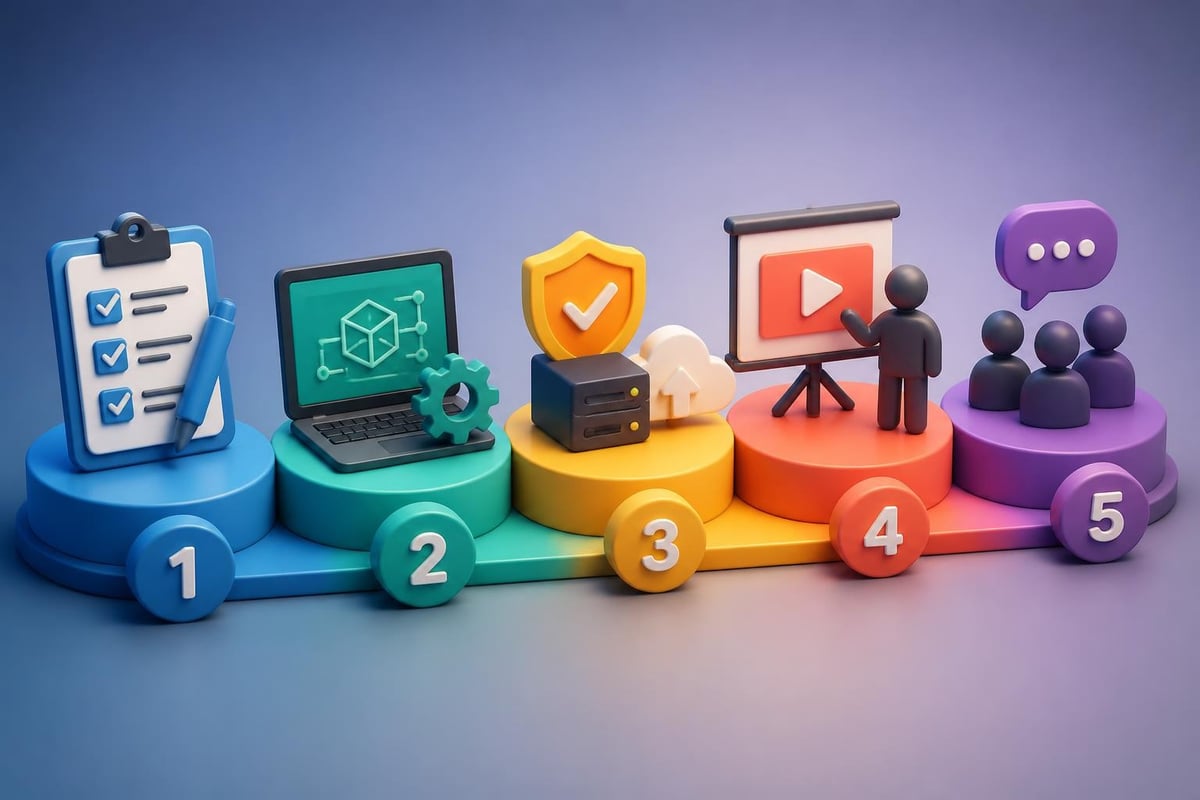
Technology presentation demonstration workflow

Crafting Compelling Technical Narratives

Even the most groundbreaking technology requires storytelling to resonate emotionally and intellectually. Harvard Business Review's research on what the best presenters do differently emphasizes the power of narrative structure and human connection, even in technical contexts.

The Human Element in Technology Stories

Technology presentations succeed when they balance technical rigor with human impact. Rather than leading with specifications, begin with the people affected by the problem your technology addresses. Use specific examples, quantifiable outcomes, and relatable scenarios.

For competitive market analysis, understanding how competitor presentations position their technology helps identify differentiation opportunities. What stories are they telling? What evidence are they emphasizing? Where are the gaps your narrative can fill?

Structure technical stories with:

  1. Specific protagonist: A real customer, user segment, or market facing challenges
  2. Concrete problem: Quantified pain points, inefficiencies, or missed opportunities
  3. Attempted solutions: What alternatives were tried and why they failed
  4. Your intervention: How your technology changes the equation
  5. Measurable outcomes: Results that matter to your audience
  6. Future vision: Where this technology leads and why it matters

This narrative approach transforms a presentation about technology from a feature list into a compelling case for change. It works equally well for internal stakeholder presentations, investor pitches, or customer sales decks.

Design Consistency and Brand Alignment

Visual consistency across your technology presentation reinforces professionalism and credibility. Every font choice, color selection, and layout decision either strengthens or weakens your brand perception.

Establish and maintain design systems:

  • Define primary and secondary color palettes based on brand guidelines
  • Limit font families to two maximum (one for headings, one for body text)
  • Create master slide templates for standard layouts (title, content, comparison, data)
  • Develop icon libraries for consistent technical diagram elements
  • Standardize spacing, alignment, and sizing across all slides

The advantage of working with professional presentation designers extends beyond individual slide aesthetics to comprehensive design system development. These systems ensure every presentation your organization creates maintains brand consistency while adapting to specific content needs.

For organizations regularly creating technology presentations, establishing these systems upfront saves time and ensures quality across teams. Templates, component libraries, and style guides enable faster deck creation without sacrificing design integrity.

Platform Considerations

Different presentation platforms offer varying capabilities for technical content. PowerPoint remains dominant in enterprise environments, while Keynote offers superior animation controls, and web-based tools like Figma Slides enable collaborative design workflows.

Platform Strengths Best For Limitations
PowerPoint Enterprise integration, animation timeline Corporate technology presentations Design flexibility constraints
Keynote Visual polish, animation quality Design-forward technology showcases Cross-platform compatibility
Google Slides Collaboration, accessibility Distributed team presentations Limited design sophistication
Figma Slides Design system integration, real-time collaboration Design-conscious technology companies Learning curve for non-designers

Choose platforms based on your audience's expectations, your team's capabilities, and your distribution requirements. A presentation about technology delivered to traditional enterprise clients may require PowerPoint compatibility regardless of your design preferences.

Preparing for Technical Q&A

The question and answer period following a presentation about technology often determines its ultimate success or failure. Technical audiences probe for depth, challenge assumptions, and seek clarity on implementation details that slides necessarily simplified.

Prepare systematically for technical questioning:

  • Anticipate objections and prepare data-backed responses
  • Create appendix slides with detailed technical specifications, methodology notes, and additional case studies
  • Rehearse with internal experts who can challenge your assumptions
  • Prepare "I don't know, but I'll find out" responses for unanticipated questions
  • Document common questions for future presentation refinement

According to peer-reviewed research on scientific presentations, the Q&A preparation phase reveals gaps in presentation logic and clarity. Questions that consistently arise indicate areas where your narrative or evidence needs strengthening in future iterations.

Handling Technical Skepticism

Technology presentations often face skepticism from audiences burned by previous overpromises or wary of implementation complexity. Address skepticism proactively by acknowledging limitations, showing realistic timelines, and providing concrete proof points.

Rather than claiming your technology solves everything perfectly, demonstrate honest assessment of trade-offs, deployment challenges, and evolutionary roadmap. This transparency builds credibility that blanket optimism undermines.

Rehearsal and Delivery Excellence

Even perfectly designed slides fail without confident, polished delivery. IEEE guidance on effective technical presentations emphasizes that rehearsal transforms good presenters into exceptional ones.

Structured rehearsal process:

  1. Solo practice: Internalize timing, transitions, and key points (3-5 run-throughs)
  2. Friendly audience: Present to colleagues for content feedback (1-2 sessions)
  3. Technical review: Subject matter experts validate accuracy and depth
  4. Executive preview: Leadership team assesses business narrative and strategic alignment
  5. Full dress rehearsal: Complete run-through with equipment, backup plans, and timing

For high-stakes presentations such as creative pitch decks to potential investors or clients, this investment in rehearsal separates winning presentations from near-misses. The confidence that comes from thorough preparation translates into more persuasive, natural delivery.

Virtual Presentation Considerations

Remote technology presentations introduce unique challenges around technical setup, audience engagement, and energy management. Camera positioning, lighting quality, microphone clarity, and screen sharing settings all impact perceived professionalism.

Optimize virtual presentation delivery:

  • Position camera at eye level for natural eye contact
  • Use directional lighting to avoid shadows and improve visual clarity
  • Test screen sharing to ensure slides display at intended resolution
  • Prepare for audience audio/video issues with backup communication channels
  • Build in pauses and engagement checkpoints to maintain attention
  • Use virtual backgrounds strategically or ensure clean, professional physical backgrounds

The technical considerations of virtual delivery parallel the content considerations of your presentation about technology itself. Both require attention to detail, systematic testing, and user-centered design thinking.

Measuring Presentation Effectiveness

Continuous improvement requires measuring how well your technology presentations achieve their intended outcomes. Beyond immediate audience feedback, track longer-term metrics that indicate whether presentations drive desired actions.

Quantifiable presentation metrics:

  • Engagement rates: Attendance duration, question quantity and quality, follow-up requests
  • Conversion outcomes: Deals advanced, partnerships initiated, funding secured
  • Content resonance: Specific slides referenced in follow-up discussions, viral sharing
  • Comprehension validation: Audience ability to explain your technology post-presentation
  • Competitive win rates: Success percentage when presenting against alternatives

For ecommerce platforms and other technology companies, presentation effectiveness often correlates directly with sales pipeline velocity. Tracking which presentation elements drive the most compelling conversations helps refine future decks.

Analytics from presentation platforms can reveal which slides audiences spend the most time viewing, where they disengage, and which sections generate sharing or commentary. These insights inform iterative improvements to both content and design.


Mastering the art of creating a presentation about technology requires balancing technical accuracy with visual storytelling, accessibility with sophistication, and comprehensive detail with focused clarity. The most effective technology presentations transform complex innovations into compelling narratives that drive understanding, build confidence, and inspire action across diverse stakeholder groups.

When you need expert support translating your technology story into visually stunning, strategically sound presentations, Prznt Perfect specializes in crafting pitch decks and presentations for financial and technology businesses. Our team combines deep expertise in visual storytelling, data visualization, and brand management to ensure your technology presentations deliver maximum impact with your target audiences.


News & Updates...

Learn how to create professional presentations that captivate audiences and drive results. Expert design strategies for financial and tech leaders.

Learn how to hire, onboard, and empower your first designer for tech startup. Practical advice on equity, responsibilities, and scaling design impact.