PPT Ideas for Presentation: Creative Strategies

Creating compelling presentations requires more than simply arranging text and images on slides. In 2026, the landscape of business communication demands sophisticated visual storytelling that transforms complex information into actionable insights. Whether you're crafting a pitch deck for investors, delivering a keynote at a tech conference, or presenting financial data to stakeholders, the right ppt ideas for presentation can differentiate between audience engagement and indifference. This comprehensive guide explores innovative strategies, practical techniques, and creative approaches that elevate your presentations from ordinary to exceptional.

Strategic Foundation: Aligning Ideas with Business Objectives

Before diving into visual design, successful presentations begin with clear strategic alignment. Every slide should serve a specific purpose that advances your core message and supports measurable business outcomes.

Defining Your Presentation Purpose

Financial presentations require precision and clarity when communicating complex data. Consider these foundational questions:

  • What specific action do you want your audience to take?
  • Which key performance indicators matter most to stakeholders?
  • How does your data support strategic decision-making?

For tech companies, presentations often need to explain sophisticated concepts to non-technical audiences. The challenge lies in balancing technical accuracy with accessible communication. Professional PowerPoint design should prioritize clarity without oversimplifying crucial details.

Audience-Centric Concept Development

Understanding your audience shapes every aspect of your presentation strategy. Executive audiences demand concise, high-level insights with supporting data available on backup slides. Technical teams appreciate detailed methodologies and implementation specifics. Sales prospects respond to benefit-focused narratives that address their pain points directly.

When exploring creative presentation approaches, consider how different stakeholder groups process information. C-suite executives typically prefer visual dashboards that communicate trends at a glance, while operational managers need granular breakdowns that inform tactical decisions.

Audience analysis framework

Data Visualization: Transforming Numbers into Narratives

The most effective ppt ideas for presentation transform abstract data into compelling visual stories that drive understanding and action.

Chart Selection Strategy

Data Type Recommended Chart Best Use Case Common Mistakes
Trend Analysis Line Graph Showing performance over time Using too many data series
Comparison Bar Chart Comparing discrete categories Inconsistent scaling
Composition Pie Chart Part-to-whole relationships More than 5 segments
Distribution Histogram Frequency distributions Inappropriate bin sizes
Relationship Scatter Plot Correlation analysis Ignoring outliers

Advanced visualization techniques for financial data include waterfall charts for variance analysis, heat maps for multi-dimensional comparisons, and small multiples for trend comparisons across categories. These approaches transform dense spreadsheets into digestible insights that inform strategic decisions.

Interactive Data Presentations

Modern business presentations increasingly incorporate interactive elements that allow audiences to explore data at their own pace. While traditional PowerPoint remains the standard, consider these enhancement strategies:

  • Drill-down capabilities that reveal supporting details on demand
  • Animated transitions that build complex charts progressively
  • Scenario modeling that demonstrates various outcomes
  • Real-time data connections for live dashboard presentations

When working with cybersecurity data, specialized approaches become necessary. Organizations can explore cybersecurity pitch decks that effectively communicate threat landscapes and security postures to both technical and non-technical audiences.

Visual Design Principles for Business Impact

Strong visual design serves as the foundation for memorable presentations. Understanding core design principles ensures your content communicates effectively while maintaining professional polish.

Typography and Hierarchy

Font selection dramatically impacts readability and brand perception. Sans-serif fonts like Helvetica, Arial, or Calibri work best for body text, while serif fonts can add gravitas to headings when appropriate. Maintain strict hierarchy through consistent sizing:

  • Main headings: 36-44 points
  • Subheadings: 28-32 points
  • Body text: 18-24 points
  • Captions: 14-16 points

Never sacrifice readability for aesthetic appeal. If text isn't immediately legible from the back of the room, increase the font size or simplify the content.

Color Psychology in Business Contexts

Color choices communicate subtle messages that influence audience perception. Financial presentations benefit from authoritative blues and greens that convey stability and growth. Technology companies often leverage bold, modern palettes that signal innovation. Consider these strategic applications:

  1. Primary brand colors for main points and key data
  2. Neutral grays for supporting information
  3. Accent colors to highlight critical insights
  4. Consistent color coding across related data series

For those seeking inspiration, exploring contemporary PowerPoint templates reveals current design trends that resonate with modern business audiences.

Visual hierarchy demonstration

Content Structure: Building Persuasive Narratives

The most innovative ppt ideas for presentation employ narrative structures that create emotional connections while delivering factual information.

The Problem-Solution Framework

This classic structure works exceptionally well for sales presentations and pitch decks:

Opening: Establish the problem with quantified impact data Context: Provide market analysis and competitive landscape Solution: Introduce your offering with clear differentiation Evidence: Share case studies, testimonials, and performance metrics Implementation: Outline the path forward with specific next steps

Organizations seeking fintech and banking pitch deck examples can see how this framework adapts to regulated industries where trust and credibility take precedence.

Storytelling Through Data

Transform statistical information into narratives by contextualizing numbers within human experiences. Instead of stating "35% efficiency improvement," frame it as "our solution saves operations teams 14 hours weekly, allowing them to focus on strategic initiatives rather than manual processes."

Before-and-after comparisons create powerful visual contrasts that make abstract improvements tangible. Customer journey maps humanize data by illustrating real-world applications. Timeline visualizations demonstrate progress and build confidence in future projections.

Industry-Specific Presentation Ideas

Different sectors require tailored approaches that address unique communication challenges and audience expectations.

Financial Services Presentations

Financial presentations demand exceptional precision and regulatory compliance awareness. Key elements include:

  • Risk disclosure sections that transparently address potential challenges
  • Comparative analysis showing performance against benchmarks
  • Regulatory context explaining compliance frameworks
  • Forward-looking statements with appropriate disclaimers

When presenting investment opportunities, balance optimism with realistic projections. Sophisticated investors appreciate conservative estimates over aggressive forecasts that lack credibility.

Technology and SaaS Presentations

Tech presentations excel when they balance technical depth with business value. Consider these approaches:

Presentation Type Primary Focus Key Metrics Typical Length
Product Demo Feature showcase User engagement 15-20 minutes
Technical Architecture System design Performance specs 30-45 minutes
Sales Pitch Business value ROI, efficiency gains 20-30 minutes
Investor Deck Growth trajectory ARR, retention, TAM 15-20 minutes

Platform demonstrations benefit from carefully rehearsed workflows that highlight key capabilities without getting lost in edge cases. Screen recordings with professional voiceovers often work better than live demos for critical presentations where technical issues could derail your message.

For additional topic inspiration across various industries, resources like over 500 presentation topics provide starting points for different business contexts.

Academic and Research Presentations

Academic presentations require rigorous methodology explanations and careful citation practices. Structure these presentations around:

  1. Research question and hypothesis clearly stated upfront
  2. Literature review positioning your work within existing scholarship
  3. Methodology with sufficient detail for peer evaluation
  4. Results presented with statistical rigor
  5. Discussion interpreting findings and acknowledging limitations
  6. Future research outlining next steps and unanswered questions

Academic audiences value intellectual honesty over promotional language. Acknowledge limitations transparently and avoid overstating conclusions beyond what your data supports.

Presentation structure comparison

Creative Techniques That Elevate Engagement

Moving beyond standard bullet points requires intentional creativity that serves strategic communication goals rather than decoration.

Visual Metaphors and Analogies

Abstract concepts become accessible through visual metaphors. Cybersecurity presentations might visualize network protection as layers of physical security. Financial growth could be represented through architectural blueprints showing foundational strength supporting ambitious expansion.

Effective metaphors share these characteristics:

  • Immediate recognition without extensive explanation
  • Cultural appropriateness for diverse audiences
  • Consistent application throughout the presentation
  • Clear connection to the underlying concept

Minimalist Design Approaches

The minimalist movement in presentation design emphasizes intentional white space and reduced visual clutter. Free minimal PowerPoint templates demonstrate how restraint creates sophistication and directs attention to essential elements.

Benefits of minimalist design:

  • Improved audience focus on key messages
  • Faster slide comprehension
  • Enhanced perceived professionalism
  • Reduced cognitive load during complex topics

However, minimalism requires discipline. Every remaining element must justify its presence through functional contribution to understanding.

Animation and Transition Strategy

Thoughtful animation reveals information progressively, guiding audience attention and preventing overwhelm. Effective animation principles include:

  • Build slides that introduce complex diagrams one component at a time
  • Morph transitions that show data transformations smoothly
  • Emphasis animations that highlight specific data points during discussion
  • Timed reveals that synchronize with your verbal narrative

Avoid gratuitous effects that distract rather than clarify. Every animation should serve a specific communication purpose.

Practical Implementation: From Concept to Completion

Transforming ppt ideas for presentation into polished deliverables requires systematic execution and quality control processes.

Slide Development Workflow

Professional presentation development follows structured phases:

Phase 1: Content Architecture (20% of time)

  • Outline key messages and supporting points
  • Determine slide sequence and narrative flow
  • Identify required data visualizations
  • Establish visual style guidelines

Phase 2: Draft Development (40% of time)

  • Create rough layouts with placeholder content
  • Build initial data visualizations
  • Write slide copy and speaker notes
  • Source or create supporting graphics

Phase 3: Design Refinement (25% of time)

  • Apply consistent visual styling
  • Optimize layouts for readability
  • Refine color schemes and typography
  • Ensure brand alignment throughout

Phase 4: Review and Polish (15% of time)

  • Conduct multiple review rounds
  • Test presentation flow and timing
  • Verify data accuracy and citations
  • Practice delivery and refine transitions

Those exploring creative slideshow ideas can find inspiration for innovative formats beyond traditional business presentations.

Quality Assurance Checklist

Before finalizing any presentation, verify these essential elements:

  • Consistency: Uniform fonts, colors, and spacing across all slides
  • Accuracy: All data verified against source documents
  • Readability: Text legible from expected viewing distance
  • Accessibility: Sufficient color contrast for visibility
  • File optimization: Compressed images without quality loss
  • Compatibility: Testing on presentation equipment when possible

Professional agencies specializing in presentation design services employ rigorous quality control processes that catch issues before high-stakes presentations.

Advanced Techniques for Experienced Presenters

Once foundational skills are mastered, advanced techniques create truly memorable presentation experiences.

Multi-Layered Storytelling

Sophisticated presentations operate on multiple levels simultaneously. The surface narrative communicates explicit information while deeper layers establish credibility, build emotional connections, and position strategic frameworks.

Consider how each slide contributes to:

  • Logical progression of your central argument
  • Emotional journey that maintains engagement
  • Credibility signals that build trust
  • Call-to-action preparation that motivates desired outcomes

Custom Graphics and Illustrations

Stock imagery has limitations in communicating unique business concepts. Custom illustrations tailored to your specific message create distinctive visual identities that audiences remember. Investment in professional illustration pays dividends when:

  • Explaining proprietary processes or methodologies
  • Visualizing abstract concepts without existing visual references
  • Differentiating your presentation from competitors
  • Building cohesive visual narratives across multiple presentations

For organizations regularly creating presentations, exploring resources about presentation topic ideas for various audiences helps maintain fresh perspectives across different communication contexts.

Responsive Design Considerations

Modern presentations must work across multiple formats and delivery methods. Responsive design ensures effectiveness whether presented:

  • On large conference screens
  • Via video conferencing platforms
  • As PDF documents for email distribution
  • On mobile devices for on-the-go review

This requires creating alternative layouts for different contexts and testing across multiple viewing scenarios before critical presentations.

Measuring Presentation Effectiveness

Professional ppt ideas for presentation incorporate measurement strategies that evaluate impact and inform continuous improvement.

Quantitative Metrics

Metric Category Specific Measures Data Collection Method
Engagement Questions asked, discussion time Session observation
Comprehension Quiz scores, concept recall Post-presentation assessment
Action Follow-up meetings, conversions CRM tracking
Satisfaction Audience ratings, feedback scores Surveys and evaluations

Sales presentations should track conversion rates, deal velocity, and average deal size to determine which messaging approaches drive results. Internal presentations might measure implementation rates of proposed initiatives or employee understanding of strategic priorities.

Qualitative Feedback Integration

Beyond numbers, qualitative insights reveal how audiences experience your presentations. Collect feedback through:

  • Structured debriefs with stakeholders immediately following presentations
  • Anonymous surveys that encourage honest critique
  • Video review sessions analyzing delivery and audience reactions
  • A/B testing different approaches with similar audiences

Continuous refinement based on feedback separates good presenters from exceptional ones. Each presentation becomes a learning opportunity that informs future improvements.

Template and Tool Selection

Choosing the right tools and templates accelerates development while maintaining professional quality standards.

PowerPoint Alternatives and Complements

While PowerPoint remains the business standard, alternative platforms offer unique capabilities:

Google Slides excels for collaborative development and cloud-based access. Keynote provides superior animation capabilities for Apple users. Prezi creates non-linear, zoom-based presentations for exploratory topics. Emerging tools like Figma for slides leverage design software capabilities for pixel-perfect control.

Template Customization Best Practices

Pre-built templates accelerate development but require thoughtful customization. When adapting templates:

  1. Replace all placeholder text with specific content
  2. Adjust color schemes to match brand guidelines
  3. Modify layouts to accommodate your data types
  4. Remove unnecessary slides that don't serve your narrative
  5. Add custom graphics that reinforce your unique message

Resources offering PowerPoint presentation ideas and templates provide starting points, but customization ensures your presentation doesn't appear generic.

Emerging Trends Shaping Presentation Design

Staying current with presentation trends ensures your content feels fresh and relevant to modern audiences.

Data Storytelling Evolution

The 2026 presentation landscape emphasizes sophisticated data narratives that move beyond static charts. Predictive visualizations show not just current performance but projected trajectories. Interactive dashboards embedded in presentations allow real-time exploration of multi-dimensional data.

Artificial intelligence increasingly assists presentation development through automated design suggestions, content generation, and data visualization recommendations. However, human judgment remains essential for strategic messaging and audience connection.

Sustainability and Accessibility Focus

Modern business presentations increasingly address environmental and social responsibility. This manifests through:

  • Digital-first approaches reducing printed materials
  • Accessibility features ensuring inclusive communication
  • Diverse representation in imagery and examples
  • Transparent reporting on ESG metrics

These aren't just ethical considerations but business imperatives as stakeholders increasingly evaluate organizations on comprehensive value creation.


Developing effective ppt ideas for presentation requires balancing strategic thinking, creative execution, and technical proficiency. By applying these frameworks and techniques, you can transform complex information into compelling narratives that drive business results. When your presentation needs demand professional expertise, Prznt Perfect specializes in creating visually stunning, strategically aligned presentations for financial and tech businesses, transforming your concepts into impactful visual communications that resonate with audiences and achieve measurable outcomes.

We offer free 30-min consultation on the presentation design audit
and hiring the right visual 
comms professional, let’s talk!
Shedule a call
Shedule a call
"I understand" goes a step further into the cognitive dance of persuasion. It's where the audience begins to see the connections between the facts, to grasp the nuances of the problem and the elegance of the solution.
  • This is some text inside of a div block.
    lay out the facts clearly and compellingly. Use data to establish the ground reality, but remember that facts alone are like the individual strands of a tapestry—necessary but not complete.
    lay out the facts clearly and compellingly. Use data to establish the ground reality, but remember that facts alone are like the individual strands of a tapestry—necessary but not complete.
  • This is some text inside of a div block.
    lay out the facts clearly and compellingly. Use data to establish the ground reality, but remember that facts alone are like the individual strands of a tapestry—necessary but not complete.

We offer free 30-min consultation on the presentation design audit

and hiring the right visual 
comms professional, let’s talk!

Shedule a call

"I understand" goes a step further into the cognitive dance of persuasion. It's where the audience begins to see the connections between the facts, to grasp the nuances of the problem and the elegance of the solution.

  • - 1 -
    Consistency at Scale:

    Biotech Market Trends 2024: Tailoring Your Pitch Deck to Current Industry Dynamics.

  • - 2 -
    Efficiency and Speed:

    The traditional process of manually updating presentations is not only slow but also prone to bottlenecks, especially when dealing with large volumes of slides. Automation dramatically accelerates this process, enabling designers to apply changes across hundreds of slides in the time it would take to manually update a single one. This efficiency is a game-changer for agencies working under tight deadlines or managing multiple projects simultaneously.

  • - 3 -
    Enhanced Creativity:

    With the burden of manual updates lifted, designers can allocate more time and energy to the creative aspects of presentation design. This freedom allows for deeper exploration of innovative design concepts, experimentation with new visual storytelling techniques, and the development of more engaging and interactive presentations. Automation doesn't stifle creativity; it amplifies it, enabling designers to push the boundaries of what's possible in corporate presentation design.

  • - 4 -
    Error Reduction:

    Manual updates are inherently prone to inconsistencies and mistakes, from misaligned logos to incorrect font sizes. These errors can detract from the professionalism of a presentation and, by extension, the corporate image. Automation minimizes these risks by ensuring that updates are applied uniformly and accurately across all slides, enhancing the overall quality and integrity of the presentation.

  • - 5 -
    Cost-Effectiveness:

    The time savings afforded by automation directly translate to cost savings for both the design agency and its clients. By reducing the hours spent on manual updates, agencies can optimize their workflows and resources, allowing them to take on more projects without compromising on quality. This efficiency can also make high-quality presentation design services more affordable and accessible to a broader range of businesses.

PPT Ideas for Presentation: Creative Strategies
Discover innovative ppt ideas for presentation that captivate audiences. Expert strategies, design techniques, and creative concepts for 2026.

Creating compelling presentations requires more than simply arranging text and images on slides. In 2026, the landscape of business communication demands sophisticated visual storytelling that transforms complex information into actionable insights. Whether you're crafting a pitch deck for investors, delivering a keynote at a tech conference, or presenting financial data to stakeholders, the right ppt ideas for presentation can differentiate between audience engagement and indifference. This comprehensive guide explores innovative strategies, practical techniques, and creative approaches that elevate your presentations from ordinary to exceptional.

Strategic Foundation: Aligning Ideas with Business Objectives

Before diving into visual design, successful presentations begin with clear strategic alignment. Every slide should serve a specific purpose that advances your core message and supports measurable business outcomes.

Defining Your Presentation Purpose

Financial presentations require precision and clarity when communicating complex data. Consider these foundational questions:

  • What specific action do you want your audience to take?
  • Which key performance indicators matter most to stakeholders?
  • How does your data support strategic decision-making?

For tech companies, presentations often need to explain sophisticated concepts to non-technical audiences. The challenge lies in balancing technical accuracy with accessible communication. Professional PowerPoint design should prioritize clarity without oversimplifying crucial details.

Audience-Centric Concept Development

Understanding your audience shapes every aspect of your presentation strategy. Executive audiences demand concise, high-level insights with supporting data available on backup slides. Technical teams appreciate detailed methodologies and implementation specifics. Sales prospects respond to benefit-focused narratives that address their pain points directly.

When exploring creative presentation approaches, consider how different stakeholder groups process information. C-suite executives typically prefer visual dashboards that communicate trends at a glance, while operational managers need granular breakdowns that inform tactical decisions.

Audience analysis framework

Data Visualization: Transforming Numbers into Narratives

The most effective ppt ideas for presentation transform abstract data into compelling visual stories that drive understanding and action.

Chart Selection Strategy

Data Type Recommended Chart Best Use Case Common Mistakes
Trend Analysis Line Graph Showing performance over time Using too many data series
Comparison Bar Chart Comparing discrete categories Inconsistent scaling
Composition Pie Chart Part-to-whole relationships More than 5 segments
Distribution Histogram Frequency distributions Inappropriate bin sizes
Relationship Scatter Plot Correlation analysis Ignoring outliers

Advanced visualization techniques for financial data include waterfall charts for variance analysis, heat maps for multi-dimensional comparisons, and small multiples for trend comparisons across categories. These approaches transform dense spreadsheets into digestible insights that inform strategic decisions.

Interactive Data Presentations

Modern business presentations increasingly incorporate interactive elements that allow audiences to explore data at their own pace. While traditional PowerPoint remains the standard, consider these enhancement strategies:

  • Drill-down capabilities that reveal supporting details on demand
  • Animated transitions that build complex charts progressively
  • Scenario modeling that demonstrates various outcomes
  • Real-time data connections for live dashboard presentations

When working with cybersecurity data, specialized approaches become necessary. Organizations can explore cybersecurity pitch decks that effectively communicate threat landscapes and security postures to both technical and non-technical audiences.

Visual Design Principles for Business Impact

Strong visual design serves as the foundation for memorable presentations. Understanding core design principles ensures your content communicates effectively while maintaining professional polish.

Typography and Hierarchy

Font selection dramatically impacts readability and brand perception. Sans-serif fonts like Helvetica, Arial, or Calibri work best for body text, while serif fonts can add gravitas to headings when appropriate. Maintain strict hierarchy through consistent sizing:

  • Main headings: 36-44 points
  • Subheadings: 28-32 points
  • Body text: 18-24 points
  • Captions: 14-16 points

Never sacrifice readability for aesthetic appeal. If text isn't immediately legible from the back of the room, increase the font size or simplify the content.

Color Psychology in Business Contexts

Color choices communicate subtle messages that influence audience perception. Financial presentations benefit from authoritative blues and greens that convey stability and growth. Technology companies often leverage bold, modern palettes that signal innovation. Consider these strategic applications:

  1. Primary brand colors for main points and key data
  2. Neutral grays for supporting information
  3. Accent colors to highlight critical insights
  4. Consistent color coding across related data series

For those seeking inspiration, exploring contemporary PowerPoint templates reveals current design trends that resonate with modern business audiences.

Visual hierarchy demonstration

Content Structure: Building Persuasive Narratives

The most innovative ppt ideas for presentation employ narrative structures that create emotional connections while delivering factual information.

The Problem-Solution Framework

This classic structure works exceptionally well for sales presentations and pitch decks:

Opening: Establish the problem with quantified impact data Context: Provide market analysis and competitive landscape Solution: Introduce your offering with clear differentiation Evidence: Share case studies, testimonials, and performance metrics Implementation: Outline the path forward with specific next steps

Organizations seeking fintech and banking pitch deck examples can see how this framework adapts to regulated industries where trust and credibility take precedence.

Storytelling Through Data

Transform statistical information into narratives by contextualizing numbers within human experiences. Instead of stating "35% efficiency improvement," frame it as "our solution saves operations teams 14 hours weekly, allowing them to focus on strategic initiatives rather than manual processes."

Before-and-after comparisons create powerful visual contrasts that make abstract improvements tangible. Customer journey maps humanize data by illustrating real-world applications. Timeline visualizations demonstrate progress and build confidence in future projections.

Industry-Specific Presentation Ideas

Different sectors require tailored approaches that address unique communication challenges and audience expectations.

Financial Services Presentations

Financial presentations demand exceptional precision and regulatory compliance awareness. Key elements include:

  • Risk disclosure sections that transparently address potential challenges
  • Comparative analysis showing performance against benchmarks
  • Regulatory context explaining compliance frameworks
  • Forward-looking statements with appropriate disclaimers

When presenting investment opportunities, balance optimism with realistic projections. Sophisticated investors appreciate conservative estimates over aggressive forecasts that lack credibility.

Technology and SaaS Presentations

Tech presentations excel when they balance technical depth with business value. Consider these approaches:

Presentation Type Primary Focus Key Metrics Typical Length
Product Demo Feature showcase User engagement 15-20 minutes
Technical Architecture System design Performance specs 30-45 minutes
Sales Pitch Business value ROI, efficiency gains 20-30 minutes
Investor Deck Growth trajectory ARR, retention, TAM 15-20 minutes

Platform demonstrations benefit from carefully rehearsed workflows that highlight key capabilities without getting lost in edge cases. Screen recordings with professional voiceovers often work better than live demos for critical presentations where technical issues could derail your message.

For additional topic inspiration across various industries, resources like over 500 presentation topics provide starting points for different business contexts.

Academic and Research Presentations

Academic presentations require rigorous methodology explanations and careful citation practices. Structure these presentations around:

  1. Research question and hypothesis clearly stated upfront
  2. Literature review positioning your work within existing scholarship
  3. Methodology with sufficient detail for peer evaluation
  4. Results presented with statistical rigor
  5. Discussion interpreting findings and acknowledging limitations
  6. Future research outlining next steps and unanswered questions

Academic audiences value intellectual honesty over promotional language. Acknowledge limitations transparently and avoid overstating conclusions beyond what your data supports.
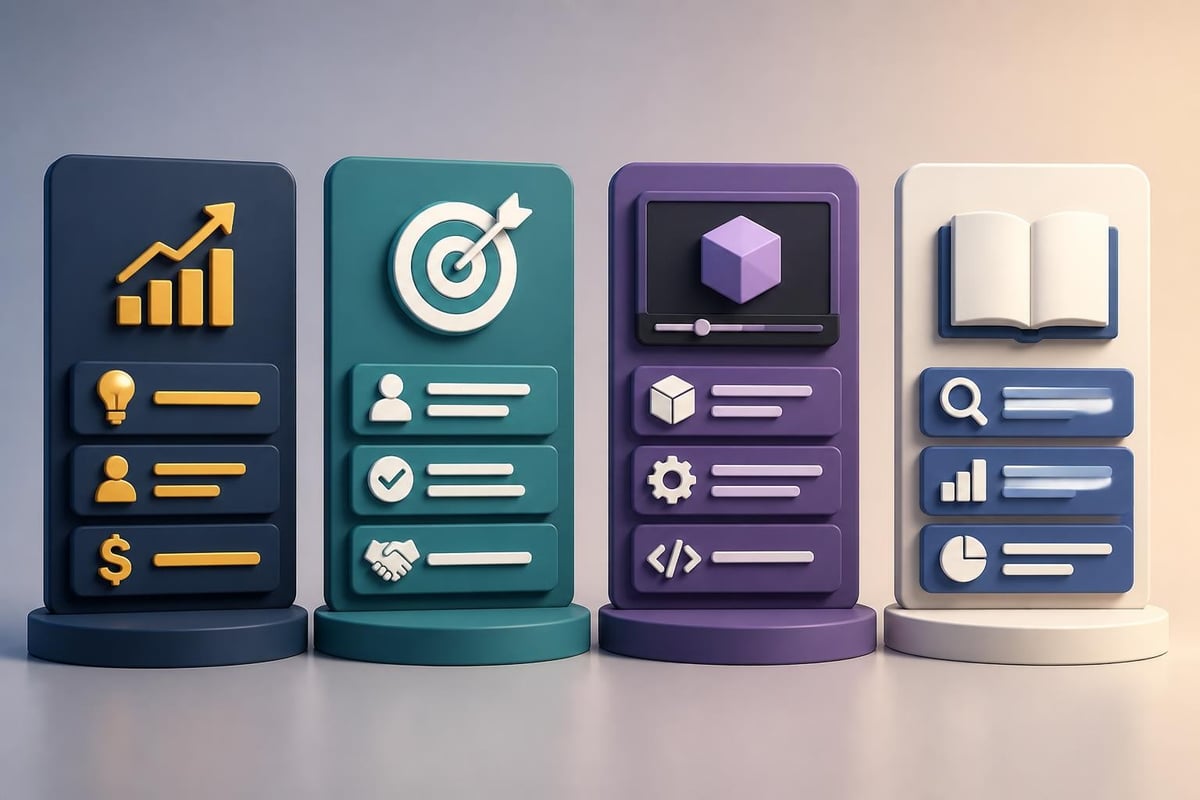
Presentation structure comparison

Creative Techniques That Elevate Engagement

Moving beyond standard bullet points requires intentional creativity that serves strategic communication goals rather than decoration.

Visual Metaphors and Analogies

Abstract concepts become accessible through visual metaphors. Cybersecurity presentations might visualize network protection as layers of physical security. Financial growth could be represented through architectural blueprints showing foundational strength supporting ambitious expansion.

Effective metaphors share these characteristics:

  • Immediate recognition without extensive explanation
  • Cultural appropriateness for diverse audiences
  • Consistent application throughout the presentation
  • Clear connection to the underlying concept

Minimalist Design Approaches

The minimalist movement in presentation design emphasizes intentional white space and reduced visual clutter. Free minimal PowerPoint templates demonstrate how restraint creates sophistication and directs attention to essential elements.

Benefits of minimalist design:

  • Improved audience focus on key messages
  • Faster slide comprehension
  • Enhanced perceived professionalism
  • Reduced cognitive load during complex topics

However, minimalism requires discipline. Every remaining element must justify its presence through functional contribution to understanding.

Animation and Transition Strategy

Thoughtful animation reveals information progressively, guiding audience attention and preventing overwhelm. Effective animation principles include:

  • Build slides that introduce complex diagrams one component at a time
  • Morph transitions that show data transformations smoothly
  • Emphasis animations that highlight specific data points during discussion
  • Timed reveals that synchronize with your verbal narrative

Avoid gratuitous effects that distract rather than clarify. Every animation should serve a specific communication purpose.

Practical Implementation: From Concept to Completion

Transforming ppt ideas for presentation into polished deliverables requires systematic execution and quality control processes.

Slide Development Workflow

Professional presentation development follows structured phases:

Phase 1: Content Architecture (20% of time)

  • Outline key messages and supporting points
  • Determine slide sequence and narrative flow
  • Identify required data visualizations
  • Establish visual style guidelines

Phase 2: Draft Development (40% of time)

  • Create rough layouts with placeholder content
  • Build initial data visualizations
  • Write slide copy and speaker notes
  • Source or create supporting graphics

Phase 3: Design Refinement (25% of time)

  • Apply consistent visual styling
  • Optimize layouts for readability
  • Refine color schemes and typography
  • Ensure brand alignment throughout

Phase 4: Review and Polish (15% of time)

  • Conduct multiple review rounds
  • Test presentation flow and timing
  • Verify data accuracy and citations
  • Practice delivery and refine transitions

Those exploring creative slideshow ideas can find inspiration for innovative formats beyond traditional business presentations.

Quality Assurance Checklist

Before finalizing any presentation, verify these essential elements:

  • Consistency: Uniform fonts, colors, and spacing across all slides
  • Accuracy: All data verified against source documents
  • Readability: Text legible from expected viewing distance
  • Accessibility: Sufficient color contrast for visibility
  • File optimization: Compressed images without quality loss
  • Compatibility: Testing on presentation equipment when possible

Professional agencies specializing in presentation design services employ rigorous quality control processes that catch issues before high-stakes presentations.

Advanced Techniques for Experienced Presenters

Once foundational skills are mastered, advanced techniques create truly memorable presentation experiences.

Multi-Layered Storytelling

Sophisticated presentations operate on multiple levels simultaneously. The surface narrative communicates explicit information while deeper layers establish credibility, build emotional connections, and position strategic frameworks.

Consider how each slide contributes to:

  • Logical progression of your central argument
  • Emotional journey that maintains engagement
  • Credibility signals that build trust
  • Call-to-action preparation that motivates desired outcomes

Custom Graphics and Illustrations

Stock imagery has limitations in communicating unique business concepts. Custom illustrations tailored to your specific message create distinctive visual identities that audiences remember. Investment in professional illustration pays dividends when:

  • Explaining proprietary processes or methodologies
  • Visualizing abstract concepts without existing visual references
  • Differentiating your presentation from competitors
  • Building cohesive visual narratives across multiple presentations

For organizations regularly creating presentations, exploring resources about presentation topic ideas for various audiences helps maintain fresh perspectives across different communication contexts.

Responsive Design Considerations

Modern presentations must work across multiple formats and delivery methods. Responsive design ensures effectiveness whether presented:

  • On large conference screens
  • Via video conferencing platforms
  • As PDF documents for email distribution
  • On mobile devices for on-the-go review

This requires creating alternative layouts for different contexts and testing across multiple viewing scenarios before critical presentations.

Measuring Presentation Effectiveness

Professional ppt ideas for presentation incorporate measurement strategies that evaluate impact and inform continuous improvement.

Quantitative Metrics

Metric Category Specific Measures Data Collection Method
Engagement Questions asked, discussion time Session observation
Comprehension Quiz scores, concept recall Post-presentation assessment
Action Follow-up meetings, conversions CRM tracking
Satisfaction Audience ratings, feedback scores Surveys and evaluations

Sales presentations should track conversion rates, deal velocity, and average deal size to determine which messaging approaches drive results. Internal presentations might measure implementation rates of proposed initiatives or employee understanding of strategic priorities.

Qualitative Feedback Integration

Beyond numbers, qualitative insights reveal how audiences experience your presentations. Collect feedback through:

  • Structured debriefs with stakeholders immediately following presentations
  • Anonymous surveys that encourage honest critique
  • Video review sessions analyzing delivery and audience reactions
  • A/B testing different approaches with similar audiences

Continuous refinement based on feedback separates good presenters from exceptional ones. Each presentation becomes a learning opportunity that informs future improvements.

Template and Tool Selection

Choosing the right tools and templates accelerates development while maintaining professional quality standards.

PowerPoint Alternatives and Complements

While PowerPoint remains the business standard, alternative platforms offer unique capabilities:

Google Slides excels for collaborative development and cloud-based access. Keynote provides superior animation capabilities for Apple users. Prezi creates non-linear, zoom-based presentations for exploratory topics. Emerging tools like Figma for slides leverage design software capabilities for pixel-perfect control.

Template Customization Best Practices

Pre-built templates accelerate development but require thoughtful customization. When adapting templates:

  1. Replace all placeholder text with specific content
  2. Adjust color schemes to match brand guidelines
  3. Modify layouts to accommodate your data types
  4. Remove unnecessary slides that don't serve your narrative
  5. Add custom graphics that reinforce your unique message

Resources offering PowerPoint presentation ideas and templates provide starting points, but customization ensures your presentation doesn't appear generic.

Emerging Trends Shaping Presentation Design

Staying current with presentation trends ensures your content feels fresh and relevant to modern audiences.

Data Storytelling Evolution

The 2026 presentation landscape emphasizes sophisticated data narratives that move beyond static charts. Predictive visualizations show not just current performance but projected trajectories. Interactive dashboards embedded in presentations allow real-time exploration of multi-dimensional data.

Artificial intelligence increasingly assists presentation development through automated design suggestions, content generation, and data visualization recommendations. However, human judgment remains essential for strategic messaging and audience connection.

Sustainability and Accessibility Focus

Modern business presentations increasingly address environmental and social responsibility. This manifests through:

  • Digital-first approaches reducing printed materials
  • Accessibility features ensuring inclusive communication
  • Diverse representation in imagery and examples
  • Transparent reporting on ESG metrics

These aren't just ethical considerations but business imperatives as stakeholders increasingly evaluate organizations on comprehensive value creation.


Developing effective ppt ideas for presentation requires balancing strategic thinking, creative execution, and technical proficiency. By applying these frameworks and techniques, you can transform complex information into compelling narratives that drive business results. When your presentation needs demand professional expertise, Prznt Perfect specializes in creating visually stunning, strategically aligned presentations for financial and tech businesses, transforming your concepts into impactful visual communications that resonate with audiences and achieve measurable outcomes.

News & Updates...

Discover how to achieve presentation perfect results with expert design strategies, storytelling techniques, and visual best practices for 2026.

Discover how professional presentation templates PPT can transform your business communications. Expert insights on selection, customization, and impact.