
PowerPoint Samples for Presentation Excellence

Finding the right powerpoint samples for presentation projects can transform how your business communicates complex ideas to investors, clients, and stakeholders. Whether you're preparing a financial pitch deck or a technology product launch, starting with quality samples provides the foundation for creating polished, professional presentations that command attention. In 2026, the presentation landscape continues to evolve with increasing expectations for visual sophistication, data clarity, and brand consistency. Understanding how to evaluate, select, and customize PowerPoint samples ensures your presentations stand out in competitive business environments where first impressions matter significantly.
Understanding the Value of Quality PowerPoint Samples
Professional powerpoint samples for presentation development serve multiple strategic purposes beyond simple time savings. These templates provide proven design frameworks that incorporate best practices in visual hierarchy, color theory, and information architecture.
Key benefits include:
- Accelerated development timelines for time-sensitive pitches
- Consistent brand application across multiple presentations
- Professional design standards without extensive design expertise
- Reduced cognitive load for audiences through familiar layouts
- Cost-effective alternative to custom design for every project
The financial and technology sectors particularly benefit from specialized samples. When preparing investor presentations or product demonstrations, consulting PowerPoint templates tailored to these industries incorporate sector-specific elements like financial charts, technology diagrams, and data visualization patterns that resonate with target audiences.
Industry-Specific Sample Requirements
Financial services presentations demand precision and credibility. Samples designed for this sector typically include comprehensive data visualization options, financial modeling slides, and regulatory compliance frameworks. Technology presentations require different elements, focusing on product roadmaps, technical architecture diagrams, and user interface demonstrations.
| Industry | Essential Sample Elements | Primary Use Cases |
|---|---|---|
| Financial Services | Financial charts, ROI calculators, compliance slides | Investor pitches, quarterly reports, fund presentations |
| Technology | Product timelines, tech stacks, user flows | Product launches, investor decks, partnership proposals |
| Professional Services | Case studies, process flows, testimonials | Client proposals, capability presentations, thought leadership |
Understanding these distinctions helps identify powerpoint samples for presentation projects that align with specific business objectives and audience expectations.
Evaluating PowerPoint Sample Quality
Not all samples deliver equal value. Distinguishing high-quality templates from mediocre options requires understanding fundamental design principles and technical specifications.
Design Quality Indicators
Professional samples demonstrate thoughtful attention to typography, spacing, and visual balance. The design ideas and tips from Microsoft emphasize that effective presentations prioritize clarity over decoration. Quality samples incorporate generous white space, legible font pairings, and purposeful color applications that enhance rather than distract from content.
Look for these quality markers:
- Consistent grid systems that create visual harmony across slides
- Scalable graphics that maintain quality at different screen sizes
- Flexible layouts supporting various content types without breaking design integrity
- Modern typography with clear hierarchy and readability
- Accessible color contrasts meeting WCAG standards
Technical quality matters equally. Samples should include master slides properly configured, placeholder content that demonstrates proper usage, and organized slide libraries that facilitate quick customization. The best practices from the University of Waterloo highlight that effective presentations begin with solid structural foundations.
Content Structure Assessment
Beyond visual appeal, quality powerpoint samples for presentation development demonstrate logical narrative flow. Each sample should guide presenters through storytelling frameworks appropriate for specific presentation types. Pitch decks follow different structures than educational presentations or sales proposals.
Examine how samples organize information across slide sequences. Do they establish clear problem-statement openings? Do they build logical arguments through supporting evidence? Do they conclude with actionable next steps? These narrative considerations separate functional templates from strategic presentation tools.
Customization Strategies for Maximum Impact
Raw samples provide starting points, but customization transforms generic templates into branded communication assets that reflect organizational identity and specific message requirements.
Brand Integration Techniques
Successful customization begins with comprehensive brand application. This extends beyond simply swapping logos and color schemes. Professional PowerPoint development requires integrating brand personality through typography choices, image styles, graphic treatments, and tone of voice in supporting copy.
Essential customization elements:
- Primary and secondary color palettes applied consistently
- Approved typography with clear hierarchy rules
- Brand-appropriate imagery styles and treatments
- Custom iconography matching brand visual language
- Voice and tone guidelines reflected in sample content
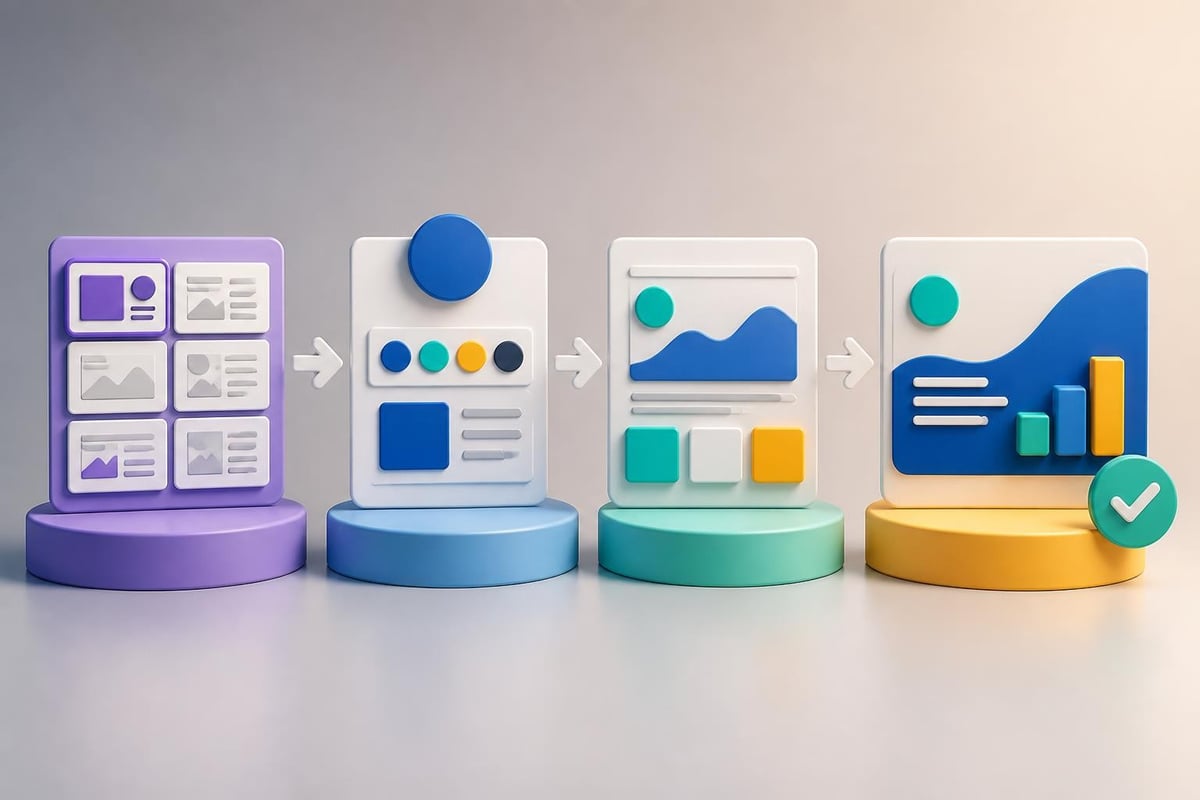
The formatting guidelines from Microsoft 365 provide practical frameworks for maintaining design consistency while adapting templates to specific needs. Pay particular attention to master slide configuration, which controls global design elements and ensures modifications cascade appropriately throughout presentations.
Content Adaptation Methods
Customizing powerpoint samples for presentation projects requires strategic content replacement that maintains design integrity. Simply copying existing content into template placeholders often breaks carefully crafted layouts. Instead, adapt content to fit established frameworks.
Consider how sample slides handle different content volumes. Quality templates include variations accommodating sparse and dense information. When your content doesn't perfectly match sample specifications, identify alternative slide layouts within the template library rather than forcing content into inappropriate structures.
| Customization Phase | Primary Activities | Quality Checkpoints |
|---|---|---|
| Brand Application | Colors, fonts, logos, imagery style | Consistency with brand guidelines, accessibility compliance |
| Content Integration | Text replacement, data updates, image selection | Message clarity, visual balance, information hierarchy |
| Narrative Refinement | Slide sequencing, transitions, supporting details | Logical flow, audience appropriateness, time constraints |
| Technical Optimization | File size, compatibility, animation functionality | Cross-platform performance, load times, presentation mode testing |
Leveraging Free and Premium Sample Resources
The PowerPoint ecosystem offers extensive sample resources spanning free community-contributed templates to premium professionally-designed collections. Understanding which sources best serve specific project requirements optimizes both budget and outcomes.
Free Template Repositories
Microsoft maintains comprehensive free presentation templates covering diverse industries and presentation types. These samples provide solid foundations for standard business communications, though they may lack the specialized features required for sophisticated financial or technology presentations.
Free resources work best for:
- Internal communications and routine business updates
- Educational presentations and training materials
- Initial prototyping before investing in custom design
- Learning presentation design principles and best practices
However, free templates present limitations. They're widely available, reducing uniqueness. They may lack sophisticated features like complex data visualization frameworks or industry-specific diagram libraries. For high-stakes presentations where differentiation matters, best PPT presentation templates from premium sources often justify investment.
Premium and Specialized Collections
Premium powerpoint samples for presentation development offer advantages including exclusive designs, comprehensive slide libraries, regular updates reflecting current design trends, and specialized features for specific industries or presentation types.
Specialized collections targeting financial services or technology sectors incorporate domain-specific elements. Fintech and banking pitch decks require particular attention to data presentation, regulatory considerations, and investor expectations. Similarly, cybersecurity pitch decks need specialized diagrams illustrating threat landscapes, security architectures, and compliance frameworks.
When evaluating premium options, consider total cost of ownership including licensing terms, update frequency, and support availability. Single-purchase templates may offer better long-term value than subscription services for organizations with consistent presentation needs.
Design Best Practices When Working With Samples
Even the highest-quality powerpoint samples for presentation projects require thoughtful application of design principles to achieve professional results. Understanding fundamental best practices prevents common pitfalls that undermine presentation effectiveness.
Visual Hierarchy and Information Design
Effective presentations guide audience attention through deliberate visual hierarchy. The presentation best practices from the University of Washington emphasize that each slide should communicate one primary idea supported by subordinate details.
Apply these hierarchy principles:
- Size differentiation distinguishing primary messages from supporting details
- Color emphasis drawing attention to critical information points
- Position significance placing important elements in natural eye-flow patterns
- Contrast application separating different information categories
- White space utilization preventing visual overwhelm and improving comprehension
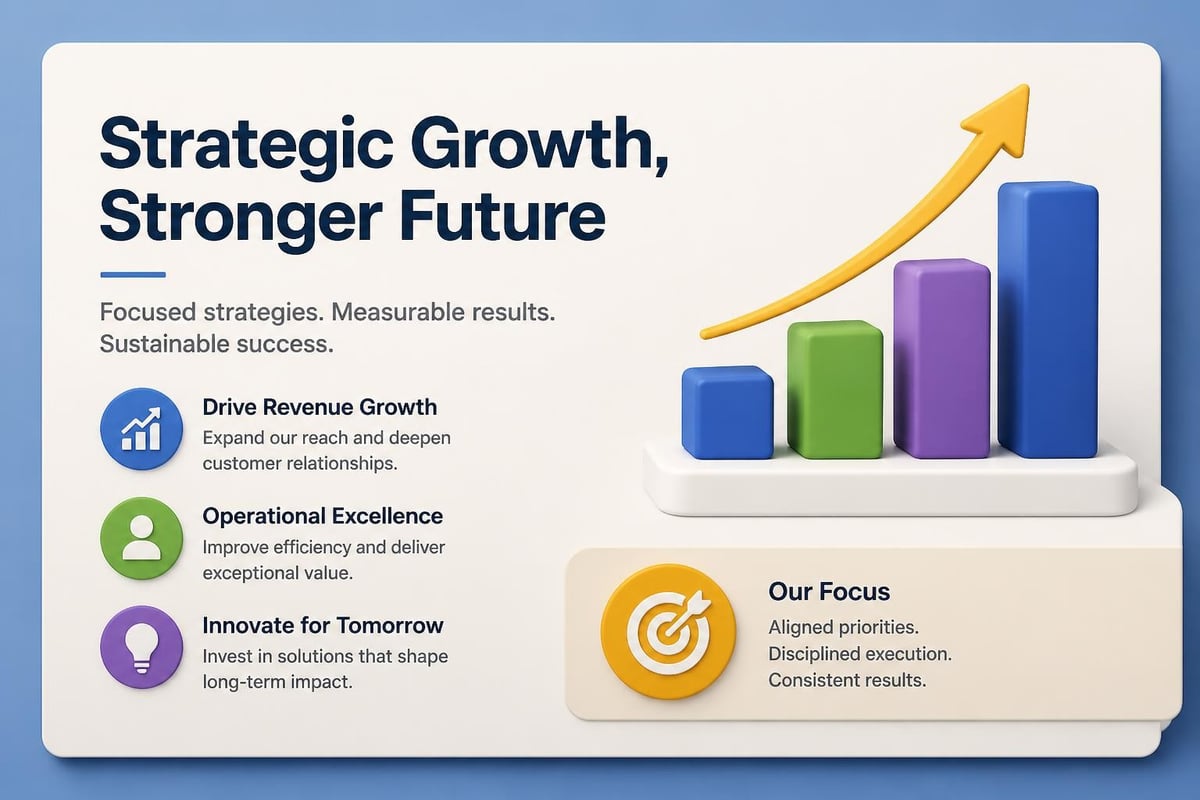
When customizing samples, preserve these hierarchy relationships even as you adapt specific content. If a template uses large, bold headlines, maintain that treatment for your primary messages rather than reducing size to fit more text.
Typography and Readability Standards
Typography significantly impacts presentation effectiveness, yet it's frequently overlooked when customizing templates. The presentation design guidelines from SlideSpeak recommend limiting font families to two or three maximum, establishing clear size hierarchies, and ensuring sufficient contrast for readability across different viewing conditions.
Typography best practices include:
- Minimum 24-point font sizes for body text
- Sans-serif fonts for improved screen readability
- Consistent font weights establishing clear information levels
- Adequate line spacing preventing text crowding
- Limited text per slide maintaining audience engagement
Many powerpoint samples for presentation use include carefully selected typography pairings. Resist the temptation to substitute fonts unless you thoroughly understand typographic principles and have compelling brand reasons for changes.
Accessibility Considerations in Sample Selection
Creating inclusive presentations that serve diverse audiences requires attention to accessibility from initial sample selection through final delivery. The accessible PowerPoint presentation guidelines from Texas Woman's University outline essential considerations.
Color and Contrast Requirements
Accessible presentations maintain sufficient contrast ratios between text and backgrounds, ensuring readability for individuals with visual impairments. When evaluating powerpoint samples for presentation projects, verify that color schemes meet WCAG 2.1 AA standards requiring 4.5:1 contrast ratios for normal text.
Beyond legal compliance, accessible color applications benefit all audiences. Presentations viewed in bright conference rooms or on small screens particularly benefit from high-contrast designs. Avoid relying exclusively on color to convey meaning, as this creates barriers for colorblind individuals.
Structural Accessibility Features
Well-designed samples incorporate proper heading structures, alternative text for images, and logical reading orders that assistive technologies can interpret correctly. These structural elements, while invisible to most users, ensure presentations serve audiences using screen readers or other assistive devices.
Quality templates include:
- Properly configured slide masters with heading hierarchies
- Placeholder text demonstrating appropriate alt-text usage
- Logical tab orders through interactive elements
- Sufficient spacing for touch-screen navigation
- Clear focus indicators for keyboard navigation
When customizing templates, preserve these accessibility features rather than inadvertently removing them through design modifications.
Strategic Applications for Different Presentation Types
Different presentation contexts require distinct approaches to sample selection and customization. Understanding these variations ensures powerpoint samples for presentation development align with specific communication objectives.
Investor Pitch Decks
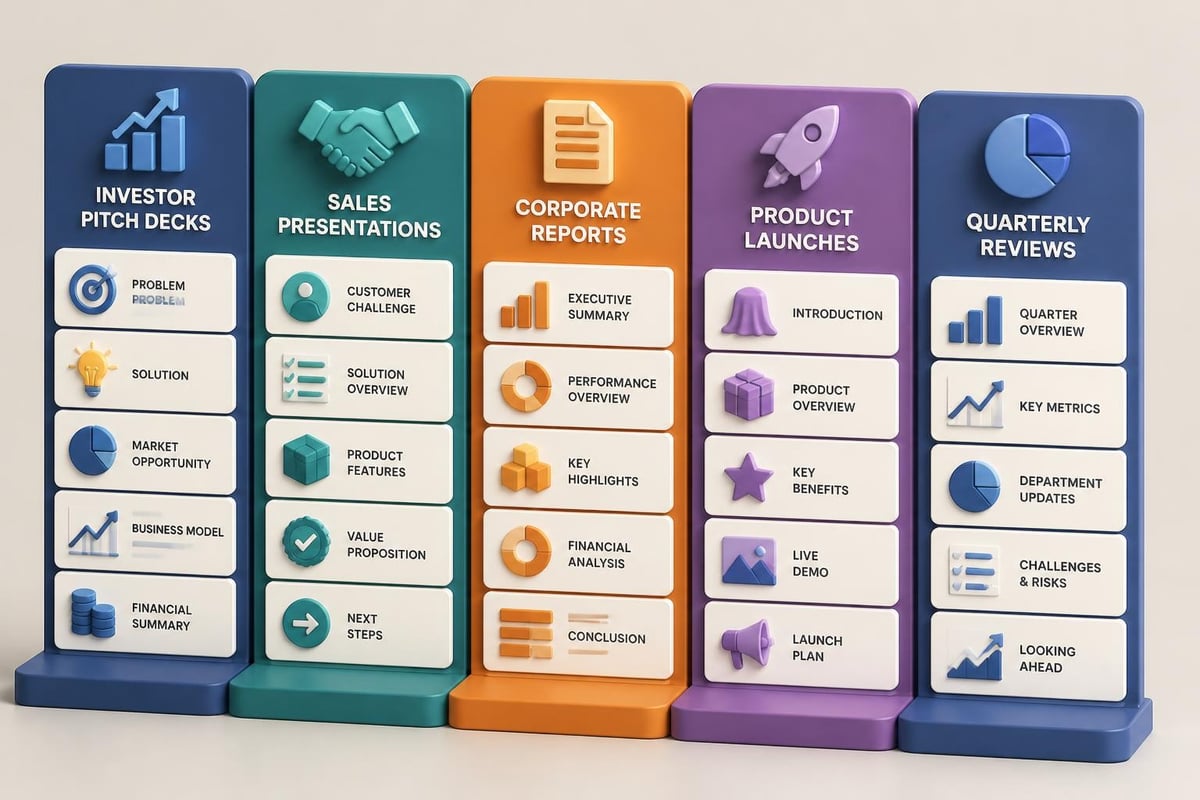
Investor presentations demand particular attention to credibility, data clarity, and narrative flow. Samples designed for this purpose typically include problem-statement slides, market opportunity frameworks, competitive analysis matrices, financial projections, and team introduction formats.
The most effective pitch deck samples balance visual sophistication with information density. Investors expect comprehensive data presented efficiently, requiring templates that accommodate charts, graphs, and financial tables without visual clutter. Free minimal PowerPoint templates can provide excellent foundations when augmented with robust data visualization capabilities.
Sales and Marketing Presentations
Sales presentations prioritize engagement and persuasion over comprehensive data disclosure. Samples for this context emphasize benefit-driven messaging, customer success stories, visual product demonstrations, and clear calls-to-action.
| Presentation Type | Sample Priorities | Key Slide Types |
|---|---|---|
| Investor Pitch | Credibility, data clarity, growth narrative | Market analysis, financial projections, team slides |
| Sales Presentation | Engagement, benefits focus, customer stories | Problem/solution, case studies, pricing |
| Product Launch | Innovation highlight, feature demonstration | Product roadmap, specifications, competitive advantages |
| Corporate Report | Comprehensive coverage, professional tone | Executive summary, departmental updates, forward outlook |
Understanding these distinctions guides appropriate sample selection and customization strategies for different business objectives.
Educational and Training Materials
Educational presentations require different design approaches emphasizing learning objectives, progressive information disclosure, and retention-focused layouts. The PowerPoint presentation tips from DesignPal highlight that effective training materials balance information delivery with audience engagement through interactive elements and clear learning pathways.
Samples for educational purposes should include knowledge check frameworks, exercise templates, and resources slides supporting continued learning beyond the presentation. These specialized elements differentiate training templates from general business presentation samples.
Maintaining Sample Libraries for Organizational Consistency
Organizations delivering frequent presentations benefit from curated libraries of approved powerpoint samples for presentation development. These libraries ensure brand consistency, accelerate development timelines, and capture institutional knowledge about effective presentation approaches.
Building Effective Template Collections
Strategic sample libraries organize templates by presentation type, audience, and purpose rather than simply accumulating random examples. Categorize samples clearly, maintain version control, and document appropriate usage contexts for each template.
Library organization strategies:
- Type-based categories (pitch decks, sales presentations, reports, training)
- Industry-specific collections (financial services, technology, healthcare)
- Audience-targeted samples (investors, customers, internal stakeholders)
- Complexity levels (executive summaries, detailed analyses, technical deep-dives)
- Regional variations (different markets, languages, cultural adaptations)
Establish governance processes determining who can add templates to libraries, how updates occur, and when older samples should be retired. Without active management, template libraries become cluttered repositories reducing rather than enhancing productivity.
Version Control and Update Protocols
Brands evolve. Market conditions change. Design trends shift. Effective sample libraries incorporate regular review cycles ensuring templates remain current and aligned with organizational standards.
Implement version control distinguishing between major updates (significant design changes), minor updates (small refinements), and patches (error corrections). Communicate changes to template users and provide migration guidance when updates affect in-progress presentations.
Consider establishing annual review cycles evaluating sample performance metrics like usage frequency, user satisfaction ratings, and outcome effectiveness. Retire underperforming templates and invest in developing new samples addressing emerging needs.
Selecting and customizing quality PowerPoint samples establishes foundations for presentation success, but exceptional results require expertise in design principles, narrative development, and audience psychology. Prznt Perfect specializes in transforming standard templates into compelling visual communications that drive business results for financial and technology companies. Whether you need comprehensive pitch deck development, template customization, or strategic presentation consulting, our team delivers the visual storytelling expertise that makes complex ideas clear and actionable.


- This is some text inside of a div block.lay out the facts clearly and compellingly. Use data to establish the ground reality, but remember that facts alone are like the individual strands of a tapestry—necessary but not complete.lay out the facts clearly and compellingly. Use data to establish the ground reality, but remember that facts alone are like the individual strands of a tapestry—necessary but not complete.
- This is some text inside of a div block.lay out the facts clearly and compellingly. Use data to establish the ground reality, but remember that facts alone are like the individual strands of a tapestry—necessary but not complete.

.png)
