PowerPoint Sales Presentation: Design & Strategy Guide

Creating an effective powerpoint sales presentation requires far more than assembling slides with product features and pricing tables. In the competitive landscape of financial services and technology sectors, your presentation serves as the critical bridge between complex solutions and client understanding. Whether you're pitching to C-suite executives, securing investor commitments, or demonstrating product value to procurement teams, the quality of your visual communication directly influences outcomes. This comprehensive guide explores the strategic and design elements that transform standard slide decks into persuasive business tools that close deals and accelerate sales cycles.

Understanding Your Audience Before Building Slides

Every successful powerpoint sales presentation begins with deep audience analysis, not template selection. Financial executives process information differently than technical decision-makers, and understanding these distinctions shapes your entire approach.

Mapping Stakeholder Priorities

Different roles within buying organizations focus on distinct value propositions. Chief Financial Officers prioritize ROI calculations, risk mitigation, and budget implications. Technology leaders evaluate integration capabilities, scalability, and technical architecture. Meanwhile, operational stakeholders assess implementation timelines and user adoption challenges.

Your presentation structure should address these varied concerns systematically. Rather than creating a one-size-fits-all deck, develop modular sections that can be emphasized or de-emphasized based on your specific audience composition. This approach allows you to maintain narrative flow while addressing the specific pain points that resonate with each stakeholder group.

Stakeholder mapping for sales presentations

Research from Microsoft's comprehensive guide on creating effective sales presentations emphasizes that understanding your audience's knowledge level prevents the common pitfalls of over-explaining basic concepts or glossing over technical details that matter most to your listeners.

Structuring Your Sales Narrative

The foundation of any compelling powerpoint sales presentation lies in its narrative architecture. Unlike informational presentations, sales decks must guide prospects through a carefully designed persuasion journey.

The Problem-Agitation-Solution Framework

Begin by establishing context around the challenges your audience faces. Financial institutions grapple with regulatory compliance complexity, legacy system limitations, and digital transformation pressures. Technology companies navigate rapid scaling challenges, security vulnerabilities, and competitive differentiation needs.

After establishing the problem landscape, deepen engagement by exploring the consequences of inaction. What happens if these challenges remain unaddressed? Quantify the costs through data points, industry benchmarks, and relatable scenarios. This agitation phase creates urgency without resorting to fear-based tactics.

Your solution introduction should feel inevitable rather than forced. Present your offering as the logical answer to the previously established challenges, supported by evidence, case studies, and measurable outcomes. This structured approach ensures every slide serves a strategic purpose in advancing your sales argument.

The professional slide deck development process emphasizes that narrative coherence matters more than individual slide aesthetics when building persuasive business presentations.

Design Principles That Drive Conversion

Visual design in a powerpoint sales presentation serves functional purposes beyond aesthetics. Every design choice should enhance comprehension, maintain attention, and reinforce credibility.

Data Visualization for Financial Audiences

Financial and tech audiences expect sophisticated data presentation. Transform complex datasets into clear visual stories through:

  • Chart selection alignment: Use line graphs for trends over time, bar charts for comparisons across categories, and waterfall charts for financial breakdowns
  • Color coding consistency: Establish and maintain a visual language where specific colors represent consistent concepts throughout the deck
  • White space utilization: Dense slides overwhelm; strategic spacing guides the eye and emphasizes key metrics
  • Annotation precision: Label critical data points directly rather than forcing audiences to decode legends
Design Element Purpose Implementation
Typography hierarchy Guide attention and establish information priority Maximum three font sizes per slide with clear differentiation
Color psychology Reinforce brand and evoke appropriate emotional responses Professional palette limited to 3-4 core colors plus neutrals
Icon systems Simplify complex concepts and improve scan-ability Consistent style family throughout entire presentation
Grid structure Create visual harmony and professional polish Align all elements to invisible grid for balanced composition

When showcasing technical architecture or process flows, avoid cramming comprehensive diagrams onto single slides. Instead, reveal complexity progressively through animation sequences or dedicated detail slides that can be referenced during Q&A sessions.

Agencies like Empixa understand how strategic brand development translates into presentation design, ensuring visual communications align with broader marketing initiatives and corporate identity standards.

Opening Slides That Command Attention

The first thirty seconds of your powerpoint sales presentation determine whether audiences lean in or mentally check out. Your opening sequence must immediately establish relevance and credibility.

Beyond the Standard Title Slide

Replace generic company logos and presentation titles with compelling opening statements. Consider these approaches:

  1. Provocative question: "What if regulatory compliance actually accelerated your go-to-market timeline?"
  2. Surprising statistic: "78% of fintech implementations fail within 18 months-here's why yours won't"
  3. Bold assertion: "We've eliminated the traditional three-month integration timeline"

Your second slide should establish credentials without resorting to exhaustive company history. A concise "About Us" that highlights relevant expertise, notable clients in similar industries, and specific qualifications creates trust efficiently. Financial services clients particularly value regulatory understanding, security certifications, and industry-specific experience.

Sales presentation opening strategies

Demonstrating Value Through Case Studies

Abstract promises rarely convince sophisticated buyers. Your powerpoint sales presentation must include concrete evidence of delivered value through strategically presented case studies.

Structuring Client Success Stories

Effective case study slides follow a consistent framework that prospects can easily process:

Client Context: Brief industry background and specific challenges faced

Implementation Approach: High-level methodology without proprietary detail exposure

Measurable Results: Quantified outcomes with specific metrics and timeframes

Relevance Statement: Direct connection to the prospect's current situation

Select case studies that mirror your prospect's industry, company size, or specific challenges. A pitch deck designed for a Series B fintech company should feature examples from similar growth-stage financial technology firms rather than enterprise banking implementations.

Avoid overwhelming audiences with excessive detail. A single compelling case study presented thoroughly outperforms three superficial examples. Include specific numbers-percentage improvements, cost reductions, time savings-that prospects can mentally apply to their own organizations.

Handling Objections Before They Arise

Expert sales presenters anticipate and address common objections within their powerpoint sales presentation structure rather than waiting for pushback during discussion.

Preemptive Objection Management

Common objections in financial and technology sales include:

  • Implementation complexity: Address through clear phased rollout timelines and dedicated support commitments
  • Security concerns: Present certification credentials, compliance frameworks, and architectural safeguards
  • Integration challenges: Demonstrate API capabilities, existing partnerships, and technical compatibility
  • Cost justification: Build ROI models that connect pricing to measurable business outcomes

Incorporate these responses naturally within relevant sections rather than creating a defensive "Addressing Your Concerns" slide. When discussing your solution's technical architecture, seamlessly include integration capabilities. While presenting pricing, simultaneously show projected cost savings or revenue enhancements.

The creating effective pitch presentations resource emphasizes that confidence in addressing objections directly correlates with presentation success rates.

Pricing and Proposal Slides That Close

The pricing section of your powerpoint sales presentation requires careful strategic consideration. How you present costs fundamentally shapes prospect perception and decision-making.

Value-Based Pricing Presentation

Never introduce pricing without first establishing value. Your presentation flow should ensure prospects understand benefits, see evidence through case studies, and recognize implementation support before encountering cost information.

Structure pricing slides to emphasize value rather than cost:

Package Tier Key Capabilities Ideal For Investment
Essential Core platform, standard integrations, email support Growing teams up to 50 users Contact for pricing
Professional Advanced features, priority support, custom integrations Mid-market firms 50-200 users Contact for pricing
Enterprise Full platform, dedicated success manager, SLA guarantees Organizations 200+ users Custom pricing

Notice the emphasis on capabilities and fit rather than feature lists. The "Ideal For" column helps prospects self-select while the investment column can either show specific numbers or request conversations depending on your sales model.

For complex B2B sales, consider presenting total cost of ownership comparisons that include implementation, training, and ongoing support rather than isolated license fees. This approach particularly resonates with financial buyers who evaluate long-term commitments.

Resources like Gong's sales presentation templates provide data-backed frameworks for structuring pricing conversations that advance deals rather than stalling momentum.

Visual Storytelling for Complex Solutions

Financial services and technology products often involve abstract concepts, intricate processes, and technical architectures that challenge clear communication. Your powerpoint sales presentation must translate this complexity into accessible visual narratives.

Metaphor and Analogy in Technical Communication

When explaining how your API infrastructure handles data synchronization across multiple systems, direct technical diagrams may overwhelm non-technical stakeholders. Instead, consider visual metaphors that make abstract concepts concrete. A well-designed infographic approach can transform technical architecture into digestible visual stories.

Progressive disclosure serves as another powerful technique. Rather than presenting your complete solution architecture on a single overwhelming slide, reveal system components sequentially. Start with the high-level overview, then drill into specific subsystems through subsequent slides or animation sequences.

Customization and Personalization Strategies

Generic presentations signal lack of preparation and investment in the specific opportunity. Your powerpoint sales presentation should feel custom-built for each prospect.

Efficient Personalization Techniques

Full custom development for every presentation proves impractical, but strategic personalization creates meaningful impact:

  1. Industry-specific examples: Swap generic case studies for relevant vertical market examples
  2. Branded integration: Incorporate prospect company colors and logos on collaboration or implementation timeline slides
  3. Customized ROI models: Pre-populate financial projections using publicly available prospect data
  4. Relevant regulatory references: Highlight compliance frameworks specific to the prospect's operating environment

Maintain a modular presentation library organized by industry vertical, company size, and use case. This approach allows rapid assembly of personalized decks without starting from scratch. Slide deck templates provide the foundation while targeted customization demonstrates preparation and understanding.

Presentation personalization workflow

Delivery Preparation and Presentation Flow

Even brilliantly designed slides fail without confident, engaging delivery. Your powerpoint sales presentation preparation should extend beyond slide creation into presentation rehearsal and flow optimization.

Speaker Notes and Timing Management

Develop comprehensive speaker notes that capture key talking points, transition phrases, and anticipated questions for each slide. These notes shouldn't be scripts to read verbatim but rather frameworks that ensure message consistency across different presenters.

Time allocation matters critically in sales contexts where meeting durations are strictly limited. Map your presentation flow to available time:

  • 30-minute slot: 20 minutes presentation, 10 minutes discussion
  • 45-minute slot: 30 minutes presentation, 15 minutes Q&A
  • 60-minute slot: 35 minutes presentation, 25 minutes interactive discussion

Build flexibility into your deck structure with clearly marked optional slides that can be included or skipped based on audience engagement and time constraints. The complete guide to sales presentations recommends identifying your "must cover" core narrative that can stand alone if time compresses unexpectedly.

Interactive Elements and Engagement Techniques

Static one-way presentations rarely generate the engagement necessary for complex B2B sales. Your powerpoint sales presentation should incorporate interactive elements that transform monologues into conversations.

Strategic Interaction Points

Build natural pause points into your presentation where you invite prospect input:

Discovery questions: "Before I show our approach to compliance automation, what's your current process for regulatory reporting?"

Validation checks: "Does this technical architecture align with your infrastructure requirements?"

Preference gathering: "Which of these implementation timelines better fits your fiscal planning?"

These interactions serve dual purposes. They maintain audience attention and investment while providing critical sales intelligence about priorities, concerns, and decision criteria. The insights gathered during these exchanges often prove more valuable than the prepared content itself.

For virtual presentations, leverage PowerPoint's built-in features like live polls, embedded videos, and clickable navigation that allows you to jump to sections based on audience interest rather than following rigid linear flow.

Post-Presentation Follow-Up Materials

Your powerpoint sales presentation's influence extends beyond the meeting room. Strategic follow-up materials reinforce key messages and advance the sales process.

Leave-Behind and Email Versions

Create distinct versions of your presentation for different contexts:

Presentation version: Rich with visuals, minimal text, designed for verbal delivery

Leave-behind version: Enhanced text on slides, comprehensive speaker notes converted to slide content, designed for asynchronous review

Executive summary: Condensed key slides focusing on business value, ROI, and next steps for senior stakeholders who didn't attend

The follow-up email should reference specific discussion points from the meeting, attach the appropriate presentation version, and clearly outline next steps with assigned owners and deadlines. This systematic approach demonstrates professionalism and maintains momentum.

When working with agencies like Prznt Perfect that specialize in creative pitch deck design, consider requesting both presentation and leave-behind versions during the initial development process to ensure consistency across formats.

Metrics and Continuous Improvement

Treating your powerpoint sales presentation as a static asset limits its effectiveness. Implement measurement systems and iterative refinement processes that improve conversion rates over time.

Tracking Presentation Performance

Establish clear metrics that connect presentation delivery to sales outcomes:

Metric Category Specific Measurements Optimization Insights
Engagement Questions asked, discussion duration, follow-up meeting requests Identify slides generating interest vs. confusion
Advancement Percentage of presentations leading to next-stage meetings Determine which narratives move deals forward
Conversion Presentation-to-close ratio, average sales cycle length Quantify presentation impact on revenue
Objections Common concerns raised, objection resolution success Refine preemptive objection handling

Analyze patterns across multiple presentations. If prospects consistently request clarification on specific technical concepts, that signals design or explanation deficiencies requiring revision. When certain case studies generate significantly more engagement than others, emphasize those examples more prominently.

Platforms like Microsoft's sales presentation templates offer starting points, but customization based on your specific performance data creates competitive advantages.

Common Mistakes That Undermine Sales Presentations

Understanding frequent pitfalls helps you avoid the errors that diminish powerpoint sales presentation effectiveness.

Design and Content Errors to Avoid

Information overload: Dense slides packed with small text force audiences to choose between reading and listening. They typically do neither effectively. Each slide should communicate one core idea supported by minimal text and strong visuals.

Feature dumping: Listing every product capability without connecting features to specific business outcomes fails to answer the prospect's fundamental question: "Why does this matter to me?" Transform features into benefits through explicit value statements.

Weak conclusions: Presentations that simply end without clear calls to action waste the engagement and interest built throughout the meeting. Your final slides should specify exact next steps, timeline commitments, and mutual responsibilities.

Template dependency: Over-reliance on generic templates creates presentations that look identical to competitors. While templates provide efficient starting points, customization and brand alignment remain essential. The planning a PowerPoint sales presentation guide emphasizes content strategy over design aesthetics.

Industry-Specific Considerations for Financial and Tech Sectors

Financial services and technology industries present unique presentation challenges that require specialized approaches in your powerpoint sales presentation development.

Regulatory and Compliance Messaging

Financial sector presentations must address stringent regulatory requirements without becoming compliance lectures. Integrate security certifications, data protection protocols, and regulatory alignment naturally within solution descriptions rather than isolated slides. When presenting to banks or investment firms, understanding frameworks like SOC 2, ISO 27001, and industry-specific regulations demonstrates credibility.

Technology sales presentations face different challenges around technical depth calibration. Executives need high-level architecture understanding while technical evaluators require detailed integration specifications. Consider developing presentation branches that allow you to navigate between strategic overviews and technical deep-dives based on real-time audience composition and interest.

The cybersecurity pitch deck approach exemplifies how specialized industries demand tailored presentation frameworks that address sector-specific concerns and decision criteria.

Advanced Techniques for Competitive Differentiation

In crowded markets where prospects evaluate multiple vendors, your powerpoint sales presentation must clearly establish competitive advantages without directly disparaging alternatives.

Positioning Without Negative Selling

Create comparison frameworks that highlight your strengths through objective criteria rather than competitive criticism:

Capability matrices: Show how your solution addresses requirements that alternatives cannot, using checkmarks and clear categorization

Approach differentiation: Explain your unique methodology or philosophy that delivers superior outcomes

Innovation timeline: Demonstrate thought leadership through your development roadmap and feature release history

The step-by-step guide to creating sales presentations provides frameworks for competitive positioning that feels informative rather than defensive.

Research and preparation distinguish exceptional presentations from adequate ones. Understand competitor positioning, messaging, and typical objections they raise about alternatives. This intelligence allows you to preemptively address competitive concerns while reinforcing your distinctive value.

Technology and Tools for Enhanced Presentations

While PowerPoint remains the dominant presentation platform, complementary technologies can enhance your powerpoint sales presentation effectiveness and delivery experience.

Presentation Enhancement Tools

Design assistance: AI-powered design tools now offer layout suggestions, color palette optimization, and image recommendations that accelerate development while maintaining professional standards.

Animation and transition libraries: Sophisticated motion design creates visual interest and guides attention, but restraint prevents distraction. Use animation purposefully to reveal information progressively or emphasize key transitions.

Collaboration platforms: Cloud-based presentation development enables teams to collaborate efficiently, maintain version control, and ensure brand consistency across multiple presenters and geographies.

Analytics integration: Advanced presentation platforms now offer viewing analytics showing which slides recipients spent time reviewing in leave-behind versions, providing valuable engagement intelligence.

The emerging field of presentation automation, explored in research like PPTArena benchmarks, suggests future capabilities for natural-language presentation editing that could streamline customization processes.

Building Your Presentation Development Process

Establishing systematic workflows for powerpoint sales presentation creation ensures consistency, efficiency, and quality across your organization.

Workflow Steps for Professional Development

Strategic planning phase: Define objectives, audience analysis, core messages, and success metrics before opening PowerPoint

Content development: Create narrative outline, gather supporting data, collect case studies and testimonials

Design execution: Apply brand guidelines, develop visual hierarchy, create custom graphics and data visualizations

Internal review: Test presentation flow, verify accuracy of claims and data, ensure message consistency

Rehearsal and refinement: Practice delivery, time segments, prepare for likely questions and objections

Organizations that treat presentation development as strategic communication rather than administrative tasks see measurably better sales outcomes. Consider establishing presentation centers of excellence or partnering with specialized agencies that understand your industry's unique requirements.


Mastering the powerpoint sales presentation requires balancing strategic narrative development with sophisticated visual design, all calibrated to your specific audience's needs and decision processes. The techniques outlined in this guide provide frameworks for creating presentations that inform, persuade, and ultimately convert prospects into clients. Whether you're building decks in-house or seeking professional support, Prznt Perfect specializes in transforming complex financial and technology solutions into compelling visual stories that resonate with decision-makers and accelerate your sales cycles.

We offer free 30-min consultation on the presentation design audit
and hiring the right visual 
comms professional, let’s talk!
Shedule a call
Shedule a call
"I understand" goes a step further into the cognitive dance of persuasion. It's where the audience begins to see the connections between the facts, to grasp the nuances of the problem and the elegance of the solution.
  • This is some text inside of a div block.
    lay out the facts clearly and compellingly. Use data to establish the ground reality, but remember that facts alone are like the individual strands of a tapestry—necessary but not complete.
    lay out the facts clearly and compellingly. Use data to establish the ground reality, but remember that facts alone are like the individual strands of a tapestry—necessary but not complete.
  • This is some text inside of a div block.
    lay out the facts clearly and compellingly. Use data to establish the ground reality, but remember that facts alone are like the individual strands of a tapestry—necessary but not complete.

We offer free 30-min consultation on the presentation design audit

and hiring the right visual 
comms professional, let’s talk!

Shedule a call

"I understand" goes a step further into the cognitive dance of persuasion. It's where the audience begins to see the connections between the facts, to grasp the nuances of the problem and the elegance of the solution.

  • - 1 -
    Consistency at Scale:

    Biotech Market Trends 2024: Tailoring Your Pitch Deck to Current Industry Dynamics.

  • - 2 -
    Efficiency and Speed:

    The traditional process of manually updating presentations is not only slow but also prone to bottlenecks, especially when dealing with large volumes of slides. Automation dramatically accelerates this process, enabling designers to apply changes across hundreds of slides in the time it would take to manually update a single one. This efficiency is a game-changer for agencies working under tight deadlines or managing multiple projects simultaneously.

  • - 3 -
    Enhanced Creativity:

    With the burden of manual updates lifted, designers can allocate more time and energy to the creative aspects of presentation design. This freedom allows for deeper exploration of innovative design concepts, experimentation with new visual storytelling techniques, and the development of more engaging and interactive presentations. Automation doesn't stifle creativity; it amplifies it, enabling designers to push the boundaries of what's possible in corporate presentation design.

  • - 4 -
    Error Reduction:

    Manual updates are inherently prone to inconsistencies and mistakes, from misaligned logos to incorrect font sizes. These errors can detract from the professionalism of a presentation and, by extension, the corporate image. Automation minimizes these risks by ensuring that updates are applied uniformly and accurately across all slides, enhancing the overall quality and integrity of the presentation.

  • - 5 -
    Cost-Effectiveness:

    The time savings afforded by automation directly translate to cost savings for both the design agency and its clients. By reducing the hours spent on manual updates, agencies can optimize their workflows and resources, allowing them to take on more projects without compromising on quality. This efficiency can also make high-quality presentation design services more affordable and accessible to a broader range of businesses.

PowerPoint Sales Presentation: Design & Strategy Guide

Master the art of creating compelling PowerPoint sales presentations. Expert strategies, design tips, and proven techniques to close deals.

Creating an effective powerpoint sales presentation requires far more than assembling slides with product features and pricing tables. In the competitive landscape of financial services and technology sectors, your presentation serves as the critical bridge between complex solutions and client understanding. Whether you're pitching to C-suite executives, securing investor commitments, or demonstrating product value to procurement teams, the quality of your visual communication directly influences outcomes. This comprehensive guide explores the strategic and design elements that transform standard slide decks into persuasive business tools that close deals and accelerate sales cycles.

Understanding Your Audience Before Building Slides

Every successful powerpoint sales presentation begins with deep audience analysis, not template selection. Financial executives process information differently than technical decision-makers, and understanding these distinctions shapes your entire approach.

Mapping Stakeholder Priorities

Different roles within buying organizations focus on distinct value propositions. Chief Financial Officers prioritize ROI calculations, risk mitigation, and budget implications. Technology leaders evaluate integration capabilities, scalability, and technical architecture. Meanwhile, operational stakeholders assess implementation timelines and user adoption challenges.

Your presentation structure should address these varied concerns systematically. Rather than creating a one-size-fits-all deck, develop modular sections that can be emphasized or de-emphasized based on your specific audience composition. This approach allows you to maintain narrative flow while addressing the specific pain points that resonate with each stakeholder group.

Stakeholder mapping for sales presentations

Research from Microsoft's comprehensive guide on creating effective sales presentations emphasizes that understanding your audience's knowledge level prevents the common pitfalls of over-explaining basic concepts or glossing over technical details that matter most to your listeners.

Structuring Your Sales Narrative

The foundation of any compelling powerpoint sales presentation lies in its narrative architecture. Unlike informational presentations, sales decks must guide prospects through a carefully designed persuasion journey.

The Problem-Agitation-Solution Framework

Begin by establishing context around the challenges your audience faces. Financial institutions grapple with regulatory compliance complexity, legacy system limitations, and digital transformation pressures. Technology companies navigate rapid scaling challenges, security vulnerabilities, and competitive differentiation needs.

After establishing the problem landscape, deepen engagement by exploring the consequences of inaction. What happens if these challenges remain unaddressed? Quantify the costs through data points, industry benchmarks, and relatable scenarios. This agitation phase creates urgency without resorting to fear-based tactics.

Your solution introduction should feel inevitable rather than forced. Present your offering as the logical answer to the previously established challenges, supported by evidence, case studies, and measurable outcomes. This structured approach ensures every slide serves a strategic purpose in advancing your sales argument.

The professional slide deck development process emphasizes that narrative coherence matters more than individual slide aesthetics when building persuasive business presentations.

Design Principles That Drive Conversion

Visual design in a powerpoint sales presentation serves functional purposes beyond aesthetics. Every design choice should enhance comprehension, maintain attention, and reinforce credibility.

Data Visualization for Financial Audiences

Financial and tech audiences expect sophisticated data presentation. Transform complex datasets into clear visual stories through:

  • Chart selection alignment: Use line graphs for trends over time, bar charts for comparisons across categories, and waterfall charts for financial breakdowns
  • Color coding consistency: Establish and maintain a visual language where specific colors represent consistent concepts throughout the deck
  • White space utilization: Dense slides overwhelm; strategic spacing guides the eye and emphasizes key metrics
  • Annotation precision: Label critical data points directly rather than forcing audiences to decode legends
Design Element Purpose Implementation
Typography hierarchy Guide attention and establish information priority Maximum three font sizes per slide with clear differentiation
Color psychology Reinforce brand and evoke appropriate emotional responses Professional palette limited to 3-4 core colors plus neutrals
Icon systems Simplify complex concepts and improve scan-ability Consistent style family throughout entire presentation
Grid structure Create visual harmony and professional polish Align all elements to invisible grid for balanced composition

When showcasing technical architecture or process flows, avoid cramming comprehensive diagrams onto single slides. Instead, reveal complexity progressively through animation sequences or dedicated detail slides that can be referenced during Q&A sessions.

Agencies like Empixa understand how strategic brand development translates into presentation design, ensuring visual communications align with broader marketing initiatives and corporate identity standards.

Opening Slides That Command Attention

The first thirty seconds of your powerpoint sales presentation determine whether audiences lean in or mentally check out. Your opening sequence must immediately establish relevance and credibility.

Beyond the Standard Title Slide

Replace generic company logos and presentation titles with compelling opening statements. Consider these approaches:

  1. Provocative question: "What if regulatory compliance actually accelerated your go-to-market timeline?"
  2. Surprising statistic: "78% of fintech implementations fail within 18 months-here's why yours won't"
  3. Bold assertion: "We've eliminated the traditional three-month integration timeline"

Your second slide should establish credentials without resorting to exhaustive company history. A concise "About Us" that highlights relevant expertise, notable clients in similar industries, and specific qualifications creates trust efficiently. Financial services clients particularly value regulatory understanding, security certifications, and industry-specific experience.

Sales presentation opening strategies

Demonstrating Value Through Case Studies

Abstract promises rarely convince sophisticated buyers. Your powerpoint sales presentation must include concrete evidence of delivered value through strategically presented case studies.

Structuring Client Success Stories

Effective case study slides follow a consistent framework that prospects can easily process:

Client Context: Brief industry background and specific challenges faced

Implementation Approach: High-level methodology without proprietary detail exposure

Measurable Results: Quantified outcomes with specific metrics and timeframes

Relevance Statement: Direct connection to the prospect's current situation

Select case studies that mirror your prospect's industry, company size, or specific challenges. A pitch deck designed for a Series B fintech company should feature examples from similar growth-stage financial technology firms rather than enterprise banking implementations.

Avoid overwhelming audiences with excessive detail. A single compelling case study presented thoroughly outperforms three superficial examples. Include specific numbers-percentage improvements, cost reductions, time savings-that prospects can mentally apply to their own organizations.

Handling Objections Before They Arise

Expert sales presenters anticipate and address common objections within their powerpoint sales presentation structure rather than waiting for pushback during discussion.

Preemptive Objection Management

Common objections in financial and technology sales include:

  • Implementation complexity: Address through clear phased rollout timelines and dedicated support commitments
  • Security concerns: Present certification credentials, compliance frameworks, and architectural safeguards
  • Integration challenges: Demonstrate API capabilities, existing partnerships, and technical compatibility
  • Cost justification: Build ROI models that connect pricing to measurable business outcomes

Incorporate these responses naturally within relevant sections rather than creating a defensive "Addressing Your Concerns" slide. When discussing your solution's technical architecture, seamlessly include integration capabilities. While presenting pricing, simultaneously show projected cost savings or revenue enhancements.

The creating effective pitch presentations resource emphasizes that confidence in addressing objections directly correlates with presentation success rates.

Pricing and Proposal Slides That Close

The pricing section of your powerpoint sales presentation requires careful strategic consideration. How you present costs fundamentally shapes prospect perception and decision-making.

Value-Based Pricing Presentation

Never introduce pricing without first establishing value. Your presentation flow should ensure prospects understand benefits, see evidence through case studies, and recognize implementation support before encountering cost information.

Structure pricing slides to emphasize value rather than cost:

Package Tier Key Capabilities Ideal For Investment
Essential Core platform, standard integrations, email support Growing teams up to 50 users Contact for pricing
Professional Advanced features, priority support, custom integrations Mid-market firms 50-200 users Contact for pricing
Enterprise Full platform, dedicated success manager, SLA guarantees Organizations 200+ users Custom pricing

Notice the emphasis on capabilities and fit rather than feature lists. The "Ideal For" column helps prospects self-select while the investment column can either show specific numbers or request conversations depending on your sales model.

For complex B2B sales, consider presenting total cost of ownership comparisons that include implementation, training, and ongoing support rather than isolated license fees. This approach particularly resonates with financial buyers who evaluate long-term commitments.

Resources like Gong's sales presentation templates provide data-backed frameworks for structuring pricing conversations that advance deals rather than stalling momentum.

Visual Storytelling for Complex Solutions

Financial services and technology products often involve abstract concepts, intricate processes, and technical architectures that challenge clear communication. Your powerpoint sales presentation must translate this complexity into accessible visual narratives.

Metaphor and Analogy in Technical Communication

When explaining how your API infrastructure handles data synchronization across multiple systems, direct technical diagrams may overwhelm non-technical stakeholders. Instead, consider visual metaphors that make abstract concepts concrete. A well-designed infographic approach can transform technical architecture into digestible visual stories.

Progressive disclosure serves as another powerful technique. Rather than presenting your complete solution architecture on a single overwhelming slide, reveal system components sequentially. Start with the high-level overview, then drill into specific subsystems through subsequent slides or animation sequences.

Customization and Personalization Strategies

Generic presentations signal lack of preparation and investment in the specific opportunity. Your powerpoint sales presentation should feel custom-built for each prospect.

Efficient Personalization Techniques

Full custom development for every presentation proves impractical, but strategic personalization creates meaningful impact:

  1. Industry-specific examples: Swap generic case studies for relevant vertical market examples
  2. Branded integration: Incorporate prospect company colors and logos on collaboration or implementation timeline slides
  3. Customized ROI models: Pre-populate financial projections using publicly available prospect data
  4. Relevant regulatory references: Highlight compliance frameworks specific to the prospect's operating environment

Maintain a modular presentation library organized by industry vertical, company size, and use case. This approach allows rapid assembly of personalized decks without starting from scratch. Slide deck templates provide the foundation while targeted customization demonstrates preparation and understanding.
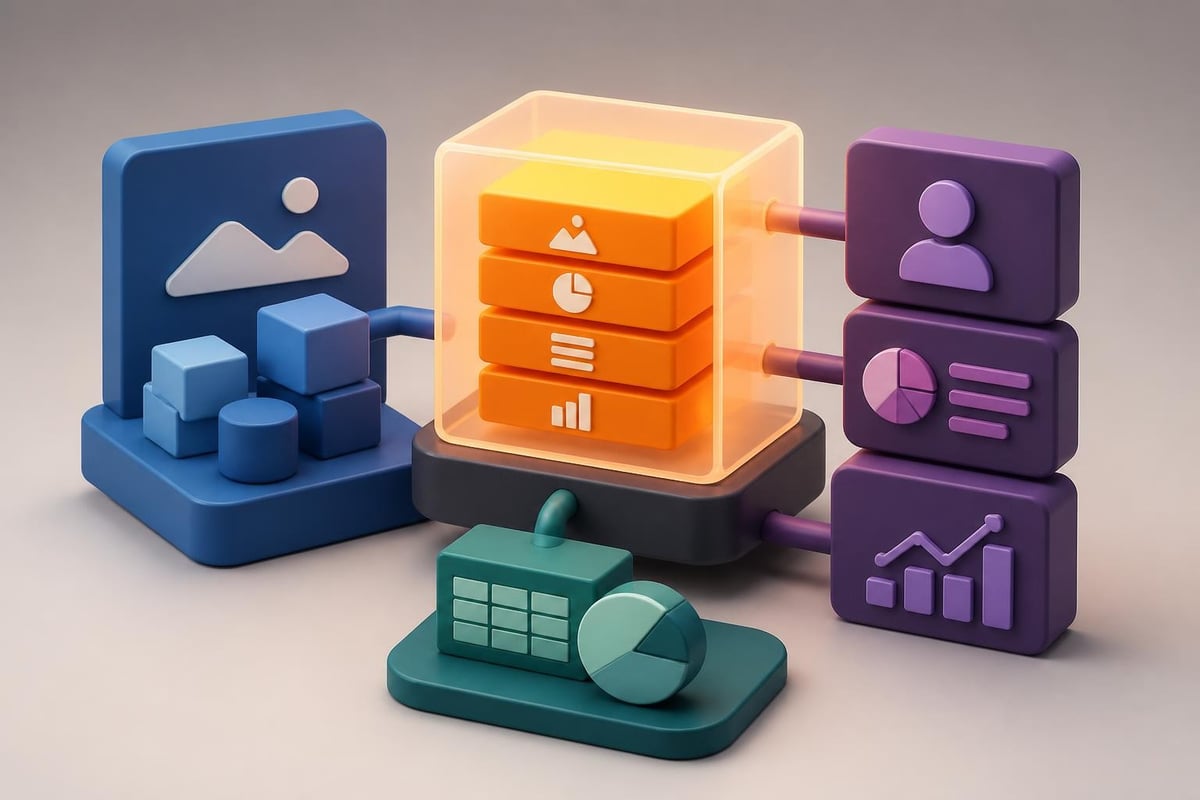
Presentation personalization workflow

Delivery Preparation and Presentation Flow

Even brilliantly designed slides fail without confident, engaging delivery. Your powerpoint sales presentation preparation should extend beyond slide creation into presentation rehearsal and flow optimization.

Speaker Notes and Timing Management

Develop comprehensive speaker notes that capture key talking points, transition phrases, and anticipated questions for each slide. These notes shouldn't be scripts to read verbatim but rather frameworks that ensure message consistency across different presenters.

Time allocation matters critically in sales contexts where meeting durations are strictly limited. Map your presentation flow to available time:

  • 30-minute slot: 20 minutes presentation, 10 minutes discussion
  • 45-minute slot: 30 minutes presentation, 15 minutes Q&A
  • 60-minute slot: 35 minutes presentation, 25 minutes interactive discussion

Build flexibility into your deck structure with clearly marked optional slides that can be included or skipped based on audience engagement and time constraints. The complete guide to sales presentations recommends identifying your "must cover" core narrative that can stand alone if time compresses unexpectedly.

Interactive Elements and Engagement Techniques

Static one-way presentations rarely generate the engagement necessary for complex B2B sales. Your powerpoint sales presentation should incorporate interactive elements that transform monologues into conversations.

Strategic Interaction Points

Build natural pause points into your presentation where you invite prospect input:

Discovery questions: "Before I show our approach to compliance automation, what's your current process for regulatory reporting?"

Validation checks: "Does this technical architecture align with your infrastructure requirements?"

Preference gathering: "Which of these implementation timelines better fits your fiscal planning?"

These interactions serve dual purposes. They maintain audience attention and investment while providing critical sales intelligence about priorities, concerns, and decision criteria. The insights gathered during these exchanges often prove more valuable than the prepared content itself.

For virtual presentations, leverage PowerPoint's built-in features like live polls, embedded videos, and clickable navigation that allows you to jump to sections based on audience interest rather than following rigid linear flow.

Post-Presentation Follow-Up Materials

Your powerpoint sales presentation's influence extends beyond the meeting room. Strategic follow-up materials reinforce key messages and advance the sales process.

Leave-Behind and Email Versions

Create distinct versions of your presentation for different contexts:

Presentation version: Rich with visuals, minimal text, designed for verbal delivery

Leave-behind version: Enhanced text on slides, comprehensive speaker notes converted to slide content, designed for asynchronous review

Executive summary: Condensed key slides focusing on business value, ROI, and next steps for senior stakeholders who didn't attend

The follow-up email should reference specific discussion points from the meeting, attach the appropriate presentation version, and clearly outline next steps with assigned owners and deadlines. This systematic approach demonstrates professionalism and maintains momentum.

When working with agencies like Prznt Perfect that specialize in creative pitch deck design, consider requesting both presentation and leave-behind versions during the initial development process to ensure consistency across formats.

Metrics and Continuous Improvement

Treating your powerpoint sales presentation as a static asset limits its effectiveness. Implement measurement systems and iterative refinement processes that improve conversion rates over time.

Tracking Presentation Performance

Establish clear metrics that connect presentation delivery to sales outcomes:

Metric Category Specific Measurements Optimization Insights
Engagement Questions asked, discussion duration, follow-up meeting requests Identify slides generating interest vs. confusion
Advancement Percentage of presentations leading to next-stage meetings Determine which narratives move deals forward
Conversion Presentation-to-close ratio, average sales cycle length Quantify presentation impact on revenue
Objections Common concerns raised, objection resolution success Refine preemptive objection handling

Analyze patterns across multiple presentations. If prospects consistently request clarification on specific technical concepts, that signals design or explanation deficiencies requiring revision. When certain case studies generate significantly more engagement than others, emphasize those examples more prominently.

Platforms like Microsoft's sales presentation templates offer starting points, but customization based on your specific performance data creates competitive advantages.

Common Mistakes That Undermine Sales Presentations

Understanding frequent pitfalls helps you avoid the errors that diminish powerpoint sales presentation effectiveness.

Design and Content Errors to Avoid

Information overload: Dense slides packed with small text force audiences to choose between reading and listening. They typically do neither effectively. Each slide should communicate one core idea supported by minimal text and strong visuals.

Feature dumping: Listing every product capability without connecting features to specific business outcomes fails to answer the prospect's fundamental question: "Why does this matter to me?" Transform features into benefits through explicit value statements.

Weak conclusions: Presentations that simply end without clear calls to action waste the engagement and interest built throughout the meeting. Your final slides should specify exact next steps, timeline commitments, and mutual responsibilities.

Template dependency: Over-reliance on generic templates creates presentations that look identical to competitors. While templates provide efficient starting points, customization and brand alignment remain essential. The planning a PowerPoint sales presentation guide emphasizes content strategy over design aesthetics.

Industry-Specific Considerations for Financial and Tech Sectors

Financial services and technology industries present unique presentation challenges that require specialized approaches in your powerpoint sales presentation development.

Regulatory and Compliance Messaging

Financial sector presentations must address stringent regulatory requirements without becoming compliance lectures. Integrate security certifications, data protection protocols, and regulatory alignment naturally within solution descriptions rather than isolated slides. When presenting to banks or investment firms, understanding frameworks like SOC 2, ISO 27001, and industry-specific regulations demonstrates credibility.

Technology sales presentations face different challenges around technical depth calibration. Executives need high-level architecture understanding while technical evaluators require detailed integration specifications. Consider developing presentation branches that allow you to navigate between strategic overviews and technical deep-dives based on real-time audience composition and interest.

The cybersecurity pitch deck approach exemplifies how specialized industries demand tailored presentation frameworks that address sector-specific concerns and decision criteria.

Advanced Techniques for Competitive Differentiation

In crowded markets where prospects evaluate multiple vendors, your powerpoint sales presentation must clearly establish competitive advantages without directly disparaging alternatives.

Positioning Without Negative Selling

Create comparison frameworks that highlight your strengths through objective criteria rather than competitive criticism:

Capability matrices: Show how your solution addresses requirements that alternatives cannot, using checkmarks and clear categorization

Approach differentiation: Explain your unique methodology or philosophy that delivers superior outcomes

Innovation timeline: Demonstrate thought leadership through your development roadmap and feature release history

The step-by-step guide to creating sales presentations provides frameworks for competitive positioning that feels informative rather than defensive.

Research and preparation distinguish exceptional presentations from adequate ones. Understand competitor positioning, messaging, and typical objections they raise about alternatives. This intelligence allows you to preemptively address competitive concerns while reinforcing your distinctive value.

Technology and Tools for Enhanced Presentations

While PowerPoint remains the dominant presentation platform, complementary technologies can enhance your powerpoint sales presentation effectiveness and delivery experience.

Presentation Enhancement Tools

Design assistance: AI-powered design tools now offer layout suggestions, color palette optimization, and image recommendations that accelerate development while maintaining professional standards.

Animation and transition libraries: Sophisticated motion design creates visual interest and guides attention, but restraint prevents distraction. Use animation purposefully to reveal information progressively or emphasize key transitions.

Collaboration platforms: Cloud-based presentation development enables teams to collaborate efficiently, maintain version control, and ensure brand consistency across multiple presenters and geographies.

Analytics integration: Advanced presentation platforms now offer viewing analytics showing which slides recipients spent time reviewing in leave-behind versions, providing valuable engagement intelligence.

The emerging field of presentation automation, explored in research like PPTArena benchmarks, suggests future capabilities for natural-language presentation editing that could streamline customization processes.

Building Your Presentation Development Process

Establishing systematic workflows for powerpoint sales presentation creation ensures consistency, efficiency, and quality across your organization.

Workflow Steps for Professional Development

Strategic planning phase: Define objectives, audience analysis, core messages, and success metrics before opening PowerPoint

Content development: Create narrative outline, gather supporting data, collect case studies and testimonials

Design execution: Apply brand guidelines, develop visual hierarchy, create custom graphics and data visualizations

Internal review: Test presentation flow, verify accuracy of claims and data, ensure message consistency

Rehearsal and refinement: Practice delivery, time segments, prepare for likely questions and objections

Organizations that treat presentation development as strategic communication rather than administrative tasks see measurably better sales outcomes. Consider establishing presentation centers of excellence or partnering with specialized agencies that understand your industry's unique requirements.


Mastering the powerpoint sales presentation requires balancing strategic narrative development with sophisticated visual design, all calibrated to your specific audience's needs and decision processes. The techniques outlined in this guide provide frameworks for creating presentations that inform, persuade, and ultimately convert prospects into clients. Whether you're building decks in-house or seeking professional support, Prznt Perfect specializes in transforming complex financial and technology solutions into compelling visual stories that resonate with decision-makers and accelerate your sales cycles.

News & Updates...

Master the art of creating a good PPT with proven design strategies, visual storytelling techniques, and expert tips for financial and tech presentations.

Discover how to create powerful sales pitch template PPT decks that convert. Expert strategies, design tips, and proven frameworks for 2026.