Make PPT Guide: Your Creative Roadmap for 2026

In 2026, standing out with a powerful presentation is no longer optional, it is essential. As audiences become more discerning and technology evolves rapidly, the ability to make ppt presentations that captivate and persuade is a vital skill.

This guide equips you with a creative, step-by-step roadmap to make ppt slides that meet the demands of tomorrow’s business and tech landscape. You will discover proven strategies, the latest trends, and actionable insights from industry experts.

Explore effective planning methods, modern design principles, storytelling techniques, new technology integrations, and top resources. Get ready to future-proof your presentation skills and achieve standout results.

Understanding the 2026 Presentation Landscape

Evolving Audience Expectations

By 2026, audiences expect more from every presentation. They want concise, visually engaging, and interactive experiences rather than static slides. For those looking to make ppt content that truly resonates, focusing on data visualization is key. For example, C-suite executives now prefer charts and infographics over lengthy paragraphs. In fact, 78% of professionals say visual content is more memorable, making a strong case for more image-driven slides.

Technology Shifts and New Tools

The technology powering how we make ppt presentations is evolving rapidly. AI-powered design assistants like Microsoft Copilot are transforming slide creation, offering content suggestions and automating layouts. Real-time collaboration is now standard, with cloud-based platforms such as Office 365 enabling seamless teamwork. AR and VR tools are also emerging, allowing presenters to build immersive, interactive experiences for their audiences.

Industry Trends: What’s Hot and What’s Outdated

Staying ahead of design trends is crucial when you make ppt content for business or tech. Minimalist layouts, motion graphics, and immersive storytelling are on the rise, while overused bullet points and generic templates are being left behind. For a deeper dive into the latest innovations, explore Presentation Design Trends for 2026, which highlights everything from Bento Grid layouts to AI-powered tools.

What’s Hot (2026) What’s Outdated
Motion graphics Static slides
Interactive dashboards Bullet points
3D/AR visuals Generic templates

The Role of Data and Storytelling

Data-driven storytelling is a cornerstone of effective presentations in 2026. To make ppt slides persuasive, balance credible statistics with compelling narratives. Research shows that 65% of successful presentations use narrative frameworks, helping audiences connect emotionally and intellectually with your message. The best presenters transform raw data into stories that drive understanding and action.

Accessibility and Inclusivity in Presentations

Accessibility is now a non-negotiable standard in how we make ppt decks. High-contrast color schemes, screen reader compatibility, and clear fonts are all essential. Leading financial firms now adopt WCAG guidelines for investor decks to ensure everyone can engage with their content, regardless of ability. Prioritizing inclusivity not only broadens your reach but also demonstrates professionalism.

The Value of Brand Consistency

Consistent branding across all slides enhances audience trust and recall. When you make ppt decks for Fortune 500 companies or startups alike, branded templates, color palettes, and logos become essential. This unified approach ensures your message stands out while reinforcing your organization’s identity at every touchpoint.

Challenges Facing Presenters in 2026

Presenters in 2026 face unique challenges: information overload, remote and hybrid audiences, and shrinking attention spans. To make ppt content effective, focus on interactivity, concise messaging, and dynamic data visualization. Solutions like audience polls and real-time analytics help presenters adapt on the fly, keeping engagement high and messages clear.

Understanding the 2026 Presentation Landscape

Step 1: Planning Your PPT for Maximum Impact

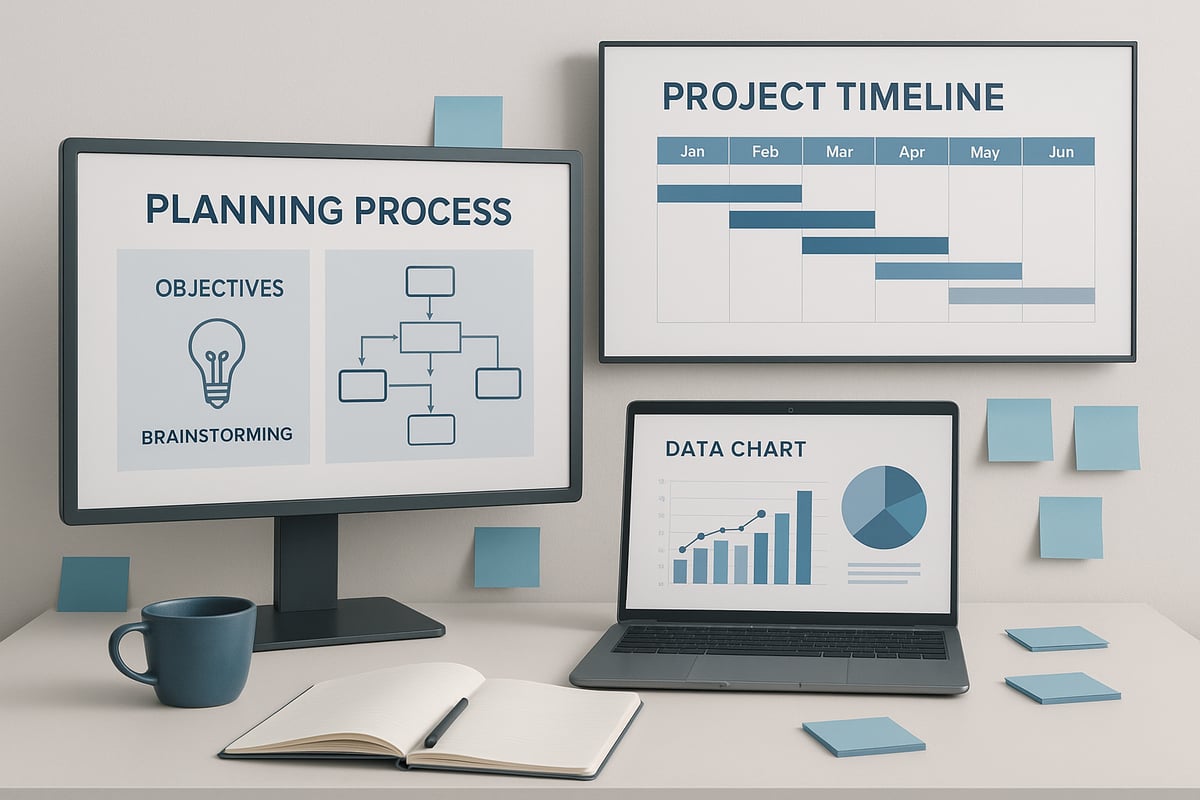
Planning is the foundation of every successful presentation. Before you start to make ppt slides, invest time in mapping out your objectives, audience, and process. This step ensures your message resonates and your delivery is seamless.

Step 1: Planning Your PPT for Maximum Impact

Defining Objectives and Audience

The first step when you make ppt presentations is to clarify your objectives. Ask yourself: What is the purpose? Are you informing, persuading, inspiring, or training? Knowing your goal shapes your narrative.

Next, research your audience. Are they C-suite executives, investors, technical teams, or students? Identify their demographics, pain points, and expectations. For example, a tech startup pitch will differ greatly from an academic conference presentation.

Tailoring your approach from the start ensures your make ppt efforts are targeted and effective.

Outlining Your Content Structure

A logical structure is key when you make ppt decks that hold attention. Start with a strong introduction, define the problem, present your solution, offer supporting evidence, and end with a clear call-to-action.

Consider using story arcs such as setup, confrontation, and resolution to guide your audience. For investor decks, a case study format often works best.

Creating a detailed outline before you make ppt slides helps avoid confusion and keeps your message focused.

Researching and Gathering Data

To make ppt presentations credible, gather up-to-date statistics, visuals, and relevant case studies. Use reliable sources suited to your field, such as Bloomberg for financial data or PubMed for scientific visuals.

Visual evidence boosts understanding and retention. For example, integrating recent market trends or case outcomes can validate your message.

Investing in solid research ensures your make ppt project stands out for accuracy and authority.

Choosing the Right Tools and Platforms

Selecting the best tools is essential as you make ppt presentations. PowerPoint remains a classic choice, but Google Slides, Canva, Prezi, and new AI-driven platforms are increasingly popular.

Compare features like real-time collaboration, export formats, and integrations. For example, Microsoft Copilot can automate slide creation, saving time and enhancing consistency.

Pick a platform that matches your team's workflow and the complexity of your presentation. The right choice streamlines your make ppt process.

Crafting a Compelling Narrative

A powerful narrative transforms data into a memorable story. When you make ppt slides, align your facts with storytelling techniques to engage emotions and logic.

Try the "before and after" journey to illustrate transformation. Use relatable examples and keep your story authentic.

A cohesive narrative ensures your audience connects with your message every time you make ppt decks.

Setting Timelines and Milestones

Effective project planning is vital as you make ppt presentations, especially for team projects. Break down your timeline: allocate time for drafting, design, and review stages.

Project management tools like Trello or Asana can help track progress and assign responsibilities. Set clear milestones to avoid last-minute rushes.

Structured planning keeps your make ppt workflow on track and ensures deadlines are met.

Common Pitfalls in the Planning Phase

Many teams overload slides, set unclear goals, or neglect audience needs when they make ppt decks. These mistakes can dilute your impact.

To avoid these traps, try audience persona exercises and regular content audits. For a deeper look at frequent errors and solutions, review this list of common presentation design mistakes.

Addressing pitfalls early ensures your make ppt project achieves its intended results.

Step 2: Designing Visually Stunning Slides

Creating visually stunning slides is an essential part of the make ppt process for 2026. Modern audiences expect clarity, engagement, and a polished visual experience. Each design choice you make influences how your message is understood and remembered.

Step 2: Designing Visually Stunning Slides

Embracing Modern Design Principles

Minimalism is at the heart of effective make ppt design in 2026. Slides should feature less text, more visuals, and generous white space. This approach increases audience retention and keeps attention focused on your core message.

  • Limit content to essentials on each slide.
  • Use large, readable fonts and clear headings.
  • Highlight key data with simple, bold graphics.

For actionable advice on creating visually appealing slides, check out these Simple PPT design tips. Adopting these practices will ensure your make ppt project stands out with clarity and impact.

Choosing Color Schemes and Typography

The right color scheme can evoke emotion and reinforce your brand identity in every make ppt presentation. Select colors that align with your message. For example, blue signals trust and professionalism, while green suggests innovation and growth.

Typography should be accessible and consistent. Choose fonts that are easy to read on any device. Avoid overly decorative typefaces that may distract from your message.

Color Emotion/Use Example Industry
Blue Trust, reliability Tech, finance
Green Growth, innovation Biotech, startups

Incorporating Visuals and Infographics

Visuals are crucial in the make ppt workflow. Well-chosen images, icons, and infographics clarify complex ideas and add visual interest.

  • Use charts and graphs to make data digestible.
  • Select high-quality images that support your narrative.
  • Replace text-heavy slides with engaging visuals.

Infographics are especially effective for summarizing research findings or illustrating processes, making your make ppt clear and memorable.

Animation, Transitions, and Multimedia

Subtle animations and transitions can guide attention and emphasize key points in your make ppt. Avoid overly flashy effects that may distract or slow down your presentation.

  • Use simple fade or slide transitions.
  • Highlight important data with animated reveals.
  • Embed video or audio clips to demonstrate concepts.

Integrated multimedia elements, such as product demos or testimonials, can further elevate your make ppt and keep audiences engaged.

Ensuring Consistency and Branding

Consistency is vital for professional make ppt presentations. Apply your brand’s color palette, logo, and fonts across every slide for a cohesive look.

  • Standardize slide layouts using master slides.
  • Position logos and footers uniformly.
  • Stick to brand-approved color and font combinations.

Consistent branding boosts trust and reinforces your identity, ensuring every make ppt reflects your organization’s values.

Accessibility Best Practices

Accessible design ensures your make ppt reaches everyone, including those with visual or auditory challenges. Incorporate high-contrast colors, add alt text for images, and use readable font sizes.

  • Ensure sufficient contrast between text and background.
  • Describe images for screen readers.
  • Avoid using color as the only means of conveying information.

Accessibility should be a core consideration in every make ppt to maximize impact and inclusivity.

Testing and Iterating Design

Before finalizing your make ppt, gather feedback from colleagues or stakeholders. Conduct A/B tests with alternative slide designs to determine what resonates best.

  • Review slides on different devices and screens.
  • Use analytics, if available, to assess engagement.
  • Make adjustments based on feedback for continuous improvement.

Iterative testing helps you deliver a make ppt that not only looks great but also achieves your communication goals.

Step 3: Crafting Engaging and Persuasive Content

Creating slides that truly connect with audiences is a skill every professional needs for 2026. In this step, you will discover how to make ppt content that is clear, memorable, and drives action, using proven techniques and emerging trends.

Step 3: Crafting Engaging and Persuasive Content

Writing Powerful Slide Headlines and Messaging

Your headlines are the first thing audiences read. To make ppt slides stand out, use action-driven, specific headlines that set the stage for each section. For example, a slide titled “Unlocking Growth: Our 2026 Strategy” commands more attention than a generic “Strategy Overview.”

Consider current Typography Trends for 2026 to amplify your messaging. Narrative typography, expressive fonts, and strategic use of serif fonts can boost clarity and impact. Aim for clarity, brevity, and a tone that matches your message.

Balancing Text and Visuals

Effective slides rely on balance. When you make ppt decks, avoid crowding slides with text. Limit to six lines per slide and use visuals to reinforce your points. Apple’s product launches are a classic example—images and graphics tell the story, with minimal text.

  • Use bullet points sparingly
  • Replace lengthy paragraphs with diagrams or charts
  • Leave white space for focus

This approach keeps your audience engaged and supports fast comprehension.

Storytelling Techniques for Business and Tech

Powerful presentations use narrative to persuade and inform. When you make ppt content, structure it like a story: introduce a challenge, show the journey, and reveal the solution. The hero’s journey, case studies, and analogies help translate complex topics for any audience.

Consider these storytelling frameworks:

  • Before-and-after transformation stories
  • Real-world scenarios that mirror your audience’s challenges
  • Data-driven journeys that tie evidence to outcomes

This turns dry data into memorable, actionable insights.

Incorporating Data and Evidence Effectively

Data builds credibility and trust. To make ppt slides persuasive, visualize numbers with charts, graphs, and infographics. Use color and iconography to highlight trends or outliers. Always cite reputable sources, ensuring your evidence stands up to scrutiny.

For example, market growth projections become more convincing when paired with a clean bar graph and a source attribution. Strong visuals, paired with concise data points, will help your message stick.

Calls to Action and Next Steps

Every slide deck should guide your audience toward a next step. After you make ppt content, review each section for a clear call to action. End with prompts like “Contact us,” “Book a demo,” or “Invest now.”

Place CTAs strategically at transition points, not just at the end. This keeps your audience engaged and signals what you want them to do next.

Adapting Tone and Language to Audience

To make ppt messages resonate, tailor your language and tone to your audience. For investors, use formal, data-backed statements. For internal teams, adopt a conversational style. Technical audiences expect precise terminology, while executive summaries require clarity and brevity.

Ask yourself:

  • Who is my audience?
  • What language will best persuade them?
  • Where should I simplify or clarify?

Adapting your approach increases engagement and comprehension.

Avoiding Common Content Mistakes

Many make ppt errors by overloading slides or relying on jargon. Avoid information dumps and ambiguous messaging. Instead:

  • Conduct peer reviews for clarity
  • Audit content for redundancy
  • Test slides with a sample audience

By addressing these pitfalls, your presentations will be more effective, actionable, and memorable.

Step 4: Leveraging Technology and Interactivity

Technology is transforming how professionals make ppt presentations, setting new standards for engagement and impact in 2026. Embracing the latest digital tools and interactive features is essential for presenters aiming to capture and retain attention in fast-paced business and tech environments.

Integrating AI and Automation

AI-driven tools are revolutionizing the way teams make ppt decks. Features like automated slide generation, content suggestions, and smart formatting speed up the process and ensure consistency. Microsoft Copilot and similar assistants can draft outlines, design layouts, and even suggest visuals based on your content.

For those looking to push boundaries, new platforms like Claude can auto-generate presentations from prompts or data sets. To explore the latest advancements, see this guide on AI Tools for Presentation Creation. AI not only boosts productivity but also helps presenters focus on strategy and storytelling.

Adding Interactive Elements

Modern audiences expect more than static slides when you make ppt presentations. Embedding live polls, clickable navigation, and quizzes keeps viewers engaged and encourages participation. Tools like Slido and Mentimeter allow you to gather real-time feedback directly within your deck.

Clickable elements can guide users through non-linear story paths, making complex topics more accessible. When you make ppt decks with interactive features, you create an immersive experience that stands out in both remote and in-person settings.

Utilizing AR, VR, and 3D Graphics

Immersive technologies are redefining how presenters make ppt content. Augmented reality and virtual reality enable audiences to explore 3D models, simulations, or product demos live within the presentation. For example, biotech companies use 3D protein structures to clarify complex data.

Incorporating 3D graphics adds depth and visual interest, helping your message resonate. When you make ppt slides with these tools, you position your presentation at the forefront of innovation.

Real-Time Collaboration Features

Collaboration is key when teams make ppt projects for distributed or hybrid workforces. Cloud-based platforms like Office 365 and Google Slides allow multiple users to edit, comment, and review simultaneously.

Version control and tracked changes enable seamless teamwork, reducing the risk of errors. Leveraging these features ensures your make ppt process is efficient and aligned with project goals.

Analytics and Performance Tracking

Understanding audience engagement is vital when you make ppt presentations. Analytics platforms such as SlideHub and Beautiful.ai provide insights into which slides receive the most attention, how viewers interact, and where drop-offs occur.

By reviewing these metrics, presenters can refine their make ppt strategies for future sessions, focusing on what resonates and improving areas of weakness.

Ensuring Security and Data Privacy

Security is a top concern for organizations sharing sensitive information through presentations. Encryption, access controls, and restricted sharing settings protect proprietary data in financial or technical decks.

Compliance with privacy standards is now standard practice. Presenters should ensure their make ppt files are only accessible to authorized viewers and include watermarks or NDA notices when required.

Overcoming Technical Challenges

Technical difficulties can arise at any stage when you make ppt files. Common issues include offline access, compatibility across devices, and file corruption. To mitigate these risks, always export a backup version in PDF, test your presentation on multiple platforms, and keep backup media on hand.

Preparation and troubleshooting protocols ensure a smooth delivery, regardless of the environment.

Step 5: Delivering and Sharing Your PPT

Delivering and sharing your make ppt is as crucial as its creation. A strategic approach ensures your message resonates, regardless of the venue or audience. Whether you present to a packed room or a remote team, your delivery can make ppt efforts stand out and drive real results.

Preparing for Different Presentation Scenarios

Adapt your make ppt delivery for in-person, remote, or hybrid audiences. In person, maintain eye contact and use physical gestures to reinforce key points. For remote or hybrid settings, optimize your slides for screen visibility and use interactive features to maintain engagement. Consider backup plans for technical issues to keep your session on track.

Rehearsal and Timing Strategies

Rehearse your make ppt several times to ensure smooth transitions and consistent timing. Use a timer to keep each section concise and avoid overrunning your slot. Practice with your actual equipment and environment to identify potential issues. Consistent rehearsal builds confidence and helps you respond calmly to unexpected changes.

Managing Audience Interaction

Effective presentations today rely on audience engagement. Use live polls, Q&A sessions, or chat features to invite participation during your make ppt. Tools like Slido or Mentimeter help capture questions and feedback in real time. Prepare answers for common queries and encourage open dialogue to foster connection and trust.

Optimizing for Distribution and Sharing

After your make ppt session, consider how best to distribute your slides. Export options like PDF, video, or interactive web links allow for easy sharing across platforms. For a polished look, leverage Free minimal PowerPoint templates to ensure your shared files remain visually consistent and professional.

Protecting Intellectual Property

Safeguarding your make ppt is vital, especially for confidential or proprietary content. Use watermarking, restricted access, and password protection on sensitive files. For high-stakes presentations, consider following steps from the Professional PPT services guide to ensure your intellectual property is handled securely and professionally.

Gathering and Implementing Feedback

Post-presentation feedback is essential for continuous improvement. Use surveys, digital forms, or direct stakeholder reviews to gather insights on your make ppt. Analyze responses to pinpoint strengths and areas for growth. Implement changes promptly to refine your approach and maximize future impact.

Measuring Presentation Success

Evaluate your make ppt using clear metrics. Track engagement rates, follow-up actions, and outcomes such as deal closures or sign-ups. Set KPIs before presenting so you can accurately measure success afterward. Regular analysis helps you demonstrate value and justify future presentation investments.

Resources and Further Learning for Future-Proof PPTs

Staying ahead in the ever-changing world of presentations requires continuous learning and adaptation. Whether you want to make ppt slides that stand out or refine your team's workflow, leveraging the right resources ensures you remain at the forefront of 2026 trends.

Top Tools and Templates for 2026

To make ppt decks that impress in 2026, explore AI-powered tools and innovative templates. Platforms like Beautiful.ai, Slidebean, and Canva’s 2026 templates offer advanced features for automation and interactivity. For visual inspiration, check out Visual Design Trends for 2026, which highlights tactile textures and the 'Imperfect by Design' aesthetic, helping elevate slide aesthetics.

Tool Feature Highlight Best For
Beautiful.ai Smart slide automation Quick make ppt
Slidebean AI-driven content layout Startup pitches
Canva Trendy templates Visual storytelling

Recommended Books, Courses, and Certifications

Mastering how to make ppt presentations requires foundational knowledge. Essential reads like “Slide:ology” by Nancy Duarte deliver practical design frameworks. Courses from Coursera and LinkedIn Learning cover storytelling, design principles, and public speaking. Certifications in business communication or visual design can demonstrate expertise and improve your ability to make ppt slides that resonate with any audience.

Online Communities and Inspiration Sources

Joining online groups is a smart way to make ppt skills future-proof. Platforms like LinkedIn groups, Dribbble, and Behance showcase real-world presentation trends and offer feedback opportunities. The Presentation Guild connects professionals seeking to make ppt presentations at the highest standard, fostering networking, mentorship, and resource sharing.

Expert Blogs and YouTube Channels

To make ppt decks that reflect best practices, follow expert blogs and video creators. Presentation Zen by Garr Reynolds and SlideGenius’s YouTube channel offer actionable tips, case studies, and design breakdowns. These resources help you make ppt content engaging and effective by demystifying complex concepts and providing inspiration for every level of experience.

Industry Conferences and Webinars

Attending industry events strengthens your expertise and keeps your make ppt techniques relevant. Conferences like Presentation Summit and Adobe MAX feature sessions on storytelling, design innovation, and tech integration. Webinars and virtual workshops allow you to interact with thought leaders, ask questions, and stay connected to emerging trends in presentation excellence.

Staying Updated with Trends and Innovations

Subscribe to trend reports, newsletters, and podcasts to ensure your make ppt strategies evolve. Resources like Fast Company’s design updates, trend-focused podcasts, and industry newsletters highlight new technologies, storytelling methods, and audience preferences. Staying informed gives you the agility to adapt your presentations for changing business and tech landscapes.

Building a Personal or Team Knowledge Base

Create a centralized knowledge base to support ongoing make ppt improvement. Document best practices, template libraries, and feedback from past presentations. Encourage your team to contribute resources and insights. This collaborative approach ensures consistent quality, drives innovation, and empowers everyone to deliver presentations that exceed expectations.

We offer free 30-min consultation on the presentation design audit
and hiring the right visual 
comms professional, let’s talk!
Shedule a call
Shedule a call
"I understand" goes a step further into the cognitive dance of persuasion. It's where the audience begins to see the connections between the facts, to grasp the nuances of the problem and the elegance of the solution.
  • This is some text inside of a div block.
    lay out the facts clearly and compellingly. Use data to establish the ground reality, but remember that facts alone are like the individual strands of a tapestry—necessary but not complete.
    lay out the facts clearly and compellingly. Use data to establish the ground reality, but remember that facts alone are like the individual strands of a tapestry—necessary but not complete.
  • This is some text inside of a div block.
    lay out the facts clearly and compellingly. Use data to establish the ground reality, but remember that facts alone are like the individual strands of a tapestry—necessary but not complete.

We offer free 30-min consultation on the presentation design audit

and hiring the right visual 
comms professional, let’s talk!

Shedule a call

"I understand" goes a step further into the cognitive dance of persuasion. It's where the audience begins to see the connections between the facts, to grasp the nuances of the problem and the elegance of the solution.

  • - 1 -
    Consistency at Scale:

    Biotech Market Trends 2024: Tailoring Your Pitch Deck to Current Industry Dynamics.

  • - 2 -
    Efficiency and Speed:

    The traditional process of manually updating presentations is not only slow but also prone to bottlenecks, especially when dealing with large volumes of slides. Automation dramatically accelerates this process, enabling designers to apply changes across hundreds of slides in the time it would take to manually update a single one. This efficiency is a game-changer for agencies working under tight deadlines or managing multiple projects simultaneously.

  • - 3 -
    Enhanced Creativity:

    With the burden of manual updates lifted, designers can allocate more time and energy to the creative aspects of presentation design. This freedom allows for deeper exploration of innovative design concepts, experimentation with new visual storytelling techniques, and the development of more engaging and interactive presentations. Automation doesn't stifle creativity; it amplifies it, enabling designers to push the boundaries of what's possible in corporate presentation design.

  • - 4 -
    Error Reduction:

    Manual updates are inherently prone to inconsistencies and mistakes, from misaligned logos to incorrect font sizes. These errors can detract from the professionalism of a presentation and, by extension, the corporate image. Automation minimizes these risks by ensuring that updates are applied uniformly and accurately across all slides, enhancing the overall quality and integrity of the presentation.

  • - 5 -
    Cost-Effectiveness:

    The time savings afforded by automation directly translate to cost savings for both the design agency and its clients. By reducing the hours spent on manual updates, agencies can optimize their workflows and resources, allowing them to take on more projects without compromising on quality. This efficiency can also make high-quality presentation design services more affordable and accessible to a broader range of businesses.

Make PPT Guide: Your Creative Roadmap for 2026

Master how to make PPT presentations for 2026 with step by step planning, design, and technology tips. Elevate your slides with expert insights and future trends.

In 2026, standing out with a powerful presentation is no longer optional, it is essential. As audiences become more discerning and technology evolves rapidly, the ability to make ppt presentations that captivate and persuade is a vital skill.

This guide equips you with a creative, step-by-step roadmap to make ppt slides that meet the demands of tomorrow’s business and tech landscape. You will discover proven strategies, the latest trends, and actionable insights from industry experts.

Explore effective planning methods, modern design principles, storytelling techniques, new technology integrations, and top resources. Get ready to future-proof your presentation skills and achieve standout results.

Understanding the 2026 Presentation Landscape

Evolving Audience Expectations

By 2026, audiences expect more from every presentation. They want concise, visually engaging, and interactive experiences rather than static slides. For those looking to make ppt content that truly resonates, focusing on data visualization is key. For example, C-suite executives now prefer charts and infographics over lengthy paragraphs. In fact, 78% of professionals say visual content is more memorable, making a strong case for more image-driven slides.

Technology Shifts and New Tools

The technology powering how we make ppt presentations is evolving rapidly. AI-powered design assistants like Microsoft Copilot are transforming slide creation, offering content suggestions and automating layouts. Real-time collaboration is now standard, with cloud-based platforms such as Office 365 enabling seamless teamwork. AR and VR tools are also emerging, allowing presenters to build immersive, interactive experiences for their audiences.

Industry Trends: What’s Hot and What’s Outdated

Staying ahead of design trends is crucial when you make ppt content for business or tech. Minimalist layouts, motion graphics, and immersive storytelling are on the rise, while overused bullet points and generic templates are being left behind. For a deeper dive into the latest innovations, explore Presentation Design Trends for 2026, which highlights everything from Bento Grid layouts to AI-powered tools.

What’s Hot (2026) What’s Outdated
Motion graphics Static slides
Interactive dashboards Bullet points
3D/AR visuals Generic templates

The Role of Data and Storytelling

Data-driven storytelling is a cornerstone of effective presentations in 2026. To make ppt slides persuasive, balance credible statistics with compelling narratives. Research shows that 65% of successful presentations use narrative frameworks, helping audiences connect emotionally and intellectually with your message. The best presenters transform raw data into stories that drive understanding and action.

Accessibility and Inclusivity in Presentations

Accessibility is now a non-negotiable standard in how we make ppt decks. High-contrast color schemes, screen reader compatibility, and clear fonts are all essential. Leading financial firms now adopt WCAG guidelines for investor decks to ensure everyone can engage with their content, regardless of ability. Prioritizing inclusivity not only broadens your reach but also demonstrates professionalism.

The Value of Brand Consistency

Consistent branding across all slides enhances audience trust and recall. When you make ppt decks for Fortune 500 companies or startups alike, branded templates, color palettes, and logos become essential. This unified approach ensures your message stands out while reinforcing your organization’s identity at every touchpoint.

Challenges Facing Presenters in 2026

Presenters in 2026 face unique challenges: information overload, remote and hybrid audiences, and shrinking attention spans. To make ppt content effective, focus on interactivity, concise messaging, and dynamic data visualization. Solutions like audience polls and real-time analytics help presenters adapt on the fly, keeping engagement high and messages clear.

Understanding the 2026 Presentation Landscape

Step 1: Planning Your PPT for Maximum Impact

Planning is the foundation of every successful presentation. Before you start to make ppt slides, invest time in mapping out your objectives, audience, and process. This step ensures your message resonates and your delivery is seamless.
Step 1: Planning Your PPT for Maximum Impact

Defining Objectives and Audience

The first step when you make ppt presentations is to clarify your objectives. Ask yourself: What is the purpose? Are you informing, persuading, inspiring, or training? Knowing your goal shapes your narrative.

Next, research your audience. Are they C-suite executives, investors, technical teams, or students? Identify their demographics, pain points, and expectations. For example, a tech startup pitch will differ greatly from an academic conference presentation.

Tailoring your approach from the start ensures your make ppt efforts are targeted and effective.

Outlining Your Content Structure

A logical structure is key when you make ppt decks that hold attention. Start with a strong introduction, define the problem, present your solution, offer supporting evidence, and end with a clear call-to-action.

Consider using story arcs such as setup, confrontation, and resolution to guide your audience. For investor decks, a case study format often works best.

Creating a detailed outline before you make ppt slides helps avoid confusion and keeps your message focused.

Researching and Gathering Data

To make ppt presentations credible, gather up-to-date statistics, visuals, and relevant case studies. Use reliable sources suited to your field, such as Bloomberg for financial data or PubMed for scientific visuals.

Visual evidence boosts understanding and retention. For example, integrating recent market trends or case outcomes can validate your message.

Investing in solid research ensures your make ppt project stands out for accuracy and authority.

Choosing the Right Tools and Platforms

Selecting the best tools is essential as you make ppt presentations. PowerPoint remains a classic choice, but Google Slides, Canva, Prezi, and new AI-driven platforms are increasingly popular.

Compare features like real-time collaboration, export formats, and integrations. For example, Microsoft Copilot can automate slide creation, saving time and enhancing consistency.

Pick a platform that matches your team's workflow and the complexity of your presentation. The right choice streamlines your make ppt process.

Crafting a Compelling Narrative

A powerful narrative transforms data into a memorable story. When you make ppt slides, align your facts with storytelling techniques to engage emotions and logic.

Try the "before and after" journey to illustrate transformation. Use relatable examples and keep your story authentic.

A cohesive narrative ensures your audience connects with your message every time you make ppt decks.

Setting Timelines and Milestones

Effective project planning is vital as you make ppt presentations, especially for team projects. Break down your timeline: allocate time for drafting, design, and review stages.

Project management tools like Trello or Asana can help track progress and assign responsibilities. Set clear milestones to avoid last-minute rushes.

Structured planning keeps your make ppt workflow on track and ensures deadlines are met.

Common Pitfalls in the Planning Phase

Many teams overload slides, set unclear goals, or neglect audience needs when they make ppt decks. These mistakes can dilute your impact.

To avoid these traps, try audience persona exercises and regular content audits. For a deeper look at frequent errors and solutions, review this list of common presentation design mistakes.

Addressing pitfalls early ensures your make ppt project achieves its intended results.

Step 2: Designing Visually Stunning Slides

Creating visually stunning slides is an essential part of the make ppt process for 2026. Modern audiences expect clarity, engagement, and a polished visual experience. Each design choice you make influences how your message is understood and remembered.

Step 2: Designing Visually Stunning Slides

Embracing Modern Design Principles

Minimalism is at the heart of effective make ppt design in 2026. Slides should feature less text, more visuals, and generous white space. This approach increases audience retention and keeps attention focused on your core message.

  • Limit content to essentials on each slide.
  • Use large, readable fonts and clear headings.
  • Highlight key data with simple, bold graphics.

For actionable advice on creating visually appealing slides, check out these Simple PPT design tips. Adopting these practices will ensure your make ppt project stands out with clarity and impact.

Choosing Color Schemes and Typography

The right color scheme can evoke emotion and reinforce your brand identity in every make ppt presentation. Select colors that align with your message. For example, blue signals trust and professionalism, while green suggests innovation and growth.

Typography should be accessible and consistent. Choose fonts that are easy to read on any device. Avoid overly decorative typefaces that may distract from your message.

Color Emotion/Use Example Industry
Blue Trust, reliability Tech, finance
Green Growth, innovation Biotech, startups

Incorporating Visuals and Infographics

Visuals are crucial in the make ppt workflow. Well-chosen images, icons, and infographics clarify complex ideas and add visual interest.

  • Use charts and graphs to make data digestible.
  • Select high-quality images that support your narrative.
  • Replace text-heavy slides with engaging visuals.

Infographics are especially effective for summarizing research findings or illustrating processes, making your make ppt clear and memorable.

Animation, Transitions, and Multimedia

Subtle animations and transitions can guide attention and emphasize key points in your make ppt. Avoid overly flashy effects that may distract or slow down your presentation.

  • Use simple fade or slide transitions.
  • Highlight important data with animated reveals.
  • Embed video or audio clips to demonstrate concepts.

Integrated multimedia elements, such as product demos or testimonials, can further elevate your make ppt and keep audiences engaged.

Ensuring Consistency and Branding

Consistency is vital for professional make ppt presentations. Apply your brand’s color palette, logo, and fonts across every slide for a cohesive look.

  • Standardize slide layouts using master slides.
  • Position logos and footers uniformly.
  • Stick to brand-approved color and font combinations.

Consistent branding boosts trust and reinforces your identity, ensuring every make ppt reflects your organization’s values.

Accessibility Best Practices

Accessible design ensures your make ppt reaches everyone, including those with visual or auditory challenges. Incorporate high-contrast colors, add alt text for images, and use readable font sizes.

  • Ensure sufficient contrast between text and background.
  • Describe images for screen readers.
  • Avoid using color as the only means of conveying information.

Accessibility should be a core consideration in every make ppt to maximize impact and inclusivity.

Testing and Iterating Design

Before finalizing your make ppt, gather feedback from colleagues or stakeholders. Conduct A/B tests with alternative slide designs to determine what resonates best.

  • Review slides on different devices and screens.
  • Use analytics, if available, to assess engagement.
  • Make adjustments based on feedback for continuous improvement.

Iterative testing helps you deliver a make ppt that not only looks great but also achieves your communication goals.

Step 3: Crafting Engaging and Persuasive Content

Creating slides that truly connect with audiences is a skill every professional needs for 2026. In this step, you will discover how to make ppt content that is clear, memorable, and drives action, using proven techniques and emerging trends.

Step 3: Crafting Engaging and Persuasive Content

Writing Powerful Slide Headlines and Messaging

Your headlines are the first thing audiences read. To make ppt slides stand out, use action-driven, specific headlines that set the stage for each section. For example, a slide titled “Unlocking Growth: Our 2026 Strategy” commands more attention than a generic “Strategy Overview.”

Consider current Typography Trends for 2026 to amplify your messaging. Narrative typography, expressive fonts, and strategic use of serif fonts can boost clarity and impact. Aim for clarity, brevity, and a tone that matches your message.

Balancing Text and Visuals

Effective slides rely on balance. When you make ppt decks, avoid crowding slides with text. Limit to six lines per slide and use visuals to reinforce your points. Apple’s product launches are a classic example—images and graphics tell the story, with minimal text.

  • Use bullet points sparingly
  • Replace lengthy paragraphs with diagrams or charts
  • Leave white space for focus

This approach keeps your audience engaged and supports fast comprehension.

Storytelling Techniques for Business and Tech

Powerful presentations use narrative to persuade and inform. When you make ppt content, structure it like a story: introduce a challenge, show the journey, and reveal the solution. The hero’s journey, case studies, and analogies help translate complex topics for any audience.

Consider these storytelling frameworks:

  • Before-and-after transformation stories
  • Real-world scenarios that mirror your audience’s challenges
  • Data-driven journeys that tie evidence to outcomes

This turns dry data into memorable, actionable insights.

Incorporating Data and Evidence Effectively

Data builds credibility and trust. To make ppt slides persuasive, visualize numbers with charts, graphs, and infographics. Use color and iconography to highlight trends or outliers. Always cite reputable sources, ensuring your evidence stands up to scrutiny.

For example, market growth projections become more convincing when paired with a clean bar graph and a source attribution. Strong visuals, paired with concise data points, will help your message stick.

Calls to Action and Next Steps

Every slide deck should guide your audience toward a next step. After you make ppt content, review each section for a clear call to action. End with prompts like “Contact us,” “Book a demo,” or “Invest now.”

Place CTAs strategically at transition points, not just at the end. This keeps your audience engaged and signals what you want them to do next.

Adapting Tone and Language to Audience

To make ppt messages resonate, tailor your language and tone to your audience. For investors, use formal, data-backed statements. For internal teams, adopt a conversational style. Technical audiences expect precise terminology, while executive summaries require clarity and brevity.

Ask yourself:

  • Who is my audience?
  • What language will best persuade them?
  • Where should I simplify or clarify?

Adapting your approach increases engagement and comprehension.

Avoiding Common Content Mistakes

Many make ppt errors by overloading slides or relying on jargon. Avoid information dumps and ambiguous messaging. Instead:

  • Conduct peer reviews for clarity
  • Audit content for redundancy
  • Test slides with a sample audience

By addressing these pitfalls, your presentations will be more effective, actionable, and memorable.

Step 4: Leveraging Technology and Interactivity

Technology is transforming how professionals make ppt presentations, setting new standards for engagement and impact in 2026. Embracing the latest digital tools and interactive features is essential for presenters aiming to capture and retain attention in fast-paced business and tech environments.

Integrating AI and Automation

AI-driven tools are revolutionizing the way teams make ppt decks. Features like automated slide generation, content suggestions, and smart formatting speed up the process and ensure consistency. Microsoft Copilot and similar assistants can draft outlines, design layouts, and even suggest visuals based on your content.

For those looking to push boundaries, new platforms like Claude can auto-generate presentations from prompts or data sets. To explore the latest advancements, see this guide on AI Tools for Presentation Creation. AI not only boosts productivity but also helps presenters focus on strategy and storytelling.

Adding Interactive Elements

Modern audiences expect more than static slides when you make ppt presentations. Embedding live polls, clickable navigation, and quizzes keeps viewers engaged and encourages participation. Tools like Slido and Mentimeter allow you to gather real-time feedback directly within your deck.

Clickable elements can guide users through non-linear story paths, making complex topics more accessible. When you make ppt decks with interactive features, you create an immersive experience that stands out in both remote and in-person settings.

Utilizing AR, VR, and 3D Graphics

Immersive technologies are redefining how presenters make ppt content. Augmented reality and virtual reality enable audiences to explore 3D models, simulations, or product demos live within the presentation. For example, biotech companies use 3D protein structures to clarify complex data.

Incorporating 3D graphics adds depth and visual interest, helping your message resonate. When you make ppt slides with these tools, you position your presentation at the forefront of innovation.

Real-Time Collaboration Features

Collaboration is key when teams make ppt projects for distributed or hybrid workforces. Cloud-based platforms like Office 365 and Google Slides allow multiple users to edit, comment, and review simultaneously.

Version control and tracked changes enable seamless teamwork, reducing the risk of errors. Leveraging these features ensures your make ppt process is efficient and aligned with project goals.

Analytics and Performance Tracking

Understanding audience engagement is vital when you make ppt presentations. Analytics platforms such as SlideHub and Beautiful.ai provide insights into which slides receive the most attention, how viewers interact, and where drop-offs occur.

By reviewing these metrics, presenters can refine their make ppt strategies for future sessions, focusing on what resonates and improving areas of weakness.

Ensuring Security and Data Privacy

Security is a top concern for organizations sharing sensitive information through presentations. Encryption, access controls, and restricted sharing settings protect proprietary data in financial or technical decks.

Compliance with privacy standards is now standard practice. Presenters should ensure their make ppt files are only accessible to authorized viewers and include watermarks or NDA notices when required.

Overcoming Technical Challenges

Technical difficulties can arise at any stage when you make ppt files. Common issues include offline access, compatibility across devices, and file corruption. To mitigate these risks, always export a backup version in PDF, test your presentation on multiple platforms, and keep backup media on hand.

Preparation and troubleshooting protocols ensure a smooth delivery, regardless of the environment.

Step 5: Delivering and Sharing Your PPT

Delivering and sharing your make ppt is as crucial as its creation. A strategic approach ensures your message resonates, regardless of the venue or audience. Whether you present to a packed room or a remote team, your delivery can make ppt efforts stand out and drive real results.

Preparing for Different Presentation Scenarios

Adapt your make ppt delivery for in-person, remote, or hybrid audiences. In person, maintain eye contact and use physical gestures to reinforce key points. For remote or hybrid settings, optimize your slides for screen visibility and use interactive features to maintain engagement. Consider backup plans for technical issues to keep your session on track.

Rehearsal and Timing Strategies

Rehearse your make ppt several times to ensure smooth transitions and consistent timing. Use a timer to keep each section concise and avoid overrunning your slot. Practice with your actual equipment and environment to identify potential issues. Consistent rehearsal builds confidence and helps you respond calmly to unexpected changes.

Managing Audience Interaction

Effective presentations today rely on audience engagement. Use live polls, Q&A sessions, or chat features to invite participation during your make ppt. Tools like Slido or Mentimeter help capture questions and feedback in real time. Prepare answers for common queries and encourage open dialogue to foster connection and trust.

Optimizing for Distribution and Sharing

After your make ppt session, consider how best to distribute your slides. Export options like PDF, video, or interactive web links allow for easy sharing across platforms. For a polished look, leverage Free minimal PowerPoint templates to ensure your shared files remain visually consistent and professional.

Protecting Intellectual Property

Safeguarding your make ppt is vital, especially for confidential or proprietary content. Use watermarking, restricted access, and password protection on sensitive files. For high-stakes presentations, consider following steps from the Professional PPT services guide to ensure your intellectual property is handled securely and professionally.

Gathering and Implementing Feedback

Post-presentation feedback is essential for continuous improvement. Use surveys, digital forms, or direct stakeholder reviews to gather insights on your make ppt. Analyze responses to pinpoint strengths and areas for growth. Implement changes promptly to refine your approach and maximize future impact.

Measuring Presentation Success

Evaluate your make ppt using clear metrics. Track engagement rates, follow-up actions, and outcomes such as deal closures or sign-ups. Set KPIs before presenting so you can accurately measure success afterward. Regular analysis helps you demonstrate value and justify future presentation investments.

Resources and Further Learning for Future-Proof PPTs

Staying ahead in the ever-changing world of presentations requires continuous learning and adaptation. Whether you want to make ppt slides that stand out or refine your team's workflow, leveraging the right resources ensures you remain at the forefront of 2026 trends.

Top Tools and Templates for 2026

To make ppt decks that impress in 2026, explore AI-powered tools and innovative templates. Platforms like Beautiful.ai, Slidebean, and Canva’s 2026 templates offer advanced features for automation and interactivity. For visual inspiration, check out Visual Design Trends for 2026, which highlights tactile textures and the 'Imperfect by Design' aesthetic, helping elevate slide aesthetics.

Tool Feature Highlight Best For
Beautiful.ai Smart slide automation Quick make ppt
Slidebean AI-driven content layout Startup pitches
Canva Trendy templates Visual storytelling

Recommended Books, Courses, and Certifications

Mastering how to make ppt presentations requires foundational knowledge. Essential reads like “Slide:ology” by Nancy Duarte deliver practical design frameworks. Courses from Coursera and LinkedIn Learning cover storytelling, design principles, and public speaking. Certifications in business communication or visual design can demonstrate expertise and improve your ability to make ppt slides that resonate with any audience.

Online Communities and Inspiration Sources

Joining online groups is a smart way to make ppt skills future-proof. Platforms like LinkedIn groups, Dribbble, and Behance showcase real-world presentation trends and offer feedback opportunities. The Presentation Guild connects professionals seeking to make ppt presentations at the highest standard, fostering networking, mentorship, and resource sharing.

Expert Blogs and YouTube Channels

To make ppt decks that reflect best practices, follow expert blogs and video creators. Presentation Zen by Garr Reynolds and SlideGenius’s YouTube channel offer actionable tips, case studies, and design breakdowns. These resources help you make ppt content engaging and effective by demystifying complex concepts and providing inspiration for every level of experience.

Industry Conferences and Webinars

Attending industry events strengthens your expertise and keeps your make ppt techniques relevant. Conferences like Presentation Summit and Adobe MAX feature sessions on storytelling, design innovation, and tech integration. Webinars and virtual workshops allow you to interact with thought leaders, ask questions, and stay connected to emerging trends in presentation excellence.

Staying Updated with Trends and Innovations

Subscribe to trend reports, newsletters, and podcasts to ensure your make ppt strategies evolve. Resources like Fast Company’s design updates, trend-focused podcasts, and industry newsletters highlight new technologies, storytelling methods, and audience preferences. Staying informed gives you the agility to adapt your presentations for changing business and tech landscapes.

Building a Personal or Team Knowledge Base

Create a centralized knowledge base to support ongoing make ppt improvement. Document best practices, template libraries, and feedback from past presentations. Encourage your team to contribute resources and insights. This collaborative approach ensures consistent quality, drives innovation, and empowers everyone to deliver presentations that exceed expectations.


News & Updates...

Discover 9 creative background for ppt presentation ideas for 2026 that boost engagement, follow the latest trends, and make your slides stand out with impact.

Discover the 7 essential slides every fintech pitch deck needs for 2026. Gain expert insights, proven strategies, and real examples to secure investor funding.