
Consulting PowerPoint Templates: Complete 2026 Guide

Professional consulting demands presentations that communicate complex strategies with clarity and impact. Consulting powerpoint templates serve as the foundation for delivering client recommendations, strategic insights, and data-driven proposals that win business and drive decisions. These specialized templates combine industry-standard frameworks with visual design principles that help consultants transform analysis into actionable narratives. Whether you're presenting to C-suite executives or project teams, the right template system accelerates your workflow while maintaining the professional polish that clients expect from advisory firms.
Why Consulting PowerPoint Templates Matter for Professional Services
Consulting presentations operate under unique constraints that generic templates simply cannot address. Time pressure defines the consulting environment, where teams must synthesize research, develop recommendations, and create deliverables within compressed timelines. Templates designed specifically for consulting work incorporate proven frameworks like Porter's Five Forces, SWOT matrices, and value chain analysis that clients recognize and trust.
The visual language of consulting presentations differs significantly from corporate communications or sales decks. Clients expect data visualization that emphasizes analytical rigor over decorative elements. Consulting powerpoint templates prioritize chart clarity, logical flow, and hierarchical information architecture that guides audiences through complex arguments.
Framework Integration and Industry Standards
Management consulting firms have established visual conventions that clients across industries now expect. These standards include:
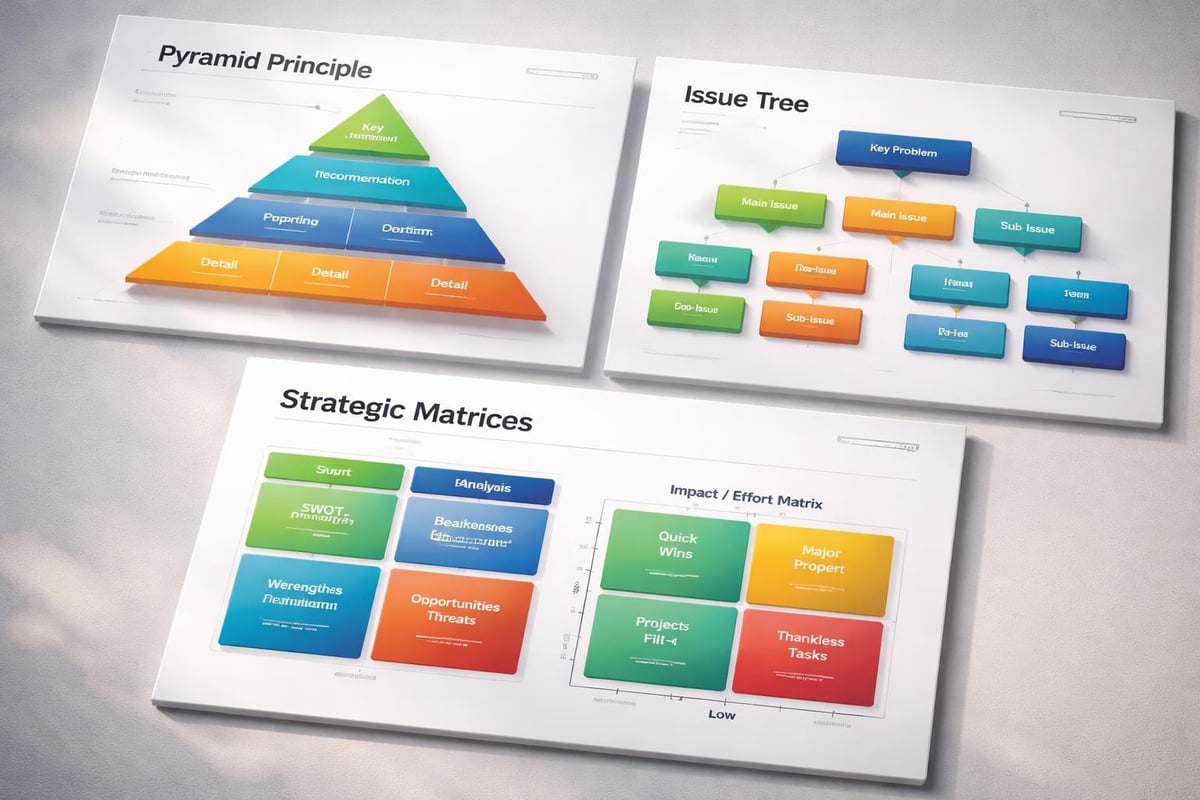
- Pyramid principle structure for presenting recommendations before supporting evidence
- Issue trees that break complex problems into manageable components
- Waterfall charts showing financial impact and variance analysis
- 2x2 matrices for strategic positioning and prioritization decisions
- Process flows with decision nodes and timeline dependencies
Templates incorporating these elements allow consultants to focus on insight development rather than slide construction. Mastering PowerPoint as a consultant requires understanding how template architecture supports analytical storytelling.
Selecting the Right Template System for Your Consulting Practice
Template selection requires evaluating both immediate project needs and long-term practice requirements. Different consulting specialties demand different visual approaches. Strategy consultants need templates emphasizing high-level frameworks and competitive analysis, while operational consultants require process mapping and workflow diagrams.
| Template Category | Primary Use Cases | Key Features | Best For |
|---|---|---|---|
| Strategy Consulting | Market analysis, competitive positioning | Framework slides, industry benchmarks | BCG, McKinsey-style deliverables |
| Financial Advisory | Valuation models, investment recommendations | Financial charts, scenario comparisons | M&A, private equity presentations |
| Operational Consulting | Process improvement, efficiency analysis | Workflow diagrams, timeline charts | Lean, Six Sigma projects |
| IT Consulting | Technology roadmaps, system architecture | Technical diagrams, implementation plans | Digital transformation initiatives |
Consider template flexibility when making your selection. Pre-built slides should serve as starting points rather than rigid constraints. The best consulting powerpoint templates maintain consistent design language while allowing customization for specific client contexts.
Template Sources and Quality Evaluation
Multiple sources offer consulting templates, each with distinct advantages. SlideWorks provides templates created by former McKinsey and BCG consultants, offering authenticity in framework application and slide layout. These professional-grade resources incorporate best practices from top-tier firms.
Free template resources like those available through various consulting PowerPoint template collections serve exploratory purposes but often lack the sophistication required for client delivery. Quality differences emerge in typography hierarchy, color palette professionalism, and spatial balance.
Evaluate templates against these quality criteria:
- Visual consistency across all slide types and elements
- Editable master slides that propagate changes throughout decks
- Color schemes aligned with professional consulting aesthetics
- Chart templates with proper axis labels and legend placement
- Icon libraries matching the overall design language
Customizing Templates for Client Deliverables
Template customization transforms generic frameworks into client-specific solutions. Begin by incorporating client brand guidelines where appropriate, particularly for implementation decks that become internal client documents. However, maintain consulting firm branding for strategic recommendations where external credibility matters.
The principles of good presentation design apply equally to template customization. Font selection should prioritize readability over personality. Sans-serif typefaces like Arial, Calibri, or Helvetica remain consulting standards for their clarity in both digital and print formats.
Color Palette Adaptation
Consulting powerpoint templates typically employ neutral color schemes that project professionalism and allow data to dominate. A standard approach uses:
- Primary color (navy, charcoal, or deep blue) for headers and emphasis
- Secondary color (typically an accent like teal or orange) for highlights and callouts
- Neutral grays for body text and supporting elements
- Data visualization palette with 5-7 distinct, colorblind-friendly hues
Adapt these palettes when client context demands it, but resist the temptation to incorporate every client brand color. Too many colors create visual confusion and diminish the analytical authority of your presentation.

Content Structure and Layout Optimization
Effective PPT layout design balances information density with visual breathing room. Consulting presentations often contain substantial data, making layout decisions critical for comprehension. Apply the "six objects per slide" principle as a general guideline, though complex analytical slides may require denser information when properly organized.
Structure each slide with clear hierarchy:
Title zone - Communicates the slide's core message as a complete sentence, not just a topic label. This approach, pioneered by major consulting firms, ensures slides stand alone for executive review.
Main content area - Contains the primary chart, framework, or analysis supporting the title statement. This section should occupy 60-70% of the slide real estate.
Supporting details - Source citations, methodology notes, or caveats appear in smaller text at the slide bottom, providing necessary context without distracting from main points.
Advanced Template Features for Complex Analysis
Modern consulting powerpoint templates incorporate sophisticated features that extend beyond basic slide layouts. Animation builds control information revelation, allowing presenters to guide audience attention through multi-step arguments. However, apply animations sparingly in client deliverables that executives will review independently.
Data Visualization Components
Financial and tech consulting particularly demands robust data visualization capabilities. Templates should include:
- Waterfall charts with proper bridging and variance callouts
- Gantt charts showing project timelines and dependencies
- Heat maps for comparing metrics across multiple dimensions
- Combination charts mixing column and line visualizations
- Scenario comparison tables with conditional formatting
Comprehensive consulting slide deck templates often package these elements as copy-paste components that maintain formatting consistency. This approach dramatically accelerates deck assembly while ensuring visual coherence.
Master Slide Architecture
Professional consulting powerpoint templates leverage PowerPoint's master slide functionality to enforce consistency. A well-structured master slide system includes:
| Master Type | Purpose | Usage Frequency |
|---|---|---|
| Title Slide | Project identification, confidentiality statements | Once per deck |
| Section Divider | Major topic transitions | 3-5 times per deck |
| Content Standard | Primary workhorse for analysis slides | 70% of deck |
| Full-Bleed Visual | High-impact imagery or simplified concepts | 10-15% of deck |
| Appendix | Supporting detail, methodology notes | As needed |
Understanding layout options for PowerPoint helps consultants select appropriate masters for different content types. The temptation to create custom layouts for individual slides undermines template efficiency and consistency.
Industry-Specific Template Considerations
Different consulting verticals require specialized template elements. Technology consulting presentations benefit from templates that accommodate system architecture diagrams and technology stack illustrations. Financial advisory work demands templates optimized for pro forma financial statements and valuation methodwork.
Financial Services Consulting
Templates for financial institutions must accommodate regulatory disclosure requirements and complex financial instruments. Fintech and banking pitch decks demonstrate how specialized templates address industry-specific needs while maintaining analytical clarity.
Key template components for financial consulting include:
- Regulatory compliance footers with required disclosures
- Financial statement layouts supporting GAAP or IFRS presentation
- Return analysis frameworks comparing IRR, NPV, and payback metrics
- Risk matrix visualizations plotting probability against impact
- Capital structure waterfalls showing distribution priorities
Technology and Cybersecurity Consulting
Tech consulting presentations often combine business strategy with technical architecture. Templates must bridge these domains, presenting technical concepts for business audiences. Cybersecurity pitch deck examples illustrate how effective templates translate technical complexity into executive-level recommendations.
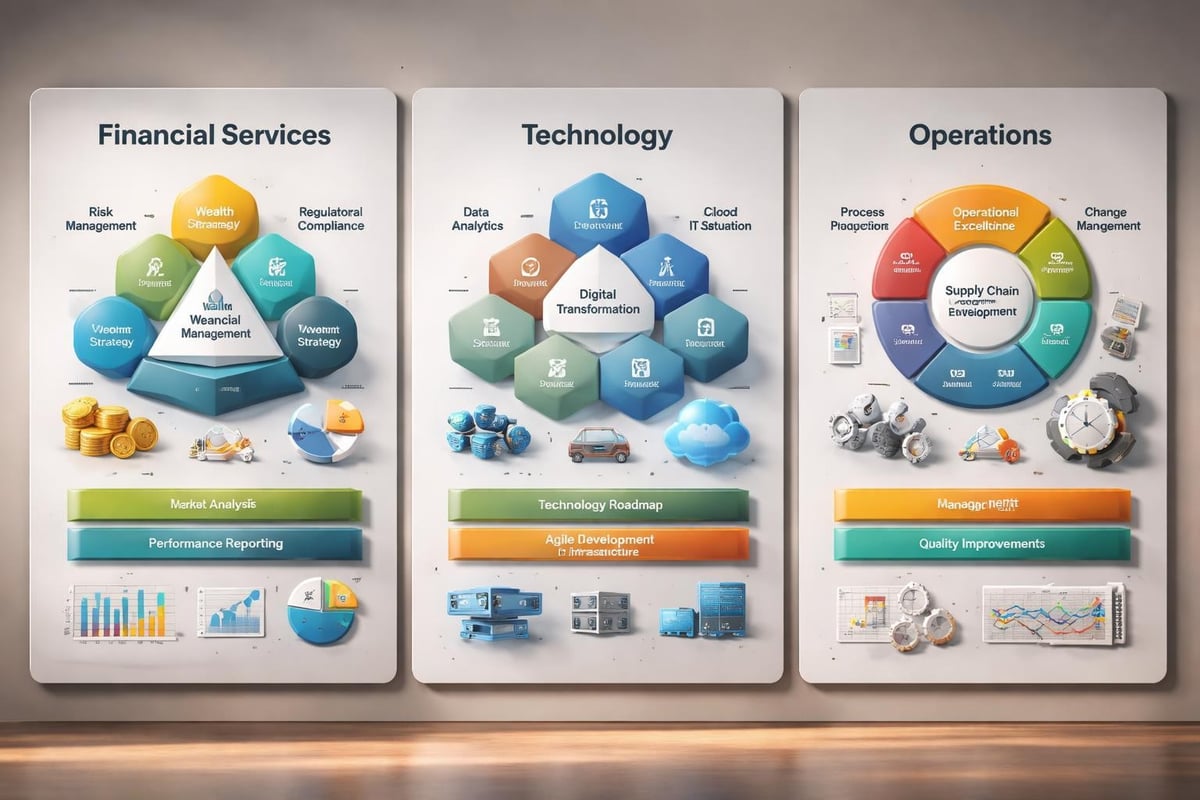
Technology-focused consulting powerpoint templates should include:
- System architecture diagrams with standardized iconography
- Technology roadmap timelines showing implementation phases
- Integration flow charts depicting data movement between systems
- Vendor comparison matrices evaluating solutions across capabilities
- Total cost of ownership models breaking down implementation and operational expenses
Proposal and Business Development Templates
Beyond client deliverables, consultants need templates for business development and proposal presentations. PowerPoint consulting proposal templates serve different objectives than analytical presentations, emphasizing firm capabilities and project approach over frameworks and data.
Proposal templates require distinct sections addressing:
Firm credentials - Team qualifications, relevant experience, and differentiating capabilities that establish credibility with prospective clients.
Understanding of challenge - Demonstration that you comprehend the client's situation, often incorporating preliminary analysis from discovery conversations.
Proposed approach - Methodology, work plan, and timeline showing how you'll address the client's needs through specific consulting frameworks and techniques.
Investment and value - Fee structure, resource allocation, and articulation of expected outcomes that justify the consulting engagement.
Creating Compelling Cover Slides
The importance of presentation cover design cannot be overstated in proposal contexts. Your opening slide creates the first impression and sets expectations for professionalism. Effective proposal covers balance visual impact with essential information: client name, project title, date, and consulting firm identity.
Avoid generic stock photography on proposal covers. Instead, use abstract geometric patterns, client industry imagery, or custom illustrations that suggest analytical sophistication. The cover should promise substance over style while still demonstrating design competence.
Maintaining and Evolving Your Template Library
Template management becomes increasingly important as your consulting practice grows. Establish version control processes that prevent teams from working with outdated templates. Many firms use centralized template repositories with quarterly update cycles incorporating design improvements and new framework additions.
Document template usage guidelines covering:
- Color application rules specifying when to use primary versus accent colors
- Font hierarchy standards defining size and weight for different text levels
- Chart formatting protocols ensuring consistent axis labels and legends
- Logo placement specifications maintaining brand standards across slides
- File naming conventions supporting project organization and archival
Regular template audits identify underutilized slides that clutter the library and popular slides that deserve refinement. Track which template elements teams use most frequently to inform future template development priorities.
Balancing Standardization with Innovation
While templates provide efficiency and consistency, over-reliance on standardized formats can stifle innovative communication. Reserve 10-15% of your presentation for custom visualizations that address unique aspects of client challenges. These bespoke elements differentiate your work while the template foundation ensures professional execution.
Visme's consulting presentation templates demonstrate how modern template platforms balance structure with customization flexibility. Cloud-based template systems allow real-time collaboration while maintaining design standards.
Integration with Consulting Workflows
Effective consulting powerpoint templates integrate seamlessly with broader consulting workflows. Templates should accommodate content from analytical tools consultants use daily: Excel models, data visualization platforms, and collaborative documents. Consider how templates support these common workflows:
From analysis to slides - Templates with pre-formatted chart areas that accept pasted Excel charts without requiring extensive reformatting. This integration point saves hours on typical projects.
Collaborative development - Master slide systems that allow multiple team members to work on different sections while maintaining consistency. Cloud platforms enable simultaneous editing that accelerates deck assembly.
Version management - Template structures that facilitate slide reordering as arguments evolve. Modular section design supports this flexibility better than monolithic presentation structures.
Quality Control and Review Processes
Even the best templates cannot prevent content issues or analytical errors. Establish review protocols that check both substance and style:
| Review Stage | Focus Areas | Reviewer Role |
|---|---|---|
| Self-review | Logic flow, data accuracy | Slide author |
| Peer review | Argument strength, completeness | Team member |
| Manager review | Strategic alignment, client readiness | Project lead |
| Final polish | Typography, formatting consistency | Design specialist |
Professional agencies like those providing presentation design services often conduct this final polish stage, ensuring deliverables meet the highest visual standards before client presentation.
Template Accessibility and Inclusive Design
Modern consulting powerpoint templates must address accessibility requirements that ensure presentations work for diverse audiences. Accessibility extends beyond legal compliance to improve communication effectiveness for all stakeholders.
Key accessibility considerations include:
- Color contrast ratios meeting WCAG 2.1 AA standards for text readability
- Alternative text for charts and diagrams supporting screen reader users
- Colorblind-friendly palettes ensuring information doesn't rely solely on color differentiation
- Readable font sizes with body text at minimum 18-point for projection scenarios
- Logical reading order in slide structure supporting assistive technology
DigitalOfficePro's consulting templates include many of these features as standard elements, recognizing that inclusive design benefits all presentation audiences.
Mobile and Remote Presentation Optimization
As consulting presentations increasingly occur through video conferencing platforms, template design must account for screen-sharing constraints. Slides optimized for in-person projection may fail on laptop screens or mobile devices.
Remote-friendly templates emphasize:
- Larger text sizes accounting for smaller screens and video compression
- Higher contrast compensating for variable display quality
- Simplified layouts that remain clear at reduced resolutions
- Minimal animation avoiding bandwidth-heavy effects
- Clear progress indicators helping virtual audiences track presentation flow
Cost-Benefit Analysis of Template Investment
Consulting firms face decisions about template investment: purchase professional templates, develop custom systems, or rely on free resources. Each approach carries distinct trade-offs affecting both immediate costs and long-term efficiency.
Professional template purchases typically range from $50-500 depending on comprehensiveness and licensing terms. These investments pay for themselves quickly when considering consultant hourly rates. A template that saves two hours per deck delivers positive ROI after just a few uses.
Custom template development makes sense for established firms with consistent branding requirements and substantial presentation volumes. Development costs range from $5,000-25,000 for comprehensive systems but create differentiated visual identities that reinforce firm positioning.
Free template resources serve specific purposes: exploring design directions, supporting one-off presentations, or providing components for custom template development. However, free templates rarely deliver the polish and comprehensiveness required for regular client deliverables.
Calculate template ROI by estimating:
- Time saved per presentation through pre-built layouts and formatting
- Consultant hourly rate multiplied by time savings
- Presentation volume determining how frequently you'll use templates
- Quality improvement value in terms of client perception and win rates
For most consulting practices, professional consulting powerpoint templates represent one of the highest-ROI technology investments available.
Selecting and implementing the right consulting powerpoint templates transforms presentation development from time-consuming formatting work into strategic communication design. The investment in quality templates, whether purchased or custom-developed, pays dividends through accelerated workflows and enhanced client deliverables. If you're looking to elevate your consulting presentations beyond what templates alone can achieve, Prznt Perfect specializes in creating visually stunning presentations for financial and tech businesses, combining consulting-grade frameworks with professional design expertise that turns complex analysis into compelling visual narratives.



- This is some text inside of a div block.lay out the facts clearly and compellingly. Use data to establish the ground reality, but remember that facts alone are like the individual strands of a tapestry—necessary but not complete.lay out the facts clearly and compellingly. Use data to establish the ground reality, but remember that facts alone are like the individual strands of a tapestry—necessary but not complete.
- This is some text inside of a div block.lay out the facts clearly and compellingly. Use data to establish the ground reality, but remember that facts alone are like the individual strands of a tapestry—necessary but not complete.

.png)
